By Greg Nowak. Updated 13 October 2026.
Prompt caching can lower your AI API bill when requests reuse the same substantial opening context. But a higher cache-hit count does not tell you whether your business is paying less for useful work.
For an agency producing recurring briefs, or an operations team extracting records from documents, the useful question is: what does one accepted result cost? That includes failed attempts, retries and review time. Before increasing volume, choose one recurring workflow and measure whether caching improves its economics under normal working conditions.
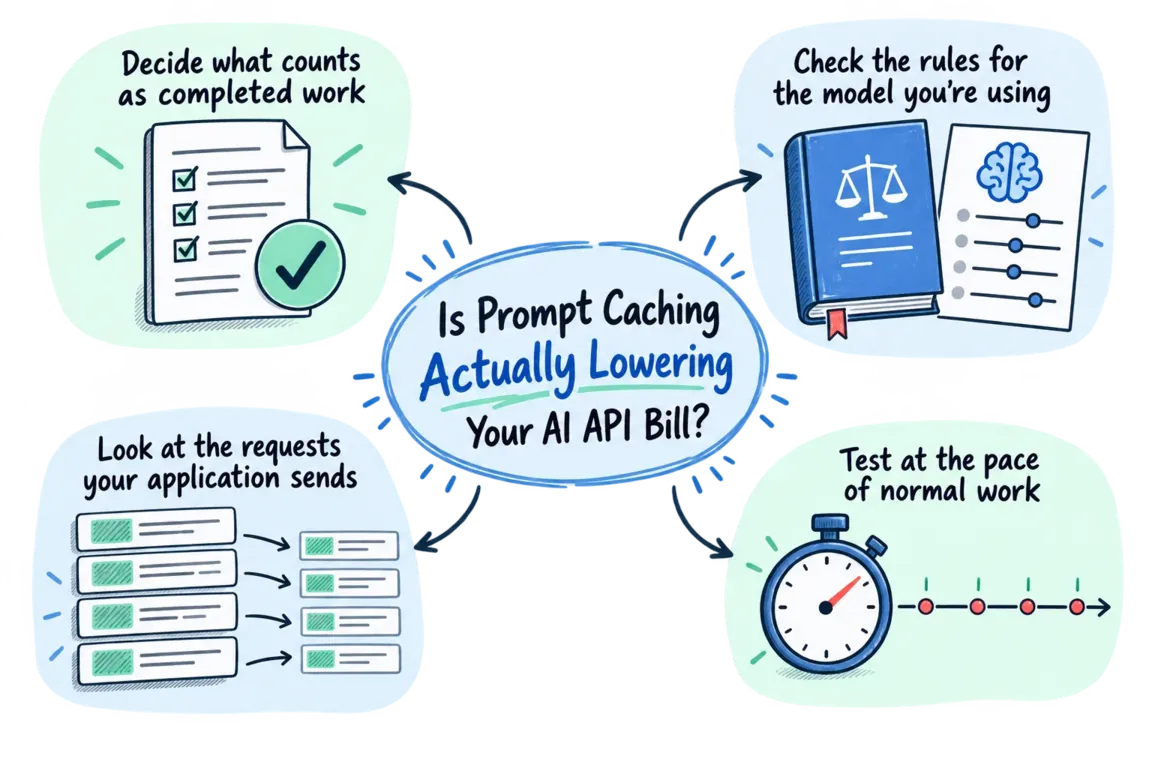
Start with the cost of completed work
Define the finish line before changing the prompt. A completed extraction might be a record that passes validation. A completed draft might be copy accepted for the next editorial stage. Keep that acceptance threshold fixed throughout the comparison.
API cost per completed task = all API charges for the workflow ÷ accepted completed tasks.
Include intermediate calls, rejected outputs, retries and any cache-warming requests. Count each accepted business result once. Track human review minutes separately; if you value that time at an agreed hourly rate, you can also compare total delivery cost.
For agencies, choose a boundary that matches the work you sell. Measuring the cost of an individual model response can hide the expense of the research, checking and revision calls needed to deliver a brief ready for a client.
Check what your provider actually charges
Use rates for your exact model and processing tier. OpenAI's current pricing lists separate input, cached-input, cache-write and output categories. GPT-5.6 and later have a write multiplier of 1.25 times ordinary input; reads are generally 0.1 times, but GPT-6.1 Sol uses 0.05 times. Earlier models have no additional write charge. Check the OpenAI pricing tables before calculating savings.
Anthropic charges 1.25 times base input for five-minute writes and twice base input for one-hour writes. Reads normally cost 0.1 times, with lower multipliers on some models. Its prompt caching documentation lists the exceptions. Longer retention needs enough reuse to justify the extra write cost.
Here is an illustrative calculation using a 1.25 write multiplier and a 0.1 read multiplier: processing the same eligible prefix twice costs 1.35 units with one write and one successful read, versus 2 units without caching. That saving applies only to the reused input. Output, changing context and other charges still need to be added.
Give reusable context a stable place
Inspect actual outgoing requests. Put stable instructions and reference material first, then changing task data. Keep tool definitions in a consistent order. Investigate timestamps, random identifiers or reordered blocks that could break prefix matching.
For a recurring brief, that could mean keeping the editorial rules and output requirements together, followed by the current assignment and research. Preserve information the task needs, record a prompt version, and check that moving content has not changed the quality of the result.
OpenAI requires at least 1,024 visible input tokens for a cacheable prefix on GPT-5.6 and later; earlier models have different eligibility rules. Current retention controls also differ by model family. Use the OpenAI prompt caching guide for your integration rather than copying settings from an older example.
Run the comparison at the pace of normal work
Compare the existing request construction with one small revision. Hold the model, output settings and acceptance criteria steady. Use representative routine tasks and difficult inputs, with similar task mixes in both runs.
Include quiet periods, bursts and the concurrency you expect in production. A rapid replay is useful for diagnosing cache behavior, but it can overstate reuse in a workflow that receives requests hours apart. Record cold starts and later misses as part of the test.
Agree beforehand what would justify rollout: lower cost per accepted task, acceptable completion time and no increase in correction work. This makes the decision easier when the results are mixed.
Log usage without double-counting tokens
Keep each provider's raw usage response alongside your task identifier, prompt version, model, retry count, completion status and elapsed time. Report total spend and accepted-task count as well as the average.
For OpenAI Responses, record usage.input_tokens_details.cached_tokens and, where applicable, usage.input_tokens_details.cache_write_tokens. Its documented calculation subtracts reads and writes from total input before pricing ordinary input. See the usage calculation.
Anthropic's usage.input_tokens excludes cache reads and writes. Track cache_read_input_tokens and cache_creation_input_tokens separately; when using both retention windows, split writes by duration. Reusing an OpenAI accounting formula here would produce the wrong total. Check Anthropic's usage fields.
| What changed? | What to check | Decision |
|---|---|---|
| Task cost fell; quality held | Was request timing realistic? | Roll out gradually and monitor. |
| Cache reads rose; task cost stayed flat | Write charges, output costs and retries | Find the largest remaining expense. |
| Writes rose; reuse stayed low | Changing prefixes and gaps between requests | Revisit prompt construction or retention. |
| API cost fell; review time rose | Total delivery cost | Resolve the quality tradeoff first. |
| Estimates differ from provider charges | Missing calls, reporting period and project scope | Reconcile before claiming savings. |
Match the calculation to the bill
OpenAI's organization Usage API includes cost reporting with monetary amounts and grouping by project and line item. Compare that accounting view with your application records using the same time boundaries and project scope.
Investigate unrelated traffic, missing records and charges outside your token estimate. Keep unresolved differences visible. A smaller monthly bill alone cannot establish that caching helped if volume, models or the task mix also changed.
Put the findings into everyday operation
If you use LiteLLM, budget_duration sets the budget reset period. Budget enforcement requires a connected database; team keys follow team and team-member budgets rather than the owner's personal budget. Check the LiteLLM budget documentation and test what happens when a limit is reached. Assign someone to review spend and handle exceptions.
A focused review with Greg can start with one workflow: inspect request construction, test a targeted change, reconcile charges and recommend operating limits. The useful deliverable is a repeatable cost comparison your team can use as prompts, models and volume change.
Bring a sample workflow, representative requests and whatever usage records you have. Discuss an AI cost review with Greg and agree a practical scope.
Related on GrN.dk
- Prompt Cache Write Costs: Check What Your Workflow Actually Reuses
- AI automations need a spend dashboard before the first runaway bill
- When AI writes JSON, one bad field can break the workflow
Need help with this kind of work?
Discuss an AI cost review with Greg Get in touch with Greg.










