By Greg Nowak. Updated 15 October 2026.
A slow Drupal site usually reaches the business as a complaint: a campaign page takes too long, a form feels unresponsive, or staff wait every time they save content. The useful first question is where the waiting happens and what it prevents people from doing.
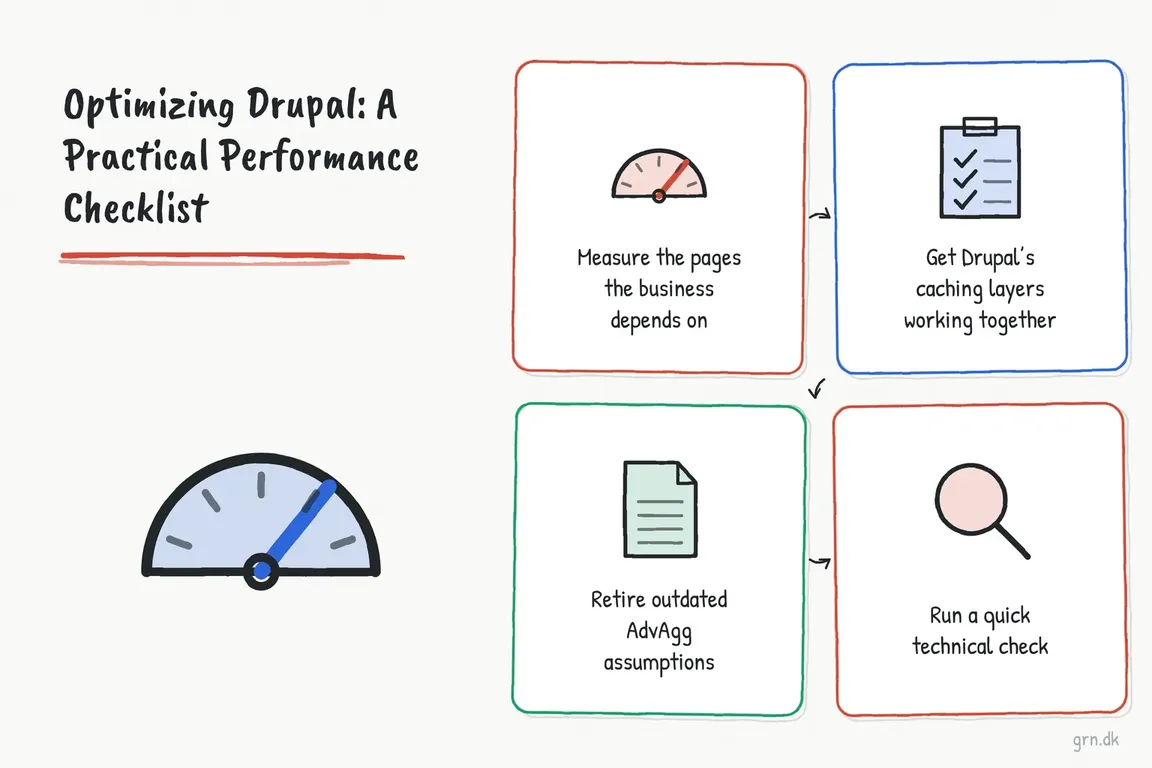
Use this checklist to agree on the diagnosis with your developer, agency, and hosting team. Start with important journeys, make targeted changes, and ask for evidence that the experience improved before commissioning a larger rebuild or infrastructure upgrade.
Start with four journeys and a baseline
Choose a landing page, a typical content page, a search or listing page, and a conversion journey. Include a logged-in workflow if customers or staff depend on one. Record the URL, device, login state, and the action that feels slow. Keep these conditions consistent when comparing results.
PageSpeed Insights provides a starting point. Field data reflects real visitors; lab tests help reproduce problems. Missing field data means there is insufficient coverage, so consider your own real-user monitoring, particularly for authenticated journeys.
Google's Web Vitals guidance sets the good-experience thresholds at LCP of 2.5 seconds or less, INP of 200 milliseconds or less, and CLS of 0.1 or less, assessed at the 75th percentile and separately for mobile and desktop. These cover loading, responsiveness, and visual stability. A Lighthouse score alone cannot confirm all three.
Match the symptom to the investigation
Ask the team to show which part of the request or interaction takes the time. This keeps the next task specific enough to estimate and assign.
| Symptom | First investigation | Likely owner |
|---|---|---|
| Public pages stay slow on repeat visits | Compare server response times and Drupal/CDN cache headers | Drupal developer and hosting team |
| Logged-in pages or searches are slow | Profile Views, database queries, custom blocks, and external calls | Backend developer |
| The main image appears late | Check image size, discovery time, and loading priority | Frontend developer and content team |
| Menus, filters, or forms hesitate | Record the interaction and inspect JavaScript work | Frontend developer and script owners |
| Content moves while loading | Check space reserved for images and delayed components | Theme developer |
Check what Drupal can reuse
Internal Page Cache reuses complete pages for anonymous visitors and assumes those visitors receive identical content. Anonymous carts or session-specific blocks need a deliberate alternative, such as disabling this module and using Dynamic Page Cache. A CDN or reverse proxy may already handle full-page caching.
At admin/config/development/performance, the browser and proxy maximum-age setting controls downstream caching, not Internal Page Cache's lifetime. Before increasing it, agree how published changes will reach visitors. Drupal's Internal Page Cache documentation explains the distinction.
Dynamic Page Cache supports reuse around personalized content. Have the developer inspect restrictive or missing cacheability metadata: tags identify dependencies, contexts identify variations, and maximum age describes freshness.
BigPipe can send the reusable page structure before streaming personalized components. It improves perceived loading but does not remove expensive backend work. The BigPipe documentation recommends Dynamic Page Cache alongside it. Reserve space for streamed components so they do not push other content around.
Run a repeatable cache check
From the appropriate Drupal application environment, list enabled cache modules:
drush pm:list --status=enabled --type=module | grep -E 'page_cache|dynamic_page_cache|big_pipe'If missing modules fit the site's caching design, test enabling them in staging, then deploy the configuration through the normal release process:
drush pm:enable page_cache dynamic_page_cache big_pipe -yMake two anonymous GET requests to the same public page. Replace the example with its final URL, avoiding redirects:
for request in 1 2; do
  curl -sS -D - -o /dev/null https://www.example.com/ | grep -iE '^(HTTP/|cache-control:|age:|x-drupal-cache:|x-drupal-dynamic-cache:)'
done
A first X-Drupal-Cache: MISS followed by HIT is normal; two hits may mean the page was already cached. A CDN can replay stored Drupal headers, so compare its cache status too. A Dynamic Page Cache miss alone is not a failure when Internal Page Cache serves the response.
Reduce browser work and avoid outdated fixes
Check production CSS and JavaScript aggregation, then inspect what each page loads. Attach gallery or filter libraries only where those components appear. Drupal's asset-library documentation explains conditional attachment. If a custom library declares a version, update it when its CSS or JavaScript changes: since Drupal 10.1.2, that version affects aggregate hashes. Omitting it uses file contents instead.
If an older checklist recommends AdvAgg, revisit it. Its maintainers describe AdvAgg as obsolete on Drupal 10.1 and later and recommend uninstalling it. Test removal with core aggregation in staging.
Serve appropriately sized responsive images, include dimensions, and avoid lazy-loading the main image visible on arrival. Review chat, tracking, video, and consent scripts with their owners. After changing script loading, test menus, validation, and form submission.
Give every fix a finish line
Prioritize by user impact, affected traffic, confidence in the diagnosis, and effort. Each task needs an owner, a baseline, an acceptance check, and a rollback approach. For a listing page, that might mean comparing response times under the same filters and confirming results remain correct.
After release, repeat comparable tests, check publishing and personalization, and complete the enquiry or transaction journey. Review field trends as fresh visits accumulate. Keep a short record of what changed and whether it helped.
If responsibility keeps bouncing between Drupal, hosting, and suppliers, Greg can help investigate the bottleneck and coordinate the work. Talk to Greg about your Drupal site's performance; bring a few slow URLs and any reports you already have.
Related on GrN.dk
- AI Crawler Control for Business Websites: Protect Content Without Losing Search Visibility
- SEO Audit Checklist: What to Check—and Fix—First
- SEO in 2026: What Actually Changed Since 2024
Need help with this kind of work?
Talk to Greg about your Drupal site's performance Get in touch with Greg.