By Greg Nowak. Last updated 2026-10-30.
The real test of an automated monthly report is what happens when next month's files arrive. Can the person responsible rerun the report, spot errors and explain where the numbers come from? AI for Excel can help here, provided imports, calculations and checks follow predefined rules, and AI is given clearly defined tasks involving categorisation and report commentary.
Could your business use this? nowa.dk sets up AI automation for Danish companies.
Start with one report. Agree on the data sources, calculate the key metrics with Python, and require a reconciliation before the report is approved. This allows the business owner and the person responsible for operations to trace the numbers back to the files and rules behind them.
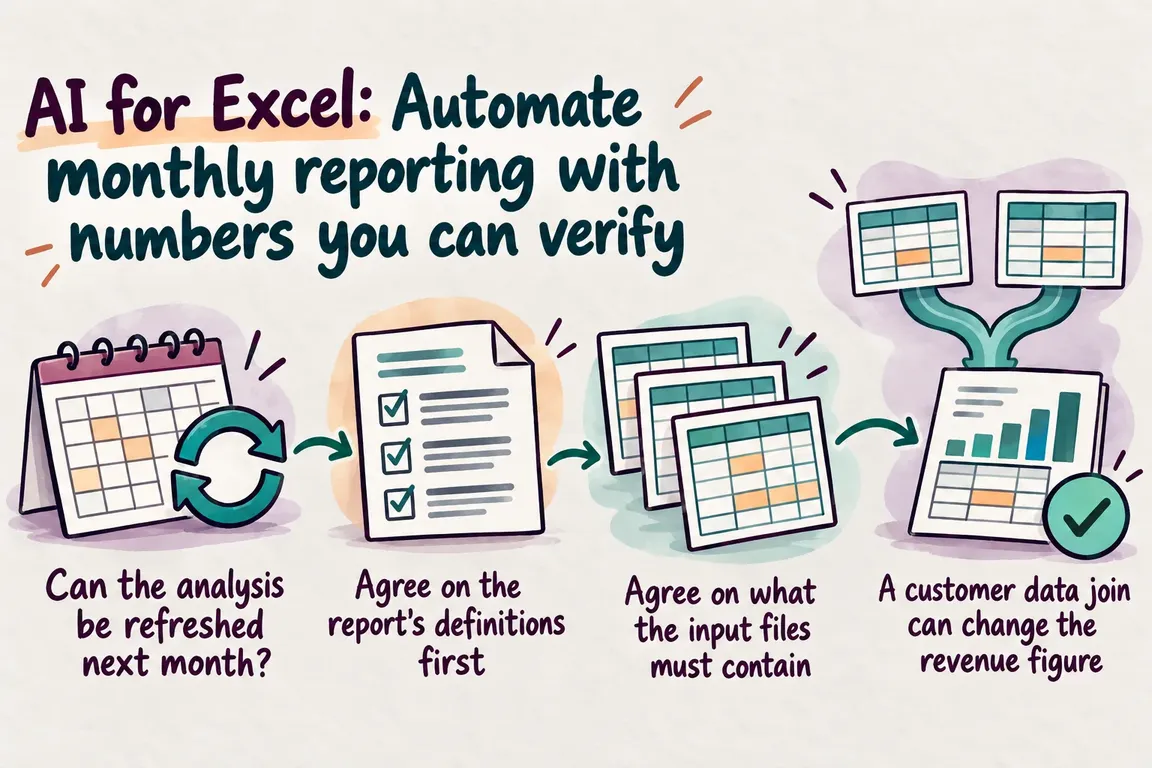
Can the analysis be refreshed next month?
Microsoft describes how Copilot in Excel uses Python-based analysis to answer questions about structured data in a workbook. However, tables and visualisations produced by the direct analysis answers feature may be static and therefore cannot be refreshed. Microsoft also describes an advanced analysis feature that allows the underlying code to be inserted as a Python cell that can be refreshed. The difference is explained in Microsoft's guide to direct analysis answers.
That distinction matters at month-end. Agree on how next month's data will be imported, which calculations will run again and where any errors will appear. The person responsible for releasing the report needs to know exactly what must be in place.
Agree on the report's definitions first
Start with an existing monthly report that has a clear purpose, such as revenue by customer group compared with budget. What decision should it support? The answer determines which key metrics are needed. Keep the definitions consistent when comparing the budget for 2027 with actual results.
Document the small but crucial calculation rules too. Which date assigns an entry to a particular month? Do the amounts include or exclude VAT? How are credit notes handled, and which budget version applies?
The person responsible for the report should approve the rules. Save the reporting period and budget version alongside the results so the report can later be rerun using the same assumptions.
Agree on what the input files must contain
Copilot can import data from another Excel workbook. Microsoft's approach is to describe the data you want and select the correct source file if several results appear. See the guide to importing data between Excel files. Test the import with the employee and the actual files that will be used at month-end.
For a repeatable import, the pandas function read_excel can be used to select sheets, columns and data types, and to specify the date format. For amounts stored as text, you can specify the decimal and thousands separators. Numeric Excel cells, by contrast, are read according to their value, regardless of how the number is displayed in the sheet. This is explained in the read_excel documentation.
Bring the requirements together in a short import specification: which columns are required, which formats are expected, and how will missing values be handled? Customer numbers must be treated as identifiers, and any significant leading zeros must be checked against the source.
Dates and amounts that cannot be parsed must go on an error list. Save the original value alongside the error message. This gives the person responsible something concrete to work from when making corrections.
A customer data join can change the revenue figure
When sales lines are joined to a customer register, each sales line should normally match one customer. If the same customer number appears several times in the register, a sales line may be repeated in the result. This can change the total even though nobody has changed the sales data itself.
In pandas.merge, the setting validate="many_to_one" can check that the keys in the right-hand table are unique. With indicator, the result can show which keys appear in both tables. The documentation also warns that null keys may be matched with each other. Missing customer numbers should therefore be handled before the join. See the merge documentation.
Compare both the row count and the total amount before and after the join. Any change needs an explanation. Unknown customer numbers must appear on the error list, with someone assigned to resolve them. Simply excluding the affected entries hides the problem.
Decide in advance what will block the report
A check is only useful if it leads to action. During the pilot, agree on which errors will block the report and which discrepancies a designated person may approve with a documented explanation.
| Step | What to check | If the check fails |
|---|---|---|
| Import | The required columns are present, and dates and amounts can be read. | Stop the calculation and output an error list with the original values. |
| Joining data | Customer keys follow the agreed relationship. Row counts and amounts are checked before and after the join. | Resolve duplicates, missing matches and changes to totals. |
| Reconciliation | The total and relevant subtotals agree with the source data. | Explain differences before release and document any approved rounding discrepancies. |
| AI draft | Numbers and statements can be traced to the calculated key metrics. | Correct or remove statements that lack supporting evidence. |
| Approval | A named person responsible has reviewed the results. | Keep the report as a draft until the review is complete. |
Reconcile the components of the total too
Have each run produce a separate reconciliation. It should show the source files, reporting period, number of entries imported and excluded, and totals before and after processing. If an entry is excluded under an approved rule, its amount must still appear in the reconciliation. A colleague should be able to follow the path from export file to report without reading the program code.
The grand total is not enough. Two errors in opposite directions can cancel each other out, so check relevant subtotals too, for example by month or customer group. Specify concrete rounding tolerances and require a separate explanation for other differences. A general tolerance must not automatically approve unexplained discrepancies.
Then rerun the report using the same files and rules. The calculated key metrics must be identical. Also test a missing customer number and an invalid date in copies of the input files. This lets the pilot demonstrate whether errors are actually detected and reach the person who needs to resolve them.
Give AI a clearly defined task
Known categories should follow predefined, approved rules. AI may suggest a category for a new description, but the suggestion must be saved separately until someone responsible has approved it. The categorisation can then become part of the predefined rules for the next run.
When AI writes the report commentary, give it the calculated key metrics, their definitions and the comparison period. Ask for a short draft that links each number to a specific table or cell. Missing information must be flagged, and the model must avoid explanations of causes that the data does not support.
A change in revenue, for example, does not in itself demonstrate that customer behaviour has changed. The person responsible for the report must therefore review both the references supporting the numbers and the interpretations. Save the approved text alongside the report version so it is clear later what management received.
Start with one report that the operations team can take over
Through nowa.dk, Greg's AI automation service for Danish companies, Greg can build a pilot around one monthly report. The work can include importing export files, standardising customer numbers, dates and amounts, calculations in Python, and AI suggestions for categorisation and report commentary.
Agree on a concrete set of deliverables: the report, an overview of checks, an error list, documented calculation rules and a simple guide to the next run. At the same time, name the people responsible for providing the files, resolving errors and approving the report. It should also be clear who to contact if an export changes format.
Assess the pilot across the entire process, from receiving the files to approving the report. Record the manual time spent, the corrections made and any discrepancies that remain unexplained. Once next month's report can be completed using the agreed workflow, you have a basis for deciding which reports to automate next.
Related on GrN.dk
- Jeg bygger AI-agenter til små virksomheder. Jeg mangler en, der kan sælge dem.
- AI chatbot til hjemmeside: Hvad må den love kunden før booking?
- Allergener på menukortet: Kan AI finde de tekster, der skal rettes?
Need help with this kind of work?
Talk to Greg about a pilot for your monthly report Get in touch with Greg.










