By Greg Nowak. Last updated 2026-10-28.
Before a seasonal campaign, take a few products that appear in AI shopping results and follow them through to checkout. Does the recommended colour stay selected? Is that size available? Does the price still match?
For shop owners and technical marketing teams, those checks give a catalog audit a clear purpose. You need to know what information each channel receives, where it comes from and whether customers can buy the item they were shown. Finding the product is the first step in that review.
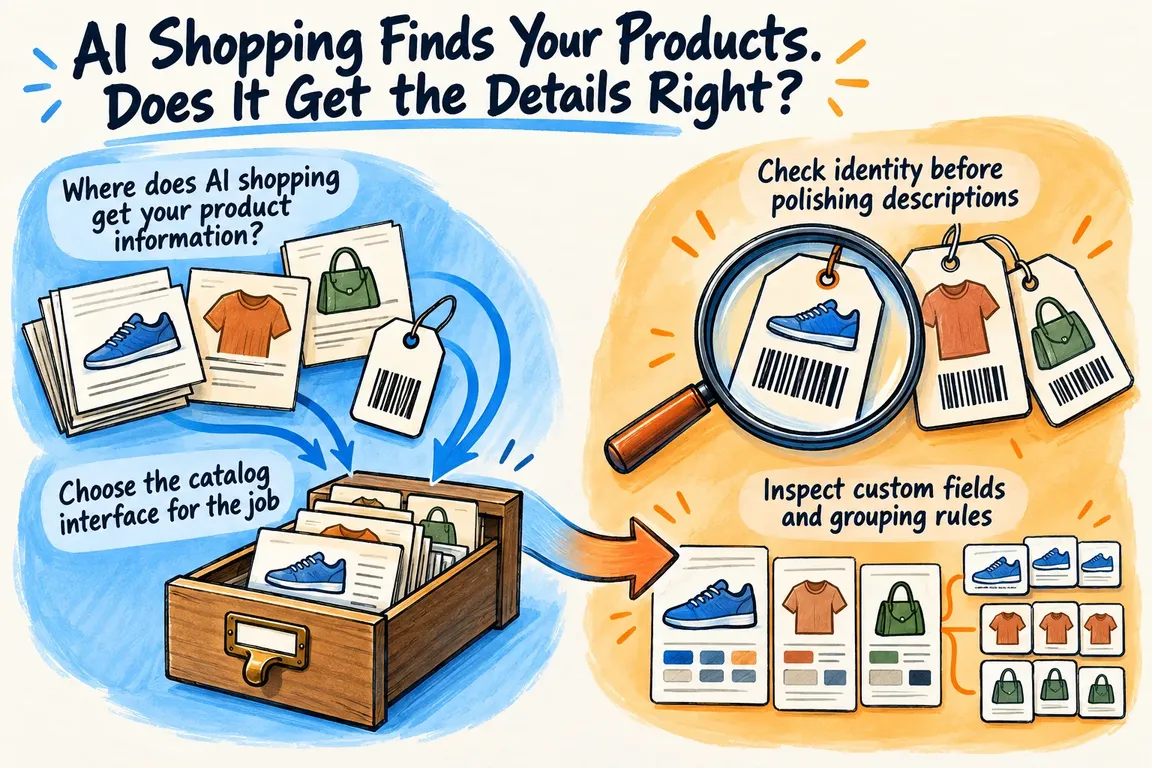
Where does AI shopping get your product information?
Shopify’s agentic storefront documentation describes several discovery routes: Shopify Catalog, web crawling and indexing, and merchant feeds. Eligible products can be discovered through Catalog. Google AI Mode and Gemini receive products through the Google & YouTube sales channel. A product that is ineligible for Catalog may still be discovered through another route.
Record which routes apply to your store, then trace each one from its source fields through any mapping or transformation to the published destination. If you cannot establish where a result got its information, put that on the investigation list.
This matters when you find a discrepancy. Before changing a feed, a custom field or website markup, establish which version of the product information supplied the incorrect detail.
Choose the catalog interface for the job
For teams building an integration, Shopify distinguishes Global Catalog from Storefront Catalog. Global Catalog supports discovery across merchants; Storefront Catalog serves one merchant’s store. Both offer search, identifier lookup and detailed product retrieval, including option combinations, availability signals and checkout links.
If you are checking an existing sales channel, start with its configuration and published data. If you are building a shopping assistant, settle the scope before choosing an interface. The project brief should specify which stores it must search, which identifiers it must retain and how the selected variant will reach checkout. Those decisions affect the integration work that follows.
Check identity before polishing descriptions
Make an explicit map between your internal product ID, variant ID, SKU, manufacturer identifiers and destination record. Note what each identifier refers to. A product family and a particular size that someone can purchase need separate treatment.
Schema.org Product defines SKU as a merchant-specific identifier and has separate properties for GTIN, manufacturer part number and variant relationships. Use those distinctions when comparing website markup with catalog exports.
Google’s product data specification requires a shared item group ID for applicable variants and warns against guessing manufacturer identifiers. These are channel-specific requirements, so apply them when reviewing Google submissions.
The practical test is whether each exported variant leads back to exactly one intended purchasable item. Resolve ambiguous matches before making bulk edits, and keep a correction log that explains why an identifier changed. Whoever maintains the catalog next needs to be able to follow that decision.
Inspect custom fields and grouping rules
Shopify Catalog normally publishes core attributes such as titles, options, prices and availability, and continuously updates inventory and prices. Shopify also provides channel mapping for information held in custom fields, including metafields and metaobjects. It supports grouping separate products as variants of a single listing, too.
Check whether those mappings reflect how you intend to merchandise the products. Which field should supply the customer-facing description? What makes two records belong in the same listing? If a grouping rule relies on tags or title separators, inspect products that should qualify and products that should be excluded.
Website markup needs the same attention. Schema.org has dedicated properties for characteristics such as colour, with additionalProperty available for characteristics that lack a matching property. Check that the markup uses the intended vocabulary and describes the same item as the export.
A working checklist for the audit
Use this table to record comparisons and decide what to investigate. These are recommended audit checks; each destination’s specification remains the reference for its submission requirements.
| Check | What to compare | If it differs |
|---|---|---|
| Product identity | Source record, exported identifiers and website markup | Resolve ambiguous matches before changing records. |
| Variant selection | Published options, selected landing-page variant and cart item | Find the handoff where the selected variant changes. |
| Custom fields | Intended merchandising field and published value | Correct the mapping and review the products it affects. |
| Price | Catalog offer, product page and checkout in the same market and currency | Compare item price and discounts separately from shipping and other charges. |
| Availability | Published status and ability to purchase the selected item | Check the source value, then trace its publication. |
| Grouping | Variants that belong together and neighbouring products that do not | Test both inclusion and exclusion rules. |
Follow a representative sample through checkout
You need a manageable sample that covers the rules in your catalog. Include a simple product, one with several options, a sale item, an unavailable variant and a product whose description comes from a custom field. If you deliberately group separate products into one listing, include examples of those as well.
Write down the expected values before testing. Record the market, currency, selected options and observation time. Where accessible, save the relevant export or API response. Inspect the storefront and its product markup, then follow the purchasing link supplied by the channel.
On the landing page, check which variant is actually selected. Add it to the cart and continue far enough to inspect checkout without placing an order. Record the item identity, quantity, price and availability. Keep shipping and other charges separate from the item price so you can make a meaningful comparison.
Google explicitly requires submitted price and availability to agree with the landing page, structured data and checkout. It also warns that inaccurate or conflicting information can cause display problems, restricted eligibility or disapprovals.
For each discrepancy, record what you expected, what you observed, where it happened and when. If you cannot establish the underlying source of an AI result, say so in the audit. A screenshot documents what appeared, but it is not enough on its own to decide which integration needs changing.
Fix the mapping, then repeat the journey
Prioritise issues by their effect on the purchase. Incorrect product selection, price and availability come first. Give each issue to the person responsible for the source data or transformation, along with a clear condition for accepting the fix.
Before applying bulk updates, prepare a proposed change report. A Python or PHP script can compare records, flag missing relationships and produce corrections for review. Where the intended identity or grouping is uncertain, someone needs to review the proposal before it is applied.
For API work, document the input field, output field, transformation and expected result for each repaired mapping. After publication, repeat the original sample and add examples that test the edges of the rule. Shopify updates Catalog continuously, but you still need to observe the corrected result. Avoid promising a refresh deadline that applies to every case.
GrN can help turn this into a bounded catalog audit, with a source map, documented discrepancies, a prioritised repair plan and agreed verification steps. Greg can help scope the Python or PHP data cleanup, field mapping and API integration work those findings call for. The aim is straightforward: customers should reach checkout with the product and terms they were shown during discovery.
Related on GrN.dk
- When the AI API Says “Try Again,” What Does Your Customer See?
- Before an AI Assistant Issues a Refund, Put Approval in Its Path
- NGINX Can Read JSON Before Routing—Should It Handle Your AI API?
Need help with this kind of work?
Discuss a product catalog audit Get in touch with Greg.