By Greg Nowak. Updated 20 October 2026.
When sales staff spend their mornings deleting fake enquiries, form spam has become an operations problem. It wastes follow-up time, inflates campaign conversions, and triggers automations that make the CRM harder to trust.
The useful starting point is to trace what happens after someone presses Submit. Which checks run? What gets stored? Who gets notified? A dependable intake flow checks the request, validates the data, and controls what happens downstream. A bot check helps, but it cannot tell you whether an enquiry is worth pursuing.
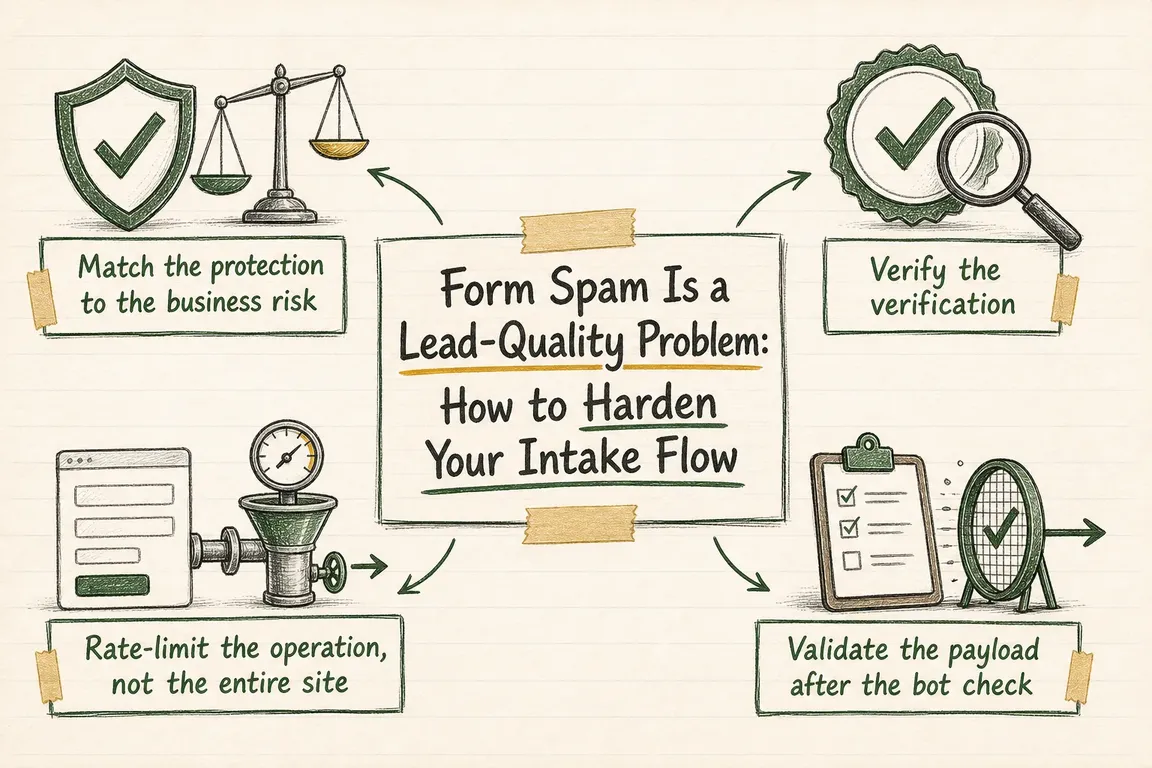
Match the controls to the business consequence
Start with the form causing the most cleanup work. Follow one submission from browser to inbox, CRM, and reporting dashboard. Include old campaign pages, embedded forms, and integrations: each route needs an owner and a clear acceptance policy.
| Intake flow | Main business risk | Practical starting controls | Before downstream action |
|---|---|---|---|
| Newsletter signup | List pollution and unwanted email | Bot check, rate limit, address validation | Confirm mailbox access before activation |
| Contact or quote request | Wasted sales time and inflated conversions | Server verification, field rules, targeted limits | Review uncertain enquiries before assignment |
| Account registration | Fake accounts and follow-on abuse | Bot check, registration limits, email verification | Restrict capabilities until verified |
| Checkout | Fraud and unnecessary support work | Form controls plus transaction-specific protection | Keep payment and fraud decisions in transaction systems |
Verify the bot-check token in the actual form handler
For Cloudflare Turnstile, the browser widget is only half the implementation. Before accepting a submission, your server must send its secret and the submitted token to https://challenges.cloudflare.com/turnstile/v0/siteverify. Keep the secret out of browser code. Require success to be true and check the expected hostname and configured action. Cloudflare explains these checks in its server-side validation guidance.
Tokens last 300 seconds and can be validated once. Reject missing, invalid, expired, or reused tokens before creating leads or sending notifications. For long forms, preserve entered data and refresh an expired widget with turnstile.reset(). Explain how the visitor can retry.
If Siteverify times out, report a temporary verification problem rather than labelling the visitor as spam. Cloudflare supports an idempotency_key; reuse that key when retrying the same validation. Separately, prevent duplicate CRM records if a visitor resubmits after a slow response.
Rate-limit the submission endpoint
Protect the request that performs the operation. Limiting visits to a contact page will not stop direct submissions to its handler. Match the hostname, submission path, and HTTP method. On a shared handler, identify the specific form operation before applying a restrictive rule.
Cloudflare’s rate-limiting guidance also warns about differences in path normalization: test alternate path representations your application accepts. Where your plan supports it and responses distinguish outcomes, failed-operation counting can help protect legitimate users.
Set thresholds from observed traffic, allowing for campaign peaks, retries, and people sharing an office connection. Start conservatively and inspect matches before tightening limits. Test the complete browser submission after changing enforcement, including AJAX forms and error messages.
Validate fields without rejecting ordinary people
Write down each form’s required fields, accepted types, length limits, and fixed choices. Enforce them on the server before business processing; dropdowns and hidden fields can be changed in a direct request. Set request-size limits before parsing large payloads.
Keep rules specific to the field. A budget band should match an offered value; a person’s name should accommodate legitimate punctuation and writing systems. Avoid broad keyword bans across enquiry text. As OWASP’s input-validation guidance explains, validation also needs separate protections such as parameterized database queries and appropriate output encoding.
For uploads, enforce size limits and check permitted extensions and actual content type rather than trusting browser metadata. Remove attachments from forms that do not need them. A valid email format does not establish mailbox access, and mailbox verification does not establish buying intent.
Give uncertain enquiries a review path
Separate technical rejection from commercial uncertainty. An invalid request should not enter the sales pipeline. A technically accepted enquiry with questionable content can enter a restricted review queue before assignment, marketing enrolment, or team notifications.
Record a useful reason, such as repeated content or an unusual submission pattern. Assign someone to review the queue regularly and let them release a genuine enquiry without retyping it. Avoid making one weak signal, such as a personal email address, an automatic rejection rule.
Keep diagnostic records small: an event identifier, outcome, reason, and timestamp may be enough. Avoid copying full messages or secrets into logs. Define how long review records remain available so the queue stays manageable.
Test the failure paths and measure accepted leads
Use Cloudflare’s documented test keys to exercise successful, failed, and already-redeemed token responses in a test environment. Test expiry separately, and restore production keys before release.
Check keyboard use, mobile layouts, cached pages, popups, consent tools, and language variants. If the site uses a Content Security Policy, follow Cloudflare’s CSP configuration guidance: use its documented nonce approach or permit the required Turnstile script and frame resources.
After launch, compare attempted submissions, technical rejections, review-queue releases, and leads accepted by sales. Investigate missing genuine enquiries alongside falling spam counts. Give the agency and operations team a named owner for adjustments, then change one control at a time.
Get the form and the follow-up working together
If spam keeps returning, bring the form URL, examples, and a map of the automations it triggers. Greg can help review the website-to-CRM path and coordinate practical fixes with your team or agency. See how Greg can support your digital project.
Related on GrN.dk
- Logistics Optimization in 2026: Fix the Flow Before You Buy More Tech
- WordPress 7.1 Unicode Emails: What Changed and What to Check
- Cloudflare Turnstile on Lead Forms: Getting the Backend Right
Need help with this kind of work?
Review your intake flow with Greg Get in touch with Greg.










