By Greg Nowak. Updated October 29, 2026.
PHP 8.2 security support ends on December 31, 2026. If your business or agency maintains WordPress, Drupal, or custom PHP applications, now is the time to establish which sites need work, who will do it, and when production changes can happen.
The hosting control panel is usually the easy part. The real work is finding the old plugin, custom integration, or scheduled task that prevents an otherwise straightforward upgrade. A useful audit gives each application a supported destination, a list of blockers, and enough test evidence to approve the move.
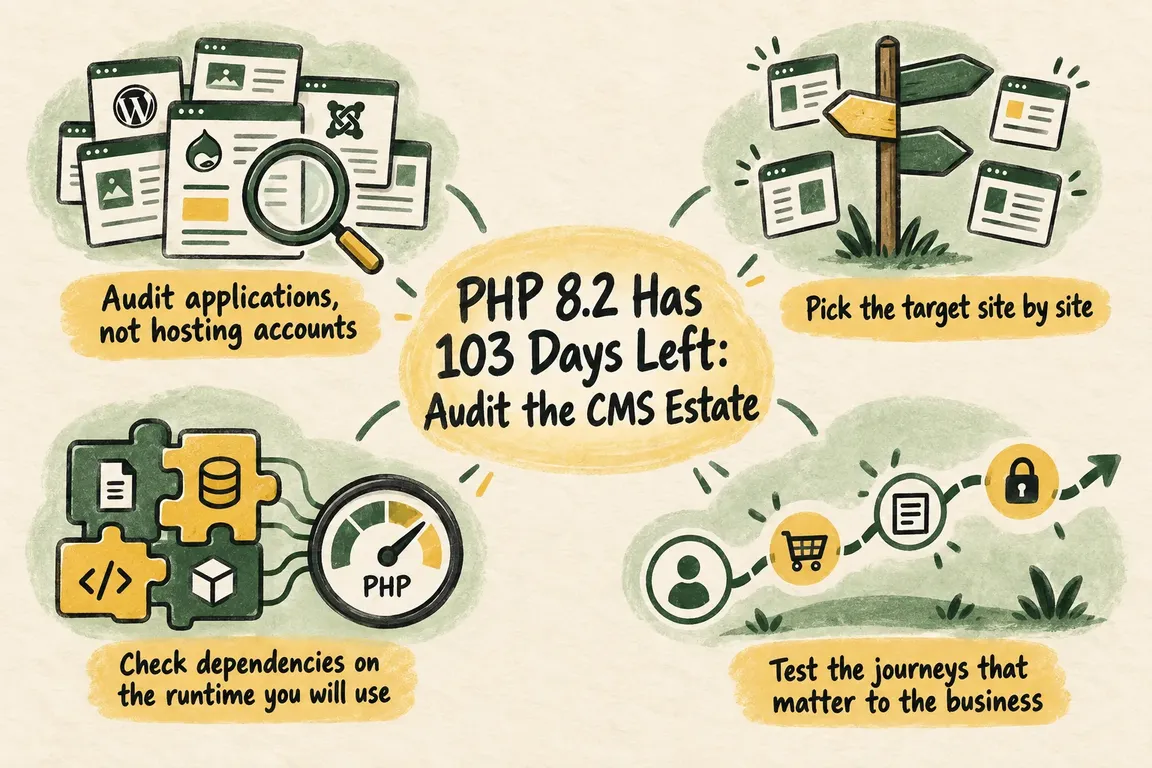
Start with applications and accountable owners
Create one inventory row per production application. Several sites sharing a server can have different dependencies and business risks. Include campaign sites, subdomains, and background workers that may sit outside the main maintenance routine.
Record the domain, business purpose, responsible person, exact CMS release, plugins or modules, themes, custom code, Composer lock file, hosting provider, and deployment method. Add the current web and command-line PHP versions, required extensions, staging availability, and backup status.
For technical teams, these commands provide an initial picture of the command-line environment:
php -v
php --ini
php -m
They do not establish what the web server runs. Verify that separately through authenticated CMS diagnostics or hosting configuration, then inspect the interpreter used by cron jobs, queue workers, and deployment tools. A successful browser test can miss a worker still running PHP 8.2.
Choose the target PHP version site by site
The PHP support calendar confirms that PHP 8.4 receives security fixes through December 31, 2028, and PHP 8.5 through December 31, 2029. PHP 8.3 remains supported through 2027, but offers a shorter runway if you are already investing in migration work.
WordPress hosting guidance recommends PHP 8.4 or later. It identifies PHP 8.4 as fully supported by WordPress 6.7 onward and PHP 8.5 by WordPress 6.9 onward. That establishes core compatibility; your plugins, themes, and integrations still need checking.
For Drupal, consult the PHP requirements matrix for the exact release. It lists PHP 8.4 compatibility for Drupal 10.4–10.6 and 11.1–11.4, while PHP 8.5 requires Drupal 11.3 or 11.4 among those releases. PHP compatibility alone does not establish that an older CMS release still receives security maintenance.
| Audit finding | Practical route | Evidence needed |
|---|---|---|
| CMS and dependencies support PHP 8.5 | Test a direct move to 8.5 | Passing dependency checks and business workflows |
| PHP 8.5 is blocked, but 8.4 is supported | Use 8.4 and record the remaining blocker | Successful 8.4 tests and a future review date |
| CMS or maintained extensions need updates | Complete those updates before the runtime switch | A reproducible build and tested upgrade sequence |
| Abandoned code prevents any suitable upgrade | Decide whether to repair, replace, or retire it | A named decision-maker, scope, and delivery date |
Check dependencies in the proposed environment
For Composer-managed projects, run these checks from the project directory inside staging using the target PHP interpreter:
composer check-platform-reqs --lock --no-dev
composer check-platform-reqs --no-dev
The first checks requirements recorded in the lock file; the second checks installed packages. Both exclude development-only requirements. As the Composer documentation explains, this command checks the actual PHP runtime and extensions, ignoring simulated config.platform settings.
Save the output with the code revision and environment details. Fix failures before proceeding. A passing result confirms declared platform requirements; it cannot prove that a payment callback works or that custom code behaves correctly.
When jumping from 8.2 to 8.4 or 8.5, review the migration guidance for every intervening minor release. The PHP 8.5 migration guide covers the 8.4-to-8.5 changes and links to earlier guides. Testing only the final step leaves gaps.
Test the work people depend on
Build staging with production-equivalent code, locked dependencies, extensions, and relevant configuration. Use representative data, while preventing test payments, emails, or integrations from reaching real customers.
Ask the business owner which failures would hurt most. For a shop, test checkout, stock updates, payment callbacks, and order emails. For a service business, follow a form submission through to its destination. For an editorial team, check login, publishing, media processing, search, and permissions.
Include scheduled tasks, queues, cache rebuilds, and deployment commands. Inspect logs for fatal errors, warnings, and deprecations rather than relying on pages looking normal. Give each unresolved issue an owner and a decision: update, patch, replace, or remove.
Make rollback practical before booking production
Keep the previous runtime and application release available during the change window. Record PHP configuration, extension versions, PHP-FPM settings, and OPcache settings. Verify that backups can be restored, and agree on rollback triggers such as failed transactions or persistent application errors.
If the work also includes CMS or database updates, switching PHP back may be insufficient. Document how code, database state, and files stay compatible, and how orders or submissions received after deployment would be preserved during recovery.
Start with a representative site where business impact is manageable. Observe logs, transactions, and background jobs before expanding to similar applications. Keep performance tuning separate unless a measured problem requires it.
Book the work while there is room to respond
Use early November to finish the inventory and assign blockers. Aim to resolve compatibility issues and test during November, leaving December for controlled migrations and follow-up. Work around trading peaks, client approvals, and holiday cover; December 31 is a support deadline, not a sensible deployment appointment.
If ownership is split between your team, agency, and host, I can help coordinate the audit, dependency fixes, test evidence, and migration schedule. Talk to me about your PHP migration, starting with the sites you maintain and the blockers you already know about.
Related on GrN.dk
- Essential Drupal 8 Modules: What Still Matters on a Legacy Site
- One Webform Release, Twenty Advisories: Audit Every Drupal Site
- AI Crawler Control for Business Websites: Protect Content Without Losing Search Visibility
Need help with this kind of work?
Plan your PHP migration with Greg Get in touch with Greg.










