By Greg Nowak. Updated 22 October 2026.
When Drush fails during a Drupal deployment, routine maintenance can become a release blocker. Database updates stop, scheduled jobs fail, and the team needs to decide whether the problem belongs to the application, hosting or deployment scripts.
A Symfony or PHP fatal error can come from the command-line environment rather than Drupal itself. Start by identifying which executable, dependencies and PHP runtime are actually running. That gives you a smaller, more defensible repair than changing packages until the error disappears.
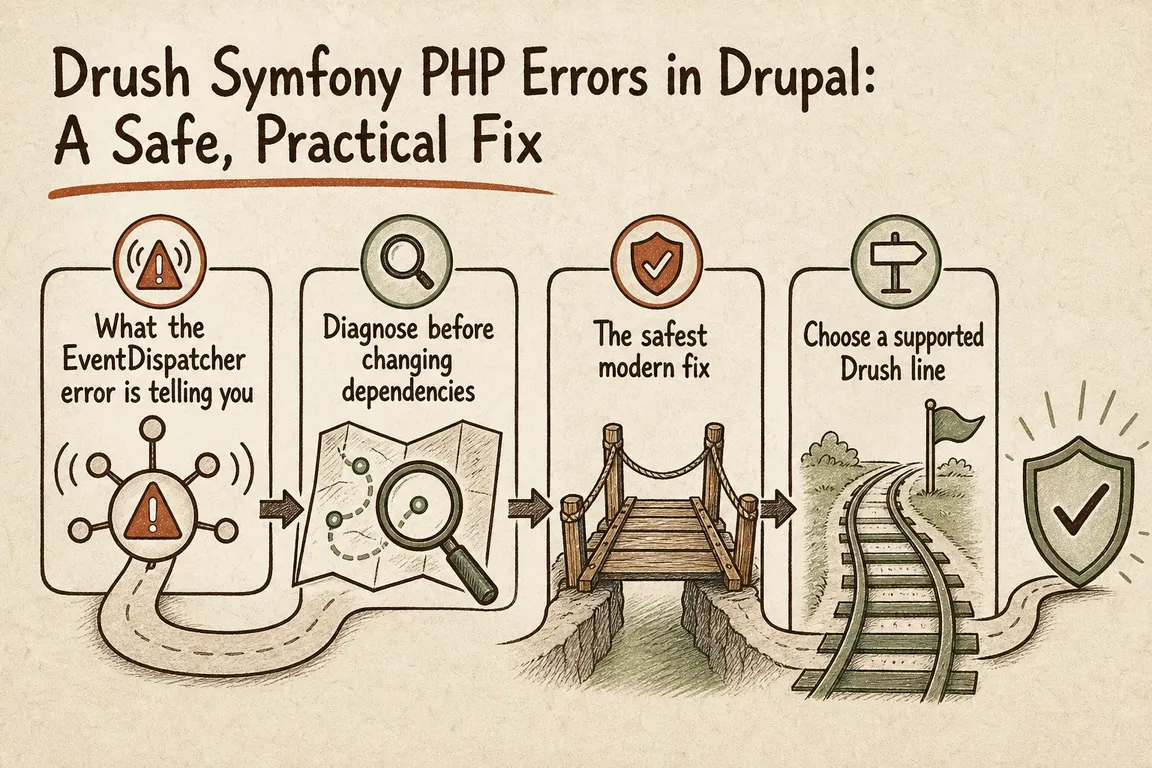
What does a Symfony EventDispatcher error mean?
If the error says EventDispatcher::dispatch() received a string where an object was expected, an older caller may be using the wrong argument order. Symfony introduced the event-first signature in 4.3; compatibility with the old order ended in Symfony 5.
That history helps explain the failure, but it does not identify the culprit. Read the stack trace for the calling file. Paths spanning a global Composer installation and the project’s vendor directory suggest mixed dependencies. Paths entirely within the project point towards its packages or custom command code. Other EventDispatcher errors need their own diagnosis.
Capture the environment before changing anything
Save the exact failing command, complete error and release identifier. Run these checks from the directory containing composer.json, using the same container or execution environment as the failed job:
pwd
command -v php
command -v composer
command -v drush
php -v
php --ini
composer --version
composer config --global home
composer show drush/drush
vendor/bin/drush version
vendor/bin/drush status
composer why symfony/event-dispatcher --tree
composer check-platform-reqs
command -v shows what your shell resolves. Calling vendor/bin/drush selects the project’s installation. A successful version check proves Drush starts; inspect status separately to confirm the intended site and database bootstrap.
Composer’s why command traces dependencies. Its platform check tests actual PHP and extension requirements, ignoring simulated config.platform settings.
| What you find | What to investigate | Next step |
|---|---|---|
| Project Drush works; plain drush fails | Shell path, wrapper or global installation | Use the project executable in automation |
| Project Drush cannot start | PHP, extensions or dependency compatibility | Read the first fatal error and Composer output |
| Drush starts; Drupal bootstrap fails | Site selection, settings, database access or application code | Check the selected site and bootstrap error |
| Only the deployment job fails | Runtime, permissions, installed packages or release differences | Compare the job’s environment with the working one |
If project Drush works, repair the invocation
Update deployment scripts, scheduled tasks and operating notes to use the project binary. The supported Drush installation method puts Drush in the Drupal project as a Composer dependency.
A relative path assumes the correct working directory. Make that directory explicit in scheduled jobs, or use the release’s absolute executable path. Check the PHP available to the deployment user too: an interactive shell and a scheduled task can load different versions or configuration files.
For agency teams, this is also a handover issue. The next person maintaining the site should be able to find the required directory, runtime and command without reconstructing someone else’s shell setup.
If project Drush fails, choose a compatible combination
As checked on 22 October 2026, Drush’s compatibility table lists Drush 13 as supported and recommended for Drupal 10.2+ and Drupal 11. Drush 14 covers Drupal 11.3+ and Drupal 12. Both require PHP 8.3 or newer. Drush 12 is listed as compatible with Drupal 10 but no longer supported.
Those PHP minimums are only part of the decision. Drupal’s PHP requirements matrix lists PHP 8.3 and 8.4 for Drupal 10.4–10.6 and 11.1–11.4; PHP 8.5 support begins with Drupal 11.3. Check the exact core minor, contributed packages and PHP security support before choosing a runtime.
On a branch or in a controlled build environment, inspect blockers and preview an update:
composer prohibits drush/drush '^13' --tree
# For a project targeting Drupal 11.3+:
composer prohibits drush/drush '^14' --tree

composer update drush/drush --with-all-dependencies --dry-run
The update preview respects existing constraints; it does not automatically move Drush to a new major. The --with-all-dependencies option can also affect related root requirements, so review the proposed package changes.
Once you have chosen the appropriate major, add or change the requirement deliberately. For a compatible Drush 13 project:
composer require 'drush/drush:^13'
composer validate
git diff -- composer.json composer.lock
If production jobs need Drush, keep it in regular requirements. A --no-dev installation omits development requirements. Avoid deleting the lock file, editing files in vendor, or using --ignore-platform-reqs to push past the conflict.
Prove the repair through the release process
Commit composer.json and composer.lock together. Build releases with composer install from the committed lock file, following Composer’s reproducible installation guidance.
Test on staging with representative configuration and data. Exercise the commands the release actually needs, including database updates, configuration import and custom commands. Before production changes, confirm backups and a recovery plan that accounts for database changes as well as code.
The handover should record the cause, changed packages or scripts, test evidence and person responsible for future upgrades. If a legacy dependency prevents a supported setup, document the temporary constraint and give the upgrade an owner and date.
If your Drupal releases depend on fragile scripts or unclear responsibilities, talk to Greg about your delivery setup. A focused review can establish what is failing, which repair fits the platform, and how your team will maintain it.
Related on GrN.dk
- MariaDB 10.6 EOL: quiet CMS hosting debt needs a real upgrade plan before July 2026
- How to Delete Files and Folders Older Than X Days in Linux
- Logistics Optimization in 2026: Fix the Flow Before You Buy More Tech
Need help with this kind of work?
Talk to Greg about your Drupal delivery setup Get in touch with Greg.










