By Greg Nowak. Updated 11 October 2026.
A PHP upgrade is not merely a hosting setting when your website generates leads, accepts payments, publishes important content or supports internal operations. It changes the runtime beneath the CMS, plugins, modules, custom code, scheduled tasks and deployment tools.
The goal is therefore not to select the highest number in the hosting control panel. It is to choose a supported PHP release that the complete website can run reliably, then move to it without putting important business workflows at unnecessary risk.
Best PHP version for WordPress in 2026: the short answer
For a maintained WordPress 6.9 or 7.x site, aim for PHP 8.5 once your theme and plugins pass on staging, and keep PHP 8.4 as the fallback while a plugin catches up. Both get security fixes well beyond 2026. Do not stop at PHP 8.2, whose security support ends on 31 December 2026. For Drupal the answer depends on the core version, and the table below covers it.
Choose a destination, not another temporary stop
PHP 8.1 and earlier are outside upstream support. PHP 8.2 receives critical security fixes only until 31 December 2026, making it a poor destination for work commissioned now. PHP 8.3 remains under security support through 2027. PHP 8.4 receives security coverage through 2028, while PHP 8.5 is actively supported through 2027 and receives security fixes through 2029.
That gives PHP 8.5 the longest runway, but it is not automatically suitable for every site. CMS core, extensions, Composer dependencies, custom integrations and the hosting platform all need to support it. When one component blocks the move, document that blocker and decide whether to update, replace or retire it. Do not let an abandoned plugin quietly determine the infrastructure strategy for an otherwise healthy website.
| Current position | Practical target | Planning implication |
|---|---|---|
| Maintained WordPress 6.9 or 7.x | PHP 8.5 | Test the active theme, plugins and custom code before production |
| WordPress 6.7 or 6.8 | PHP 8.4 as a bridge | Also plan a WordPress core update rather than freezing the stack |
| Drupal 10 | PHP 8.4 | PHP 8.5 is unsupported; include the Drupal major upgrade in the roadmap |
| Drupal 11.1 or 11.2 | PHP 8.4 | Update Drupal before considering PHP 8.5 |
| Drupal 11.3 or 11.4 | PHP 8.5 candidate | Verify contributed modules, Composer packages and hosting support |
| Drupal 12 migration | PHP 8.5 | Check database and platform requirements as part of the same project |
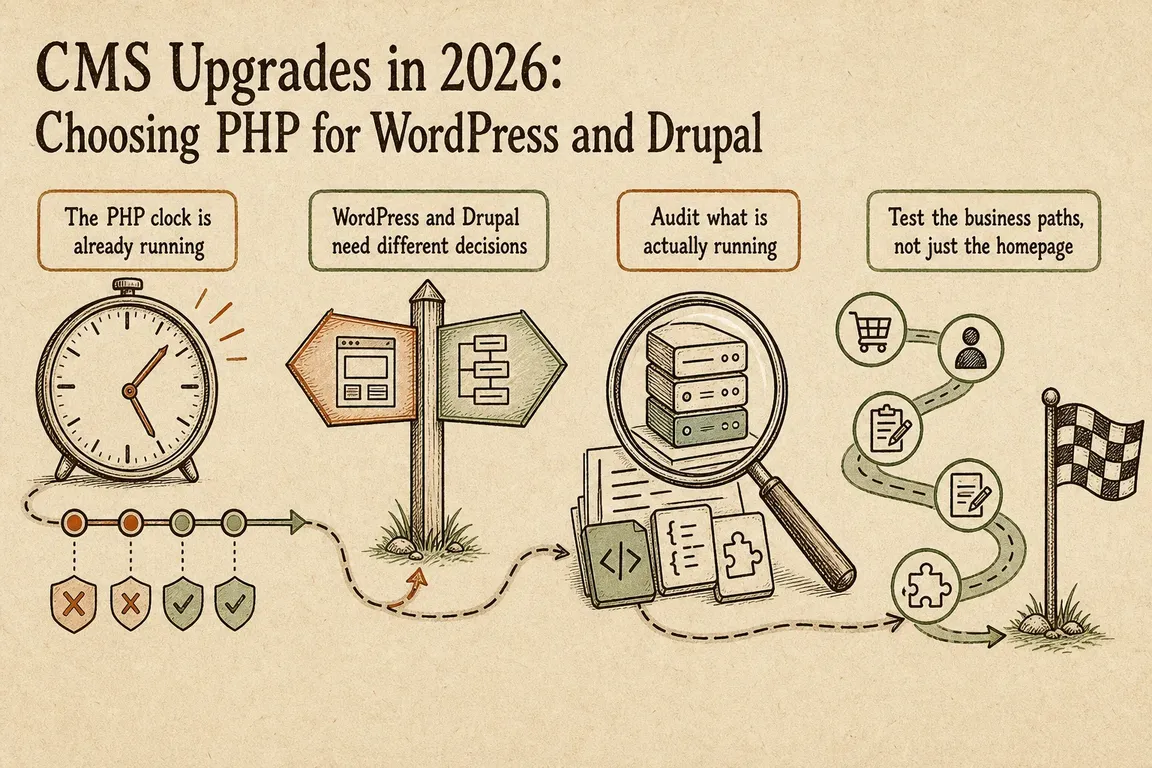
WordPress and Drupal require different decisions
Current WordPress guidance lists PHP 8.4 as compatible with WordPress 6.7 onward and PHP 8.5 as compatible with WordPress 6.9 onward. That describes WordPress core, not every plugin or theme installed around it. A maintained WordPress 6.9 or 7.x site can reasonably target PHP 8.5, provided the complete extension stack passes staging tests.
WordPress also retains compatibility with some PHP versions that PHP itself no longer maintains. Treat that broad compatibility as a migration aid, not a production recommendation. If the site is still on an obsolete runtime, the fact that WordPress starts successfully does not make the runtime secure or operationally sensible.
Drupal’s combinations are narrower. Drupal 10 supports PHP up to 8.4, while PHP 8.5 support begins with Drupal 11.3. Drupal 12 requires PHP 8.5 and raises several database minimums, including MariaDB 10.11 and PostgreSQL 18. A Drupal 12 move is consequently a platform project: PHP, database, Composer dependencies and hosting capabilities must be assessed together.
Audit the environment that actually runs the site
Production, staging, command-line tools and the web server can use different PHP binaries or configuration files. Capture evidence from each environment before approving a target. These commands provide a useful first pass:
php -v
php -m | egrep 'curl|dom|gd|imagick|mbstring|openssl|pdo|xml|zip'
php -i | grep 'Loaded Configuration File'

wp core version
wp plugin list --status=active --fields=name,version,update,status
wp theme list
wp cron event list

drush status
composer outdated --direct
composer prohibits php 8.4 --tree
composer prohibits php 8.5 --tree
composer check-platform-reqs
composer prohibits reveals which dependency constraints block a target version. It does not justify forcing an update or ignoring platform requirements. Review the package, available releases and application compatibility. Composer’s check-platform-reqs command should also be run in the real deployment environment because it checks the installed PHP runtime and extensions rather than relying only on configured platform assumptions.
For WordPress, inventory must-use plugins, the active theme, page builders, forms, ecommerce components and custom integrations. For Drupal, include contributed and custom modules, Composer constraints, required extensions, database versions and deprecation findings. Validate any web-server configuration changes with nginx -t or apachectl -t before reloading services.
Test the journeys that matter to the business
A working homepage is weak evidence of a successful upgrade, especially when a cache can continue serving an old response. Staging should resemble production in PHP extensions, configuration, database shape and deployment method. Test both cached and uncached requests, then exercise the workflows whose failure would create lost enquiries, revenue or manual recovery work:
- Contact forms, confirmations and outbound email
- Login, password reset and user permissions
- Checkout, payment callbacks and subscription events
- Search, redirects, sitemaps and structured data
- Scheduled publishing, imports, exports, queues and cron jobs
- Media uploads, image processing and document generation
- Editorial, moderation and approval workflows
Inspect application, PHP-FPM and web-server logs while testing. Warnings and deprecations may expose code that still appears to work but will become a blocker during the next upgrade.
Make the production change reversible
Before deployment, agree on the release window, responsibilities, acceptance checks and rollback trigger. Keep a verified backup or snapshot, the previous runtime configuration, the package lock file and a deployable copy of the earlier application release. A rollback plan that has never been checked is only an intention.
After release, repeat the critical checks in production, inspect queues and scheduled jobs, and monitor logs. The most useful management deliverable is a short decision record covering the current stack, selected target, known blockers, remediation owners, test scope, deployment sequence and rollback method. It gives the owner, agency, developer and hosting provider one shared plan.
Need someone to coordinate the upgrade?
Greg can assess the dependencies, turn technical findings into a staged plan and coordinate hosting, development and acceptance testing around the workflows that matter to the business. Talk with Greg about planning your CMS and PHP upgrade.
Related on GrN.dk
- AI Crawler Control for Business Websites: Protect Content Without Losing Search Visibility
- Drupal CMS 2.0 Speeds Marketing Site Rebuilds, but It Is Not Autopilot
- Drupal’s June security bundle exposes fragile Composer update habits
Need help with this kind of work?
Plan your CMS upgrade with Greg Get in touch with Greg.










