By Greg Nowak. Last updated 2026-07-23.
Cloudflare Resource Tagging entered public beta in April 2026, giving teams a common way to attach metadata to zones, Workers, Tunnels, R2 buckets, Access applications, DNS records, rulesets, and many other resources. As of 23 July 2026, it remains a public beta available on all plans.
The feature is useful now for inventory and reporting. Its bigger significance is what may follow: Cloudflare has identified tag-based access control, billing and usage attribution, additional resource coverage, and Terraform support as future directions. A casual naming decision today could therefore become an access, reporting, or cost-allocation problem later.
For business owners and operations teams, this is not really a labelling exercise. It is a chance to replace scattered spreadsheets and team memory with metadata that can be queried consistently across the account.
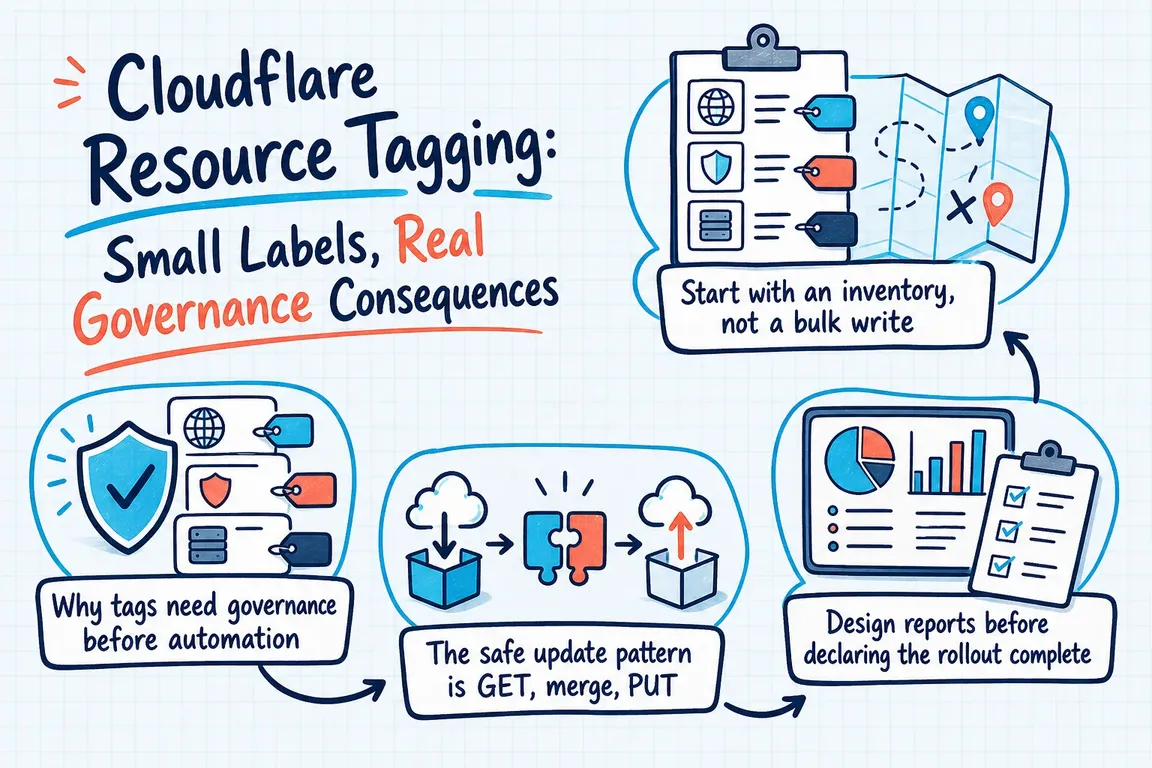
Why tags need governance before automation
A typical Cloudflare estate grows one launch or migration at a time. A Worker changes owner, an old Tunnel survives a cutover, or a staging zone becomes production without its name changing. The configuration may still work, but basic questions become difficult: Who owns this? Is it customer-facing? Can it be retired? Which team approves a change?
Tags can answer those questions only when their meaning is consistent. Cloudflare treats keys and values as case-sensitive, so environment, Environment, and ENVIRONMENT are different keys. Free-form tagging without a schema simply moves the mess into a new system.
| Decision | Recommended starting point | Question it should answer |
|---|---|---|
| Environment | environment=production|staging|development |
What operational safeguards apply? |
| Owner | owner=platform-team |
Who approves changes and investigates incidents? |
| Service or client | service=checkout or an agreed client identifier |
Which business workload does this support? |
| Lifecycle | lifecycle=active|review|retiring |
Should this resource remain in normal workflows? |
| Cost allocation | cost-center=operations |
Where should future usage be attributed? |
Keep the first schema deliberately small. Record each key’s purpose, allowed values, responsible owner, and rule for missing data. Avoid personal email addresses where a stable team identifier will survive staffing changes. If an asset has no confirmed owner, use an explicit review state instead of inventing one.
Start with an inventory, not a bulk write
First confirm that the API is enabled and the caller has suitable access. Cloudflare lists Super Administrator, Workers Admin, and Tag Admin as roles that can manage tags, and recommends Account Owned Tokens for automation because they are not tied to an individual user.
curl -X GET "https://api.cloudflare.com/client/v4/accounts/$ACCOUNT_ID/tags/keys" \
  -H "Authorization: Bearer $API_TOKEN" \
  -H "Content-Type: application/json"
A successful response with an empty result is normal when nothing has been tagged. Before writing, export an inventory by resource type and separate account-level resources from zone-level resources. They use different endpoints. Also check the current supported-resource reference instead of assuming every Cloudflare object is taggable. Most resources need only resource_type and resource_id, but Worker versions require worker_id, while Access application policies require access_application_id.
Pilot the schema on a small, representative set: one production workload, one non-production workload, and one resource with unclear ownership. Review the resulting queries with the people who will actually use them before expanding coverage.
The safe update pattern is GET, merge, PUT
The most important implementation detail is easy to miss: PUT replaces every tag on a resource. There is no partial PATCH, and DELETE removes all tags. Sending one new tag with PUT can silently remove the existing set.
- Read the resource’s current tags.
- Validate and merge the intended change locally.
- Write the complete tag object back with
PUT. - Read it again and verify the result.
- Log the resource, previous values, new values, and outcome.
For automation with more than one possible writer, retain the etag returned by Cloudflare and pass it back using If-Match on writes. This optimistic concurrency control helps prevent one process from overwriting a newer change made by another.
The beta also has a known edge case: requesting tags for a resource that does not exist or has never been tagged can return 500 rather than 404. Do not treat every such response as a transient server failure and retry forever. Confirm that the underlying resource exists and distinguish this documented condition in logs and monitoring.
Design reports before declaring the rollout complete
Tags create value when they answer operating questions. Cloudflare’s resource list endpoint supports key-only matching, exact key-value matching, comma-separated OR values, negation, and multiple filters combined with AND logic. Use = as the filter separator—even though an outdated API error message may suggest a colon.
Build a small set of repeatable views, such as production resources without an owner, resources awaiting retirement, or all assets belonging to a service. These reports expose missing coverage and inconsistent values far more effectively than a dashboard spot-check.
Plan around the current beta constraints: 10,000 total tags per account, 20 filters per query, 10 OR values per filter, and cursor-based list pagination with a fixed page size of 100. Scripts must follow the cursor until it becomes null; otherwise, a report may look complete while covering only its first page.
What a useful engagement should deliver
A Cloudflare tagging project should leave the team with more than populated fields. The practical deliverables are an approved schema, a resource coverage map, durable token ownership, a tested update script, exception handling, useful operational reports, and a documented process for new and retired resources.
If your Cloudflare account has grown across teams, clients, or environments, Greg can help turn that estate into a manageable inventory and build a rollout that respects the beta’s current behavior. Talk through the governance and implementation work before future controls begin depending on today’s labels.
Related on GrN.dk
- Cloudflare Service Keys: Audit Old Automation Before September 30
- AI automations need a spend dashboard before the first runaway bill
- Support bots need a deletion test before they learn the old help center
Need help with this kind of work?
Plan your Cloudflare governance rollout Get in touch with Greg.










