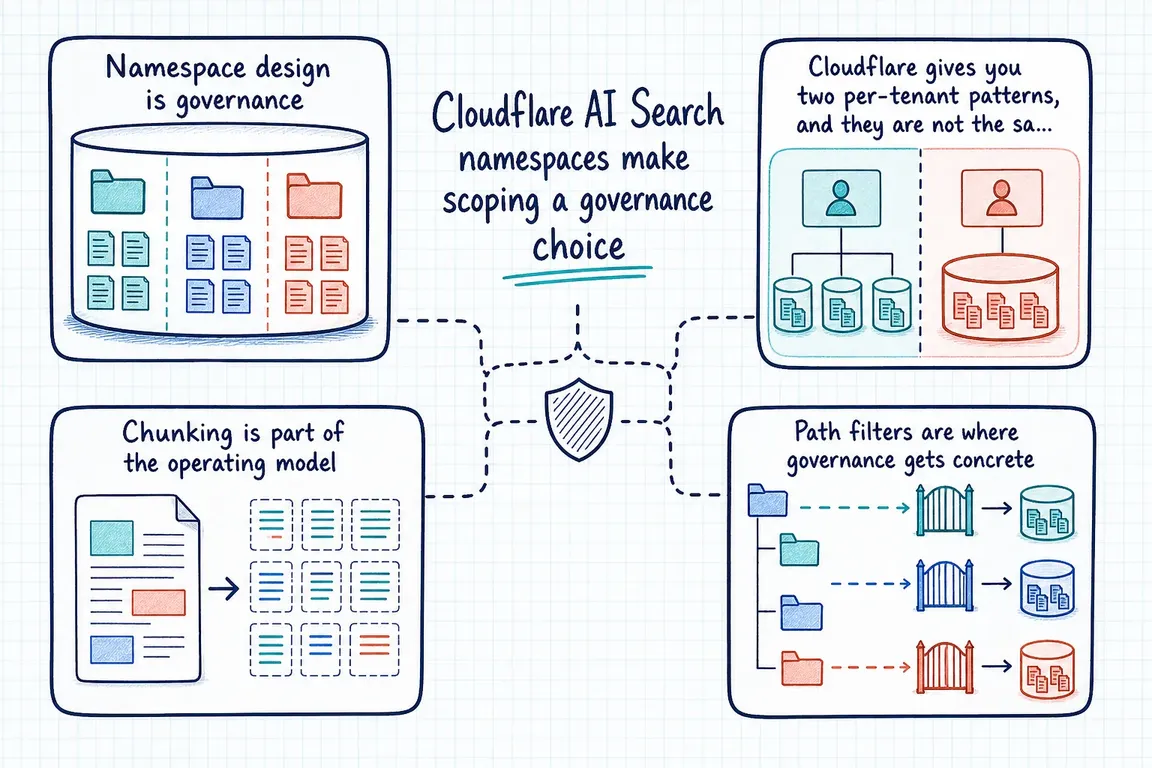
Cloudflare's June 10, 2026 update matters because AI Search namespaces are no longer just part of the product model in theory. Wrangler now exposes namespace commands for listing, creating, getting, updating, and deleting namespaces alongside the instance commands teams were already using. On paper, that looks like a minor CLI improvement. In practice, it shifts multi-tenant AI Search from a dashboard setup job into a control-plane decision.
The official docs make the reason pretty clear. Every AI Search instance sits inside a namespace, and an ai_search_namespaces binding gives a Worker full access to all instances in that namespace, including runtime get, list, create, and delete operations. An ai_search binding is narrower: it gives you instance methods like search(), chatCompletions(), info(), stats(), and items, but not namespace-level control. So the boundary you choose is doing two jobs at once: it defines what data is in scope and what operational authority your code has.
Namespace design is governance
Cloudflare also documents using multiple namespace bindings in the same Worker. That opens the door to splitting by product area, tenant, or agent, and Cloudflare explicitly calls out domain separation, tenant isolation, and agent isolation as common reasons to do it. Instance names only need to be unique inside a namespace, so you can reuse the same instance name across different namespaces without conflict. Useful, yes, but it also means your naming and scoping choices start carrying policy weight.
For an agency managing several client knowledge bases, or a founder running multiple business units through one Worker, this is where the architecture stops being abstract. Which environments can be provisioned together? Which ones can safely share automation? Which ones should never sit behind the same operational boundary? The new Wrangler namespace commands make those decisions easy to script. namespace list supports JSON output, pagination, and search by name or description. Create and update both support descriptions, and delete supports a force flag. Good for onboarding and repeatable ops. Also a fast way to scale a weak naming scheme or a sloppy provisioning workflow.
The broader Wrangler surface pushes the same point. Instance create and update commands expose source selection, chunk size, chunk overlap, maximum result count, include and exclude item patterns, and custom metadata. Cloudflare is not asking teams to think about isolation, indexing, and retrieval as separate tracks anymore. It is putting them on one operational surface that can be versioned and automated. That is useful, but it makes the scoping work impossible to postpone.
Cloudflare gives you two per-tenant patterns, and they are not the same trade-off
Cloudflare's per-tenant guide documents two supported designs. The first is an instance per tenant. With a namespace binding, a Worker can create a tenant instance during onboarding, upload content into that tenant's built-in storage, search that tenant's instance, and delete it again during offboarding. Cloudflare describes each tenant as having separate storage and a separate search index. If client boundaries need to be obvious and defensible, this is the cleanest model to reason about.
The second design is a shared instance with metadata filtering. In that setup, content is organised by tenant folder paths and each query applies a retrieval filter so results stay inside the relevant folder. Cloudflare's example uses a starts-with style folder filter to keep results inside customer-a/ and its subfolders. The docs also note that this works with both R2 buckets and built-in storage, which makes it appealing if you want one shared operational surface.
The business implication is straightforward. If you want the isolation boundary to exist in storage and indexing, use separate instances. If you want one shared index, then isolation depends on disciplined folder structure and correct filter application at query time. That may be a reasonable trade-off, but it is not a casual one, especially when multiple clients sit inside the same system. This is the part Greg can help scope properly before convenience turns into policy.
Chunking is part of the operating model
The chunking docs are another sign that this is a real implementation project, not a quick feature toggle. Cloudflare uses recursive chunking: it first tries to split content at natural boundaries such as paragraphs and sentences, then splits again if a chunk is still too large. At indexing time, you control chunk size in tokens and chunk overlap, with overlap ranging from 0% to 30%.
Those settings change retrieval behaviour in ways that matter commercially. Smaller chunks create more chunks and more total vectors. Larger chunks and higher max_num_results push more tokens into the generation model. Cloudflare explicitly notes that the model context window has to fit retrieved chunks, the user query, and the model output, and that larger chunks or higher result counts can increase latency and cost. So chunking is not just a search-quality tweak. It affects recall, answer grounding, spend, and the kinds of failure modes you will see in production. A serious rollout needs representative queries, retrieval QA, and tuning against real content rather than whatever defaults happen to ship first.
Path filters are where governance gets concrete
Path filtering gives you include and exclude rules for both website and R2 data sources. If you define neither, everything in the source is indexed. If you define both, exclude rules run first, then the remaining items must match an include rule. Cloudflare also records skipped items in job logs, including whether an item was skipped by an exclude rule or because it matched no include rule. That makes review possible after the fact, which is a lot better than guessing what slipped into the index.
The details are operational, not cosmetic. Patterns are case-sensitive. A single * does not cross directories. ** does. For websites, matching happens against the full URL, including scheme, hostname, and subdomains, which is why **/blog/** works while /blog/** does not. Cloudflare also caps include and exclude lists at ten patterns each, so teams need a clean rule set instead of endless exceptions.
This is where a lot of mediocre AI search rollouts go wrong. Drafts, admin pages, backup folders, login flows, temporary files, and irrelevant sections should be excluded before they ever become embeddings. That is not just an indexing preference. It is a governance control.
Website ingestion needs crawl design, not just a URL
For many organisations, website crawling will be the first AI Search data source. Cloudflare's docs are fairly explicit about the boundaries. You can only crawl domains that are onboarded to the same Cloudflare account. The crawler uses custom sitemap URLs if you define them, otherwise it checks robots.txt, then /sitemap.xml. If no sitemap is available, the domain cannot be crawled. If your sitemap includes <lastmod>, sync jobs use it to detect updated pages; if <lastmod> is missing, <changefreq> is used; if both are missing, pages are crawled once a day.
That pushes content governance upstream into the site itself. robots.txt, sitemap coverage, priority values, and custom sitemap choices all influence what enters the index and in what order. If you run Bot Management, WAF, or Turnstile, those controls can also block the AI Search crawler unless you add exceptions or allow-lists. And if protected content should still be indexed, Cloudflare supports extra headers, including service-token based access for Cloudflare Access protected sites.
Cloudflare also gives you two precision tools that matter in practice. Content selectors map URL globs to CSS selectors so only matched elements are extracted and converted to Markdown, and the first matching rule wins. Without content selectors, AI Search removes elements such as <header>, <footer>, and <head> before converting the remainder. Custom metadata can be extracted from <meta> tags in the page head, then cast into the schema you define, with recognised fields such as title, description, and image. In practical terms, that lets you strip navigation chrome, focus the index on the content body, and preserve metadata that actually helps retrieval.
Put together, these updates make AI Search namespaces a scoping and governance topic, not a minor beta footnote. As of June 10, 2026, Cloudflare has made namespace operations, per-tenant patterns, chunking, path filtering, and website ingestion concrete enough to automate. That is good news if you want repeatable rollout. It also means casual decisions get baked into scripts faster. Greg's value here is not a generic RAG build. It is helping agencies and founders define the right boundaries, choose isolated versus shared designs, wire Wrangler provisioning, tune chunking and filters, and QA retrieval so client data does not get mixed and irrelevant content does not get indexed.
Need help with this kind of work?
Scope your AI Search rollout Get in touch with Greg.










