By Greg Nowak. Updated 22 October 2026.
A voice agent can sound convincing and still lose a good enquiry. Imagine a caller asking for a person, getting transferred to an unanswered phone, and having to repeat every detail when someone eventually calls back.
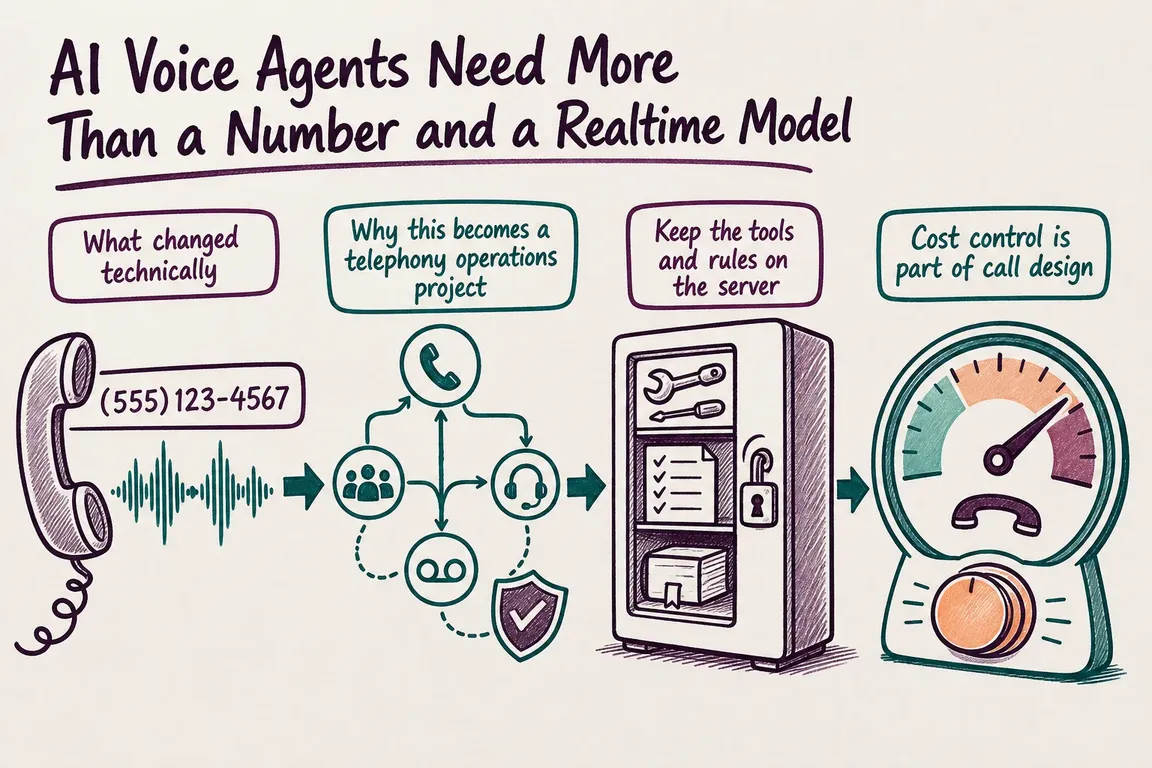
Connecting a model to a business number is only the start. A useful AI phone agent needs a clear job, reliable routing, access to the right systems, and an exit when something fails. Those decisions deserve attention before the voice audition.
Give the agent a job you can measure
Start with one call type: qualifying new enquiries, checking appointment availability, or collecting information for a callback. Define what counts as completion and what must go to staff.
For example, a qualification agent might collect the service needed, postcode, name, and callback number, then create a CRM enquiry. It should confirm important details aloud and promise a callback only when a real process supports it. A booking is complete only after the booking system confirms it.
Choose the voice architecture around the workflow
The choice is broader than direct speech versus a transcription pipeline. OpenAI’s current voice guide also includes GPT-Live, which handles spoken conversation while a separate backend reasons and uses tools. Realtime combines speech, reasoning, and tool use in one session; a chained pipeline exposes the intermediate text.
| Approach | Consider it when | Responsibility to plan for |
|---|---|---|
| OpenAI Realtime over SIP | You want integrated speech and tool use on incoming calls. | Call decisions, server tools, transfers, and carrier fallback. |
| GPT-Live with a separate backend | You want conversation to continue while backend work runs. | Delegation, shared context, and verified task results. |
| Twilio ConversationRelay | You want managed speech recognition and synthesis around your text application. | Conversation logic, WebSocket reliability, and escalation. |
| A custom chained pipeline | You need to inspect or approve text before generating speech. | Integration and latency across each stage. |
These are practical implementation options with different connection and control requirements. ConversationRelay provides a managed speech-to-text and text-to-speech pattern. Combining it with direct SIP to Realtime is unnecessary for a typical implementation. Choose based on the workflow your team can maintain.
Make human handoff part of the call design
Write down the destination for each outcome: continue, transfer, arrange a callback, or end the call. Include opening hours, silence, repeated misunderstanding, unavailable staff, and an explicit request for a human. Give callers a clear next step when the agent cannot help.
For developers using OpenAI’s Realtime SIP path, retain these implementation points:
- Route the provider’s SIP trunk to
sip:[email protected];transport=tls. - Verify incoming webhook signatures and deduplicate deliveries. Use the
call_idfromrealtime.call.incomingto accept or reject the call. - After acceptance, monitor and control it through
wss://api.openai.com/v1/realtime?call_id={call_id}, authenticated from your server. - Use
POST /v1/realtime/calls/{call_id}/referfor transfer and the corresponding/hangupendpoint to end it.
A 200 OK from the refer endpoint means the transfer request reached the SIP provider. The downstream phone system handles what follows. Test busy destinations, unanswered calls, and after-hours routing. Deliver a short caller summary through your CRM or staff interface; a telephone transfer alone does not guarantee that context reaches staff.
Keep business decisions in server code
Calendar access, CRM writes, account permissions, and approved transfer destinations belong on the server. OpenAI’s sideband connection lets a backend monitor the same Realtime session, update instructions, and respond to tool calls.
Give each tool a timeout and a defined failure response. Prevent retries from creating duplicate enquiries or appointments. Require confirmation before consequential changes, and let server code validate the action. The agent should report success only after the system confirms that the update succeeded.
Test the phone experience, including languages
In ConversationRelay’s configuration, interruptible determines whether caller input stops speech playback. reportInputDuringAgentSpeech determines whether that input reaches your application while the agent speaks. Configure both deliberately, along with greeting interruptions, speech timeouts, and keypad input.
Automatic multi language mode requires Deepgram for transcription and ElevenLabs for speech synthesis; incompatible providers cause an error and end the session. Test each supported language with names, addresses, accents, and mid-call switching. Include the staff destination: fluent automated intake is little help if the next person cannot handle the conversation.
Measure completed work and total cost
Keep a call record linking provider and AI session identifiers to the outcome, transfer reason, tool failures, duration, and response delays. Store only the transcript data you need, with agreed access and retention. ConversationRelay’s <Connect> action callback can provide session details when that step ends.
For Realtime, usage in response.done supports token-cost tracking; enabled input transcription is billed separately. Include telephone, speech, model, infrastructure, and support costs in your estimate. Compare cost per completed enquiry or booking, including failed attempts.
Stable instructions and tool definitions help preserve prompt caching. For long Realtime conversations, truncation controls can reduce context costs, but test whether losing earlier details damages completion.
Launch with a small, reviewable pilot
Start with one call category or an overflow route. Before expanding, require successful tests for normal completion, human requests, noisy audio, unavailable staff, failed tools, and dropped connections. Assign an operational owner and a way to route calls back to staff if the service deteriorates.
If you need help choosing the architecture or turning a demo into a dependable phone workflow, I can help define the call flow, integrations, acceptance tests, and operating responsibilities. Talk to Greg about your AI voice project.
Related on GrN.dk
- A Voice Agent Is Only Ready When the Human Handoff Works
- Before an OpenAI Agent Touches Your CRM, Map the Boring Boundaries
- Your AI Agent Has Shell Access. What Can It Reach?
Need help with this kind of work?
Talk to Greg about your AI voice project Get in touch with Greg.