GrN.dk

Main navigation

  • Articles
  • Contact
  • Your Digital Project Manager
  • About Greg Nowak
  • Services
  • Portfolio
  • Container
    • Excel Freelancer
    • Kubuntu - tips and tricks
    • Linux Apache MySQL and PHP
    • News
    • Image Gallery
User account menu
  • Log in

Breadcrumb

  1. Home

Model Retirements Are Quietly Breaking AI Integrations

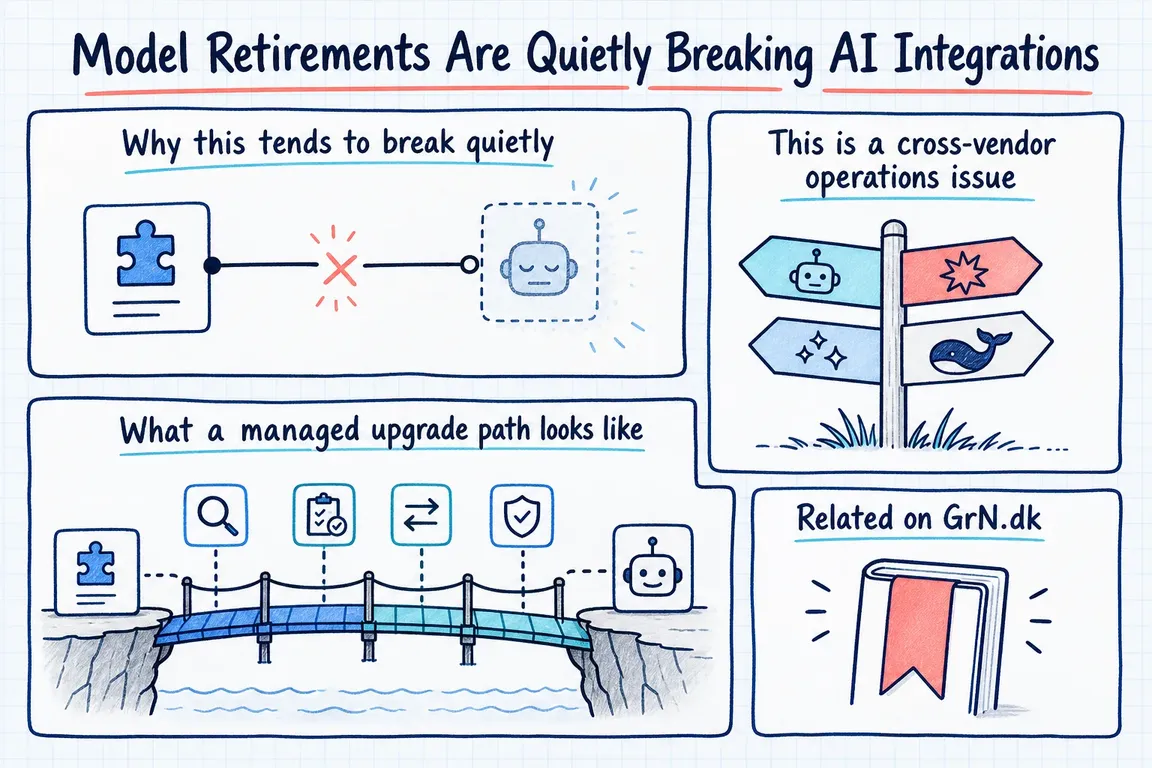
Illustrated infographic summarizing: Model Retirements Are Quietly Breaking AI Integrations

By Greg Nowak. Last updated 2026-06-23.

A model ID looks harmless. It sits in a config value, a backend call, a low-code workflow, or a script someone wrote to speed up reporting. But that small string is a live dependency on a vendor lifecycle.

If an internal assistant, chatbot, automation script, enrichment job, or reporting pipeline calls a specific model name directly, the integration is only as stable as that model's availability window. That is easy to miss until a retirement date is close, or until requests start failing.

This is not theoretical maintenance work anymore. OpenAI's deprecations page lists several June 2026 notices with late-2026 shutdown dates. On June 11, 2026, OpenAI notified developers using older GPT-5 and o3 model snapshots that those snapshots are scheduled for removal on December 11, 2026. On June 3, 2026, it announced deprecations for reusable prompts, the Evals platform, and Agent Builder, with shutdown dates around November 30, 2026. On June 2, 2026, older GPT Image models were marked for removal on December 1, 2026.

The point is not that OpenAI changes things. Every serious AI platform does. OpenAI states that deprecated models and endpoints receive shutdown dates, and that after shutdown they are no longer accessible. Notice periods vary: generally available models get at least six months, specialized variants at least three months, and preview models can disappear on much shorter notice. That matters when a promising prototype quietly becomes production while still depending on a preview model.

Why this tends to break quietly

Most model-retirement problems do not begin with an obvious outage risk. They begin with a hard-coded string in a place nobody thinks about much: a scheduled job, a chat widget plugin, a spreadsheet-connected script, a copied experiment, a backend service, or a workflow hidden inside a vendor dashboard.

Then the lifecycle event arrives. The model stops serving requests. The endpoint moves. A recommended replacement exists, but it behaves differently. Latency changes. Costs change. Tool calls shift. Output formatting becomes less predictable. Context limits or image handling may no longer match the old assumptions.

That is why this is not a find-and-replace job. OpenAI's current models documentation, for example, positions GPT-5.5 for complex reasoning and coding, while smaller variants such as GPT-5.4 mini and GPT-5.4 nano are framed around lower latency and lower cost. Useful guidance, but not a migration decision on its own. A customer-support summarizer, document classifier, code assistant, image workflow, and reporting pipeline may each need a different replacement.

Checks to run before a model retirement reaches production
Check Where to look Business risk Practical action
Model inventory Code, environment files, workflows, scheduled jobs, dashboards, logs A retired model can be hiding outside the main product repository Record owner, purpose, provider, model ID, and last-seen usage
Configuration boundary Model IDs embedded in application logic or copied scripts Small vendor changes become slow engineering hunts Move model selection into reviewed configuration with clear defaults
Replacement mapping Vendor recommendations, API compatibility, region availability, deployment type The obvious replacement may not fit the actual environment Choose primary and fallback candidates before the deadline
Regression prompts Normal requests, edge cases, formatting rules, tool calls, refusal behavior A working API call can still produce unacceptable business output Run old and new models side by side and review material differences
Cost and latency Input cost, output cost, response time, context window, throughput limits A valid replacement can make the workflow slower or more expensive Measure against realistic traffic before switching production
Review cadence Deprecation pages, lifecycle fields, vendor emails, cloud health notices Lifecycle dates become visible too late for calm migration work Run quarterly checks and review immediately after vendor notices

This is a cross-vendor operations issue

Anthropic's Claude documentation makes the same point with different labels. It defines active, legacy, deprecated, and retired model states. A deprecated model still works, but it is no longer recommended, has a replacement, and receives a retirement date. A retired model is no longer available, and requests to retired models fail.

Anthropic also recommends testing applications with newer models well before the retirement date. It provides an audit path through usage export so teams can locate deprecated model usage by API key and model. That is a sensible pattern for any AI stack: start from observed usage, not from what people remember.

For OpenAI, Claude, or mixed-provider setups, the practical workflow is similar. Export or query provider usage where available. Search code repositories and deployment settings. Check logs. Look inside low-code tools, private scripts, and automations owned by operations or marketing teams. AI dependencies often live outside the place engineering expects to find them.

Azure OpenAI adds another layer. Microsoft documents a lifecycle model in which generally available model versions have retirement dates set at launch, with a standard 18-month availability pattern. It also says retired versions return 410 Gone. For some deployment types, Microsoft manages automatic upgrades when a model version is retired, but provisioned deployments are not auto-upgraded and must be migrated manually.

Automatic upgrade may sound reassuring, but it still needs testing. If an AI workflow is business-critical, an untested model change can alter outputs, latency, or downstream behavior. Azure's documentation also notes regional variation: not every model and version combination is available in every region, and successive versions may not appear in the same regions at the same time. For companies using Microsoft infrastructure, lifecycle planning depends on subscription, deployment type, SKU, and region, not only on the model provider.

Google's Vertex AI and Gemini documentation reinforces the same discipline. It defines latest stable models as the migration target, retired models as permanently deactivated, and notes that API requests referencing a retired model ID typically return a 404 error. Its quick migration advice is straightforward: update the application to the recommended upgrade, test mission-critical features, and deploy through the normal process. The important word is still test.

What a managed upgrade path looks like

The first fix is to stop treating model IDs as invisible strings. A healthy AI integration makes the model choice explicit, configurable, and owned. In a small business system, that may mean environment variables, a config file, and a short register of active AI workflows. In a larger setup, it may mean provider-specific adapters, usage dashboards, regression suites, and scheduled lifecycle reviews.

The second step is to build regression prompts from real work. Include everyday requests, awkward inputs, tool-use cases, formatting requirements, safety-sensitive examples, and prompts where the current model has known quirks. The new model does not need to be identical. It will not be. It needs to behave acceptably for the business process it supports.

The third step is to compare cost and latency before committing. A vendor-recommended replacement may be more capable, cheaper, faster, or slower depending on input tokens, output tokens, tools, images, audio, and long-context usage. OpenAI's model list already separates flagship and smaller variants by intended use. That is a starting point, not a substitute for measuring the actual workflow.

The final step is calendar discipline. Deprecation pages, Azure lifecycle fields, Claude model status, and Google model version tables should be treated as operational inputs. They belong in a recurring review, not in a panic search after an error appears. A quarterly check is a reasonable baseline for active AI systems, with an extra review whenever a provider notice mentions a model, endpoint, product surface, or deployment type in use.

For GrN.dk clients, this is the kind of practical AI maintenance work Greg can help structure: inventory current API usage, move model IDs out of scattered code and into configuration, build regression prompts with expected-output checks, compare replacement models for cost and latency, and put vendor deprecation reviews on the calendar.

Model retirements are normal. Unmanaged model retirements are avoidable operational risk. Before a shutdown date arrives, the business should be able to answer four questions: where are we using this model, what replaces it, how do we know the replacement behaves acceptably, and who owns the next review?

Related on GrN.dk

  • OpenAI's Guardrails and Run State Make Internal Agent Rollouts a Paid Approval-and-Audit Job
  • OpenAI Evals and Graders Turn AI Workflow Pilots Into a Real Acceptance-Testing Project
  • OpenAI's Responses API shift turns old internal assistants into a paid migration project

Need help with this kind of work?

Book an AI integration review Get in touch with Greg.

Sources

  • OpenAI API deprecations
  • OpenAI API models documentation
  • Claude model deprecations
  • Azure OpenAI model retirements
  • Vertex AI generative model versions
Last modified
2026-07-15

Tags

  • ai-integration
  • openai-api
  • llm-operations
  • Automation

Review Greg on Google

Greg Nowak Google Reviews


Illustrated infographic summarizing: If the Facts Need JavaScript, AI Search May Miss the Full Page
If the Facts Need JavaScript, AI Search May Miss the Full Page
2026-07-14

A practical guide to finding and fixing JavaScript rendering gaps that can hide services, prices, contact details and metadata from AI search crawlers.

Illustrated infographic summarizing: Search Console Can See Social Posts—Your Reports Need a New Map
Search Console Can See Social Posts—Your Reports Need a New Map
2026-07-13

Search Console now reports how social posts perform across Google. Here’s a practical way to manage properties, permissions, baselines and exports.

Illustrated infographic summarizing: WordPress 7.0 Has an AI Client. Plugins Need Their Own Guardrails
WordPress 7.0 Has an AI Client. Plugins Need Their Own Guardrails
2026-07-12

WordPress 7.0 standardizes how plugins call AI providers, while leaving developers responsible for access control, cost limits, capability checks and graceful failures.

Illustrated infographic summarizing: Google’s AI Search toggle needs a test plan, not a gut decision
Google’s AI Search toggle needs a test plan, not a gut decision
2026-07-11

Google’s AI Search control creates a measurable publishing choice. Test visibility, traffic and leads before changing the setting across your site.

Illustrated infographic summarizing: OpenAI Is Retiring Agent Builder: Save the Workflow, Not Just Prompts
OpenAI Is Retiring Agent Builder: Save the Workflow, Not Just Prompts
2026-07-10

OpenAI retires Agent Builder on November 30, 2026. Here is what teams need to preserve, how to choose a migration path, and how to cut over safely.

Illustrated infographic summarizing: AI agents need a browser policy before they start clicking around
AI agents need a browser policy before they start clicking around
2026-07-09

Browser-using AI agents can save time, but they need clear rules before they enter CRMs, CMSs, portals, or admin tools and start taking action.

Illustrated infographic summarizing: When AI writes JSON, one bad field can break the workflow
When AI writes JSON, one bad field can break the workflow
2026-07-08

Structured AI output is useful in real workflows, but teams need schemas, validation, retries, and logs before JSON reaches production systems.

Illustrated infographic summarizing: AI search is eating the click: measure the queries before rewriting pages
AI search is eating the click: measure the queries before rewriting pages
2026-07-07

AI summaries are cutting into search clicks. Start with a practical dashboard that shows query risk, bot purpose, page value, and crawler policy.

Illustrated infographic summarizing: AI shopping visibility now depends on boring product-data plumbing
AI shopping visibility now depends on boring product-data plumbing
2026-07-07

AI-assisted shopping puts more pressure on ecommerce catalog data, feeds, schema, prices, availability, and return-policy governance.

Illustrated infographic summarizing: Drupal AI Demos Need a Permissions Rehearsal Before Launch
Drupal AI Demos Need a Permissions Rehearsal Before Launch
2026-07-07

Drupal’s July 2026 AI advisories show why agencies should test permissions, uploads, approval loops, logs, and rollback before client demos go live.

More articles
RSS feed

GrN.dk web platforms, web optimization, data analysis, data handling and logistics.









