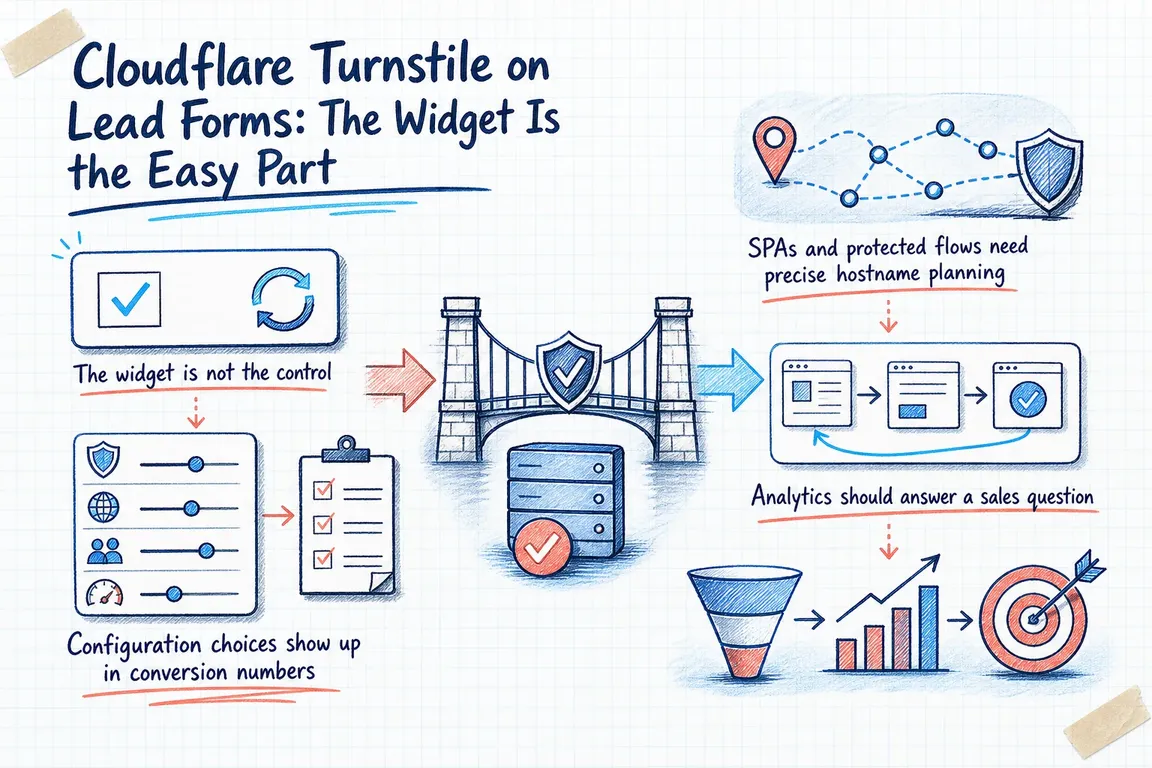
Cloudflare Turnstile is easy to underestimate. On the surface, it looks like a cleaner CAPTCHA replacement: add a widget, avoid the old puzzle experience, move on. Cloudflare's May 2026 documentation makes it clear that the product is broader than that. Turnstile can run on sites that do not send traffic through Cloudflare, and in many cases visitors never see a challenge at all. But once you put it on a lead form, the real work shifts to validation, timing, hostname planning, analytics, secret rotation, and, for some enterprise teams, device-level signals. That makes it a form operations decision, not a frontend tweak.
That distinction matters because the cost is not just spam. If the setup is weak, junk submissions still land in the CRM and someone in sales or support pays to sort them. If the setup is too aggressive, real prospects hit friction right when they are ready to submit. The job is to cut abuse without quietly taxing good leads. In practice, Turnstile works best when it is treated as part of the form architecture and the lead-handling workflow, not as a cosmetic security add-on.
The widget is not the control
Cloudflare is explicit that every implementation should validate tokens on the server with Siteverify. The client-side widget by itself does not protect the form. The reason is straightforward: attackers can post any string to your endpoint, tokens expire after 300 seconds, and each token is single-use. A form can look protected in the browser while the backend still accepts forged, stale, or replayed submissions.
For a real lead workflow, that changes the acceptance rule. No CRM record, notification, or follow-up automation should fire until the backend has validated the token and decided the submission is acceptable. If that sounds stricter than a normal widget install, it is. It is also the line between filtering abuse at the edge of the funnel and paying staff to clean it up later.
| Decision area | Low-friction default | When to step up | Business cost if ignored |
|---|---|---|---|
| When should verification run? | Automatic execution on render for short, simple forms | Manual execution near the final submit step for multi-step or conditional journeys | Expired tokens or checks that happen before the visitor is ready to convert |
| How visible should the widget be? | Managed or interaction-only behavior that stays mostly out of the way | More visible managed behavior when reassurance or debugging matters | Either hidden friction nobody spots or visible friction nobody intended |
| How should the backend treat tokens? | Validate every token once and reject failures | Also handle duplicate and timeout outcomes as explicit states with recovery logic | Forged or replayed submissions reach the CRM |
| What if the form sits inside an SPA or protected multi-domain flow? | Standard widget on a single form page | Pre-clearance with matching hostnames, zone configuration, and WAF rules | Visitors are challenged again because clearance is not valid where the journey continues |
| How will you measure quality? | Watch solve rate and widget traffic | Set actions by form or journey step and compare them with CRM noise patterns | Teams debate spam without knowing which action or source is degrading |
| When does the setup need escalation? | Stay with core Turnstile controls | Add WAF patterns or enterprise Ephemeral IDs when attackers rotate IPs or distribute traffic | Abuse turns into a manual review queue |
Configuration choices show up in conversion numbers
Cloudflare offers Managed, Non-interactive, and Invisible widget types. Managed is the recommended option and can decide whether to show a checkbox based on visitor risk. The docs also let you control appearance and execution. Appearance can stay visible, appear when execution begins, or show only when interaction is needed. Execution can happen automatically on render or later through an explicit execute call.
Those settings are not cosmetic. A short contact form can usually tolerate automatic execution and a discreet managed widget. A multi-step demo request or quote flow is different. In those cases, manual execution near the final submit step often makes more sense because it reduces unnecessary checks on visitors who never finish and lowers the chance that a token expires before the form reaches the server. Cloudflare also documents refresh behavior for expired tokens and timeouts, which is another clue that friction is shaped by timing and recovery logic, not just by whether the widget exists.
SPAs and protected flows need precise hostname planning
Pre-clearance is usually where teams realize Turnstile has more operational depth than expected. Cloudflare positions it for SPAs and explains that it can issue a clearance cookie for use across Cloudflare-protected domains. The catch is the mapping. The selected hostname must be a registered zone in the same account, the WAF rule you want to rely on has to live on that zone, and the resulting cf_clearance cookie is only accepted on domains that match the widget's configured hostnames and have challenges enabled through Cloudflare security settings. If that alignment is off, the cookie can be invalid and the visitor may be challenged again.
That is not just a tidy-architecture concern. In a SPA or multi-subdomain journey, a repeat prompt inside the form flow feels like the site broke. The commercial impact is simple: people who were ready to convert get interrupted, and teams start blaming conversion quality when the real problem is hostname and WAF plumbing.
Analytics should answer a sales question
Turnstile Analytics becomes useful when it is connected to a specific business question, not when it is treated as a vanity dashboard. Cloudflare exposes dimensions such as hostname, country, browser, IP address, user agent, ASN, and operating system, alongside solve rate, widget traffic, and top actions. The widget configuration docs also let you set custom action values so different forms or steps can be separated in reporting.
That combination is what makes the tool commercially useful. You can label the actions that matter, see where challenge activity is clustering, and compare it with what the CRM or sales team is actually receiving as junk, duplicate, or low-intent leads. Cloudflare does not promise to clean your CRM for you, and it should not. But the docs support a much better operating model than guesswork. Without that link to downstream lead quality, teams often misdiagnose the problem and conclude that the widget is weak when the real issue is missing server validation, poor execution timing, or one abused action that was never broken out in analytics.
Escalate only when the attack pattern warrants it
Cloudflare's Ephemeral IDs show where Turnstile moves past basic form defense. Cloudflare describes them as short-lived device identifiers generated for each visitor interaction. They do not rely on cookies or local storage, they are scoped to a Cloudflare account, they expire within a few days, and they are not meant to identify individual users. Their value is continuity: they help link behavior to a device even when an attacker rotates IP addresses between requests. Cloudflare calls out credential stuffing and fake account creation as strong use cases.
Most lead forms do not need that level of control on day one. The point is to match response to attack pressure. If abuse is light, core Turnstile controls may be enough. If attackers start rotating IPs or spreading traffic across sources, the problem stops being a checkbox problem and starts being an adversarial systems problem. That is the moment to combine Turnstile with WAF logic or, on enterprise plans, device-level signals such as Ephemeral IDs.
Treat it like production infrastructure
Cloudflare also documents secret-key rotation and notes that the old and new secrets both remain valid during a two-hour transition window. That detail is useful because it allows a live system to roll credentials without breaking submissions mid-change. It also says something broader about how Turnstile should be managed. A lead-form defense stack needs maintenance. Secrets need rotation, validation paths need monitoring, and widget settings should be revisited whenever the form flow changes.
That is why Turnstile only pays off when it is validated and tuned. The product can lower visible friction and improve abuse detection, but it does not remove implementation responsibility. Greg's role in this work is practical: choose the right widget behavior, wire proper server-side validation, fit protection to SPA or multi-step flows, connect analytics to real lead-quality checks, rotate secrets safely, and only step up to WAF or Ephemeral ID patterns when the attack pattern justifies the extra complexity. That is how form abuse stays an engineering decision instead of becoming a paid ops job.
Need help with this kind of work?
Review your Turnstile setup Get in touch with Greg.
Sources
- Overview · Cloudflare Turnstile docs
- Validate the token · Cloudflare Turnstile docs
- Pre-clearance configuration · Cloudflare Turnstile docs
- Ephemeral IDs · Cloudflare Turnstile docs
- Turnstile Analytics · Cloudflare Turnstile docs
- Rotate secret key · Cloudflare Turnstile docs
- Widget configurations · Cloudflare Turnstile docs