By Greg Nowak. Last updated 2026-09-15.
A salesperson finds the customer in HubSpot. Three times. The contact is on one record, the latest activities on another, and the third contains information from a spreadsheet. Which record should the salesperson use? And what needs to carry over if the records are merged?
Could your business use this? nowa.dk sets up AI automation for Danish companies.
AI can identify potential duplicates, but someone still needs to decide whether the records describe the same customer. For a Danish B2B company using HubSpot and spreadsheets, this is a manageable task to start with: let the system suggest matches, give employees a list to approve, and check the results before processing the next batch.
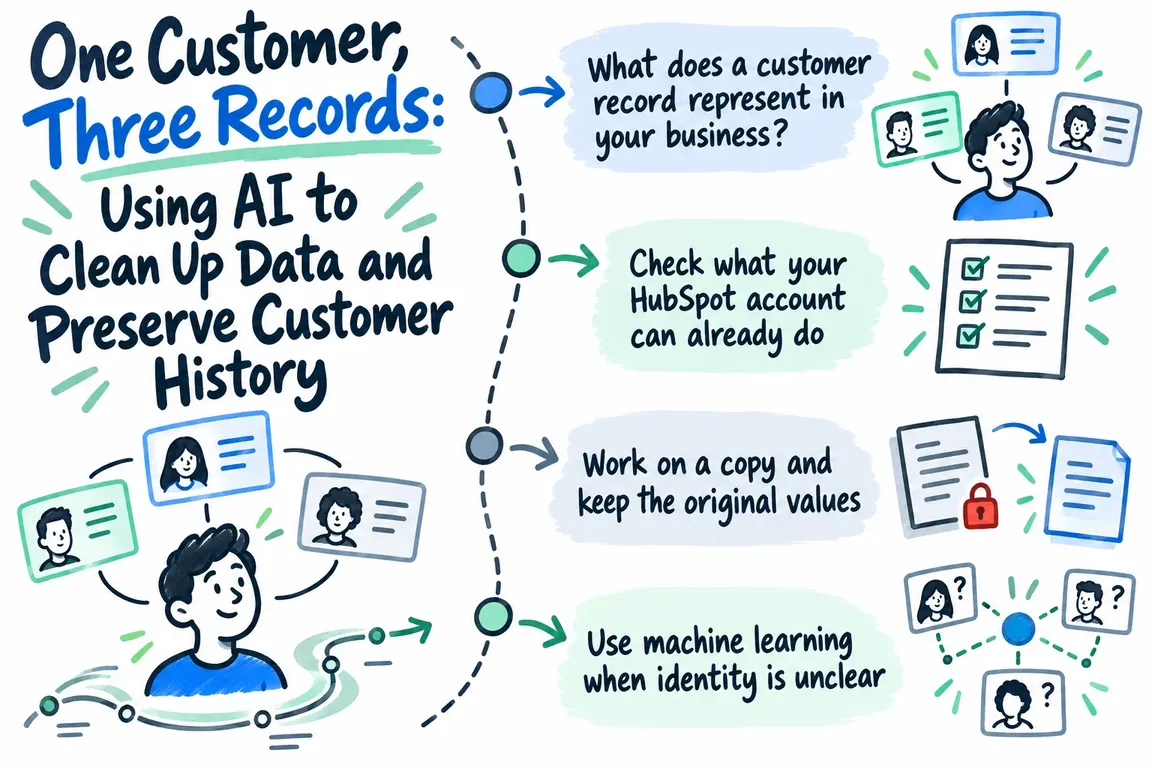
What does a customer record represent in your business?
The first question concerns how you work. Does a company record represent a legal entity, a department or a delivery location? If sales needs separate records for different departments, the cleanup must respect that.
CVR, Denmark’s Central Business Register, contains both current and historical company information, including CVR registration numbers, names and addresses. The register also covers associated production units with their own p-numbers, which identify individual business locations. This provides a basis for distinguishing a company from its local units, as described in the Danish Business Authority’s overview of the information in CVR.
Use a verified CVR number as a strong indicator of company identity, and agree separately on how to handle production units. A shared CVR number should only trigger a merge suggestion when the records also represent the same level in your customer structure.
Check what your HubSpot account can already do
You may already have the tools you need. HubSpot’s guidance, updated on 28 August 2026, describes automatic searches for potential duplicates when new contacts and companies are created. If no new records are created, the check runs daily. Suggestions can be reviewed and either rejected or used to merge records.
Your subscription determines what is available, however. Managing individual duplicates in the duplicate management tool requires Professional or Enterprise. Bulk management and custom duplicate rules require Data Hub Professional or Enterprise. See the requirements in HubSpot’s guide to reviewing duplicates.
Review some of the suggestions in your own account before choosing a solution. A separate Python workflow may be useful if spreadsheets are also involved, your customer structure requires specific rules, or suggestions need to be documented across data sources. The scope of the task should determine the tool.
Work on a copy and keep the original values
Export a limited set of company records and the relevant spreadsheets. Save the original values, the source file and the HubSpot records’ Record IDs. Prepare the data in a separate working copy.
This is where you make the data comparable. Remove unnecessary spaces, compare names without distinguishing between upper and lower case, and split addresses into clearly defined fields. This is called normalization. Keep the original values alongside the normalized ones so that anyone reviewing a suggestion can see what it is based on.
Before approving anything, also agree on which fields may be updated and who will resolve disagreements. A newer spreadsheet does not necessarily have the best information in every field. Write down the rules for names, addresses, account owners and external customer numbers: which value should be used, and who decides when the sources disagree?
Use machine learning when identity is unclear
When unique identifiers are missing, similarities across several fields can help identify potential matches. The Python library Dedupe uses machine learning to find similar records in structured data. The model learns from training data assessed by people. Dedupe’s project description lists uses including cleaning up spreadsheets and linking customer data with order history without unique customer IDs.
A workflow can begin with an employee assessing examples of records that describe the same customer and records that describe different customers. Include difficult cases too. The model can then suggest matches, which are tested on a separate sample and reviewed by the employee.
That review should establish which suggestions are clear enough to go on the approval list and which need further investigation. A similarity score is difficult to assess on its own. Also show which fields agree and which information argues against merging the records.
Working rules for the first cleanup
Use the table as a starting point for your own rules. It needs to reflect your definition of a customer record before you apply it to real data.
| What you find | Next step | What to clarify before approval |
|---|---|---|
| The same verified CVR number and the same organizational level | Add the suggestion to the approval list as a strong match | Do the records serve the same purpose, and which field values should be retained? |
| The same CVR number but different p-numbers | Investigate whether the units should retain separate records | What role do the departments play in sales and operations? |
| Similar names and addresses but no CVR number | Let the model suggest a match | Can the employee confirm that this is the same company? |
| Similar names but different CVR numbers | Hold off on merging | Is there a data entry error, or are these different companies? |
| Conflicting account owners or external customer numbers | Refer the case to the person responsible for customer data | Who owns the account, and how do the records connect to other systems? |
Decide what to retain before merging records
A merge in HubSpot combines activities and associations from both records. The primary record’s field values generally take precedence, but there are exceptions, and values can be selected during the review. The merge cannot be undone. This means the choice of primary record and field values must be settled before approval. See HubSpot’s guide to merging records.
The approval list should show the record IDs, the reason for the match, the proposed primary record, the selected field values and the name of the employee approving it. If there are three potential duplicates, all three need to be assessed together. Otherwise, the first decision is made without accounting for the information on the last record.
Also save an overview of the activities and associations you expect to find after the merge. The export serves as documentation. Do not plan on an import being able to restore the previous state.
HubSpot’s guidance also states that the merged record receives a new Record ID and that merging affects workflows and Salesforce synchronization. Document references to the previous IDs, and include the systems that use the customer records in your checks.
Start with a small batch and check that everything is there
Begin with a small group of approved suggestions. Have employees check that they can find the expected contacts, deals and activities on the merged records. Check the selected field values and the information in connected systems.
Agree in advance on when to stop. If an association is missing or a field has an unexpected value, the next batch should wait until you understand the cause. Keep approved, rejected and unresolved suggestions separate so you can use the review to refine the rules.
Finally, investigate where the duplicates came from. The findings may point to an import or workflow that needs changing. Assign a named person responsibility for ongoing reviews as well.
Define a manageable scope of work
Through nowa.dk, Greg’s AI automation service for Danish companies, Greg can help with exports, normalization and suggested matches across HubSpot and spreadsheets. An engagement can be scoped to deliver an approval list, documented decision rules and a plan for controlled merging.
A good place to start is with one customer type, the relevant data sources and an employee who can resolve ambiguous cases. That gives you something concrete to assess: which suggestions can be approved, where is more investigation needed, and how should customer history be checked along the way? On that basis, you can judge how much of the work can be automated.
Related on GrN.dk
- Fra salgsmøde til CRM: Automatisér opfølgningen uden datarod
- Alt-tekster med AI: Sådan får webshoppen styr på billedbunken
- Har jeres AI-chatbot husket at sige, at den er en bot?
Need help with this kind of work?
Talk to Greg about cleaning up your customer data Get in touch with Greg.










