By Greg Nowak. Last updated 2026-09-18.
The customer inbox is often the least structured dispatcher of work in a business. Requests for quotes, complaints, invoice queries and routine service enquiries all arrive side by side. Employees then spend time reading, assessing and forwarding each email.
Could your business use this? nowa.dk sets up AI automation for Danish companies.
AI can take over much of the sorting. The boundary just needs to be clear: the system may understand the email, but it must not obey it. A customer can say that a case is urgent. But the customer must not be able to make the AI override rules, retrieve unrelated data or activate a tool—whether through a direct message or a hidden instruction.
A secure email workflow therefore consists of a controlled chain: receive the event, classify the content, validate the result, prepare a draft and submit it for human approval. This is far more useful than giving an autonomous AI employee access to the entire toolbox.
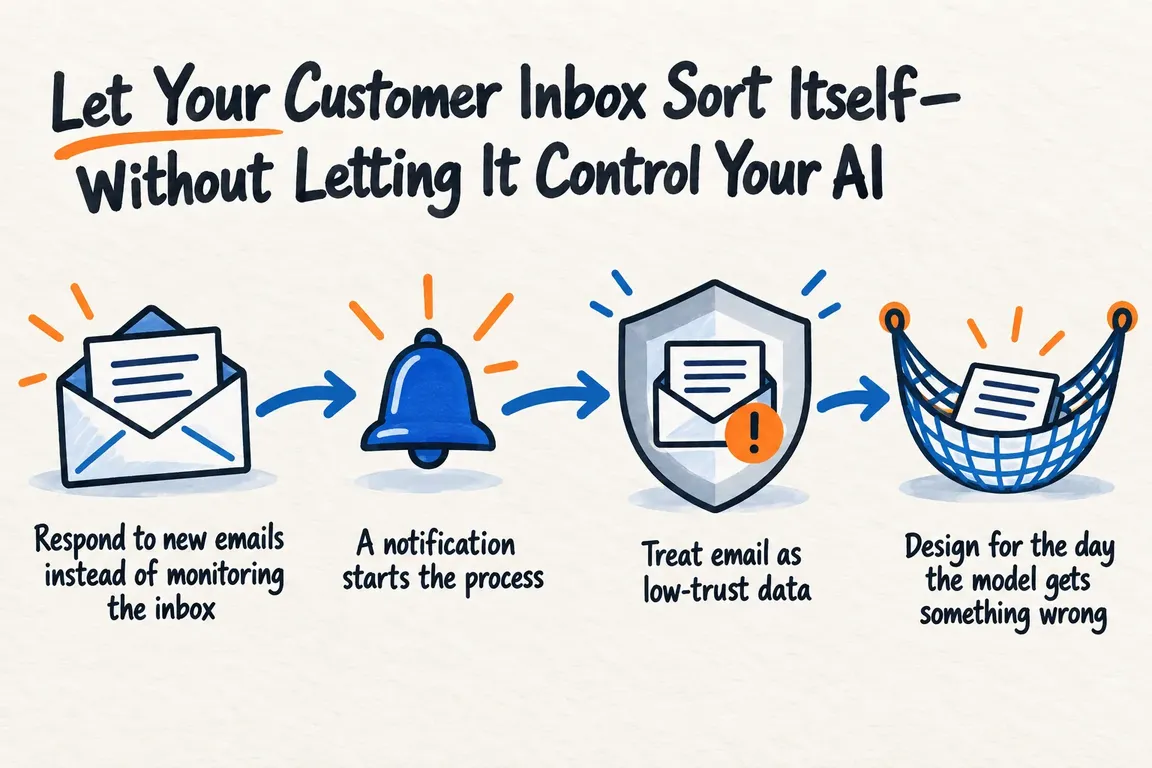
Respond to new emails instead of monitoring the inbox
A modern email workflow does not need to ask the inbox every minute whether anything new has arrived. The Gmail API supports push notifications through Google Cloud Pub/Sub. This allows a backend to be notified when a monitored mailbox changes and to begin processing shortly after the email arrives.
However, the notification does not contain the complete email. Among other things, Gmail sends a new history marker, which the integration uses to retrieve changes since the last recorded marker. The system must therefore save its position, acknowledge messages and be able to handle the same event being delivered more than once. If a notification is not acknowledged, Pub/Sub may try again.
Google also states that notifications may occasionally be delayed or lost. A periodic check should therefore pick up any missing changes. The monitoring itself requires maintenance: Gmail requires a new watch call at least once every seven days and recommends renewing it daily.
Microsoft Graph offers similar change notifications for Outlook email. A subscription can be limited to specific types of changes, folders and conditions. For example, it can respond to new messages without starting a workflow for every minor mailbox change. Subscriptions expire and must be renewed, while lifecycle notifications can help detect removed subscriptions or missed events.
A notification starts the process
When the integration receives an email event, it should retrieve only the information required for that specific task. Microsoft Graph documents both notifications containing encrypted resource data and notifications without email content, where the message is retrieved afterwards. Selection and filtering can keep the volume of data down.
The same principle should apply to permissions. If the task is to categorise new enquiries and create drafts, the AI component is unlikely to need access to delete emails, modify contacts or send replies on its own. Access should match the approved workflow, not everything the platform’s API can technically do.
| Stage | What the automation may do | Where the boundary lies | Practical control |
|---|---|---|---|
| Receipt | Register an email event and retrieve the necessary fields | Retrieving the entire mailbox without a specific need | Limit folders, fields and permissions |
| Classification | Suggest a type, priority and responsible team | Treating the sender’s text as a system instruction | Test for indirect prompt injection |
| Workflow | Create an internal ticket or reply draft | Changing critical data or approving financial actions | Use fixed allowlists and validated fields |
| Reply | Suggest a response based on approved context | Sending anything externally without human review | Require explicit approval |
| Operations | Log decisions and recover missed events | Hiding errors or continuing from an uncertain state | Monitor subscriptions, queues and anomalies |
Treat email as low-trust data
An email comes from an external party. It may contain ordinary text, links, signatures, forwarded messages and attached documents. All of this may be relevant to the case, but none of it should serve as a trusted channel for instructions.
In its guidance on Prompt Shields, Microsoft describes document attacks as instructions embedded in third-party content, including emails. Their purpose may be to lure the model into unintended actions, unauthorised access, data extraction or fraud. This is often called indirect prompt injection because the instruction arrives within the material the AI has been asked to process.
A filter is a useful layer of defence. Prompt Shields can detect suspicious input and either annotate or block it. However, the detection layer can both miss attacks and flag harmless content. The most robust protection therefore lies in the system’s boundaries: the model should have only the access and ability to act that the task requires.
Design for the day the model gets something wrong
OWASP’s 2026 security update follows the shift from models that produce content to agents that can also take action. Security is therefore no longer only about what the model generates. It also depends on which data and tools the overall system can access and which actions it is allowed to perform. Among other areas, OWASP highlights identity, governance, testing and runtime controls.
For the customer inbox, this means that a good system prompt cannot carry the security burden alone. The architecture should account for the fact that, sooner or later, the model will misunderstand something or be influenced by a manipulated email. The consequences can be limited by splitting up the workflow: one component reads and classifies, another validates the structured result, and an approved workflow performs only predefined actions.
For example, a proposed response can be provided as a draft together with a suggested subject, category and queue. An employee checks the content, recipient and any attachments before the reply is sent. If the classification is uncertain, the case should be routed for manual handling instead of being forced through on the basis of a weak guess.
Start with the workflow
The first task is to map the enquiries that actually arrive. Which types account for most of the volume? Which require a rapid response? Which can safely become drafts, and which must never be automated any further? The answers provide the basis for categories, escalation rules, approvals and the information employees need in front of them.
A focused initial workflow can combine four tasks: registering new emails, classifying them according to known enquiry types, prioritising them according to agreed rules, and creating a ticket or reply draft. Its impact should be assessed using factors that matter in day-to-day operations: misclassifications, uncertain results, missing events and the time from receipt to the first internal action.
The test material should include more than tidy, standard emails. Use ambiguous wording and deliberate prompt-injection attempts as well. Then test the mundane but critical operational failures: duplicate notifications, expired subscriptions, timeouts and events arriving out of order. This is where you discover whether the solution can function as a stable business process rather than merely an impressive demonstration.
Faster service within a clear security boundary
Through nowa.dk, an AI automation service for Danish businesses, Greg can map enquiry types and response times and connect Gmail or Microsoft 365 using the minimum necessary permissions. The deliverables can include classification, prioritisation, drafts or tickets, logging, handling of uncertain results and prompt-injection testing.
The aim is to eliminate rapid, repetitive analysis work without turning the AI into an autonomous head of customer service. The inbox can sort itself. It just must never be allowed to decide what the company’s AI can do.
Related on GrN.dk
- Montørens talenote skal blive til en arbejdsordre – ikke rå lyd
- Samme kunde, tre kundekort: AI-oprydning med styr på historikken
Need help with this kind of work?
Map Your Secure Email Workflow Get in touch with Greg.










