By Greg Nowak. Last updated 2026-10-25.
A cheap AI response can become expensive by the time someone can use it. Retries, failed checks and human review all belong in the calculation. For a business expanding an AI workflow, the useful question is what it costs to finish an acceptable piece of work.
Anthropic’s cost and performance guidance, published on September 8, 2026, covers prompt caching, instruction design and effort settings. These are worth examining as a pilot grows, but you need a clear definition of completion before you can judge whether a change saves money.
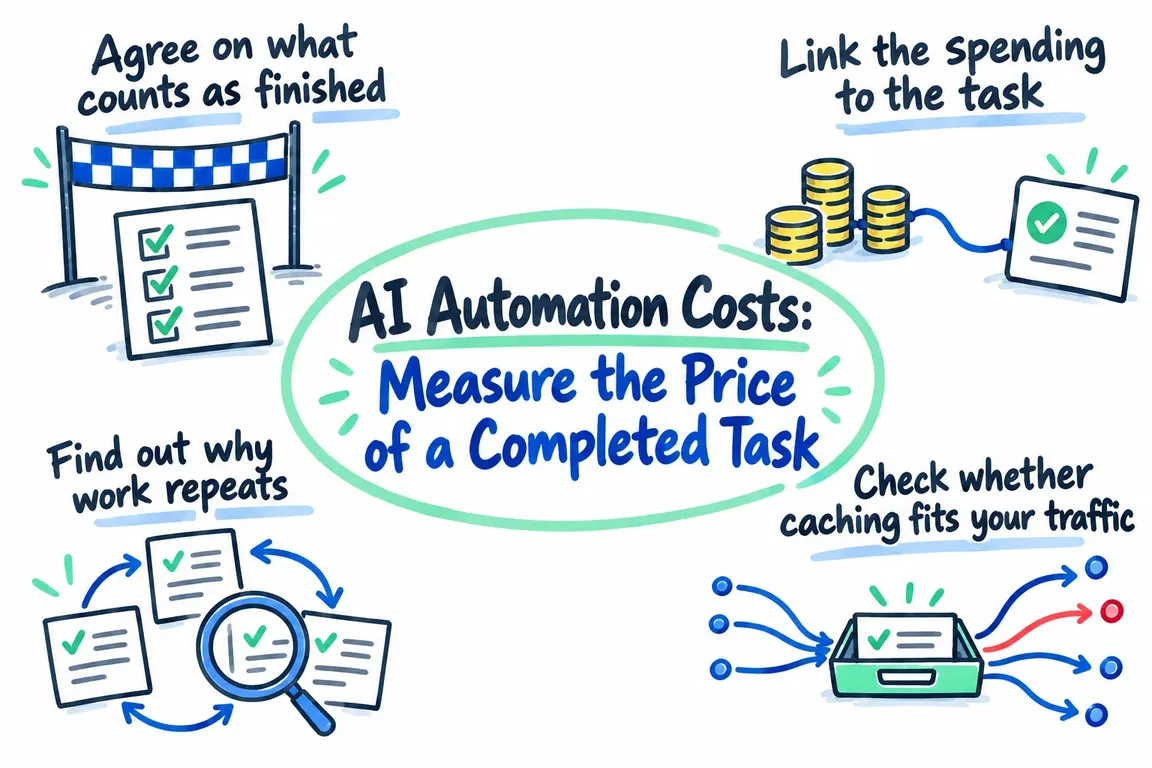
Agree on what counts as finished
Write down the acceptance condition in terms the business recognises. In document extraction, that could mean the required fields have been validated and saved to the destination system. In a drafting workflow, it could mean a reviewer has accepted the draft. These are possible measurement boundaries; use the one that fits your operation.
Keep that boundary consistent. A draft awaiting mandatory approval is still unfinished. A task that takes several API requests to complete still counts as one result.
API cost per completed task = all API expenditure attributable to a defined group of tasks ÷ accepted completions in that group.
The expenditure includes unsuccessful attempts. Keep pending work visible separately, so a reporting cutoff does not quietly classify it as a success or failure. If no tasks complete, report the spend and zero completions. There is no useful unit cost to show yet.
For the full operating picture, record tool charges, allocated infrastructure costs and human review time separately. That makes it easier to spot a change that lowers the API bill while giving reviewers more work.
Link the spending to the task
Give each task a persistent identifier when it enters the workflow. Attach every attempt, model request, tool step and final outcome to that identifier. Individual requests need their own identifiers too, because several requests may contribute to the same business result.
LiteLLM’s spend tracking documentation covers expenditure by key, user and team. Its examples also include job and task metadata tags, although tag-based spend tracking is marked as an Enterprise feature. Check availability before making it part of your reporting design.
The gateway’s spending records need to connect with your application’s records of acceptance, rejection and human intervention. Allow for that integration in the scope of the work; a spending dashboard alone cannot tell you which results the business accepted.
Then reconcile the recorded API costs with provider billing for the same period. LiteLLM recommends checking token categories, including cache usage, and separating missing ingestion from calculation or model-pricing differences. Keep pricing data current and investigate unexplained gaps before using the figures to support a larger rollout.
Find out why work repeats
Before changing models, look through complete task traces. Does each request move the task towards acceptance? Is the workflow sending the same material repeatedly? When validation fails, does it rerun more of the process than necessary?
Anthropic identifies changing prompt prefixes, reordered tool definitions and pauses beyond cache expiry as possible reasons for lost cache reuse. Those give you specific places to inspect when repeated processing looks costly.
Mark each repeat as necessary, avoidable or unresolved. You then have a practical improvement list, with uncertainties still visible. Test any changes to prompts or effort settings against the original acceptance criteria so you can see whether the savings hold at the required quality.
Check whether caching fits your traffic
Claude’s prompt caching documentation sets out several conditions: reuse depends on matching prompt prefixes, minimum cacheable length varies by model, and cache entries expire. Requesting caching does not guarantee it; a short prompt can remain uncached.
Writing to the cache also carries a premium. A five-minute cache write costs 1.25 times the base input token price, while a one-hour write costs twice the base input price. Read pricing varies by model.
Separate stable instructions and reference material from the content that changes with each task. Measure cache writes and reads across representative traffic, including quiet periods, and choose the expiry window using the reuse intervals you observe.
Compare total input expenditure before and after the change, including both writes and reads. A high cache hit rate helps explain the result. The business decision still depends on the cost of completed work at the required quality.
Use batches when the work can wait
The Claude Message Batches API processes requests asynchronously, with a documented 50% discount on input and output tokens. Anthropic says most batches finish within an hour. Requests that remain unprocessed expire after 24 hours, so check those timings against the actual business deadline.
Bulk analysis and scheduled preparation may be suitable if the receiving process can handle delayed results. Keep work that needs an immediate response on a separate path.
Record each result against its original task. The API distinguishes succeeded, errored, canceled and expired requests, but a successful response still needs to pass your application’s acceptance checks.
Caching and batch discounts can combine. However, the documentation describes batch cache hits as best effort, so measure the combined outcome before putting savings into a forecast.
| What you see | What to test | What decides whether it helps |
|---|---|---|
| The same stable context appears in many requests | Prompt caching | Total input spend, including cache writes and reads, at the required quality |
| Work has time to wait for results | Asynchronous batches | Cost of accepted results delivered within the deadline |
| Tasks need many attempts | Validation and retry paths | Attempts and API spend per accepted completion |
| Runs become long or repetitive | Iteration and spending limits | Contained spend, with unfinished tasks visible and recoverable |
| The API bill falls but review effort rises | The proposed change as a whole | Total operating cost and acceptance quality |
Test what happens when spending stops
LiteLLM documents budgets and rate limits at several scopes, along with agent session spending and iteration caps. Choose controls that fit how the workload runs and who owns its budget.
The deployment details affect enforcement. LiteLLM states that budgets require a connected database; a deployment without one does not enforce those limits. For team-associated keys, team and team-member budgets apply, while the owner’s personal budget does not.
Test the deployed setup with a deliberately small allowance. Confirm that it rejects the expected request, establish which budget caused the rejection, and check the application’s response.
A stopped task needs a visible status, someone responsible for it and a way to resume or resolve it. Set retry and iteration limits deliberately. Also check that a budget error does not send the task into repeated attempts through another path.
Leave the audit with a decision you can use
A useful audit gives you a measured baseline and a prioritised list of improvements, with a repeatable way to compare results. Hold the acceptance criteria steady while testing selected changes. Record the implementation effort alongside the expected operating benefit so the decision includes the cost of making the change.
Build the dashboard around accepted completions, API cost per completion, completion rate, review effort and delivery time. Show failed and pending tasks alongside them. Anyone reviewing the budget should be able to see both what was spent and what work remains.
Greg at GrN.dk can help scope the audit, connect spending records with task outcomes, implement selected improvements and build a dashboard for ongoing review. Start with one workflow whose completion condition is clear, so the next investment decision has a measurable basis.
Related on GrN.dk
- Your AI Workflow Runs on One Person’s API Key. Now What?
- NGINX Can Read JSON Before Routing—Should It Handle Your AI API?
- When the AI API Says “Try Again,” What Does Your Customer See?
Need help with this kind of work?
Discuss an AI workflow cost audit Get in touch with Greg.










