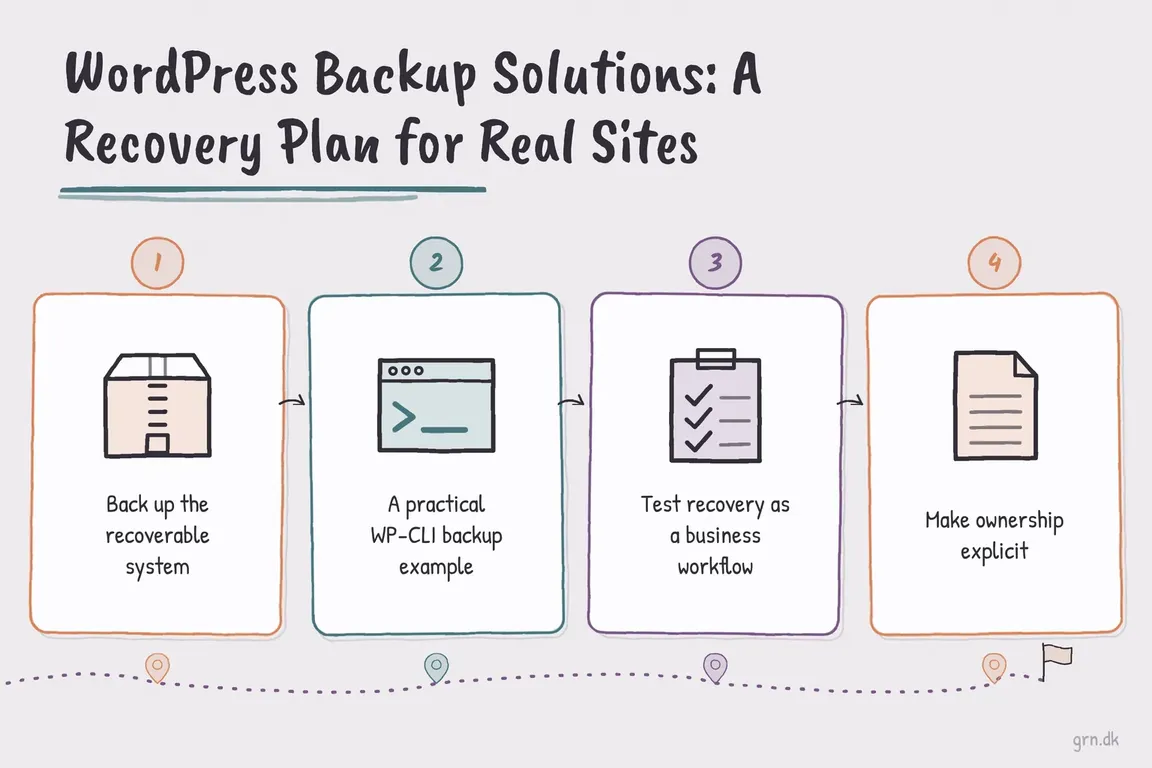
By Greg Nowak. Last updated 2026-09-30.
A backup is useful when someone can use it to get the site working again. For a business site, that may mean recovering enquiries, orders and accounts as well as pages and images. It also means knowing who can access the backup when the usual developer is unavailable.
Before choosing a plugin or hosting plan, agree on two limits: how much recent data you could afford to lose, and how long the site could be down. These are your recovery point and recovery time targets. Write them in plain language, such as “lose no more than a day of edits” or “resume taking orders within four hours.” Then check whether your backup schedule and restore process can meet them.
Choose frequency by what changes on the site
| Site | Practical starting point | Check before relying on it |
|---|---|---|
| Brochure site | Daily backups and a fresh copy before major changes | Can you recover forms, redirects and configuration? |
| Lead generation site | Daily files, with database backups frequent enough to protect stored enquiries | Are submissions also held in email or a CRM? |
| Editorial or membership site | Daily files and more frequent database protection when activity is high | Will new posts, users and access rules survive? |
| WooCommerce store | Frequent or change aware backups, plus full restore points | What happens to orders placed after the chosen restore point? |
A daily copy may be plenty for a site updated once a week. It is a poor fit for a shop taking orders throughout the day. WooCommerce documents how restoring an older database can remove orders and other activity from the intervening period. For stores, agree on a way to preserve or reconcile that activity before anyone presses Restore.
Capture the whole recoverable site
WordPress needs both a database and files. The database holds content, users, settings and plugin data. Files hold uploads, themes, plugins and site configuration. The WordPress backup handbook treats both as part of the backup. Check for custom tables, files outside the WordPress directory, and configuration stored elsewhere; a product labelled “full backup” may still miss something specific to your installation.
Record what the archive cannot tell a new operator: PHP version and extensions, scheduled jobs, DNS and CDN settings, mail delivery, external storage, licences and the steps for obtaining credentials. Keep that short runbook somewhere accessible when WordPress itself is down.
Pick a method someone will operate
A backup plugin sending copies to separate storage can suit a smaller site. Hosting snapshots can make server recovery quick. Server side scripts give a technical team more control. Whichever you choose, identify who checks failed jobs, manages retention, pays for the storage and can perform a restore. A copy kept only in the same hosting account is vulnerable if that account becomes unavailable or compromised.
Keep at least one protected copy away from the live server, restrict access to it and test retrieval. The CISA ransomware guide recommends offline, encrypted backups and regular recovery tests for critical data. For a WordPress site, choose protection proportionate to its value and the sensitivity of its database.
A WP-CLI starting point for a conventional site
If your team maintains Linux servers, this script creates a database export and a file archive in a private directory outside the web root. WP-CLI’s db export command uses the credentials in wp-config.php and calls mysqldump. Adjust the paths and account permissions for the real installation:
#!/usr/bin/env bash
set -euo pipefail
umask 077
site_root=/var/www/example-site
backup_root=/srv/private-backups/example-site
stamp=$(date -u +%Y%m%dT%H%M%SZ)

install -d -m 700 "$backup_root"
wp --path="$site_root" db export \
  "$backup_root/database-$stamp.sql" \
  --add-drop-table --single-transaction

tar -C "$site_root" -czf \
  "$backup_root/files-$stamp.tar.gz" .

(cd "$backup_root" && sha256sum \
  "database-$stamp.sql" "files-$stamp.tar.gz" \
  > "SHA256SUMS-$stamp.txt")
Run the script as a dedicated account that can read the site and write to the private backup directory. Have cron call the tested script, for example: 15 2 * * * /usr/local/bin/backup-example-site. Configure a failure alert; a schedule without monitoring can quietly stop working.
The --single-transaction option gives a consistent database view for transactional tables such as InnoDB; MySQL’s documentation explains its limits for other table types. It does not freeze uploads while the file archive is made. On a busy site, arrange a suitable backup window or use tooling that coordinates files and database changes. Also include any configuration or media stored outside site_root. Transfer the completed set to separate storage, verify it arrived, and apply a documented retention period. A checksum helps detect a damaged transfer; it does not prove the site will run.
Rehearse the restore, then assign ownership
Restore a recent backup into an isolated test environment after setup and after major hosting changes, then repeat the exercise periodically. Disable customer email, payment processing and public indexing there. Check administrator access, key pages, media, forms, user permissions, scheduled jobs and integrations. For a store, check products and orders and document how newer transactions would be handled during a real rollback.
Record the time taken, the missing information and the exact steps that worked. Give one person responsibility for backup alerts and another clear route to take over. Agencies should put retention, test frequency and handover responsibilities in the client agreement. If those details are scattered across a host, a plugin and one developer’s memory, ask Greg to review your WordPress recovery plan and make it workable for the people who will use it.
Related on GrN.dk
- Agentic AI: What It Is, How It Works, and When to Use It
- Cloudflare Page Rules Debt: How Quiet Configuration Drift Breaks Business Websites
- JavaScript-Heavy Service Pages Still Lose Leads: What to Audit in 2026
Need help with this kind of work?
Review your WordPress recovery plan with Greg Get in touch with Greg.










