By Greg Nowak. Last updated 2026-07-19.
WooCommerce has used Cart and Checkout blocks as the default for stores created since version 8.3. That makes blocks the standard starting point for new builds—but it does not make them a drop-in replacement for every established store.
An existing checkout may depend on payment gateways, express wallets, custom fields, pickup rules, subscriptions, fees, analytics events, or PHP hooks accumulated over years. Changing its architecture without tracing those dependencies is less like redesigning a page and more like replacing a small business system while customers are using it.
The sensible question is therefore not “Are blocks better?” It is “Can this store’s complete buying journey run safely on blocks today?”
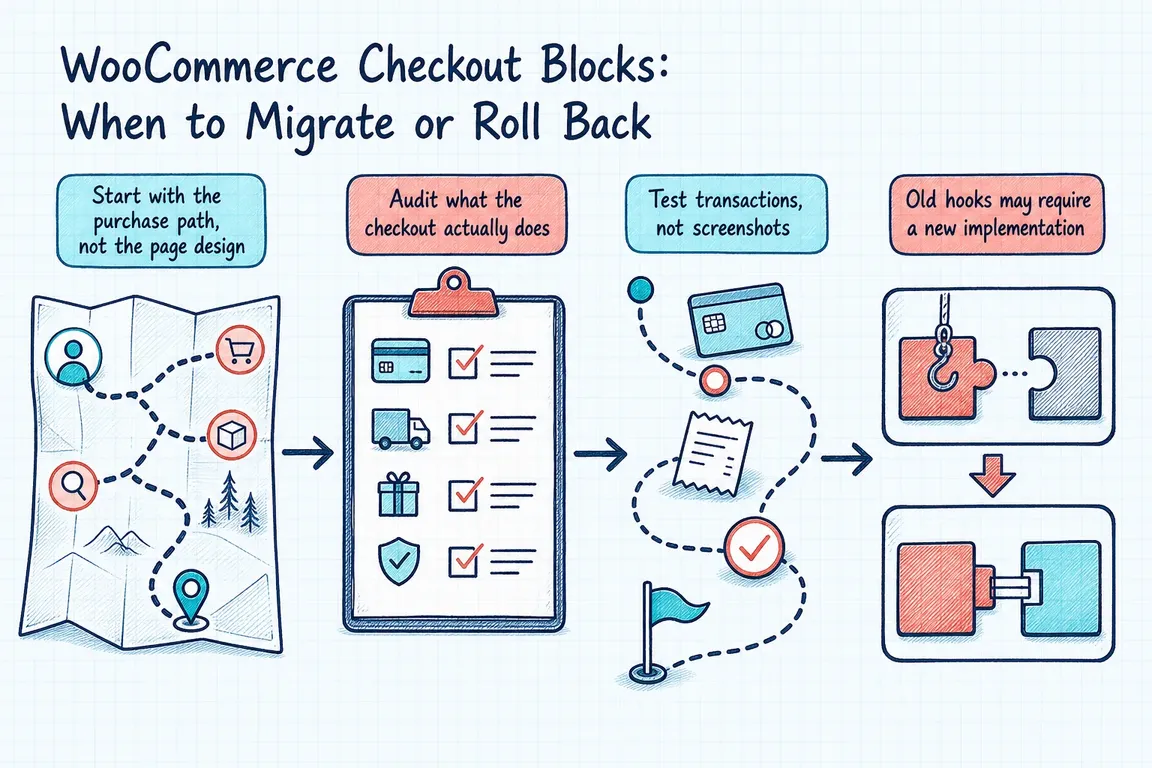
Start with the purchase path, not the page design
The block editor can show a checkout that looks correct while an important customer path remains broken. WooCommerce only displays payment methods that are both available for the store and compatible with the Checkout block. If every active gateway is incompatible, shoppers can reach checkout with no payment method available.
Express checkout adds another layer. A wallet button may depend on the gateway, product type, customer location, currency, browser, device, tax configuration, and account settings. A successful card payment in a desktop test is not proof that Apple Pay, Google Pay, subscriptions, or guest checkout work as intended.
Use the following matrix to choose the next step rather than treating migration as an automatic upgrade.
| What you find | Recommended decision | Evidence required |
|---|---|---|
| All critical extensions declare block compatibility | Proceed to staging | Completed test orders for every important path |
| Compatibility is unclear or undocumented | Pause and investigate | Vendor confirmation plus hands-on testing |
| A required gateway, field, wallet, or pickup flow fails | Fix the integration or retain classic checkout | A verified workaround and regression test |
| Several revenue-critical dependencies fail | Roll back Cart and Checkout together | Successful classic-checkout tests after rollback |
Audit what the checkout actually does
Begin with an inventory of behavior, not merely a plugin list. Record every payment gateway and wallet, shipping and pickup method, checkout field, order fee, coupon rule, address validator, tax integration, subscription flow, analytics event, and post-purchase automation.
Then identify which items are commercially or operationally essential. Gift messages may feed fulfilment. A VAT field may be needed for invoicing. Local pickup may control where an order is routed. A hidden analytics failure may leave a marketing team unable to judge campaign performance. “The order went through” is only one acceptance criterion.
Product documentation is useful evidence, but it is not a substitute for testing the installed version and configuration. WooCommerce’s current Checkout Add-Ons documentation, for example, still recommends classic shortcodes because that extension has not been updated for block compatibility. Its SkyVerge compatibility table also retains pending or unsupported cases, including Checkout Add-Ons and Local Pickup Plus. Treat such notices as specific warnings, not as assumptions about every plugin from the same vendor.
Test transactions, not screenshots
Build a test matrix from real orders and customer types. At minimum, cover:
- Guest and logged-in purchases, including account creation where enabled.
- Every live card gateway and express wallet on supported devices and browsers.
- Physical, virtual, subscription, discounted, free-shipping, and zero-total orders where relevant.
- Domestic and international addresses, taxes, shipping methods, and pickup locations.
- Coupons, fees, custom fields, validation messages, terms acceptance, and order notes.
- Successful payments, declined payments, retries, refunds, emails, fulfilment data, and analytics events.
Inspect the resulting order in WooCommerce and in connected systems. Confirm totals, taxes, customer data, field values, transaction references, stock changes, emails, exports, and webhook-driven processes. Test on a staging environment that closely matches production, then run a small final smoke test after release.
For missing WooPayments express buttons, the official troubleshooting guidance is especially practical: enable WooPayments logging, reproduce the page view, and inspect the latest log for messages such as Express Checkout Element button disabled or WooPay Express button disabled. The accompanying reason can reveal an unsupported product or another configuration constraint.
Old hooks may require a new implementation
Blocks use a different frontend and Store API model. Some server-side behaviour continues to work, but many shortcode-era hooks do not. WooCommerce’s hook-alternatives reference shows, for example, that woocommerce_order_button_text is not supported programmatically in block checkout, while new checkout fields should use the Additional Checkout Fields API. Payment methods also need a frontend component registered for the Payments block; registering the PHP gateway alone is insufficient.
This is why a plugin can be active without its output appearing. The remediation may involve a JavaScript filter, an inner block, Slot/Fill, a Store API hook, or a vendor update—not another CSS rule. Review custom theme code and snippets alongside plugins, particularly anything using woocommerce_checkout_fields, checkout-form actions, order-review fragments, or direct cart-line HTML changes.
Keep rollback simple and rehearsed
Rollback is a valid release control, not an admission that the migration failed. WooCommerce provides a documented route: edit the Cart or Checkout page, select the main block in List View, choose Transform, select Classic Shortcode, and save. For block themes, pages are available through Appearance → Editor; other themes normally use Pages → All Pages.
WooCommerce recommends reverting both Cart and Checkout because they work together. After changing them, verify that the correct pages remain assigned under WooCommerce → Settings → Advanced, clear relevant caches, and repeat the critical transaction tests. Do not assume that restoring the shortcode automatically restores every surrounding template or caching condition.
Define “ready” before launch
A block migration is ready when the critical purchase paths work, required operational data reaches the right systems, stakeholders have signed off, monitoring is prepared, and the team can reverse the release quickly. Until then, classic checkout can remain the safer production choice while integration work continues.
If you need an independent view of the risks, Greg can audit the checkout stack, coordinate developers and extension vendors, and turn the findings into a practical migration or rollback plan. Talk to Greg about your WooCommerce checkout.
Related on GrN.dk
- Google’s August 18, 2026 Content API Cutoff: Feed Cleanup Before Merchant API Migration
- WooCommerce HPOS: A Settings Toggle With Migration Work Behind It
- AI Shopping Makes Product Data Integrity a Technical Ops Job
Need help with this kind of work?
Discuss your WooCommerce checkout Get in touch with Greg.










