By Greg Nowak. Updated 11 October 2026.
High-Performance Order Storage (HPOS) appears in WooCommerce as a settings option. On an established store, however, enabling it is a data migration and an operational change—not a routine configuration update.
The switch changes which database tables are authoritative for orders. That can affect payment callbacks, refunds, subscriptions, fulfilment, accounting exports, customer-service tools, reports, and custom administration screens. Activating HPOS may take minutes; establishing that the business still works is the real project.
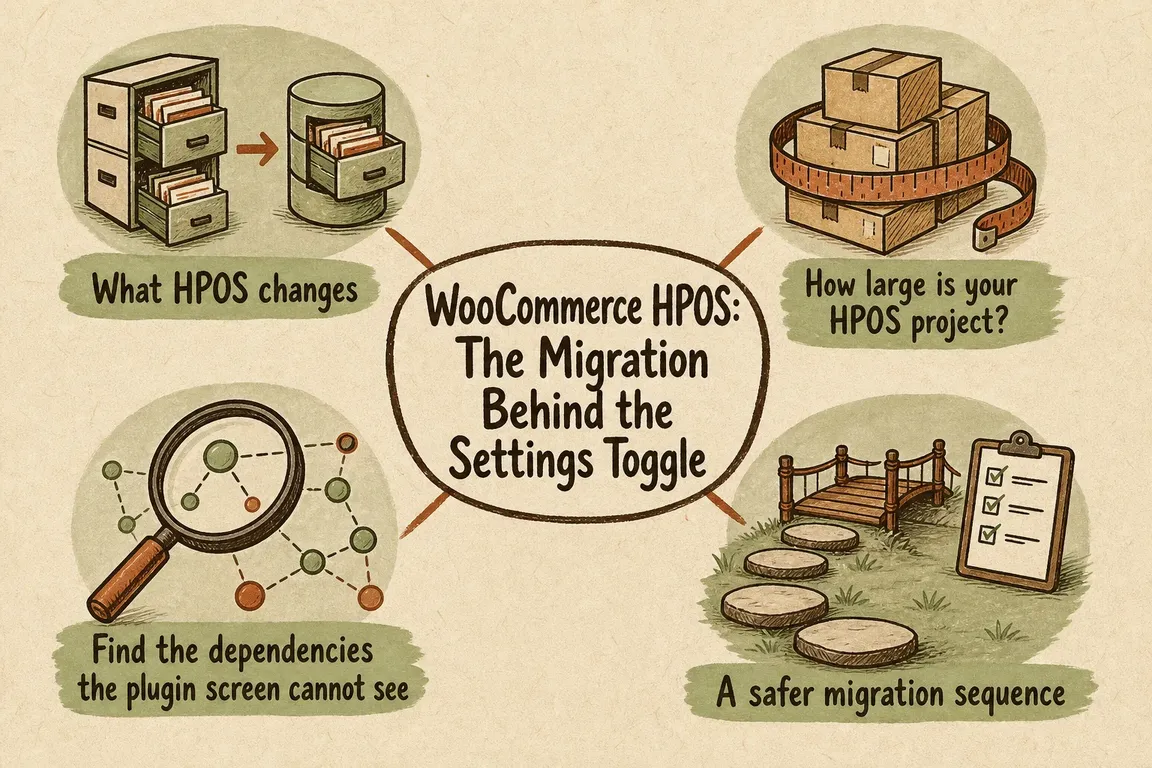
What changes when you enable HPOS?
Traditional WooCommerce stores keep orders in the WordPress posts and post-meta tables. HPOS uses dedicated tables such as _wc_orders, _wc_order_addresses, _wc_order_operational_data, and _wc_orders_meta. HPOS has been the default for new installations since WooCommerce 8.2, but established stores may still need to migrate.
During the transition, compatibility mode can maintain a secondary copy of order data. One datastore remains authoritative; the other is a synchronised backup. WooCommerce prevents you from changing the authoritative datastore while orders are waiting to synchronise, but that safeguard cannot prove that every extension or external process behaves correctly.
There is also an important change for older customisations: since WooCommerce 10.7, “sync on read” is disabled by default. Code that writes directly to wp_posts, wp_postmeta, or raw SQL should not be expected to flow back into an HPOS order. Compatibility mode is not a permanent substitute for fixing unsupported writes.
How large is your HPOS migration?
Order count affects migration time, but operational complexity is usually the better measure of risk.
| Store profile | Main risk | Recommended preparation |
|---|---|---|
| Standard extensions and little custom code | An extension has incomplete HPOS support | Review declared compatibility and test every important order flow |
| Custom snippets, reports, or admin screens | Code assumes every order is a WordPress post | Audit order access and replace legacy reads and writes |
| Subscriptions or several payment methods | Less common lifecycle events fail | Test renewals, failures, retries, cancellations, and refunds |
| Accounting, warehouse, shipping, or BI connections | An external system reads legacy tables directly | Trace every order-data consumer and verify its HPOS path |
| Large or long-running order history | Backfill exceeds the change window | Time the complete migration using a recent production copy |
Audit what the compatibility screen cannot see
Start with WooCommerce’s compatibility report. The CLI command wp wc hpos compatibility-info identifies aware plugins that declare themselves compatible, incompatible, or uncertain. Treat that result as the beginning of the audit, not its conclusion. WooCommerce cannot classify an old snippet, a must-use plugin, a scheduled database query, or a spreadsheet populated by a direct SQL export.
Search custom code for get_post(), get_post_meta(), update_post_meta(), WP_Query, and SQL referencing order records in the posts tables. Order logic should normally use WooCommerce’s CRUD layer: retrieve individual orders with wc_get_order(), query them with wc_get_orders(), update properties or metadata through order methods, and call save().
Then interview the people who operate the store. Finance may have a month-end export that nobody documented. Support may depend on a custom order column. The warehouse may poll a table rather than consume an API. These informal dependencies are often more consequential than the plugin list suggests.
For developers: the HPOS recipe book in short
WooCommerce's HPOS extension recipe book comes down to three changes in a plugin or in custom code.
- Declare compatibility once you have tested it. Until then the store lists the plugin as uncertain. Call this from the main plugin file:
add_action( 'before_woocommerce_init', function () { if ( class_exists( \Automattic\WooCommerce\Utilities\FeaturesUtil::class ) ) { \Automattic\WooCommerce\Utilities\FeaturesUtil::declare_compatibility( 'custom_order_tables', __FILE__, true ); } } ); - Read and write orders through WooCommerce. Use
wc_get_order(),wc_get_orders(), and$order->get_meta()or$order->update_meta_data()followed by$order->save(). Noget_post_meta()on order IDs. - Check which datastore is active where code has to differ.
\Automattic\WooCommerce\Utilities\OrderUtil::custom_orders_table_usage_is_enabled()tells you. Admin screens and meta boxes should usewc_get_page_screen_id( 'shop-order' )instead of a hard-coded post screen.
Declaring compatibility before the code is converted only hides the warning. The store owner then finds out at cutover.
A safer WooCommerce HPOS migration plan
1. Rehearse with representative data
Build a staging environment with current plugins, custom code, configuration, scheduled actions, and a recent copy of production data. Keep posts authoritative, enable compatibility mode, and synchronise the historical orders. For a substantial database, use wp wc hpos sync and record its duration, errors, and server load.
A staging database contains personal and commercial data, so apply the same access controls and retention discipline you would use in production. Take a current, tested backup before changing either environment.
2. Test the whole order lifecycle
Do not stop after one successful checkout. Exercise every live payment method plus failed payments, delayed callbacks, refunds, order edits, stock changes, transactional email, webhooks, exports, and fulfilment hand-offs. For subscriptions, include initial purchases, scheduled renewals, failed renewals, cancellations, and payment-method changes.
Check both the customer-facing result and the operational record. Reconcile totals, tax, addresses, statuses, payment references, stock movements, and business-critical custom metadata. Confirm what staff see and what each downstream system receives.
3. Verify before changing authority
Useful read-only or controlled migration commands include:
wp wc hpos status— inspect datastore and synchronisation status.wp wc hpos count_unmigrated— count orders still awaiting synchronisation.wp wc hpos sync— copy pending order data from the authoritative datastore.wp wc hpos verify_data— compare migrated data with the original records.wp wc hpos diff <order_id>— investigate differences for one order.
The old wp wc cot namespace is deprecated. Be especially cautious with backfill, cleanup, --re-migrate, and force options: they can overwrite or remove data and should only follow a reviewed discrepancy analysis.
4. Cut over with people watching
Choose a quieter trading period, complete synchronisation, verify the result, and then make the WooCommerce order tables authoritative. Keep technical and operational owners available to monitor new orders, payment callbacks, scheduled actions, logs, fulfilment, and support contacts. A quiet period reduces exposure; it does not replace active observation.
Define rollback before release
Keep compatibility mode enabled for a defined observation period so the posts datastore remains current. Agree on explicit rollback triggers, such as missing payment references, incorrect totals, failed renewals, broken fulfilment exports, or unexplained datastore differences.
If synchronisation has been disabled, switching back is not immediate: the posts tables must first be brought up to date. Document who can authorise rollback, the commands or settings involved, and how orders created during the incident will be reconciled.
Treat HPOS as a controlled business change
A sound HPOS project leaves you with more than a faster order datastore. It produces an integration inventory, cleaner order-access code, a repeatable test plan, verified data, and an understood fallback route.
If you need someone to coordinate the audit across developers, payment providers, operations, and agency teams, talk to Greg about an HPOS migration review. The most useful first step is usually a scoped dependency audit—not a production toggle.
Quick answers
Can I switch HPOS off again?
Yes, as long as compatibility mode has kept the posts tables in sync. If sync was off, the posts tables must be brought up to date first, which is why the plan above keeps sync on during the observation period.
How long does the migration take?
It depends on order count and server speed. Time the full sync on a recent production copy. That number is the only reliable estimate for the change window.
Related on GrN.dk
- EU OpenAI Residency Is a Migration Project, Not a Dashboard Toggle
- Search Console Can See Social Posts—Your Reports Need a New Map
- WordPress 6.9.2 and Unsupported Theme Code: A Safer Update Playbook
Need help with this kind of work?
Discuss your HPOS migration with Greg Get in touch with Greg.










