By Greg Nowak. Updated 6 October 2026.
A Drupal form can say “message sent” while the sales enquiry never reaches your team. The same gap affects password resets, order updates, and approval requests. A working website is only part of the process.
Reliable Drupal email needs a suitable transport, an authenticated sending identity, and a way to investigate failures. Start by deciding what the business needs to happen when a message goes missing. That decision matters more than the choice of module.
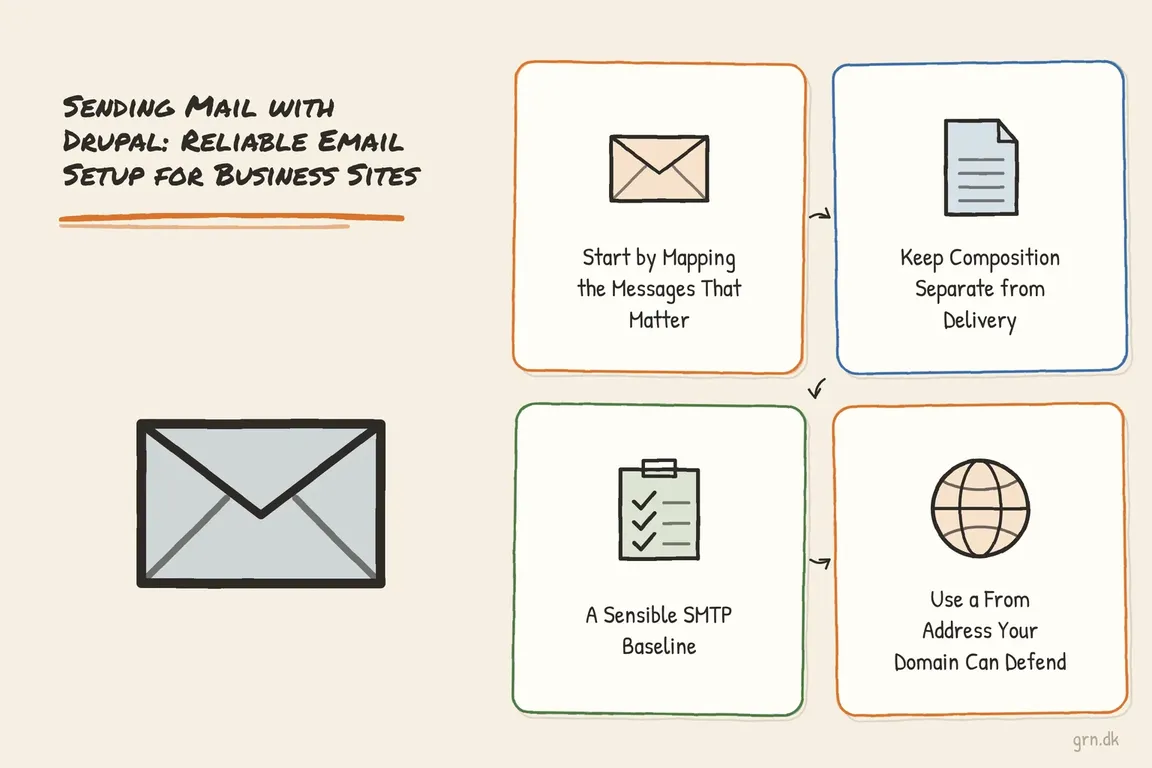
Start with the messages your business depends on
List each message type, its recipient, its urgency, and who owns the process. A password reset needs prompt delivery; a weekly report can tolerate a delay. Contact enquiries should be saved somewhere staff can retrieve them if notification email fails. Check this explicitly: do not assume your form stores submissions.
For agency handovers, identify who controls the mail-service account, DNS records, credentials, and billing. The client needs a route to investigate problems after launch without depending on one developer’s personal account.
| Approach | Good fit | Check before choosing |
|---|---|---|
| Authenticated SMTP relay | Routine enquiries, account messages, and notifications | Supported authentication, TLS, limits, logs, and bounce visibility |
| Core Symfony mail backend | Teams evaluating Drupal’s configurable transport replacement | Experimental status and plain-text formatting |
| Provider API or fuller mail system | Requirements for templates, attachments, or delivery-event integration | Module compatibility, maintenance, queue behaviour, and provider dependence |
| Local mail server | Infrastructure with an established mail operator | Responsibility for reputation, DNS, retries, and monitoring |
Use authenticated SMTP as a practical starting point
For many business sites, an approved organisational relay or transactional email service provides a manageable delivery path. Choose a service your team can administer and troubleshoot, with enough capacity for expected peaks.
The SMTP Authentication Support module sends through PHPMailer rather than PHP mail(). Its published stable release lists compatibility with Drupal 10 and 11 and provides this installation command:
composer require 'drupal/smtp:^1.4'This installs the dependency; enabling and configuring the module are separate steps. Check compatibility with the site’s existing mail modules before changing the default backend. Keep credentials in deployment-managed secrets or environment-specific overrides, and ensure configuration exports do not expose them. Confirm the provider’s permitted senders, TLS settings, and authentication method.
Understand what Drupal’s core Symfony backend provides
The Drupal 11 core Symfony mail backend remains experimental. It replaces the transport behind Drupal’s existing mail model and formats messages as plain text. Do not confuse it with a complete HTML email and template system.
For teams deliberately choosing that backend, a settings.php override can select it and configure an SMTP transport:
$config['system.mail']['interface'] = [
  'default' => 'symfony_mailer',
];
$config['system.mail']['mailer_dsn'] = [
  'scheme' => 'smtp',
  'host' => getenv('SMTP_HOST'),
  'port' => 587,
  'user' => getenv('SMTP_USER'),
  'password' => getenv('SMTP_PASS'),
  'options' => [],
];
Ensure those environment variables exist in the web application’s runtime; use the host and port specified by your provider. Choose one default backend deliberately, and test any message-specific overrides. Requirements for HTML, attachments, queues, or APIs need a separate compatibility review.
Keep application code separate from delivery
Custom modules should compose messages through Drupal’s mail manager, allowing the transport to change without rewriting business logic. In a service with an injected MailManagerInterface, the call can look like this:
$params = [
  'customer_name' => $customerName,
  'project_name' => $projectName,
];

$message = $this->mailManager->mail(
  'my_module',
  'project_notice',
  $to,
  $langcode,
  $params
);
Your module’s hook_mail() implementation must supply the subject and body for project_notice; the parameters alone do not create a message.
Check failures, but do not interpret $message['result'] as an inbox receipt. The mail manager documentation explicitly limits success to acceptance at PHP level.
Send from your own domain and authenticate it
Use an address on a domain you control, such as [email protected], for From:. Put a contact-form visitor’s validated address in Reply-To:. Using their address as the sender can impersonate a domain your website is not authorised to use.
Configure SPF and DKIM for the service, then introduce DMARC reporting and check alignment with the visible sender domain. Inventory staff email, CRM, invoicing, newsletters, and other legitimate senders before tightening DMARC enforcement.
Gmail’s sender guidelines require SPF or DKIM for all senders to personal Gmail accounts, alongside TLS and valid forward and reverse DNS. At Gmail’s threshold of 5,000 or more messages per day, senders need SPF, DKIM, and DMARC with alignment; their marketing and subscribed mail must also support one-click unsubscribe. Your provider should handle its sending infrastructure, while your team verifies domain configuration.
Make delivery part of launch acceptance and ongoing support
- Trigger each critical message from production-like infrastructure, including password resets and form notifications.
- Test Gmail, Microsoft-hosted email, and an organisational mailbox. Inspect authentication results, sender details, links, language, and content.
- Trace test messages through Drupal logs and provider activity. Check rejected, deferred, bounced, and suppressed messages.
- Test failure handling safely in staging. Confirm saved enquiries remain accessible and identify who investigates alerts.
Provider terminology matters. Amazon SES distinguishes send, delivery, bounce, and delivery-delay events: delivery means acceptance by the recipient’s mail server. It does not prove inbox placement or that someone read the message.
Document who handles alerts and retries. If sending is queued, monitor the worker or cron process and overdue jobs. Repeat delivery checks after hosting moves, DNS changes, credential rotation, and mail-module upgrades.
If Drupal email is unreliable or ownership is unclear, ask Greg to review your email setup. A useful review follows a real message from the website to the mailbox and leaves your team with clear configuration, testing, and support responsibilities.
Related on GrN.dk
- Sending Mail from a Linux Server with Postfix: A Practical SMTP Relay Setup
- Website Email Deliverability in 2026: A Checklist for Fixing Missing Mail
- Headless WordPress menus: what to check before launch
Need help with this kind of work?
Ask Greg to review your Drupal email setup Get in touch with Greg.