By Greg Nowak. Updated 31 July 2026.
An SEO audit should produce decisions, not a 200-page export of warnings. For a business owner, operations lead, or agency team, the useful outcome is a short, defensible plan: which pages are preventing customers from finding you, what should be fixed first, who owns the work, and how you will know whether it helped.
Start with the pages that support revenue, enquiries, recruitment, or another clear business goal. A missing title on an abandoned archive page is rarely urgent. An important service page that cannot be indexed, renders incorrectly, or sends visitors to a broken form deserves immediate attention.
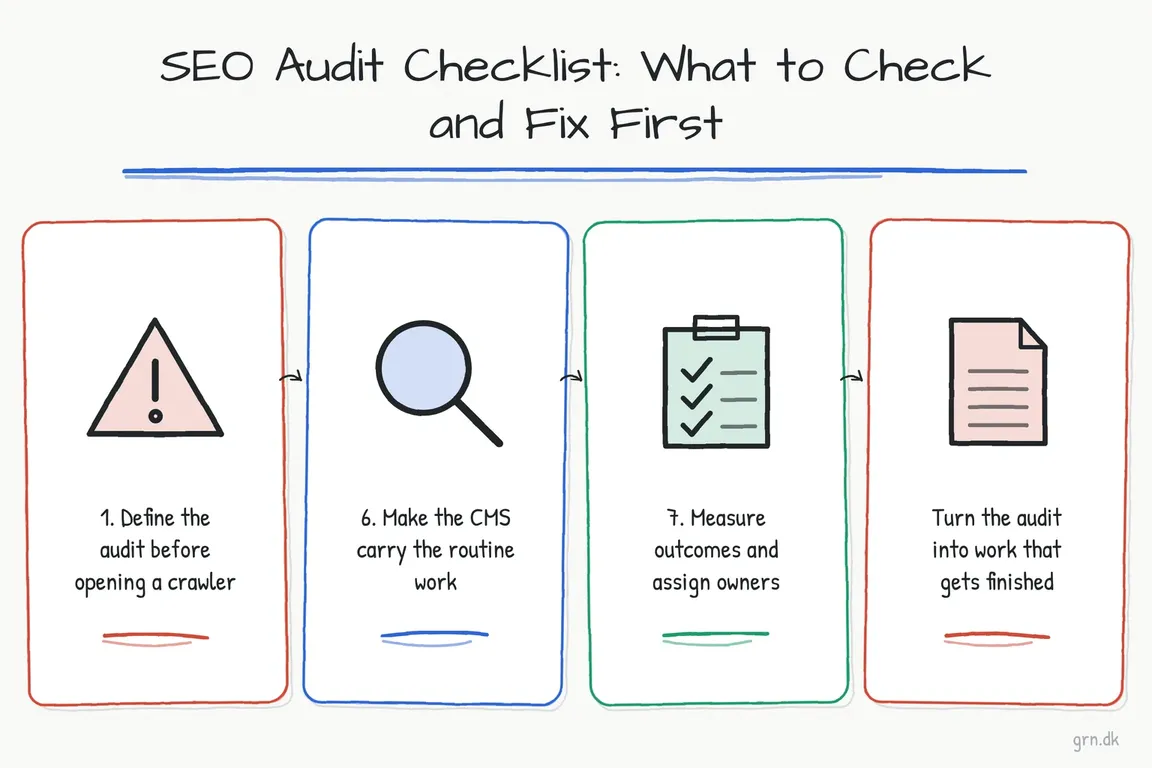
1. Define the audit before opening a crawler
Agree on the scope and the business outcome first. Is the site losing non-branded visibility? Has a migration caused traffic to fall? Are product pages indexed but failing to generate sales? Is an agency preparing a redesign?
Identify the priority page groups—usually services, products, locations, categories, resources, and conversion pages. Record a baseline using Google Search Console, analytics, and, where available, CRM or ecommerce data. This keeps the audit connected to demand and prevents low-value technical warnings from dominating the work.
2. Confirm that priority pages are eligible for search
Use Search Console’s URL Inspection tool on representative pages. A site:example.com search is a useful quick check, but it is not a complete index report.
Check robots.txt, page-level noindex directives, canonical tags, HTTP status codes, redirects, sitemap inclusion, and internal links. Remember that a sitemap helps discovery but does not guarantee indexing. Likewise, a canonical is a signal—not permission to maintain several confusing versions of every page.
Verify that search engines can access the CSS and JavaScript required to understand the page. Important content and links should appear reliably in the rendered result. Also look for orphaned pages: a URL in a sitemap but absent from useful site navigation is technically discoverable yet poorly supported.
3. Crawl the site, then sort findings by consequence
Screaming Frog or a comparable crawler can expose broken links, redirect chains, duplicate titles, conflicting canonicals, missing headings, oversized images, and template-wide errors. Crawl data is evidence; it is not the backlog.
Group findings by page type and root cause. Fixing one faulty template across 600 product pages is usually more valuable than manually polishing scattered URLs. For every proposed action, record the affected page group, likely business impact, owner, effort, and verification method.
| Priority | Typical finding | Recommended response |
|---|---|---|
| Act now | Revenue pages blocked, removed, broken, or assigned the wrong canonical | Restore search eligibility and test the complete customer journey |
| Plan next | Template-wide rendering, internal-linking, or performance problem | Create one technical fix with a representative URL set and acceptance criteria |
| Improve | Page is visible but poorly matches the buyer’s question | Strengthen the content, title, evidence, navigation, and next step |
| Consolidate | Several weak pages compete for the same purpose | Choose a primary page, merge useful material, and redirect obsolete URLs |
| Monitor | Minor issue on a low-value or intentionally excluded page | Document it without displacing higher-impact work |
4. Review content as part of the buying journey
A page can be technically sound and still be unhelpful. Compare each priority page with the queries shown in Search Console and the questions heard in sales or support conversations. Does the page clearly state who it is for, what problem it solves, what the service includes, and what the reader should do next?
Use a specific page title, one clear main heading, descriptive subheadings, useful internal links, and natural language. Do not write to an arbitrary word count or repeat keyword variants mechanically. Expand a page when readers need more substance; merge or remove it when another page already answers the question better.
High impressions with weak click-through can justify reviewing the title, description, and search intent. Falling impressions may point to demand, indexing, competition, or content changes. Diagnose before rewriting.
5. Test performance where it affects real users
Core Web Vitals currently cover loading performance through Largest Contentful Paint, responsiveness through Interaction to Next Paint, and visual stability through Cumulative Layout Shift. Use field data where available, then reproduce problems on representative templates.
Avoid turning performance into a score-chasing exercise. Prioritise slow or unstable experiences that affect widely used landing pages, product templates, navigation, forms, or checkout. The development ticket should name the template, the observed problem, the desired behaviour, and how the team will retest it.
6. Make the CMS carry the routine work
Metadata and redirects should not depend on every editor remembering every field. On Drupal 10.3 and Drupal 11 sites, the current stable Metatag 2.2 branch can provide defaults by content type while allowing editorial overrides:
composer require 'drupal/metatag:^2.2'
After installation, configure patterns for titles, descriptions, canonical URLs, and social metadata. Review the generated output on important templates rather than assuming that a configured pattern is correct. Add publishing checks for headings, internal links, image alternatives, redirects, and intended index status.
7. Measure outcomes and assign owners
Search Console provides impressions, clicks, click-through rate, and average position, but rankings alone do not establish commercial value. Connect organic landing pages to meaningful actions such as qualified form submissions, calls, bookings, purchases, or document requests. Where possible, reconcile those actions with CRM or order data.
Finish the audit with a prioritised backlog, not a presentation that nobody owns. Each task needs an owner, affected URLs or templates, acceptance criteria, and a review date. Smaller sites can usually review progress monthly; larger sites may need separate technical, editorial, and measurement workstreams.
Turn the audit into work that gets finished
The difficult part is often coordination: translating crawl evidence into developer tickets, content briefs, analytics requirements, and sensible commercial priorities. If your audit spans management, editors, developers, or an external agency, Greg can help turn it into a practical delivery plan through digital project management support.
Related on GrN.dk
- JavaScript-Heavy Service Pages Still Lose Leads: What to Audit in 2026
- ChatGPT Visibility Without Open Access: robots.txt Is Only the Start
- Google’s 2026 AI Search Guidance: SEO Still Counts, Reporting Changes
Need help with this kind of work?
Discuss your SEO priorities with Greg Get in touch with Greg.