By Greg Nowak. Updated 6 September 2026.
A Drupal wiki earns its place when someone can find a procedure, follow it, and trust that it is current. If staff still ask colleagues where the real instructions live, adding more pages will not solve the problem.
For business owners, operations leads, and agency teams, the useful starting point is the work documentation should support: onboarding, client handovers, support escalations, or recovery procedures. Drupal makes sense when that knowledge needs to share accounts, permissions, languages, or structured content with an existing website or portal. A small team notebook may not justify its setup and maintenance.
Start with the questions people actually ask
Collect recurring questions from support tickets, handovers, and internal conversations. Turn them into task titles: “Restore a failed deployment” is easier to recognise than “Deployment information”. Give each procedure a consistent shape: when to use it, prerequisites, steps, how to confirm success, and who to contact if it fails.
Start with one Documentation content type. Add an owner, audience, service or product, last reviewed date, and next review date. Use moderation for publishing status rather than maintaining a competing status field. Add further fields only when they help people navigate, control access, or manage reviews.
Keep “last reviewed” separate from “last updated”. Fixing a typo does not confirm that a recovery procedure still works.
| Need | Capability | Practical use |
|---|---|---|
| A guided reading order | Book | Chapters for onboarding or an operations manual |
| Several routes to a page | Taxonomy | Browse by product, team, or task |
| A maintenance queue | Views | List overdue reviews and documents without owners |
| Searchable documentation | Search API | Search selected fields and filter results |
| Approval before publication | Content Moderation | Review changes while approved guidance stays live |
Separate navigation from permissions
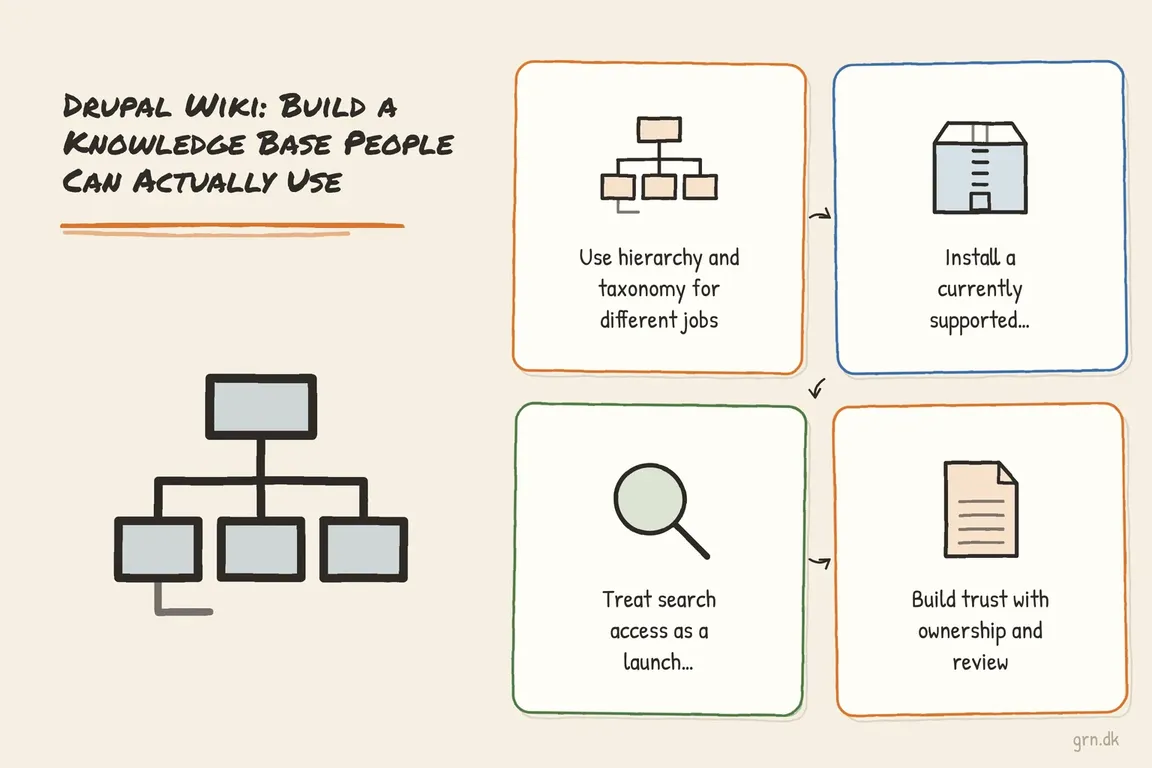
Use Book when readers benefit from chapters and previous/next navigation. Use taxonomy for relationships that cross that hierarchy: a billing procedure might also belong to a product and a support team. Not every reference page needs a place in a manual.
A book is not an access boundary. The Book documentation confirms that separate permissions for individual books are not provided by default. For client or department restrictions, implement content access explicitly. An audience tag alone does not enforce it.
Install the modules, then configure the working system
Book moved from core to a contributed module in Drupal 11. As checked on 6 September 2026, Book 3.x lists compatibility with Drupal 11.2 and later 11.x releases, plus Drupal 12; Book 2.x lists Drupal 10.3 and 11 compatibility. These constraints describe module compatibility, not a recommendation to run an old core release.
For an existing, supported Drupal 11.2+ project, run this in your development environment from the Composer project root. It assumes project-local Drush is installed:
composer require 'drupal/book:^3.0' 'drupal/search_api:^1.41'
vendor/bin/drush en book search_api search_api_db views content_moderation -y
If your project requires Book 2.x, use this Composer command instead, followed by the same enable command:
composer require 'drupal/book:^2.0' 'drupal/search_api:^1.41'When replacing core Book on Drupal 10.3+, its project instructions say to install the contributed version without uninstalling core Book first. Search API 1.41 currently lists Drupal 10.3 and 11 compatibility, not Drupal 12; check the complete module stack before planning that upgrade.
Enabling modules does not create a finished wiki. Allow your Documentation content type under Structure → Books → Settings. Then configure a search server, an index with the required fields, and a results page using Views, following the Search API setup guide. Index the pilot documents before testing.
Test whether search is useful—and respects access
The included database backend is intended for testing and smaller sites. Consider a dedicated backend when collection size, traffic, or relevance requirements justify it. The Search API project page also makes an essential distinction: it supports node access checks and additional checks in search views, but does not automatically enforce access for every data source.
Test with an anonymous visitor where relevant, two different client accounts, an internal reader, and an editor. Search for distinctive phrases from restricted documents. Check titles, excerpts, facets, autocomplete, and result counts—not just whether the destination page opens. Repeat after changing permissions or unpublishing content to catch stale results.
For relevance, keep a small set of real questions and their expected answers. Try the language staff use, including abbreviations. This gives you a repeatable acceptance check when adjusting fields, filters, or ranking.
Give every important page an owner
An owner must be able to confirm the procedure, not merely receive reminders. Show ownership and review dates on the page, and build a Views queue for overdue reviews. Agree how responsibility transfers when someone changes role.
Content Moderation can keep an approved revision live while changes undergo review. Assign the workflow to Documentation and configure transition permissions. The default Editorial workflow depends on the Standard installation profile; other profiles may require you to create or import it.
Draft, Published, and Archived may be sufficient. Add Needs Review when someone is responsible for that queue. Test that saving a replacement draft preserves the published version and that readers cannot see unapproved changes.
Launch one useful area first
Choose one bounded area, such as client handover or an operations runbook. Migrate actively used documents, resolve duplicates, and ask intended readers to complete real tasks. Before expanding, confirm that they can find the answer, follow it, and report a correction to the right person.
If you need help defining that first release, Greg can help shape the structure, access requirements, editorial responsibilities, and delivery plan. Talk to Greg about your Drupal knowledge-base project.
Related on GrN.dk
- JavaScript-Heavy Service Pages Still Lose Leads: What to Audit in 2026
- When AI writes JSON, one bad field can break the workflow
- Your AI Image Has Content Credentials. Will Your Website Keep Them?
Need help with this kind of work?
Talk to Greg about your Drupal knowledge base Get in touch with Greg.