By Greg Nowak. Last updated 2026-10-10.
A Drupal relaunch can look finished while important work is still unresolved. The new design is approved, but a customer’s bookmarked page has vanished, a translated product page points to the wrong language, or a download is missing.
Before approving launch, you should be able to follow an existing page into the new site: its content, its relationships and its old address. For business owners, operations leads and agency teams, that gives “content migration” a concrete meaning in the project scope.
First, agree what the relaunch actually changes
Ask whether the team is upgrading the existing Drupal site, rebuilding it with a different content structure, or combining both. A relaunch does not automatically require new URLs or a separate content import. Keep useful addresses where practical.
For an upgrade of an existing modern Drupal site, Drupal’s upgrade guidance requires proceeding through each major version; you cannot skip one. A rebuild into a separate installation needs its own migration plan. Ask your developer to explain the chosen route and what it means for content, configuration and editorial work.
Make content decisions before developers map fields
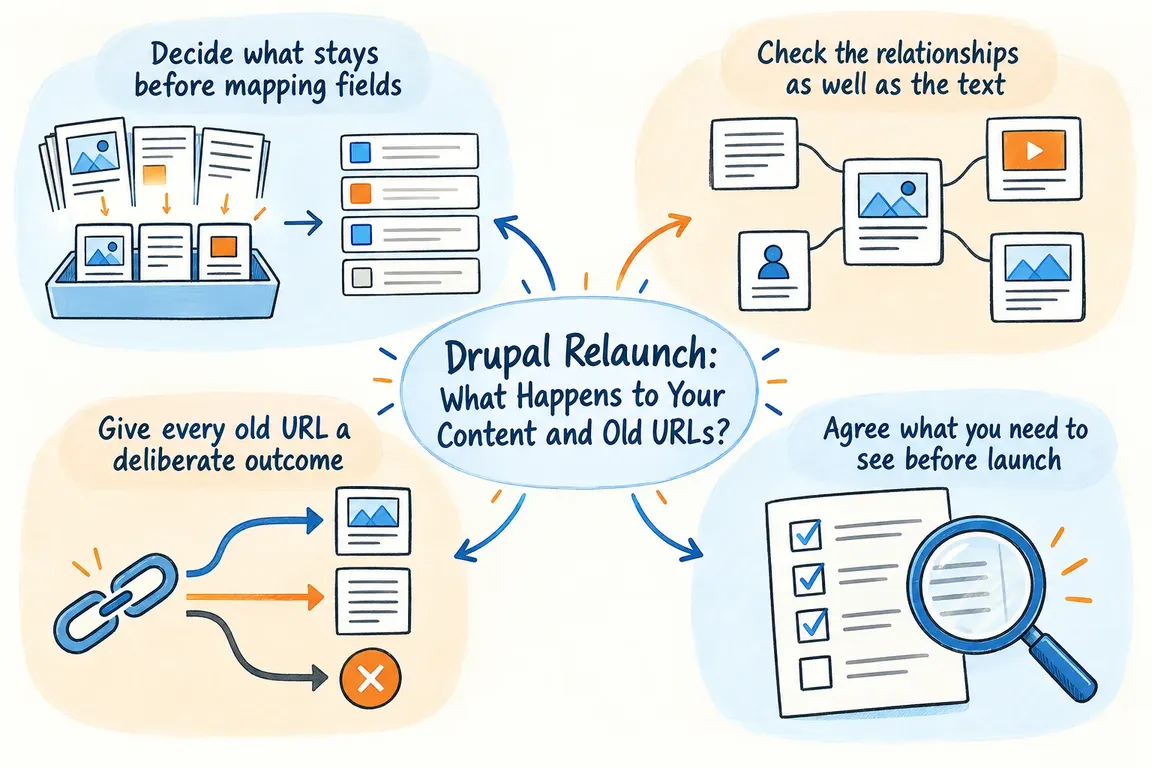
Start with a shared spreadsheet. Record the source identifier, old URL, content type, language, editorial owner, decision and destination. Use explicit decisions: keep, rewrite, merge or retire. An unresolved item needs an owner and a deadline.
Prioritise pages that support enquiries, sales or day-to-day service. Include less visible material such as PDFs, archived resources and pages linked from emails. Group similar items where sensible, but review exceptions individually.
Then agree the field rules. Does the old summary become a teaser or an introduction? What happens to missing images, unpublished material and embedded links? Decide whether revisions and author details are in scope. These choices affect both the estimate and the result.
Approve a small sample before the full import: a service page, a long article, a translated page and a page with downloads. Reviewing real content in the new structure makes disagreements easier to resolve early.
Check media and translations as separate deliverables
Drupal’s Migrate API separates reading source data, transforming it and saving it in Drupal. Its map tables connect old identifiers to new ones, and migration dependencies help import related records in the appropriate order.
Ask for a plan covering authors, categories, files, media and content. Seeing an image on a page is only one check: editors should also confirm alternative text, captions, download access and publication status. Test whether each language switch reaches the corresponding translation.
Reconcile expected records against imported, intentionally excluded and failed records, preferably by content type and language. Then review meaning and behaviour. A matching total can conceal a missing page and an accidental duplicate.
What should happen to each old URL?
Keep a URL register alongside the content decisions. Include historical aliases and download addresses, using the existing site, traffic records and known links to build the list. Give each address an approved outcome.
Google’s site-move guidance recommends permanent server-side redirects, such as 301 or 308, directly to the final destination. Sending unrelated pages to the homepage can produce soft 404 errors. Use this decision table during review.
| Content decision | URL outcome | Acceptance check |
|---|---|---|
| Keep the same address | Serve the retained page at its existing URL. | Expected content loads successfully. |
| Move the page | 301 or 308 to its replacement. | Direct redirect; destination returns 200. |
| Merge useful pages | Redirect to the relevant consolidated page. | The destination answers the original need. |
| Retire without a replacement | Return 404 or 410. | Helpful error page with the correct status. |
| Decision pending | Assign an owner before implementation. | No guessed destination or silent exclusion. |
Drupal’s Redirect module provides manual redirect management and an API. Its Redirect 404 submodule can aggregate missing-page requests for review. Agree whether rules belong in Drupal or the hosting layer, and who maintains them.
Test the URL register against the launch environment. Record the first response, final address and final status; inspect important destinations as a visitor too. A successful response does not prove that the customer reached the right service.
Rehearse the final changes, not just the first import
Record the rehearsal’s input, steps, duration and exceptions. Put repeatable corrections into migration rules where possible. Manual fixes need named owners and must survive the next run.
Migrate API supports rollback and mechanisms for tracking source changes. Those capabilities need project-specific testing. Demonstrate what happens to a newly created item, an edited item and a withdrawn or deleted item. Agree how edits on the destination site are protected during subsequent imports.
Choose an editorial cutoff, or document how final changes will be transferred. Tell editors which site to use and when. Keep the operational recovery plan separate from migration rollback: restoring service also involves the database, files and any activity during the switch.
Approve launch with evidence and an owner
Require approved mappings, reconciled import results, reviewed samples, URL test results and a rehearsed handover. Record accepted exceptions with owners and review dates. Name the person authorised to pause launch if an essential check fails.
Check internal links, canonical URLs, applicable hreflang annotations and the sitemap. Remove development-only indexing blocks from public pages. Test enquiry forms, notifications and key customer journeys.
After launch, assign someone to review Search Console, server errors and reported problems. Google recommends retaining redirects for at least a year, and longer where useful. Search visibility may fluctuate while changed URLs are processed.
Bring the migration plan into focus
If your relaunch estimate says “content migration” without defining the decisions and checks, that is a useful place to start. Greg can help coordinate editors and developers, clarify scope and turn launch approval into a documented handover. Discuss your Drupal relaunch with Greg; bring the existing site, proposed structure and any migration estimate you already have.
Related on GrN.dk
- CMS Upgrades in 2026: Choosing the Right PHP Version for WordPress and Drupal
- Browser Automation for Operations and Agency Teams: What Should You Automate?
- Cloudflare Page Rules Debt: How Quiet Configuration Drift Breaks Business Websites
Need help with this kind of work?
Discuss your Drupal relaunch with Greg Get in touch with Greg.