By Greg Nowak. Last updated 2026-10-11.
A ChatGPT integration can fail quietly. The interface still opens. Prompts still return polished answers. Yet the internal context that made those answers useful may have disappeared.
That is now a practical concern for ChatGPT Enterprise and Edu teams. According to the Enterprise and Edu release notes, OpenAI stopped allowing new individually authorized sync connections on August 10, 2026. Existing connections were disabled on August 14, when deletion of the associated synced data also began.
The original files in Google Drive, SharePoint, GitHub, and other source systems were not deleted. What disappeared was the affected connection and the knowledge ChatGPT had indexed through it. So this is not a data-recovery exercise. The job is to identify every business process that assumed ChatGPT could still retrieve that material.
Seeing "disabled by your admin" in ChatGPT?
That message means the workspace has switched the app or feature off, not your own settings. In Enterprise and Edu workspaces there are three common reasons.
- The connection was a personal sync connection and was switched off in the August retirement described below.
- An admin has not enabled the app for your role or group yet, or has limited it to a pilot group.
- The app is enabled but sync or write actions are not, so it can only search live or only read.
You cannot turn it back on yourself. Send your workspace admin the app name, the task you used it for and one example prompt. That is what they need to decide whether to enable it or point you to the replacement.
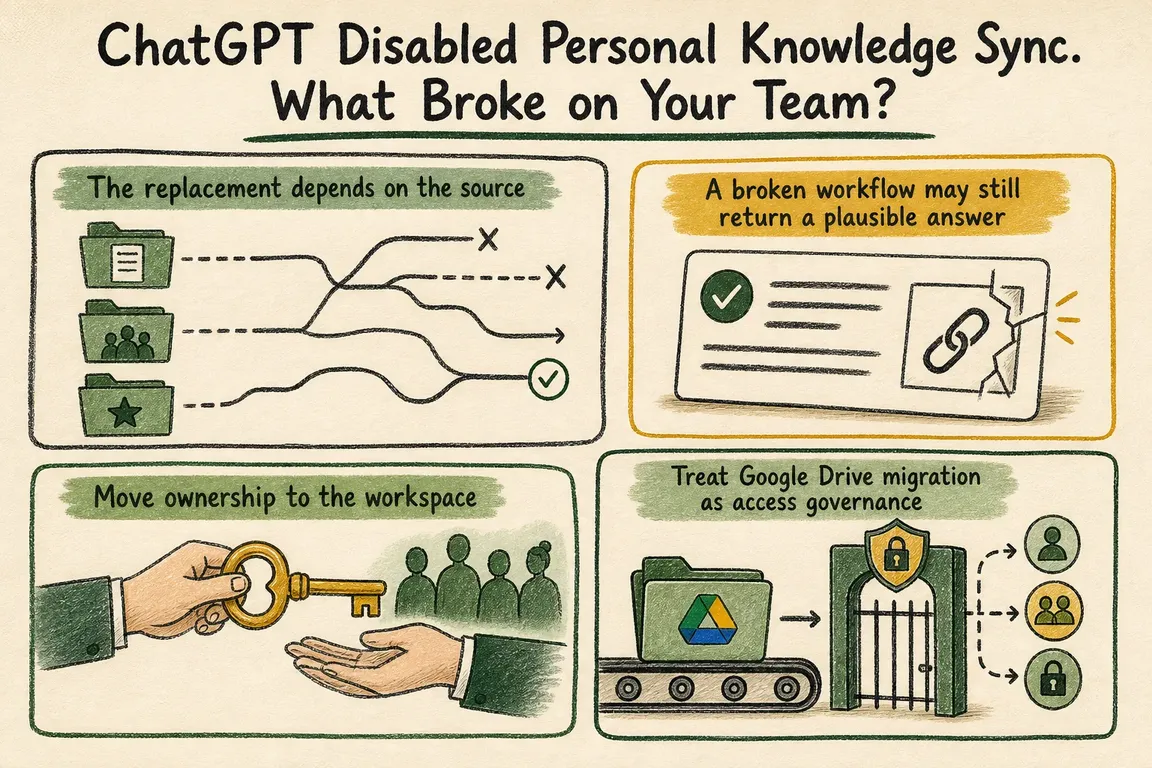
The replacement depends on the source
There is no single migration path. OpenAI directed teams that need synced Google Drive knowledge to admin-managed Drive sync using domain-wide delegation. SharePoint users were pointed to its app and, where needed, admin sync. GitHub users were directed to the non-synced GitHub app.
The position was less settled for GitLab Issues, Azure Boards, Basecamp, Help Scout, Zoho Desk, Teamwork, Aha!, Zoho CRM, and Pipedrive. The retirement notice did not provide an equivalent replacement for these connectors. In some cases, OpenAI said it would communicate replacement availability later. In others, administrators were told to identify affected users and workflows and warn them that synced access was ending.
That difference has real operational consequences. Switching on a replacement app does not show that an existing workflow still has the same source coverage, retrieval behaviour, or operating model. In particular, a non-synced app may behave differently from a connection that indexed information in advance.
A broken workflow may still return a plausible answer
OpenAI's overview of apps with sync explains that selected knowledge sources are indexed so ChatGPT can retrieve relevant internal information. ChatGPT may select an app automatically, or the user can call it explicitly through an app mention or the tools menu.
Once that indexed context is gone, the prompt can still produce a general response using its wording and whatever other context remains. To the user, it may look as though a document has vanished, the model has become less reliable, or somebody changed a file permission. The retired connection may be the actual cause.
Investigate the work people were doing, rather than starting with a connector inventory. Look for recurring tasks such as policy searches, account research, project summaries, meeting preparation, technical issue reviews, and questions about internal documents. For each one, record the expected source, who relied on it, and the decision or deliverable it supported.
| Area to check | Evidence to collect | Decision to make |
|---|---|---|
| Business workflow | A real prompt, the expected document, and the required output | Restore, redesign, or retire the workflow |
| Old connection | Source, previous owner, and authentication method | Choose a supported replacement |
| Content scope | My Drives, shared drives, sites, or repositories involved | Include only approved sources |
| Permissions | A user who should retrieve a known item and one who should not | Correct access before launch |
| Ongoing ownership | Technical owner, key owner, review date, and offboarding step | Assign named responsibility |
Move ownership to the workspace
The durable target is a connection the organization owns and governs. OpenAI says administrator-managed sync was unaffected by the retirement. Its current documentation also says sync is limited to eligible paid plans and that apps with sync are available to Enterprise and Edu workspaces using Enterprise Key Management. Check eligibility and workspace configuration before committing to a migration route.
Google Drive shows why deployment details matter. The self-service setup documentation describes OAuth-based self-service and centralized service-account deployment for supported workspaces. With self-service, each enabled person must connect a work account and approve the requested permissions. Creating the connection in the administration interface does not start syncing files by itself. Newly added ChatGPT users are not automatically added to that self-service connection either.
For the Enterprise and Edu connections affected by the August retirement, OpenAI's release note specifically points administrators who still need Google Drive sync towards the admin-managed route with domain-wide delegation. That gives the organization a defined place to manage users and source scope, without depending on one employee to keep reauthorizing the integration.
Treat Google Drive migration as access governance
The admin-managed Google Workspace setup spans Google Cloud, Google Workspace, and ChatGPT. Administrators create a service account, enable the required APIs, configure domain-wide delegation with the documented read-only scopes, and create an administrative account that the service account can act on behalf of. They then upload the service-account key through the ChatGPT administration flow.
The configuration also defines what ChatGPT can index. Administrators decide whether to include users' My Drives. For shared drives, they can include everything, include most drives while excluding named ones, or exclude most drives and allow only selected ones. They also decide whether the connection is available solely to ChatGPT administrators or to the whole workspace.
Those choices deserve an access review, not a quick pass through the setup screens. Match every requested scope to a documented purpose and a known workflow before granting it. Google's guidance on controlling which apps access Workspace data covers the Google-side controls for reviewing OAuth scopes and restricting third-party access to sensitive company information.
Least privilege applies in several places: the scopes delegated to the service account, the drives selected for indexing, the people enabled in ChatGPT, and the permissions already attached to files and folders. Restoring retrieval is only half the job if the migration also gives more people access than the workflow requires.
Test who is denied, too
OpenAI says synced apps respect permissions in the source system and update both content and access information. Two colleagues may therefore receive different results from the same prompt, and that can be correct if their source permissions differ.
An acceptance test should cover both sides. Ask an authorized user to retrieve a known document through an explicit app request. Then run the same test with somebody who does not have source access and confirm that the document cannot be discovered. Where relevant, repeat this for a directly shared file, a group-authorized file, an excluded shared drive, and a recently changed permission.
Do not declare failure from an early missing result. Initial indexing happens in stages. Recent information may appear while older material is still unavailable, and OpenAI warns that complete indexing can take several hours to a few days in larger organizations. Note when the sync started, watch its status, and rerun the full acceptance set once indexing is complete.
Name an owner before closing the migration
A workspace-managed connection still needs somebody looking after it. Document who owns the ChatGPT configuration, the Google project, delegated scopes, service-account key, source-selection policy, and enabled user group. The operating notes should also explain how new employees receive access, what happens when somebody leaves, when permissions are reviewed, and who investigates changes in retrieval.
Greg at GrN.dk can help turn this into a manageable piece of work: inventory the affected workflows, trace their previous ownership and data scope, configure a supported workspace-managed route, and test both access and denial. The useful outcome is a working knowledge connection whose permissions, ownership, and offboarding process still make sense after the original setup is no longer fresh in anyone's memory.
Related on GrN.dk
- Google’s August 18, 2026 Content API Cutoff: Feed Cleanup Before Merchant API Migration
- OpenAI File Search: Internal Docs Need Governance Before Trust
- Before ChatGPT apps touch company data, draw a permissions map
- AI Research Assistants Need a Source Trail, Not Just Citations
Need help with this kind of work?
Audit your affected ChatGPT workflows Get in touch with Greg.










