By Greg Nowak. Last updated 2026-10-27.
When you prepare to invoice, every approved, billable hour should be accounted for in the billing breakdown. If an hour is held over until next time, there should be a reason and someone responsible for following up. That is a concrete goal for automated invoicing at agencies and consulting firms.
Could your business use this? nowa.dk sets up AI automation for Danish companies.
The workflow can retrieve time entries from Clockify, submit the billing data for approval and create draft invoices in Dinero. AI can write clear service descriptions based on work notes. Code calculates hours, agreed rates and amounts. This requires clear agreement on which hours can be included and how the solution tracks those it has already processed.
Start with one customer and one billing period. That lets you check the entire process before adding more customers.
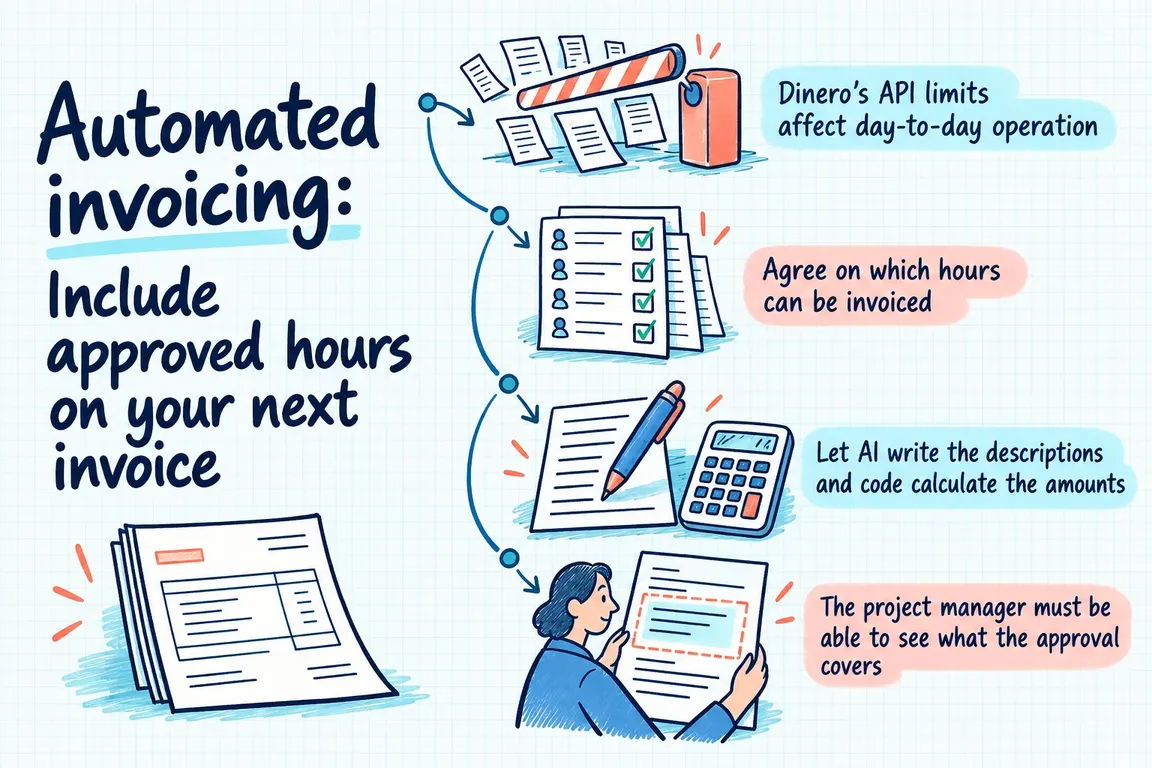
Dinero’s API limits affect day-to-day operation
In an announcement dated 30 April 2026, Dinero states that it has begun enforcing its API limits. The reasons include unnecessary calls and duplicates from integrations built with AI agents. The limits are 100 calls per minute per organisation for ISV partners and 60 per client for personal integrations. These details appear in Dinero’s announcement on API limits.
Error handling and reruns therefore need to be part of the scope from the outset. What happens if the same invoicing run starts twice? Or if the connection drops just as a draft is being created? These questions need concrete answers before the solution goes live.
Agree on which hours can be invoiced
Clockify’s API documentation describes how to retrieve time entries using filters including dates and projects, as well as a function for marking entries as invoiced. That provides the technical building blocks. You need to define the rules for when an hour is ready to be invoiced.
Each Clockify project must map unambiguously to the customer in Dinero and the applicable pricing agreement. Use stable identifiers. Customer names are an unreliable basis for automatic matching, and if a mapping is missing, the entry must go into a review list so someone can resolve it.
Also decide on the cut-off date for the period and how to handle running timers. Billable time is not necessarily time that can be invoiced now. On a fixed-price project, entries must be handled according to the project agreement; they must not automatically generate additional invoice lines.
Let AI write the descriptions and code calculate the amounts
AI can combine work notes for the same customer, project and service into a draft description. n8n describes its Summarization Chain as a building block for summarising multiple documents using customisable instructions. It can form part of this stage of the workflow.
The model’s task should be narrowly defined: describe the documented work so the customer can understand it. Retain relevant technical terms, and add no deliverables or outcomes that the notes do not describe. If a note is unclear, the project manager must clarify it. A plausible explanation is not a basis for invoicing.
Hours, rates and amounts are calculated using fixed rules outside the language model. Entries may only be combined when they share the same relevant pricing basis. Agree on rounding in advance, and have the finance team specify the necessary invoice settings. The project manager must be able to edit the description without changing the underlying calculation.
| Step | What the solution does | What needs resolving |
|---|---|---|
| 1. Select hours | Retrieves completed entries for the period and checks whether they have already been processed. | Reserved hours are held back. Hours already invoiced must not be included again. |
| 2. Find customer and price | Looks up the project in the customer mapping and the agreed pricing table. | A customer, agreement or rate is missing. |
| 3. Prepare billing data | Calculates amounts using code and summarises notes using AI. | The notes are unclear, or the basis for the calculation has changed. |
| 4. Obtain approval | Displays descriptions, calculations and the original entries together. | The project manager sends an item back or defers it. |
| 5. Create draft | Reserves the entries before creating the draft and saves the link to the Dinero draft. | It is unclear whether the draft was created. This must be checked before another attempt. |
| 6. Complete invoicing | Marks hours as invoiced only after the agreed event has been confirmed. | The draft has been deleted or changed, and the hours need to be reconciled. |
The project manager must be able to see what the approval covers
Bring the customer, period, hours, rate, amount and AI-written description together in one view, with access to the original entries. Approval must apply to the version of the billing data the project manager actually reviewed. If hours or prices change afterwards, the affected part should be approved again.
The project manager must be able to approve, send back or defer an item. A deferred item must have a recorded reason and someone responsible for it, so it can be followed up during the next run. Otherwise, it is difficult to distinguish a deliberate deferral from an hour that has been forgotten.
Dinero’s API FAQ describes invoices as a route to sales invoicing and explains that customers and suppliers are stored as contacts. API access requires Pro or Total. Clarify the subscription and access requirements early. In the pilot, the workflow should end with a draft that the person responsible for finance reviews before invoicing proceeds.
An hour on a draft invoice has not yet been invoiced
The integration should maintain its own record of how time entries have been processed. For each entry, store its identifier, approval version, status and a reference to the draft invoice. Reserve the selected entries before creation begins, so a concurrent run cannot include them again.
Use separate statuses for prepared, reserved for a draft and fully invoiced. Creating a draft should not, in itself, mark the hours as invoiced in Clockify. Agree on which confirmed event in your workflow completes invoicing. Only then should the integration update the invoiced flag.
If a draft is deleted or changed, the associated hours must be reconciled. They may only be released once it has been established that they are not included on an invoice. Later corrections must be sent for review, so amended hours are not automatically invoiced again in full.
An interrupted call must not result in an extra draft
Dinero states that exceeding the API limit returns status 429 and recommends waiting rather than making repeated attempts. Calls must therefore be managed in a queue with controlled pauses.
An ambiguous response during creation requires separate handling. The draft may have been created even if the integration did not receive confirmation. Check the outcome before the solution tries again.
The person responsible for finance needs more than an error message. The monitoring view must show which entries are affected, what needs action and who should take it forward. It must be possible to determine whether an invoice is missing or the draft is already waiting.
Test one customer through a full billing period
Choose a customer with straightforward pricing rules and a project manager who can check the billing data. Compare the pilot’s proposed billing breakdown with your manual calculation. Review both the hours the solution includes and those it leaves out. Every difference must be explainable.
Also test rerunning the same billing breakdown, leaving a customer mapping missing and interrupting a transfer. Agree on the requirements in advance: the amounts must be independently verifiable, approval must be documented, and a rerun must not create extra drafts for the same hours.
At nowa.dk, Greg’s AI automation service for Danish companies, Greg can build the workflow with customer mapping, project manager approval and tracking of hours already processed. A clearly scoped pilot lets you assess the actual draft invoices and see how much manual follow-up is needed before expanding to more customers.
Related on GrN.dk
- Jeg bygger AI-agenter til små virksomheder. Jeg mangler en, der kan sælge dem.
- AI chatbot til hjemmeside: Hvad må den love kunden før booking?
- Allergener på menukortet: Kan AI finde de tekster, der skal rettes?
Need help with this kind of work?
Talk to Greg about an automated invoicing pilot Get in touch with Greg.










