By Greg Nowak. Last updated 2026-09-14.
Before you commit to an AI shopping integration, pick a product and follow it through to checkout. Does the buyer get the same variant, price and delivery terms they saw in the listing? That is a useful place to start assessing readiness.
Google’s May 2026 shopping announcement describes a Universal Cart spanning retailers and services such as Search and Gemini, with checkout or transfer to the merchant’s site. The retailer remains the merchant of record, so the product information and buying terms still need to match what your business can deliver.
For a merchant considering this route, the first piece of work is fairly concrete: identify eligible products, check that your systems describe the same offer, and review how delivery and returns will appear to the buyer.
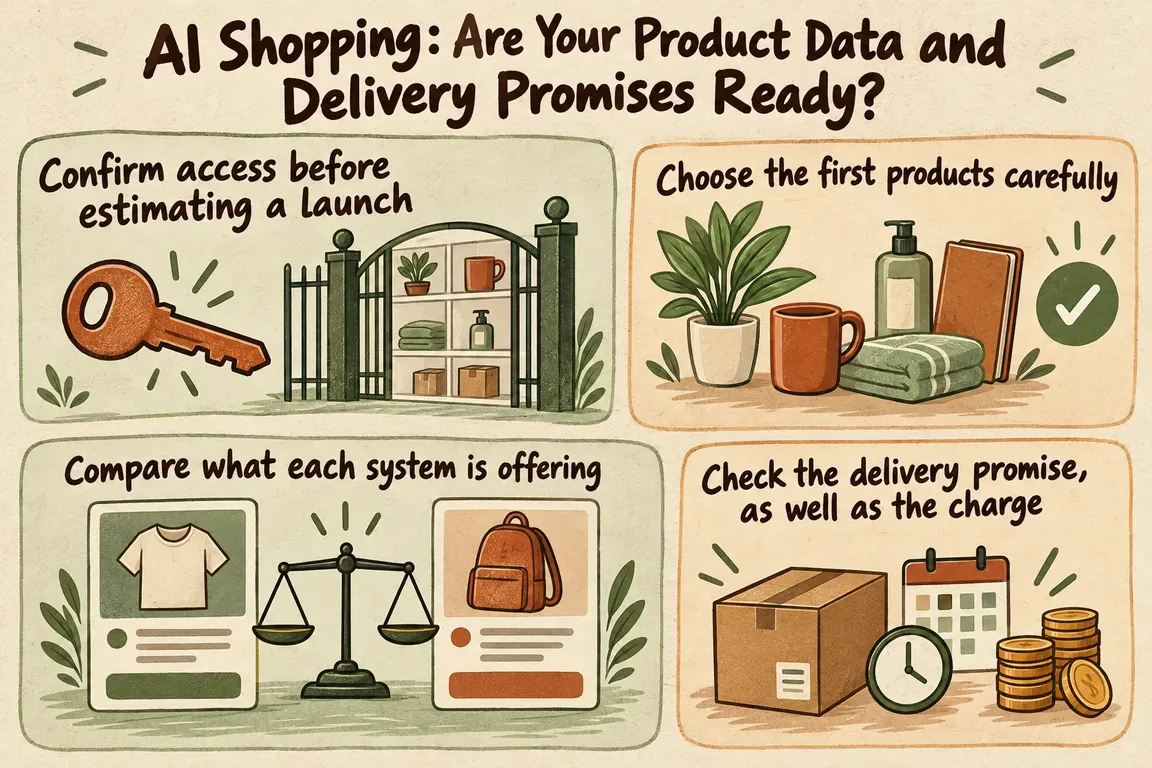
Confirm access before estimating a launch
Google’s UCP integration overview, updated August 25, 2026, connects Merchant Center product feeds and shipping and returns configuration with transactions on its AI surfaces. Google must approve an integration before it goes live on AI Mode in Search and Gemini. Its surfaces also support only part of the Universal Commerce Protocol specification.
Those conditions belong at the start of the project. Establish whether Google can approve your intended merchant setup and whether its supported features cover the transactions you want to offer. A rollout announcement alone does not establish availability for your store or market.
You can still do useful preparation while access is pending. A candidate product list, a discrepancy report and a record of policy exceptions give the team specific problems to resolve. They also help you keep implementation spending tied to a confirmed opportunity.
Choose the first products carefully
Google’s Merchant Center preparation guide requires an account in good standing and products approved for free listings. Checkout restrictions include subscriptions, personalized goods, used or refurbished products, final-sale items, pre-orders and products requiring special shipping. That list is not exhaustive.
The guide uses native_commerce(checkout_eligibility) to opt products into checkout. A missing or false value leaves a product ineligible. Feed identifiers must also match those expected by the Checkout API, or be mapped through merchant_item_id.
Start with a manageable selection of straightforward products. Record why each one qualifies, and give excluded products a reason someone can review later. Being active in your storefront is not enough to establish checkout eligibility.
Check the exact variant, too. Trace it from the internal catalog through the feed and into checkout, then verify what the customer would actually receive. An identifier can be populated in every system and still point to the wrong item.
Compare what each system is offering
The table below is a proposed internal readiness check, not Google’s approval criteria. Use it to record evidence and decide which products need more work before you expand a pilot.
| Check | Evidence to keep | Hold the product if… |
|---|---|---|
| Eligibility | A reviewed reason for inclusion and a named owner | A restriction or exception is unresolved |
| Product identity | The same purchasable variant in the catalog, feed and checkout | Identifiers point to different items |
| Price and stock | A dated comparison across catalog, storefront, feed and checkout | A difference cannot be explained |
| Delivery | Matching charges and delivery promises for selected destinations | You cannot reproduce the advertised promise |
| Returns | The applicable terms attached to each product | A product exception is missing |
| Operations | A named person or team to investigate failed checks | No one owns the correction |
For each comparison, record the product, variant, destination, quantity and time. Work from a defined snapshot where possible. If the underlying price or availability changed between observations, an apparent discrepancy may be difficult to explain without that context.
You also need to agree which system owns each value. Where does the price originate? Which stock value gets published? Who maintains the delivery rules? Trace those values through to the places where customers see them, so the team knows where a correction belongs.
Automate comparisons once the expected result is clear. A useful discrepancy report shows the affected product, the conflicting values, when they were observed and who should resolve them. Begin with alerts and review. Automated corrections should follow explicit ownership rules; otherwise, a repair can overwrite the value the business intended to publish.
Check the delivery promise, as well as the charge
Choose representative delivery destinations for each candidate product and compare the offer in your storefront with the proposed checkout flow. Read the delivery wording alongside the charge. The same shipping price does not necessarily mean the customer has been given the same delivery promise.
Include cases that test the edges of your own operation: a destination near a service-area limit, an order around a free-delivery threshold, or a product with a different dispatch schedule. These are suggested test scenarios, not statements about Google’s supported features. If a case needs functionality Google does not support, leave it outside the pilot.
Returns deserve the same attention. Google’s preparation guide requires return cost, the return window and a link to the full policy, along with customer support information. Product-specific policies can be represented through labels or the returns attribute.
Read the terms for a selected product and compare them with what your support team would tell its buyer. Check the meaning, not just whether the fields are filled in. Record exceptions and name the person responsible for updating the structured policy when your business changes its terms.
Build the pilot around supported transactions
Shopify’s engineering explanation of UCP describes capability negotiation: merchants and agents establish which capabilities they both support. It also explains handoffs for transactions that need buyer participation, using a continuation URL to resume checkout.
Declaring a capability therefore does not guarantee that every agent can use it. Check your proposed flow against Google’s supported implementation, and verify any handoff you plan to use where it is available. Restricted inventory must remain excluded, even when the broader protocol allows more flexibility.
There is integration work beyond the feed. Google’s implementation overview also covers Google Pay setup, a published UCP profile, checkout session endpoints and order-status updates. Include those requirements when estimating the project.
Agree what a successful pilot must demonstrate before building it. The selected products should resolve to the right items, the offers should agree, and delivery and return terms should be accurate. Your team should also be able to investigate exceptions. Review failed checks before adding more products, so the commercial owner has evidence for the next spending decision.
Greg could help turn the assessment into a scoped project: repair feed mappings, automate discrepancy checks, document delivery and return exceptions, and plan a small UCP pilot where Google access is available. That gives you a practical way to work through the data and operational details before committing to a wider rollout.
Related on GrN.dk
- From Supplier PDFs to Product Data: Where AI Needs a Second Check
- Google’s 2026 AI Search Guidance: SEO Still Matters, but Reporting Has Changed
- AI Research Assistants Need a Source Trail, Not Just Citations
Need help with this kind of work?
Discuss your AI commerce readiness with Greg Get in touch with Greg.










