
WordPress.org's 24-Hour Plugin Cooldown Calls for Real Review
On June 5, 2026, WordPress.org announced a temporary 24-hour cooldown before plugin and theme releases are distributed through auto-updates. That is more than a small platform change. It is a clear signal that the plugin supply chain now needs more deliberate review, and site owners should stop treating plugin updates as background noise.
The announcement spells out why. WordPress.org says it wants to secure all 78K plugins and themes in its directories, and notes that more than 3,000 commits hit the plugin repository in a single day. It also describes 2026 as a year shaped by two competing security instincts: update as fast as possible to stay secure, and hold back on updating to stay secure. Once both of those are true at the same time, plugin governance stops being a vague best practice. It becomes operational work that needs an owner.
For years, many WordPress sites have run on an informal model: install the plugin that solves the problem, leave auto-updates on, and investigate only when something breaks. The new cooldown does not solve that model by itself. It simply inserts review time into the WordPress.org distribution path. The site owner still needs to know which plugins matter, which ones depend on others, which custom components are brittle, and which updates should go through staging instead of being waved through.
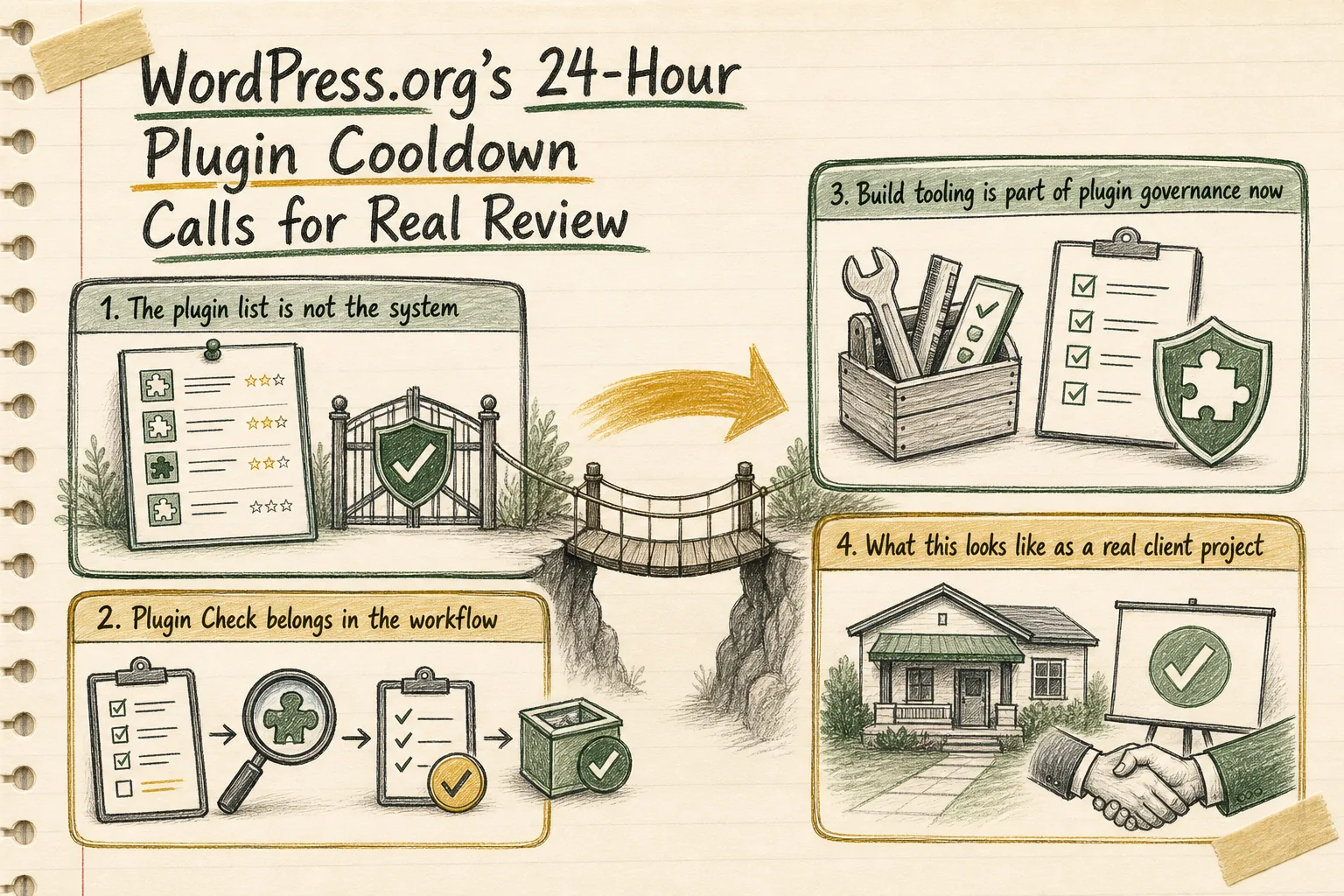
The plugin list is not the system
A raw plugin count does not tell you much. What matters is how the stack hangs together. WordPress itself now reflects that. Introduced in WordPress 6.5, the WP_Plugin_Dependencies class treats plugin relationships as first-class data. It can determine whether a plugin has dependencies, whether other plugins depend on it, whether those dependents are active, whether a plugin has unmet dependencies, and whether a dependency chain is circular. It reads dependency slugs from a plugin's Requires Plugins header and retrieves dependency data from the WordPress.org Plugin API.
That matters commercially because client risk usually sits in the relationships, not the headline number of plugins. A site with fifteen plugins can be far more fragile than a site with forty if nobody understands the dependency graph. If a payment extension relies on another plugin, if a custom admin tool assumes a particular script handle exists, or if two internal components are tied together in a circular chain, the real risk is in that hidden structure.
A proper governance pass should answer a few practical questions:
- Which plugins declare required plugins, and which plugins are depended on by others?
- Which dependencies are active, inactive, or missing?
- Which plugins are revenue-critical, workflow-critical, or genuinely optional?
- Where are there circular or opaque relationships that will make updates harder to test?
Without that map, the 24-hour cooldown is just a pause before guesswork.
Plugin Check belongs in the workflow
WordPress.org also gives site owners a practical audit tool for this work. Plugin Check is explicitly described as a tool for testing whether a plugin meets the required standards for the WordPress.org plugin directory, and it can run most of the checks used for new submissions. For client work, that is useful not only because of directory compliance, but because it also flags concerns around WordPress plugin best practices, including accessibility, performance, and security.
That matters because third-party vendor trust is only part of the picture. Many business WordPress sites carry a small custom plugin, a modified legacy plugin, or packaged code that nobody has reviewed properly in a while. Those are often the components sitting outside any real release discipline, and they are usually where awkward surprises appear.
Plugin Check can run in the WordPress admin or through WP-CLI with wp plugin check. It can also check a plugin from a path or URL, which makes it practical for pre-release review and cleanup work. The checks are grouped into categories, so the audit can be focused instead of all-or-nothing. WordPress.org is also careful about the limitation: Plugin Check is not a replacement for manual review. That is the right boundary. It helps teams catch common mistakes faster without pretending automation can decide release readiness on its own.
The newer AI-assisted review in Plugin Check should be read the same way. It can review selected results to help identify likely false positives, but it does not remove or rewrite the original findings. In practice, that points to a sensible model: use better tooling to reduce noise, then keep human judgment in the loop. Clients should want the same discipline in their own update process.
Build tooling is part of plugin governance now
If a site depends on custom plugins, governance does not stop at version numbers. The WordPress Developer Blog's April 2026 write-up on @wordpress/build is a reminder that packaging and registration are changing in ways that affect maintenance work. The new package replaces the old webpack and Babel pipeline with a faster build engine, auto-generates PHP registration files from package.json conventions, and handles scripts, script modules, and styles in one pass. The longer-term plan is for it to become the engine underneath @wordpress/scripts.
There are two practical implications for client sites. First, some custom plugins are probably carrying build setups that deserve a review before the next urgent update makes the problem visible. Second, the tooling is becoming more explicit about dependencies. The article shows how generated registration files and .asset.php dependencies can express what a plugin needs, including dependencies across plugins through declared external namespaces. That reduces hidden manual wiring, which is exactly what you want when release safety matters.
The same source also includes a useful warning: @wordpress/build is not ready for every use case yet, and common block-plugin scenarios still have gaps that need manual workarounds. For many developers, staying on @wordpress/scripts until that convergence is further along is still the lower-friction option. That is a sensible operational view. Good governance is not about adopting the newest build tool on principle. It is about understanding where current tooling creates risk, where convention-based builds would simplify maintenance, and where migration should wait.
What this looks like as a real client project
This is where the work becomes concrete. For GrN, the opportunity is not to sell vague advice about keeping WordPress updated. It is to turn plugin governance into a defined piece of delivery work with outputs a client can actually use.
- Audit the plugin estate so there is a documented inventory of active, inactive, custom, and business-critical plugins.
- Map required-plugin chains and identify active dependents, unmet dependencies, and circular relationships before updates are approved.
- Run Plugin Check against custom plugins or packaged extensions that can be inspected, then sort findings into blockers, cleanup tasks, and acceptable debt.
- Review build tooling where custom plugins rely on older or hand-maintained packaging patterns, especially where script registration and dependency handling are fragile.
- Set safer update windows, staging checks, approvals, and rollback paths so the WordPress.org cooldown becomes part of a repeatable release process instead of a delay with no internal procedure behind it.
The strategic point is straightforward. WordPress.org has inserted review time into the distribution path because plugin governance is a real ecosystem problem. Site owners should answer by adding review discipline to their own operating model. If a site depends on a broad mix of third-party extensions, or carries custom plugin code that has grown without much release hygiene, this is the point to formalize the work.
That is where Greg can be useful. Not by promising magic protection, and not by pretending every plugin needs a rebuild, but by helping turn a messy plugin stack into something manageable: documented dependencies, better audit coverage, cleaner build decisions, safer rollout timing, and a process that still holds up when the next update cycle arrives.
Need help with this kind of work?
Plan your WordPress plugin governance project Get in touch with Greg.