By Greg Nowak. Updated 21 August 2026.
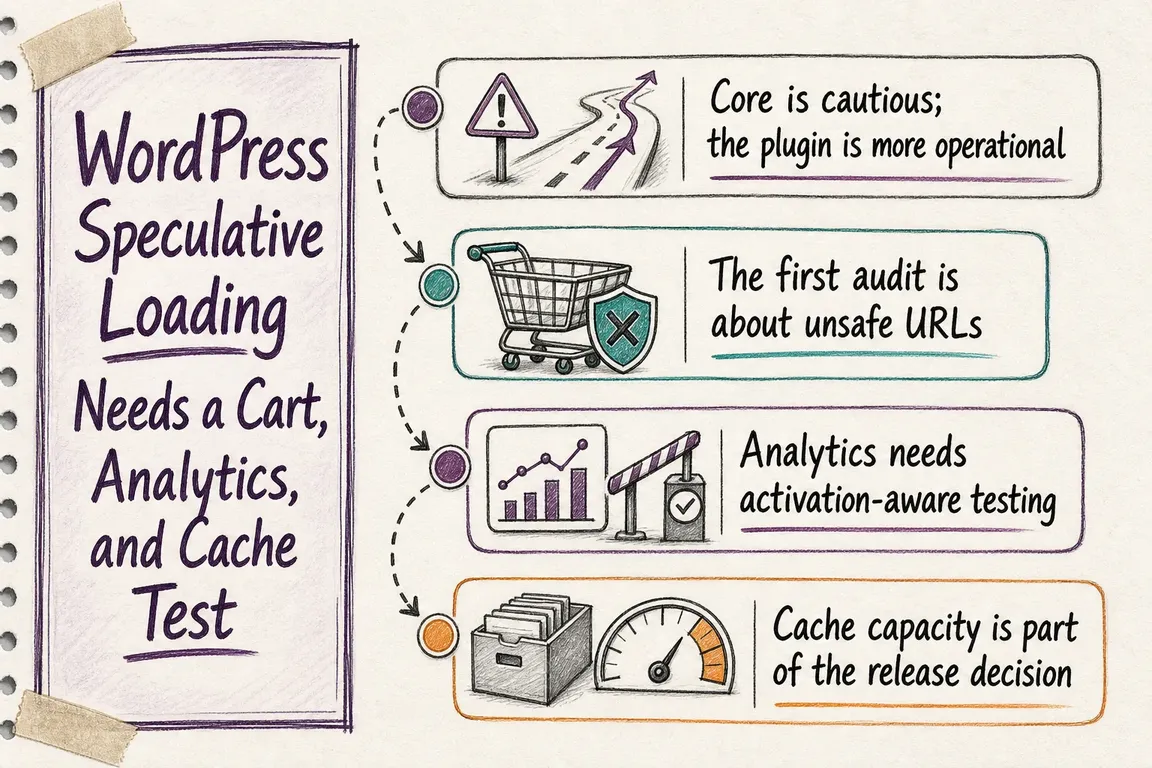
WordPress speculative loading can make the next page feel almost instant. It can also prepare the wrong cart, record a page view nobody made, or send avoidable traffic through an expensive application stack.
That does not make speculative loading a bad idea. It means the release decision belongs to operations, analytics, and commercial teams as well as developers. The useful question is not simply, “Did the page get faster?” It is, “Did it arrive faster while remaining correct, measurable, and affordable to serve?”
Prefetch and prerender are different operational choices
WordPress introduced speculative loading in Core 6.8 with a deliberately restrained default: logged-out visitors on sites with pretty permalinks receive document prefetching with conservative eagerness. In practical terms, the browser starts fetching when someone begins clicking a link. Logged-in users and sites without pretty permalinks are excluded by default.
The official Speculative Loading plugin offers the stronger option many teams are interested in: prerender with moderate eagerness, configurable under Settings > Reading. Prerendering fetches the document, loads its subresources, renders it in a hidden page, and can run JavaScript before the visitor completes the navigation.
That extra head start is why prerendering can produce a bigger improvement. It is also why it needs a broader test pass.
| Site or journey | Sensible starting point | What must be proved before going further |
|---|---|---|
| Editorial or brochure site | Core’s conservative prefetch | Origin load remains acceptable and important links are eligible. |
| Cached product catalogue | Moderate prefetch, then selected prerendering | Prices, availability, tracking, and cache behaviour remain correct. |
| WooCommerce or AJAX cart | Conservative prefetch | A prerendered cart refreshes after items, discounts, or delivery choices change. |
| Account or membership area | Exclude sensitive paths | Login state, permissions, quotas, and personal data are synchronized on activation. |
| Heavy uncached application | Do not increase eagerness yet | The origin can absorb unused requests without slowing real visitors. |
Audit unsafe URLs before running a speed test
Start by listing URLs that change state through a GET request. Common examples include add-to-cart links, logout links, language switchers, favourites, usage counters, and server-side conversion triggers. Both prefetch and prerender can request these URLs before a completed navigation. State changes should preferably use POST, but inherited themes and plugins do not always follow that rule.
WordPress excludes query-string URLs from its default rule, which catches many traditional action links. Rewritten paths still require attention. Core provides wp_speculation_rules_href_exclude_paths; the official plugin documents the equivalent plsr_speculation_rules_href_exclude_paths filter.
<?php
add_filter(
    'wp_speculation_rules_href_exclude_paths',
    function ( array $paths, string $mode ): array {
        $paths[] = '/cart/*';
        $paths[] = '/checkout/*';

        if ( 'prerender' === $mode ) {
            $paths[] = '/my-account/*';
        }

        return $paths;
    },
    10,
    2
);
Use the no-prerender class when downloading the document early is acceptable but running it is not. Use no-prefetch when the link should be excluded entirely. Apply these controls to the smallest reliable unit: a path pattern for whole journey areas and a class for exceptional links or blocks.
Analytics must wait for a real visitor
A prerendered page can execute JavaScript while hidden. Google Analytics delays during prerendering by default, but that does not automatically validate every tag manager trigger, custom event, affiliate pixel, experimentation tool, consent integration, or CRM conversion script on the site.
Chrome exposes document.prerendering while the page is hidden and fires prerenderingchange when it becomes active. Custom analytics can wait for that transition:
const whenActivated = new Promise((resolve) => {
    if (document.prerendering) {
        document.addEventListener('prerenderingchange', resolve, { once: true });
    } else {
        resolve();
    }
});

whenActivated.then(() => initialiseAnalytics());
After activation, a non-zero performance.getEntriesByType('navigation')[0].activationStart identifies a navigation that was prerendered. Record that signal alongside real-user performance and business events. It lets the team compare speed, page-view accuracy, and conversion behaviour rather than treating all navigations as identical.
Run a cart and personalization test that can actually fail
A normal checkout walkthrough is not enough. The test must create state after the target page has started prerendering:
- Open a product or category page and confirm the intended target appears in Chrome DevTools under speculative loads.
- Trigger the prerender, then change the cart through AJAX without performing a full navigation.
- Activate the prepared cart or checkout page and verify products, quantities, discounts, tax, delivery options, currency, and cart counters.
- Repeat for login, logout, saved preferences, membership permissions, and any personalization that can change within the current page.
- Check that analytics and conversion events fire once, and only after activation.
If the activated page is stale, refresh its state on activation, cancel and recreate affected speculation rules when state changes, or exclude that journey from prerendering.
Measure cache and server cost alongside Core Web Vitals
Speculation rules are browser hints, not guaranteed work. Browsers can ignore them because of user settings, battery saving, memory pressure, or internal limits. Conversely, a prerender that is never activated may still consume bandwidth, CPU, PHP workers, database queries, third-party API calls, and cache capacity.
Compare origin requests, cache-hit ratios, response time, PHP or application concurrency, and database load before and after the change. Segment cached public pages from uncached or personalized ones. Then compare those costs with activated-prerender rate, LCP, and the business journeys that genuinely became faster.
Roll out by journey, not by switch
Keep Core’s conservative prefetch as the baseline. Exclude unsafe URLs, validate activation-aware analytics, and test state changes before introducing moderate or eager behaviour. Expand first to predictable, cached journeys where the next navigation is likely and the cost of an unused request is low.
If you need an independent test plan, Greg can review the generated rules, map risky journeys, coordinate cart and analytics QA, and turn the findings into a practical release decision. Talk to Greg about a focused WordPress performance review.
Related on GrN.dk
- Speculative Loading Without Surprises: A CMS Operations Checklist
- Why Your Website’s Third-Party Stack Needs a Real Owner
- AI agents need a browser policy before they start clicking around
Need help with this kind of work?
Plan a WordPress performance QA review Get in touch with Greg.