WordPress 7.0 shipped on May 20, 2026. A week later, on May 27, the core team published its React 19 upgrade note for WordPress developers. That timing matters. The release itself focuses on a stronger admin experience and a broader developer toolbox. The React note, meanwhile, tells a more practical story for teams with custom editor or admin code: another compatibility checkpoint is already on the horizon.
The important detail is easy to blur if you only skim the headlines. The official note does not say React 19 is part of WordPress 7.0 core. It says the upgrade will land in the Gutenberg plugin first after the 7.0 release and is targeted for WordPress 7.1, specifically so plugin and theme developers get a full release cycle to test. For any business relying on custom blocks, plugin settings screens, or embedded admin apps, that turns this into a real QA window, not a vague future concern.
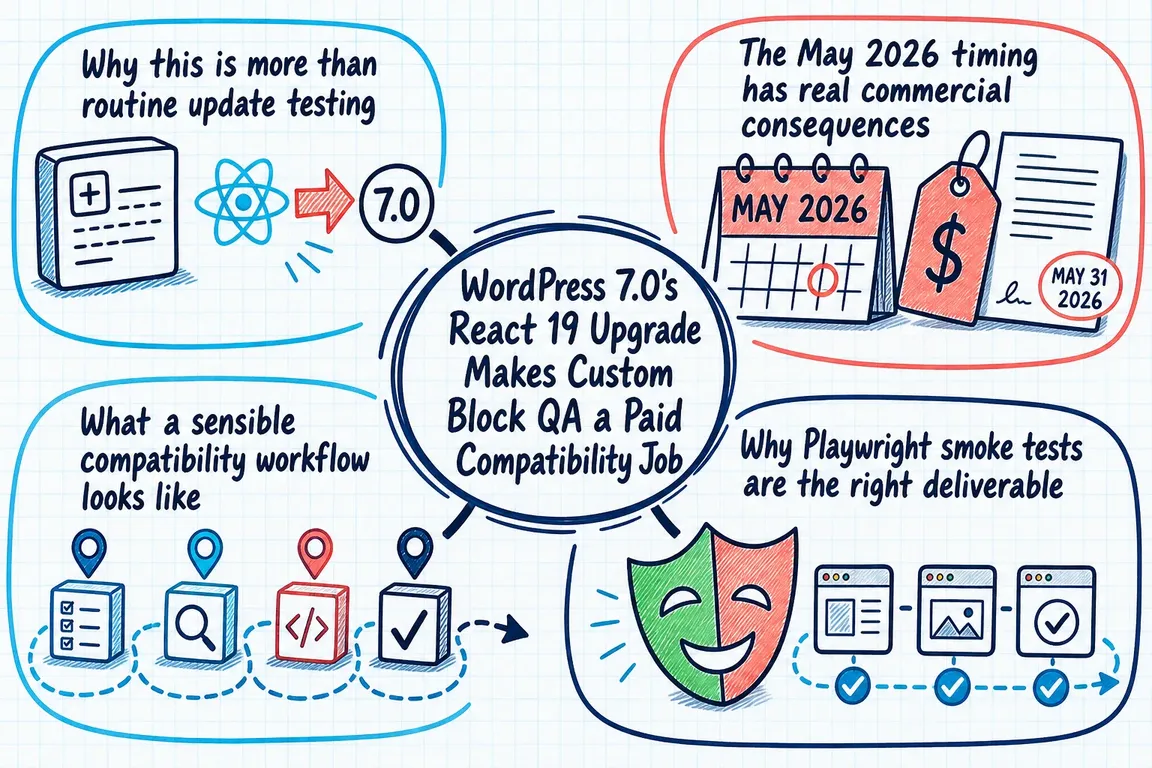
Why this is more than routine update testing
The React 19 migration note is fairly direct about where problems can show up. APIs such as render, hydrate, and unmountComponentAtNode are removed, with createRoot, hydrateRoot, and root.unmount taking their place. It also notes that findDOMNode is removed from React 19 itself, even though WordPress will keep exporting a polyfill from @wordpress/element to help with the transition. That is the sort of nuance that can keep old code limping along just long enough to hide technical debt until the wrong update lands.
Some of the risk is less obvious than a hard crash. The note also calls out behavior changes that can slip past casual manual testing. The inert attribute is now boolean rather than string-based. Ref callbacks can be interpreted as cleanup functions if they return a value. forwardRef still works, but it is described as deprecated because function components can now accept ref as a regular prop. TypeScript teams also have more to check than runtime behavior alone: ref typing changes, ReactElement props now resolve to unknown instead of any, and prop collisions with native HTML attributes may start surfacing as type errors.
None of that means every WordPress site is about to break. It does mean there are specific places worth reviewing now. In practice, the highest-risk areas are usually custom blocks, bespoke sidebar controls, plugin option pages, and admin interfaces that mount React trees manually. The official guidance supports that approach. Developers are told to test major features, pay attention to code using removed APIs, inspect the browser console for warnings and errors, and include iframe interactions because that area has seen subtle behavior changes.
The May 2026 timing has real commercial consequences
The wider WordPress messaging in May 2026 points in the same direction. Earlier in the month, the official developer roundup said WordPress 7.0 was approaching quickly, confirmed the May 20, 2026 release date, and told plugin and theme developers to test against 7.0 if they had not already done so. So testing was already on the table before the React 19 note arrived. The May 27 dev note simply narrowed the next risk area from general release readiness to a very specific JavaScript compatibility track.
The WordPress 7.0 release post adds useful context here. It highlights a modernized dashboard, new blocks and design tools, and a larger developer toolbox with broader APIs and enhanced functionality. That is good news for site owners and editors. It also means that if your business has invested in custom integrations, the surface area that can be affected by a platform upgrade keeps expanding. More capability in core usually means more places where bespoke code needs to stay aligned.
That is why custom block QA is a paid compatibility job. The work is not just opening a few screens and confirming the site still loads. It is identifying where custom code depends on @wordpress/element behavior, spotting deprecated patterns that are now moving closer to removal or stricter enforcement, reproducing failures in a clean environment, and deciding what needs fixing before the next release cycle makes those issues urgent. That takes engineering judgment.
What a sensible compatibility workflow looks like
The official React 19 guidance gives a practical starting point. Test against the Gutenberg release that includes React 19 instead of waiting for the next core release. Enable SCRIPT_DEBUG so warnings and errors are visible. Exercise the main plugin or theme features rather than relying on page-load checks. Inspect the browser console because React 19 improves error reporting and may surface issues that previously stayed quiet. If your setup uses iframes anywhere in the editor or admin, include those flows explicitly.
From there, the work becomes more targeted. The useful questions are not abstract. Where are React trees mounted manually? Which blocks or admin screens still rely on render or hydrate? Are any function components still using defaultProps? Do any custom refs return a value unintentionally? Are TypeScript builds hiding problems that will become visible during the upgrade? Those are the kinds of issues worth finding while React 19 is still in Gutenberg rather than after it rolls into a production core update.
For local reproduction, the Playwright tutorial from the WordPress Developer Blog is helpful because it stays grounded in WordPress tooling. It points to wp-env as a solid local environment choice because it reduces setup friction, is maintained by the WordPress project, and works well with the surrounding toolchain. The same tutorial also states that WordPress uses Playwright for end-to-end testing and that Playwright-based packages are the right direction for new projects.
Why Playwright smoke tests are the right deliverable
The Playwright article is useful partly because it sets sensible expectations. End-to-end tests are macro-level tests that verify how multiple layers work together, but they are slower and sometimes more fragile than unit tests. The article explicitly says they are best used for critical user flows rather than every possible scenario. That lines up well with compatibility work. The goal is not to build an enormous test suite. It is to cover the few paths that would be genuinely expensive to discover broken after an update.
For a WordPress business with custom functionality, those smoke tests are usually fairly concrete. Can an editor open the block editor, insert the custom block, configure it, and save? Can an administrator load the plugin settings screen, change an option, and persist it? Can a custom admin interface load without console failures? If an iframe-based tool is involved, does it still communicate properly? Those are the flows most likely to catch a costly regression early.
The tutorial also makes another business point clear. WordPress-specific helpers already exist for this work. Using the official Playwright utilities and the default configuration exposed by wp-scripts cuts down on unnecessary custom harness code. Clients should be paying for compatibility insight, risk reduction, and maintainable safeguards, not for rebuilding tooling that the platform already provides.
What GrN.dk can actually help with
If you are running custom WordPress blocks or admin interfaces, the opportunity right now is straightforward. Use the gap between the WordPress 7.0 release and the React 19 arrival in Gutenberg and WordPress 7.1 to make the upgrade path predictable. That usually means auditing the custom JavaScript surface area, reproducing failures locally, replacing deprecated or incompatible patterns, and adding a small set of Playwright smoke tests around the business-critical flows that cannot quietly break.
That is the practical service here. Greg can review custom blocks and admin UIs, patch the patterns most likely to cause trouble, and leave you with a compatibility test layer that makes future WordPress updates less of a blind gamble. The WordPress guidance already says to test early. The commercial value is turning that advice into a focused piece of engineering work before the next release cycle turns it into emergency debugging.
Need help with this kind of work?
Book a WordPress compatibility audit before the next Gutenberg or core update turns QA into emergency debugging. Get in touch with Greg.