By Greg Nowak. Last updated 2026-09-04.
The support system reveals more than which tickets the team has closed. It also shows where customers get stuck, what they misunderstand, and which parts of the product or operations keep creating extra work.
Could your business use this? nowa.dk sets up AI automation for Danish companies.
Those patterns are difficult to spot, however. A support manager will naturally remember the most troublesome cases but can rarely tell whether an issue has grown from five enquiries to 25, or whether the same defect is being described in ten different ways.
This is where AI can be useful without answering a single customer. When closed tickets are classified by topic, probable cause and resolution status, the company gains a more coherent picture of what customers are actually asking—and what should be done about it.
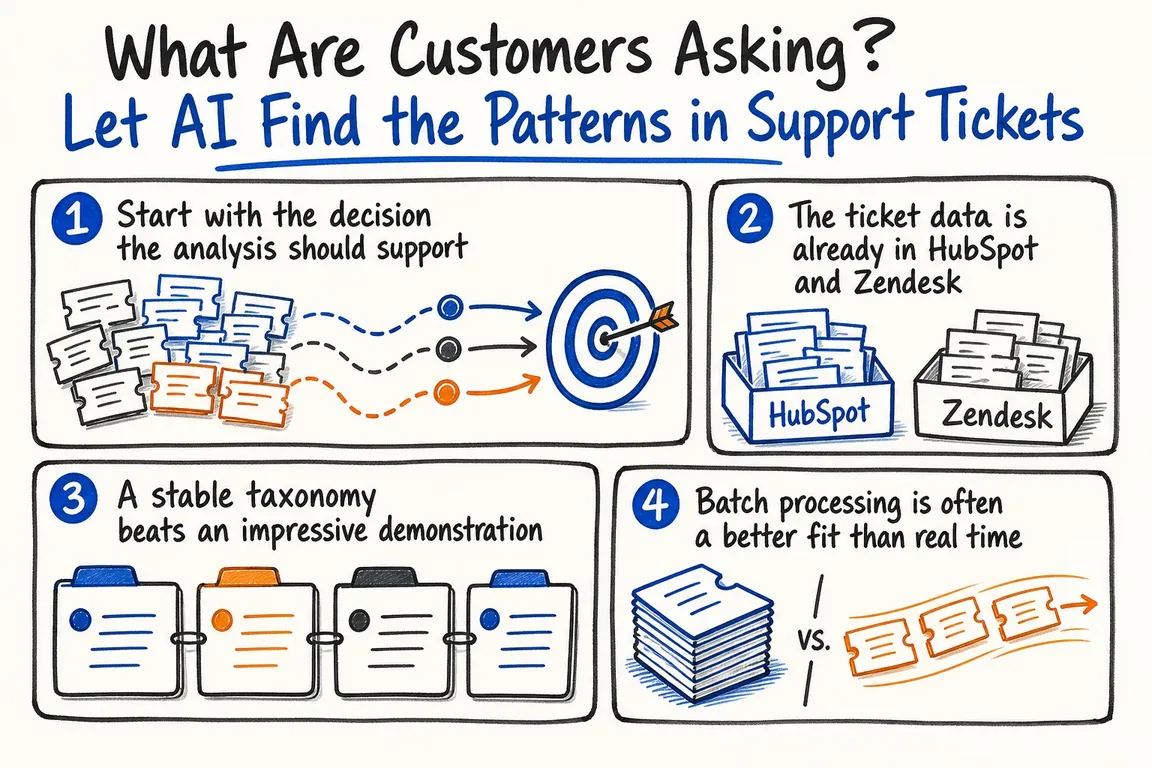
Start with the decision the analysis should support
“Let’s analyse all our tickets” is not a goal that can guide a solution. Instead, start with a specific decision for which someone in the company is responsible.
Should a potential product defect be prioritised? Does a guide need rewriting? Or does the support team lack a shared procedure? Once the question is clear, you can define the categories the analysis needs to produce.
A simple classification can consist of four fields:
- Topic: What is the enquiry about?
- Cause: Is the issue due, for example, to a product defect, missing information or a process the customer has misunderstood?
- Resolution status: Was the case resolved, worked around, escalated or closed without a clear resolution?
- Uncertainty: Is the information sufficient for classification, or should the case be reviewed manually?
The uncertainty field is not a technical detail. A solution becomes less credible if it is forced to give a definite answer based on inadequate information. “Cannot be determined” is often the most useful answer.
The ticket data is already in HubSpot and Zendesk
HubSpot’s Tickets API 2026-03 can retrieve tickets individually, as lists or in batches. The integration can select specific properties, retrieve historical property values and obtain the IDs of associated objects. This allows the analysis to be limited to relevant ticket fields while each result retains a reference to the original case.
The API can also associate tickets with contacts and companies, among other objects. That is an option, not an invitation to pass every available piece of information to an AI model. A sensible implementation selects only the fields required for the agreed purpose.
If the analysis needs to track new or updated cases, HubSpot’s Webhooks API 2026-03 can provide notifications of newly created tickets, changes to selected properties and changes to associations. The webhook acts as a signal that a case should be retrieved or queued. The integration therefore does not need to keep asking HubSpot whether anything has changed.
The integration model must be clarified first, however. HubSpot’s guide describes the subscription endpoints mentioned above for legacy public apps and directs project-based apps to a separate configuration. The specific HubSpot setup therefore determines how the solution should be built.
In Zendesk, Incremental Exports can retrieve tickets that have changed since the previous run. Zendesk recommends cursor-based exports because they provide more consistent performance and response sizes. The cursor is saved after each run and used for the next one, so the entire history does not need to be exported again.
Comments require an additional check. In Zendesk’s event export, the comment text itself is included only when the relevant comment_events sideload is used. Otherwise, the integration is merely told that the comment exists and whether it is public. It is worth checking the underlying data before discussing the quality of the AI results.
| Workflow stage | What can be automated | What requires expert review | Business outcome |
|---|---|---|---|
| Selection | Retrieve new or closed tickets since the previous run | Approve the period, queues and fields | A clearly defined dataset |
| Preparation | Remove unnecessary identifiers and normalise the text | Review examples containing sensitive information | Relevant input for the analysis |
| Classification | Assign topic, cause, status and uncertainty | Review a sample | Comparable categories |
| Follow-up | Count recurrences and changes over time | Investigate significant fluctuations | Prioritised signals |
| Action | Update the dashboard and links to source cases | Assign responsibility and decide on the next step | A specific product, process or documentation task |
A stable taxonomy beats an impressive demonstration
The first version should have a small number of categories with clear descriptions. If they change every week, trends cannot be compared over time. If they are too broad, the distinctions that someone could actually act on will disappear.
“Login issue”, for example, may be too vague. The product and support teams probably need to distinguish between a forgotten password, a missing invitation and a technical defect, because the three issues have different owners and solutions.
A trial using closed tickets is a good place to start. Then have a subject-matter expert manually classify a sample. The disagreements are useful: they show whether the instructions are unclear, the categories overlap or the ticket simply does not contain the answer.
The review should be repeated regularly. The product changes. Customers use new terminology, and the support team’s practices evolve as well.
A weekly dashboard should therefore show more than the largest categories. Include trends from previous periods, the proportion of uncertain classifications, the cost of each run and links to specific source cases. This makes it possible to investigate an unusual fluctuation before treating it as established fact.
Batch processing is often a better fit than real time
Ticket analysis rarely needs to deliver an answer within seconds. The OpenAI Batch API is designed for larger collections of API calls processed asynchronously. Among other things, the batch object records the processing window, status, completed and failed calls, and token usage.
This is well suited to a nightly or weekly run in which new tickets are collected and analysed together. According to the approved API description, processing can be completed within 24 hours and at a lower price than equivalent synchronous processing.
However, the price per ticket does not tell the whole story. The company should also measure the time spent reviewing samples, maintaining categories and following up on results. The total operating cost determines whether the solution makes sense.
Pseudonymisation is only one part of data protection
Support tickets may contain names, email addresses, order numbers and sensitive information that customers have entered themselves in free-text fields. A sensible process removes unnecessary identifiers before the text is sent for classification and limits the output to the information the dashboard actually needs.
That does not complete the data-protection work. The legal basis for processing, accountability and information provided to data subjects must still be assessed. The Danish Data Protection Agency’s 2025 annual report describes its supervision of organisations’ use of generative AI. It highlights, among other things, organisational measures, technical risk mitigation, a clear allocation of roles and responsibilities, and the need for data subjects to know when their personal data is being used as input to an AI solution.
Data protection should therefore be designed into the solution from the outset. Document the purpose, data flow, fields used, supplier roles, deletion practices and human oversight before the analysis becomes a permanent part of operations.
When does ticket analysis create real value?
The dashboard only becomes useful when every important pattern has an owner. More cases involving the same feature may prompt a product investigation. Recurring misunderstandings may lead to changes in the help text. Numerous temporary workarounds without a permanent solution may indicate technical debt.
For Danish companies that want to test the workflow, Greg at nowa.dk can help define an AI automation project around their existing support data. A realistic first deliverable is a recurring report with a stable taxonomy, sample-based review, transparent operating costs and access to the source cases—not a fully automated verdict on customers’ problems.
Choose one support queue, one period and one decision-making need. If the analysis consistently helps product, operations or support managers identify and prioritise recurring problems, it can be expanded. If not, the company will have reached its answer through a limited investment and a transparent dataset.
Related on GrN.dk
- Fra salgsmøde til CRM: Automatisér opfølgningen uden datarod
- Montørens talenote skal blive til en arbejdsordre – ikke rå lyd
- Har jeres AI-chatbot husket at sige, at den er en bot?
Need help with this kind of work?
Talk to Greg about your ticket analysis Get in touch with Greg.










