By Greg Nowak. Updated 11 October 2026.
An Ubuntu upgrade can leave your website working while an order feed, payment callback or overnight report quietly stops. Those connections deserve a place in the upgrade plan, especially when an older supplier system or device is involved.
Ubuntu 26.04 LTS reinforces modern TLS defaults. For business owners, operations leads and agency teams, the practical task is to establish which integrations will still work, who can fix the exceptions and how to recover if a critical workflow fails.
What changes—and what your configuration may preserve
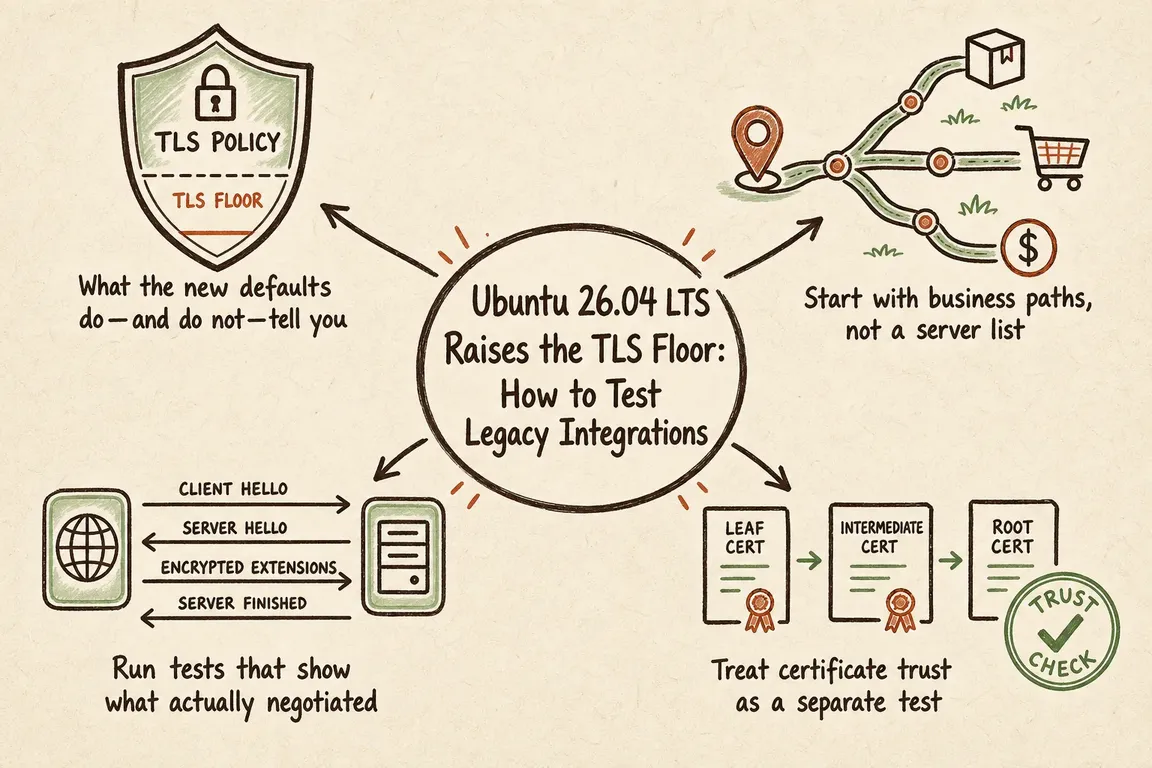
Canonical’s security overview confirms that Ubuntu 26.04’s packaged Apache defaults disable TLS 1.0 and 1.1, while Nginx defaults to TLS 1.2 and 1.3. These are baseline settings; they do not guarantee the behaviour of an upgraded installation.
Previous Ubuntu releases already hardened TLS, and Nginx’s upstream documentation specifies TLS 1.2 and 1.3 as its default protocols. Treat this upgrade as a compatibility checkpoint. Copied configuration files, explicit protocol directives and deployment templates can preserve older settings.
Identify where each connection terminates TLS: a CDN, load balancer, reverse proxy or application server. Test the public endpoint and any separate encrypted connection to the origin. An external scan cannot establish whether a backend connection is healthy.
Build the test list around business workflows
Start with the work that must continue: logins, checkout, warehouse updates, partner callbacks, scheduled reports and monitoring. For each connection, record its direction, hostname, client runtime or firmware, certificate issuer, technical owner and vendor contact.
Prioritise dependencies with high business impact and limited control. A supplier callback that requires a booked test window needs attention earlier than a website your own team can exercise whenever it likes.
| Workflow | Test that counts | Owner to involve |
|---|---|---|
| Customer portal or checkout | Representative clients complete login or a sandbox purchase through the real proxy path. | Agency or application team |
| Partner API or webhook | The upgraded application sends a request; the partner delivers a callback that is processed successfully. | Operations and supplier |
| Scheduled job or report | The actual runtime completes a full run and produces the expected records or files. | Engineering and workflow owner |
| Device or appliance | Production-equivalent firmware connects and exchanges useful data. | IT and equipment supplier |
Check protocol negotiation and certificate validation
Run outbound checks from the Ubuntu 26.04 staging environment. For inbound connections, use representative external clients. Ubuntu’s troubleshooting guidance recommends separate client and server systems because both can read cryptographic library configuration; a shared test configuration can obscure the cause of a failure.
Replace the example hostname below with your endpoint. This OpenSSL check reports the negotiated protocol and cipher, checks the certificate hostname and stops on certificate verification errors:
openssl s_client -connect api.example.com:443 \
  -servername api.example.com \
  -verify_hostname api.example.com \
  -verify_return_error -brief </dev/null
-servername supplies SNI for certificate selection; -verify_hostname checks the identity presented. Crucially, OpenSSL’s diagnostic client can continue after certificate verification errors unless -verify_return_error is supplied. A negotiated cipher alone is insufficient evidence of trust. These options are documented in the OpenSSL client manual.
Repeat the command with -tls1_2 to check TLS 1.2 specifically. To inventory the endpoint’s exposed protocols and ciphers, use:
sslscan api.example.com:443Save the complete output with the test date and environment. Then exercise the actual application: its TLS library, trust store, authentication and proxy settings may differ from OpenSSL’s. Include mutual TLS where used, with the representative client certificate.
Diagnose trust failures separately
A failed connection may involve an expired certificate, missing intermediate, hostname mismatch or untrusted private issuer. Increasing protocol compatibility will not repair those problems.
For public services, check that the server presents its certificate and required intermediates. For private services, distribute the internal CA certificate to every relevant client trust store, including application-specific stores. Ubuntu’s certificate guidance explains both approaches and identifies fullchain.pem as the server certificate plus intermediates for Certbot-managed services.
Repair the chain or trust configuration and rerun the workflow. Disabling certificate verification leaves the integration without a reliable identity check.
Make the cutover and rollback decisions concrete
Agree the pass conditions before scheduling the upgrade. A useful condition might be: the callback arrives, its signature validates, the order updates exactly once and the queue clears. For a report, check its contents and delivery as well as the process exit status.
Move a representative, lower-risk service first. Observe handshake errors, application failures, webhook retries, queue depth and business outputs before expanding the rollout. Keep the observation window long enough to include scheduled work; an hourly check will miss a nightly batch.
Name the rollback trigger, decision owner and recovery action. Switching traffic to a previous instance differs from restoring an in-place upgrade. Confirm the recovery method works, and decide how to handle transactions written after cutover. Restoring a server without reconciling orders or callbacks can create another operational problem.
Give legacy exceptions an exit plan
If a critical dependency cannot support TLS 1.2, get a specific answer from its owner: can the runtime be updated, can firmware be replaced, or must the integration change?
A temporary compatibility endpoint requires a separate risk decision. Keep any approved exception isolated, access-restricted, monitored and time-limited, with a named owner and replacement deadline. Avoid lowering the public baseline or changing system-wide cryptographic settings to accommodate one connection.
Bring the technical and operational work together
The useful deliverables are a dependency map, recorded test results, an action list and a cutover plan that people can follow. Business owners can judge disruption, operations can arrange supplier tests, and agency teams can verify the application paths.
If that coordination is the missing piece, talk to Greg about planning your Ubuntu 26.04 rollout. Bring your hosting setup and the integrations you are least confident about; those are a practical place to start.
Related on GrN.dk
- Nginx 1.30 Changed Upstream Connections: What to Test Before You Upgrade
- NGINX 1.30 and upstream connection reuse: what to check before upgrading
- Apache 2.4.67: Why Legacy Reverse Proxies Belong Back on the Risk List
Need help with this kind of work?
Plan your Ubuntu 26.04 rollout with Greg Get in touch with Greg.










