By Greg Nowak. Updated 17 November 2026.
Let’s Encrypt’s move to 64-day certificates is a good reason to check how your business keeps HTTPS working. The useful question is whether renewal still works when nobody is watching: can the system prove domain ownership, obtain a certificate, deploy it and alert someone if anything fails?
For business owners and agency teams, that means asking for evidence beyond “automatic renewal is enabled”. A certificate renewed on one server is little comfort if the customer-facing proxy still presents the old one.
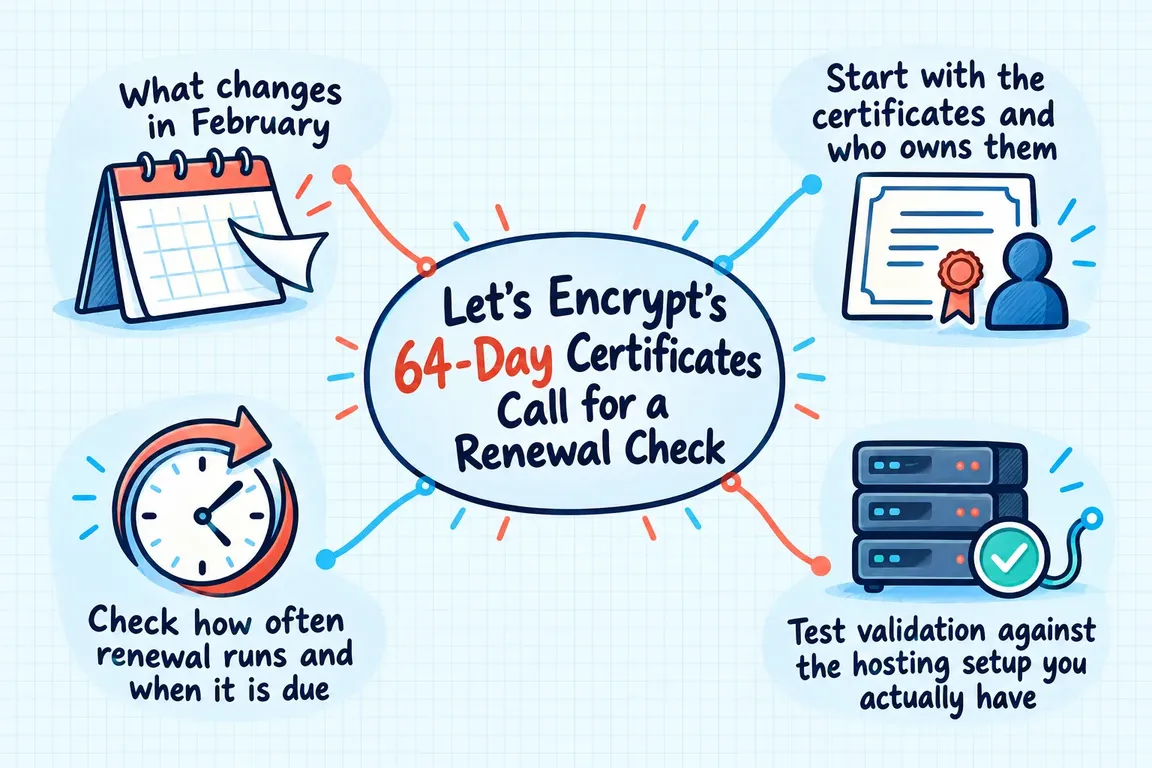
What changes on 10 February 2027?
According to Let’s Encrypt’s announcement, certificates issued or renewed from 10 February 2027 will default to a 64-day lifetime. Existing certificates retain their validity and will not be revoked for this transition. The staging environment switched on 14 October 2026, so testing is already available.
Shorter lifetimes leave less room for neglected manual work. Let’s Encrypt also plans default 45-day certificates in 2028. Fixing assumptions about certificate age now will make that next change easier.
Start with ownership and the services customers use
Build an inventory around websites, APIs and other agreed services. Record each certificate’s hostnames, ACME client and version, validation method, scheduler, deployment destinations and responsible person. Where a CDN or hosting platform manages certificates, identify which parts it covers. The public connection and the connection to your origin server may have separate certificates and renewal arrangements.
Agency responsibilities deserve particular attention. Who controls DNS? Who maintains the server? Who can investigate an alert during a holiday? Put names and access requirements beside those responsibilities.
| Area | Evidence of a working setup | Priority warning |
|---|---|---|
| Ownership | Service, certificate and responsible person mapped | Agency and host each assume the other handles it |
| Timing | Active scheduler and documented renewal rule | Fixed assumptions about a 90-day lifetime |
| Validation | Successful unattended staging test | Someone must copy a DNS record manually |
| Deployment | Installation checked at every intended destination | New files exist, but the service presents an old certificate |
| Monitoring | External check and confirmed alert delivery | Notifications reach an unused mailbox |
Prioritise customer-critical services, manual steps and certificates without a clear owner. That gives the review a useful order even when the hosting estate is large.
Separate the renewal schedule from the renewal decision
A scheduler decides when the client runs. The client decides whether a certificate needs renewal. Inspect both, including wrapper scripts and the actual cron job or systemd timer.
The Let’s Encrypt Integration Guide recommends checking ACME Renewal Information, or ARI, at least twice daily. ARI supplies a recommended renewal window. Verify support in your installed client rather than assuming it from the product name.
As a fallback, Let’s Encrypt recommends renewal with one-third of the certificate’s lifetime remaining. For 64 days, that means roughly day 43, leaving about 21 days. The scheduler should run much more frequently than this. Replace rules such as “renew 60 days after issuance” with supported client behaviour based on renewal information or actual certificate lifetime.
Test domain validation through the current infrastructure
Validation must work through today’s DNS, firewall and routing configuration. For HTTP validation, ensure the challenge response is reachable through every frontend, including any shared validation routing. For DNS validation, ensure the required TXT record reaches all authoritative responders. These requirements are covered in the integration guide.
Check that DNS credentials remain usable and that the renewal service can access them unattended. Certbot’s manual plugin requires authentication hooks for automatic renewal; instructions telling someone to paste a record by hand identify work still to automate.
Use a dry run, then check deployment separately
With Certbot, start with certbot renew --dry-run. It normally uses Let’s Encrypt staging and does not save the test certificates. Review existing hooks first: pre-hooks and post-hooks run, and the test may temporarily change web server configuration or trigger reloads.
Deployment hooks are skipped by default. After reviewing their effects, use certbot renew --dry-run --run-deploy-hooks to exercise applicable hooks after a successful test. They receive the current active certificate, rather than the temporary staging certificate. The Certbot User Guide documents these distinctions.
Also, certbot renew can exit successfully when nothing needed renewal. Use a deployment hook for actions that should follow an actual successful renewal.
Keep separate records for validation, issuance and deployment. A successful staging request does not prove that every production destination received a replacement certificate.
Check what the live endpoint presents
Trace the certificate from its storage location to each service using it. For Apache or Nginx, check configured paths and the required reload. Include file transfers, separate proxies and load balancers where applicable.
After an actual renewal, inspect the certificate presented by each live endpoint. Confirm the expected hostnames, expiry and certificate identity. Where several backends serve traffic, verify their deployment state too; one successful request may only reach one backend.
Make failures visible before expiry becomes urgent
Let’s Encrypt ended its expiry notification emails on 4 June 2025. Your monitoring needs its own notification route.
Monitor renewal failures and check expiry externally against the certificates services actually present. Choose thresholds that allow time to investigate, repair and retest. Send a test notification, confirm receipt and name a backup contact. Agency alerts should identify the customer, hostname and responsible team.
A useful review finishes with an inventory, prioritised fixes, test evidence and a short runbook. Any unresolved exception needs an owner and next action.
Greg at GrN can help review and repair renewal across business Linux servers or agency hosting. Bring your service list and an outline of who manages hosting and DNS. Discuss a certificate renewal review with Greg to agree the scope and handover.
Related on GrN.dk
- Shorter TLS Certificates: Will Your Renewal Setup Keep Up?
- Let's Encrypt Profiles Put Your Renewal Setup to the Test
- Shorter TLS Certificates: Make Renewal and Monitoring Routine
Need help with this kind of work?
Discuss a certificate renewal review with Greg Get in touch with Greg.