Home
GrN.dk

Main navigation

  • Articles
  • Cases
  • Services
  • Your Digital Project Manager
  • About Greg Nowak
  • Image Gallery
  • Contact
User account menu
  • Log in

Join my community / free newsletter — sign up here

Breadcrumb

  1. Home

HubSpot OAuth v1 Is Going Away: How to Migrate an Older CRM Integration

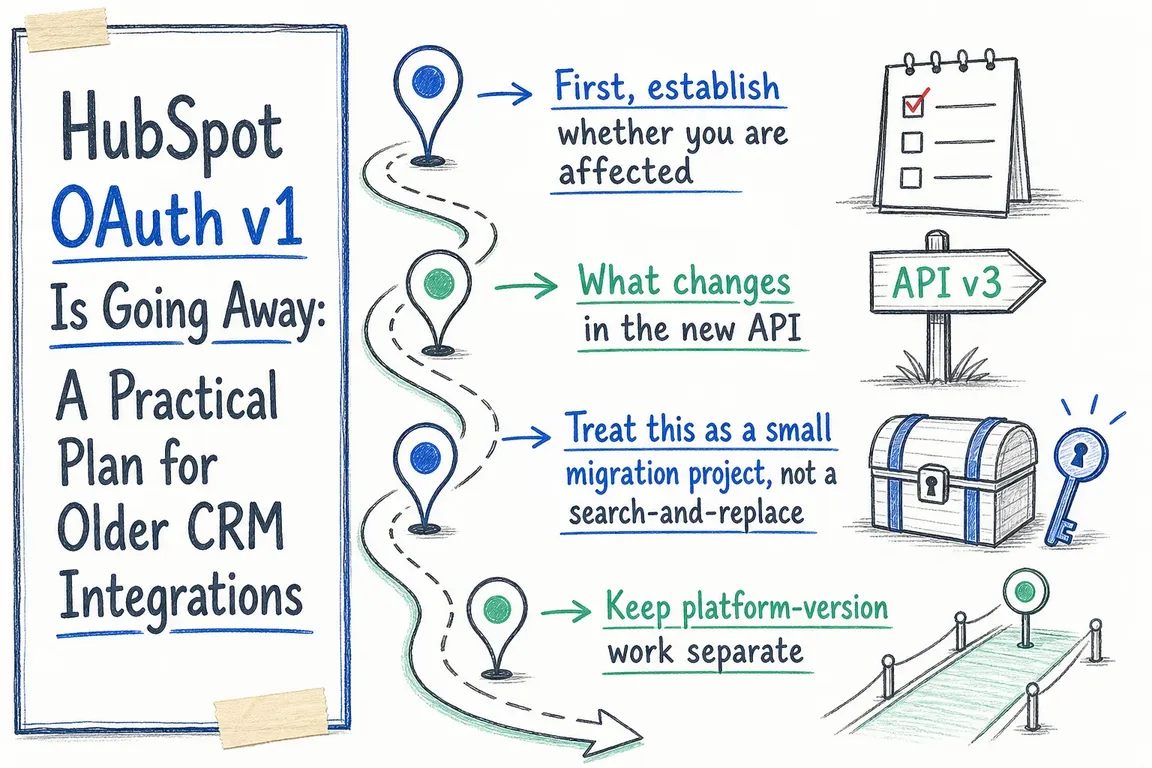
Illustrated infographic summarizing: HubSpot OAuth v1 Is Going Away: A Practical Plan for Older CRM Integrations

By Greg Nowak. Updated August 30, 2026.

HubSpot’s legacy OAuth v1 endpoints remain active until February 16, 2027. After that date, v1 calls will begin returning errors. An integration may then fail to connect, refresh its access token, inspect a token or complete a clean disconnection.

This matters beyond marketplace apps. The affected code may sit inside custom middleware, an agency-built connector, a reporting service, a serverless function or an internal tool inherited from a previous supplier. A workflow that looks stable today can still depend on authentication code written years ago.

The migration is contained, but it is not merely an endpoint rename. You need to find every caller, adopt the new request and response models, test existing customer connections and monitor the release. The installation URL, consent page and requested scopes do not change.

First, find out whether the business is exposed

Do not assume there is one tidy “HubSpot integration” repository. Authentication logic often appears in the main application, background refresh workers, SDK wrappers, support scripts, CI jobs and utilities that run only when an account disconnects.

Start by searching every relevant repository for the legacy paths:

rg -n '/oauth/v1/(token|access-tokens|refresh-tokens)' .

Then inspect API gateway logs, application monitoring, serverless deployments, environment-specific configuration and third-party automation tools. Search for URLs assembled from separate strings too; a literal path search will not catch every wrapper.

If HubSpot sent a marketplace notification listing affected app IDs, use it as evidence of recent v1 traffic—not proof that the list covers every environment or dormant code path.

What you find Business risk Next action
A production refresh worker calls v1 High: many accounts can fail as tokens expire Prioritise the worker and identify every connected account
Interactive installation uses v1 High: new connections will fail Update the code exchange and test a complete installation
Only tests or old scripts contain v1 Medium: retired code can be restored accidentally Confirm ownership, then update or remove it
The app already uses /oauth/2026-03 Lower Verify body parameters, response handling and production telemetry
No source code or technical owner is available High: recovery may take longer than the code change Escalate ownership and access as project risks
A triage matrix for turning an OAuth warning into an actionable migration backlog.

What needs to change in the code

HubSpot’s current date-based API replaces the legacy operations with three endpoints:

  • POST /oauth/2026-03/token for authorization-code exchange and access-token refresh.
  • POST /oauth/2026-03/token/introspect for access- and refresh-token metadata.
  • POST /oauth/2026-03/token/revoke for revoking a refresh token.

Send credentials, authorization codes and tokens as application/x-www-form-urlencoded request-body fields. Do not put them in the URL, query string or path. Apart from meeting the new API contract, this reduces the chance of secrets being retained in proxy logs and application telemetry.

A refresh request should look broadly like this:

curl --request POST \
  --url https://api.hubspot.com/oauth/2026-03/token \
  --header 'Content-Type: application/x-www-form-urlencoded' \
  --data 'grant_type=refresh_token' \
  --data 'refresh_token=REFRESH_TOKEN' \
  --data 'client_id=CLIENT_ID' \
  --data 'client_secret=CLIENT_SECRET'

Use the returned access_token and calculate its lifetime from expires_in. HubSpot currently documents 30-minute access tokens, but the response should remain the source of truth. Do not impose an arbitrary database length on token fields because HubSpot defines no maximum token size.

Introspection requires more attention. The old access- and refresh-token metadata calls become one POST endpoint, with token_type_hint identifying the token type. The response model now includes fields such as active and token_use. Update any mapping, validation or conditional logic that expects the v1 model.

Error handling should use the standard error and error_description fields. HubSpot-specific status and message fields remain for compatibility, but new decisions should not depend on them.

Run it as a small migration project

  1. Inventory: record the app, repository, runtime, environment, affected workflow, customer group and owner for every caller.
  2. Update: replace token exchange, refresh, introspection and revocation paths. Redact OAuth callback parameters and credentials from logs.
  3. Test: cover a new installation, an existing refresh token, both introspection modes, disconnect or uninstall, revoked credentials, invalid secrets and expired authorization codes.
  4. Release: deploy progressively where the architecture permits it. Watch OAuth-related 4xx responses, refresh failures and unexpected reauthorization requests.
  5. Close: repeat the repository search, check production traffic and record evidence that no v1 calls remain.

Test the connections customers already use

A successful new installation proves only one path. Older accounts may have different scopes, stored token records or rarely used disconnection logic. Include representative long-running connections in the release plan, while keeping their credentials out of test output and support tickets.

Plan rollback around application code, not the deprecated API. A useful rollback restores the previous stable release without losing newly issued tokens or exposing secrets. If the old release can call only v1, it is a short-term safety measure—not a viable post-deadline strategy.

Keep platform migration as a separate decision

An audit may also reveal an old HubSpot developer-platform version. That is related housekeeping, not a prerequisite for replacing OAuth calls. HubSpot currently documents platform version 2026.03 and recommends CLI version 8.4.0 or later, with different migration commands depending on the existing project type.

Combine the two changes only if shared testing genuinely reduces risk. Otherwise, separate releases make ownership, rollback and fault-finding clearer.

What a business owner should ask to see

You do not need a tour of OAuth internals. Ask for an inventory of affected systems and workflows, named technical and business owners, test evidence for both new and existing connections, a monitored release plan and a completion date comfortably ahead of February 16, 2027.

If ownership is unclear or the integration has passed through several suppliers, a focused technical audit can turn the warning into a bounded piece of work. Talk to Greg about reviewing the integration and shaping a practical migration plan.

Related on GrN.dk

  • MCP 2026-07-28 Is an Auth Migration, Not a Version Bump
  • A Voice Agent Is Only Ready When the Human Handoff Works
  • Before Your Support Bot Learns the Help Center, Test Whether It Can Forget

Need help with this kind of work?

Plan your HubSpot migration with Greg Get in touch with Greg.

Sources

  • v1 OAuth API Deprecation
  • Migrate from the OAuth v1 API to the Latest Date-Based Versioned API
  • Manage OAuth Access Tokens with the 2026-03 API
  • Migrate an Existing App to the Latest Developer Platform Version
Last modified
2026-08-30

Tags

  • hubspot
  • oauth
  • CRM integrations
  • hubspot apps
  • integration security

Review Greg on Google

Greg Nowak Google Reviews


Written recommendations from Trafik og Veje, Aarhus Municipality (2011) and AgroTech (2010) — read them on LinkedIn.

Illustrated infographic summarizing: OpenAI Has Machine Identity Now. Which Jobs Should Lose API Keys?
OpenAI Has Machine Identity Now. Which Jobs Should Lose API Keys?
2026-09-03

OpenAI’s X.509 workload identity can replace API keys for the right workloads. This practical framework helps teams decide where to start safely.

Illustrated infographic summarizing: WordPress 7.1 Exposes AI-Ready Actions. Who Gets to Run Them?
WordPress 7.1 Exposes AI-Ready Actions. Who Gets to Run Them?
2026-09-02

WordPress 7.1 helps AI agents discover and invoke site abilities. Here is how to keep exposure, authentication and permission firmly separate.

Illustrated infographic summarizing: From Sales Meeting to CRM: Automate Follow-Up Without Compromising Data Quality
From Sales Meeting to CRM: Automate Follow-Up Without Compromising Data Quality
2026-09-01

How to use AI for meeting notes and follow-up while fixed rules protect CRM data, customer matching and the sales pipeline from errors and premature changes.

Illustrated infographic summarizing: Your AI Gateway Can Name the User. Decide What That Log Is For
Your AI Gateway Can Name the User. Decide What That Log Is For
2026-08-31

Identity-aware AI Gateway logs can sharpen security and cost control, but only when attribution, access, retention, guardrails, and response are clearly defined.

Illustrated infographic summarizing: Zero Data Retention Is a Workflow Audit, Not a Checkbox
Zero Data Retention Is a Workflow Audit, Not a Checkbox
2026-08-30

Zero Data Retention covers the provider, not every copy in your stack. See how to audit endpoints, logs, storage, deletion and project-level controls.

Illustrated infographic summarizing: MCP 2026-07-28 Is an Auth Migration, Not a Version Bump
MCP 2026-07-28 Is an Auth Migration, Not a Version Bump
2026-08-29

MCP’s July 2026 release removes protocol sessions and tightens OAuth. Here’s a practical plan for migrating clients, servers and enterprise access safely.

Illustrated infographic summarizing: Turn a Technician’s Voice Note into a Work Order—Not Raw Audio
Turn a Technician’s Voice Note into a Work Order—Not Raw Audio
2026-08-28

Voice input can reduce the technician’s documentation burden when hours, materials and status are validated before the information is saved in the work order system.

Illustrated infographic summarizing: ChatGPT Disabled Personal Knowledge Sync. What Broke on Your Team?
ChatGPT Disabled Personal Knowledge Sync. What Broke on Your Team?
2026-08-27

ChatGPT retired personal sync connections for Enterprise and Edu. Here is how to find affected workflows, migrate access, and test permissions.

Illustrated infographic summarizing: Cloudflare’s September Bot Defaults Could Quietly Cut AI Visibility
Cloudflare’s September Bot Defaults Could Quietly Cut AI Visibility
2026-08-26

Cloudflare’s September bot defaults give publishers more control, but one training block could also cut search crawling and AI-driven discovery.

Illustrated infographic summarizing: Does Your AI Chatbot Clearly Identify Itself?
Does Your AI Chatbot Clearly Identify Itself?
2026-08-25

The EU’s transparency requirements for AI chatbots now apply. Here is how to make your bot’s identity clear, limit its system access and provide a genuine route to a member of staff.

More articles

Built by AI — available for your business. The daily articles on this site are researched, written and illustrated by an autonomous AI pipeline. At nowa.dk I install the same kind of AI automation in businesses at fixed prices — site in Danish, English version here, and web/marketing agencies have a dedicated page.

RSS feed

Footer

  • All articles
  • Contact

GrN.dk — AI automation, web platforms, web optimization, data handling and logistics.

© 2026 GrN.dk · LinkedIn · Contact · AI automation in Danish: nowa.dk

Behind GrN.dk: Individual Entrepreneur Codecrafter · Tax ID 305669096 · Bakhtrioni St. 22, 0194 Tbilisi, Georgia · official business register








