By Greg Nowak. Updated 17 September 2026.
Publishing a website release is not the end of the job when organic search brings enquiries, bookings or qualified leads. Someone still needs to confirm that commercially important pages remain accessible, indexable and understandable to Google.
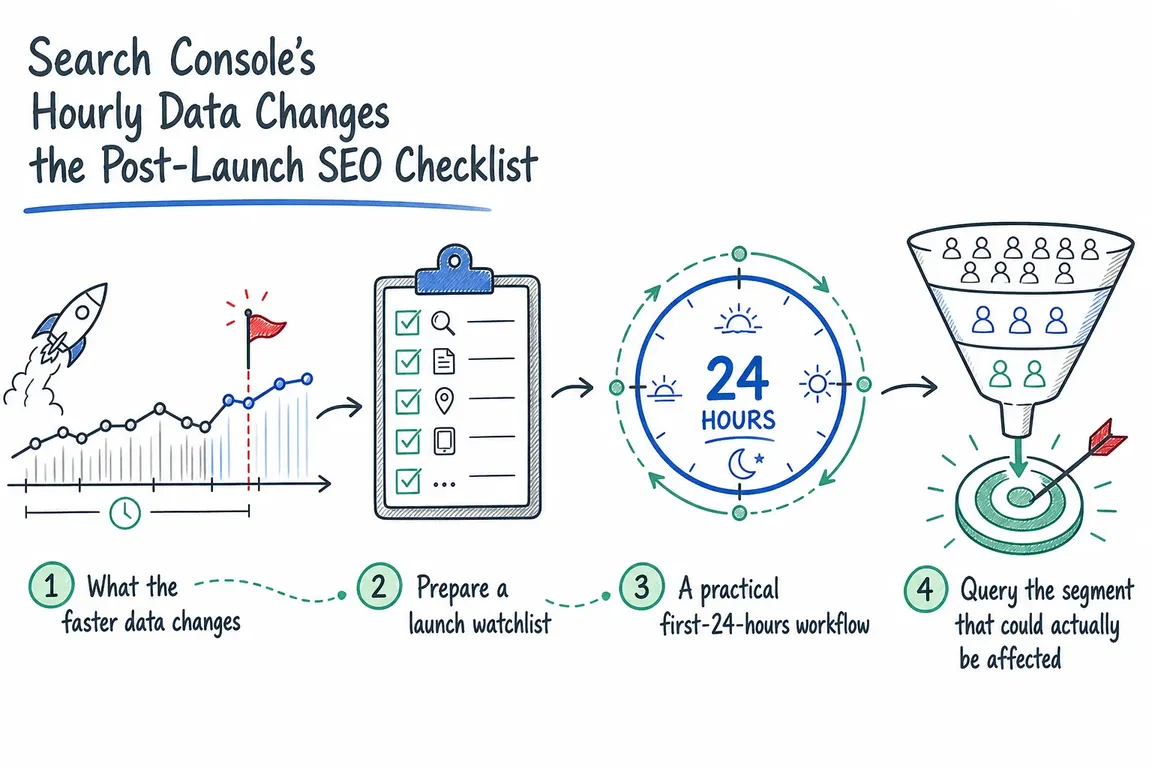
Search Console can now provide useful evidence within hours. Its Performance report includes a recent 24-hour view, while the Search Analytics API can return hourly data for up to 10 days. Combined with deployment records, chart annotations and URL Inspection, this gives business owners and delivery teams a practical way to spot search problems while a release is still fresh.
It is not real-time incident monitoring. Keep your uptime checks, analytics, server logs and automated tests. Search Console answers a different question: is the release beginning to affect how the changed pages perform in Google Search?
Use hourly data for releases that can affect search
Extra monitoring is worthwhile after a migration, redirect change, new page template, navigation rebuild, JavaScript rendering update, CMS upgrade or deployment involving canonicals, robots directives, metadata or sitemaps.
Do not start with a sitewide clicks chart. A large, diverse website can conceal a serious failure in one valuable section. Before release, prepare a watchlist containing:
- pages responsible for leads, sales or bookings;
- representative URLs from every affected template;
- old and new URLs involved in redirects;
- priority device types, countries and search result types;
- an unaffected group of pages to use as a comparison.
Record the expected behaviour and a comparable baseline. The same weekday and hour from the previous week is generally more useful than an arbitrary daily average, although campaigns, seasonality and news can still distort the comparison.
A first-24-hours launch checklist
| When | Check | Escalate when | Likely action |
|---|---|---|---|
| Before release | Priority URLs, redirects, canonicals, robots rules, sitemaps and analytics | The build differs from the approved plan | Correct it before deployment |
| Immediately after | HTTP status, rendered content, metadata and important internal links | A critical page fails, redirects incorrectly or becomes non-indexable | Roll back or issue a targeted fix |
| First available hours | Hourly impressions and clicks for affected segments | A sustained break appears only in changed pages, devices or markets | Inspect representative URLs and deployment changes |
| Following day | Whether the signal remains as incomplete data settles | The decline persists and technical evidence supports it | Fix, verify and document the incident |
| After a fix | Live accessibility, sitemap state and subsequent search performance | Google still cannot access or render the corrected page | Recheck the implementation before requesting recrawl |
Query the part of the site that actually changed
The API is most useful when the request matches the release scope. This example returns hourly data for one important mobile page:
{
  "startDate": "YYYY-MM-DD",
  "endDate": "YYYY-MM-DD",
  "dimensions": ["HOUR"],
  "type": "web",
  "dataState": "HOURLY_ALL",
  "dimensionFilterGroups": [{
    "groupType": "and",
    "filters": [{
      "dimension": "page",
      "operator": "equals",
      "expression": "https://www.example.com/pricing/"
    }, {
      "dimension": "device",
      "operator": "equals",
      "expression": "MOBILE"
    }]
  }],
  "rowLimit": 24
}
Search Analytics interprets request dates in Pacific Time. Hourly timestamps include an offset, while response metadata uses the America/Los_Angeles time zone. Convert timestamps before comparing them with a European deployment log.
Recent hourly figures can be incomplete. The API may return metadata.first_incomplete_hour; values from that point onward can still change noticeably. Label them as provisional rather than treating a weak final hour as a confirmed loss. The API is also subject to Search Console’s internal limits and may return top rows rather than every query or page combination.
Turn an early signal into evidence
A single weak hour is not an SEO incident. First determine whether the change continues across several hours, is concentrated in the released pages and is absent from the comparison group. Check analytics, uptime monitoring and application logs for corresponding changes.
If the signal remains credible, inspect representative URLs. Compare Google’s indexed information with a live test, then review the returned HTML, HTTP response, loaded resources, JavaScript output and rendered screenshot where available. This can reveal an accidental noindex, blocked resource, failed rendering or unexpected redirect.
Be careful with a successful live test. It shows that Google’s inspection crawler can access and parse the current page; it does not guarantee indexing. The live test cannot predict every condition, including Google’s eventual canonical selection or whether a page will be treated as a duplicate.
Document the release without leaking sensitive details
Add a Search Console annotation so future reviewers can connect the chart with the release. Annotations accept up to 120 characters, attach to a date and are visible to everyone with property access. Keep the exact timestamp, ticket number and technical detail in your deployment log; use a short chart note such as “Pricing templates released — deploy 1842.” Never include credentials, personal data or confidential incident information.
Fix first, then request recrawling
After correcting the underlying problem, run the live test again. Request indexing for a few high-priority URLs only after they pass your checks. For many changed pages, update or submit the sitemap with accurate lastmod values. Google does not guarantee immediate crawling or indexing, and repeating the same request will not make it happen faster.
Give post-launch SEO a named owner
Before deployment, agree who watches the data, how long monitoring continues, what qualifies as an incident and who can approve a rollback. Agencies should also make clear whether their responsibility stops at detection or includes diagnosis and developer coordination.
If your team needs a dependable release process rather than another dashboard, Greg can help define the watchlist, responsibilities and practical Search Console runbook.
Related on GrN.dk
- JavaScript-Heavy Service Pages Still Lose Leads: What to Audit in 2026
- Google’s 2026 AI Search Guidance: SEO Still Matters, but Reporting Has Changed
- Google’s AI Search Toggle Is a Publishing Decision, Not an SEO Setting
Need help with this kind of work?
Plan a safer website launch with Greg Get in touch with Greg.