By Greg Nowak. Last updated 2026-09-01.
A sales meeting does not end when Teams or Google Meet closes. Afterwards, someone has to document what was agreed, assign responsibility, set a deadline, update the deal and write to the customer. When that task is left to each salesperson, the result is often delayed and inconsistent. Some CRM records are thorough. Others are missing half the information.
Could your business use this? nowa.dk sets up AI automation for Danish companies.
AI can take on much of this writing. It can prepare the meeting notes, identify next steps and draft an email. But it should not decide on its own which customer the meeting concerns, move a deal or write directly to the CRM.
A more operationally reliable division of labour is straightforward: AI produces a structured proposal. Standard validation code checks identity, ownership, pipeline stage and required fields before anything is saved.
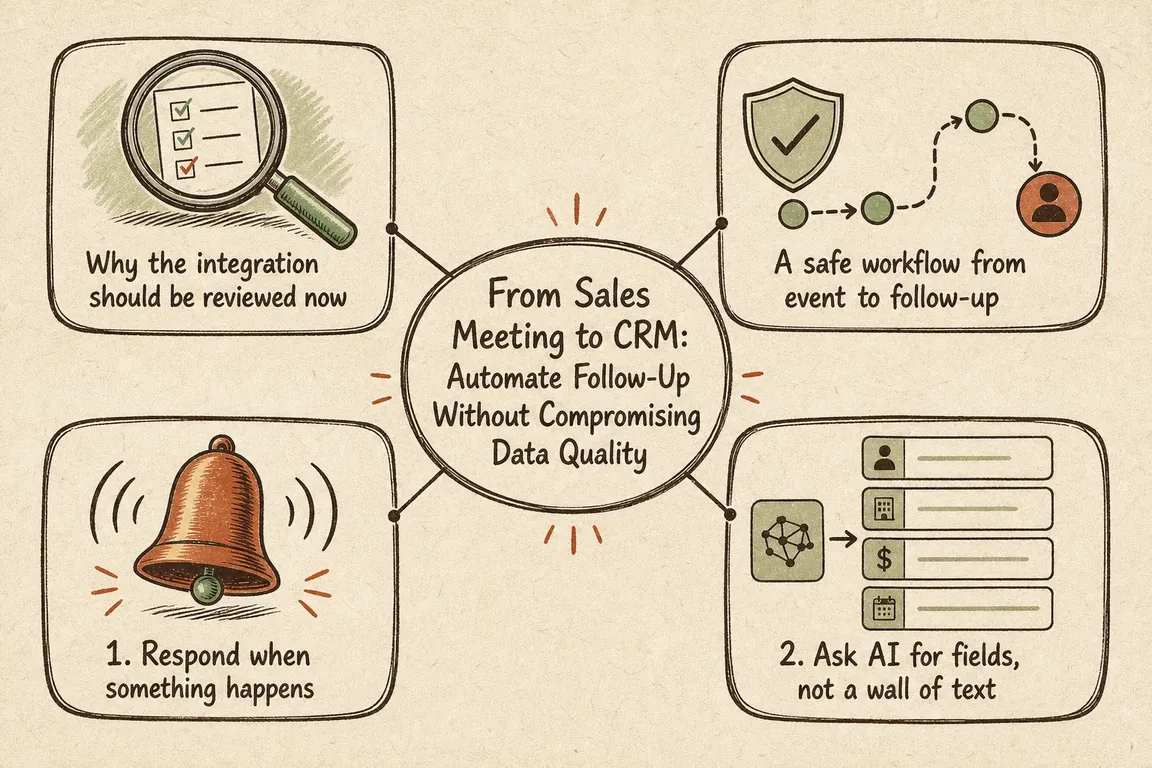
Why the integration should be reviewed now
HubSpot is changing the conditions for API writes with API version /2026-09/, due for release on 8 September 2026. According to HubSpot’s description of the change, administrators’ rules will be enforced across the CRM system’s write APIs. This includes conditionally required properties, requirements when creating records and user-based permissions to modify associations.
An integration may therefore begin receiving validation errors for writes that previously went through. This does not necessarily indicate an API fault. If an administrator has made the close date mandatory when a deal is moved to won, for example, HubSpot will reject an integration that sends only the new pipeline stage.
At the same time, HubSpot has expanded its options for working with real-time data. The August 2026 update introduces webhook data sources for Data Studio and support for app objects in workflow actions for CRM associations, among other features. This enables more event-driven workflows. It also places greater demands on the data model and on controlling what the integration writes.
A safe workflow from event to follow-up
| Step | System task | Checkpoint |
|---|---|---|
| 1. Event | Record that a meeting, meeting summary or relevant email reply is available | Is the event genuine, new and relevant? |
| 2. AI draft | Extract a summary, decisions, next action and email draft | Are the fields structured, and is uncertainty visible? |
| 3. Matching | Find the contact, company, deal and owner | Is there exactly one reliable match? |
| 4. Validation | Check field types, permitted values and CRM rules | Are all requirements met with the assigned permissions? |
| 5. Write | Save approved changes and create the task | Have the outcome, warnings and errors been logged? |
| 6. Follow-up | Prepare or send the email according to the chosen approval rule | Do the recipient, commitments, dates and responsibilities match the meeting? |
1. Respond when something happens
An event-driven workflow starts when a relevant system reports that something has happened. In Microsoft 365, an integration can subscribe to changes through Microsoft Graph. Microsoft’s webhook documentation includes subscriptions to new and updated messages in an inbox. This allows the integration to respond to a customer’s reply without constantly checking for new mail.
The webhook is critical infrastructure and should be treated accordingly. Microsoft requires a publicly accessible HTTPS endpoint, and the recipient must respond quickly. If processing takes longer, Microsoft recommends validating the event, placing it in a queue and returning 202 Accepted. Subscriptions must be renewed, and the received clientState must be verified. Otherwise, the solution risks both losing events and accepting false notifications.
Google Workspace uses a different mechanism, but the underlying principle is the same. The Google Workspace Events API delivers events through Google Cloud Pub/Sub. Supported Google Meet events include conferences, participant sessions, recordings, smart notes and transcripts.
Subscriptions have a limited lifetime. According to Google, subscriptions with resource data can last for up to four hours, or 24 hours with domain-wide delegation. Without resource data, a subscription can run for up to seven days. Renewal and lifecycle-event handling must therefore be built into the solution from the outset.
2. Ask AI for fields, not a wall of text
A long meeting summary may be easy to read, but it is difficult to use in subsequent automation. Instead, ask the AI component for a fixed set of fields: a short summary, participants, decisions, open questions, next action, person responsible, deadline, proposed pipeline stage and a draft follow-up email.
Every field must be allowed to remain empty. If the meeting does not specify a deadline, the integration should flag the item for clarification. The model should not invent a date simply to complete the form.
Keep the original meeting source separate from the AI draft as well. This allows the employee to see what was actually said and what the model inferred. AI handles the language task it is well suited to. Business rules remain in code and the CRM configuration, where they can be tested and explained.
3. Find the right customer before changing the CRM
A name is rarely a reliable key. Companies can have almost identical names, a contact may work for several businesses, and the same meeting may concern multiple deals.
Start with strong signals: a CRM ID, a participant’s verified email address, a calendar association or an already known email thread. Weaker signals can be used to suggest candidates, but not to select one automatically.
If the integration finds several possible records, it should stop at the draft stage. A simple approval view can display the meeting, the possible CRM records and the proposed changes. It costs an extra click, but that is a small price compared with attaching notes, activities and commitments to the wrong customer.
4. Put a validation gate in front of the CRM
Before every write, the integration must retrieve or know the current field specification. It must check data types, permitted values, required fields and conditional requirements. When records are created, this validation also applies to required associations.
If the integration uses user-level OAuth, the user installing it must have permission to modify associations. If the user does not have that permission, the action should not fall within the integration’s responsibilities either.
A rejection must not trigger a blind repeat of the same request. HubSpot recommends that the integration interpret the validation error, examine the portal’s current configuration and only retry once the data has been corrected. For the user, the error should become a concrete task, such as: Close date is missing for the selected stage.
Successful responses also deserve attention. The new HubSpot version may normalise certain date values and return a warning. Log both errors and warnings. A success flag does not always tell the whole story.
Start with the lowest-risk follow-up
The first version does not need to send emails or move deals automatically. A sensible pilot can create an AI-generated draft of the meeting notes, suggest the next action and prepare an email for the employee’s approval.
Once customer matching, validation and error handling work reliably, the most unambiguous actions can be automated. OAuth access should also be limited to the resources and write operations the workflow actually uses. Permission to read a relevant meeting result is not, in itself, a reason to grant access to every file or every CRM object.
For Danish companies looking to turn this process into a practical integration, nowa.dk can help map the workflow from calendar and inbox to CRM, define the AI’s structured output and build the validation gate around it. Greg can serve as the hands-on freelance operator who makes the systems and decision rules work together. The aim is a workflow in which clear-cut decisions are processed quickly, while genuine uncertainty reaches the right person.
Measure the quality of the handoffs
The number of clicks saved reveals only the improvement in speed. Also track how many events are processed, how often a customer match requires approval, which CRM rules trigger rejections and whether subscriptions are renewed correctly. This shows where the workflow actually breaks down and what should be improved next.
Good sales automation consists of several small, controlled handoffs. The event starts the process. AI organises the content. Rules protect the CRM data, and a person makes the decision when the available information is ambiguous. This makes follow-up faster without sacrificing data quality.
Related on GrN.dk
- Google’s August 18, 2026 Content API Cutoff: Feed Cleanup Before Merchant API Migration
- Montørens talenote skal blive til en arbejdsordre – ikke rå lyd
- Drupal 10's December 2026 Deadline: Start With the Upgrade Inventory
Need help with this kind of work?
Get Your Digital Workflow Under Control Get in touch with Greg.










