By Greg Nowak. Updated 4 September 2026.
Old SFTP integrations rarely announce themselves as technical debt. They quietly move payroll files, supplier orders, reports and client exports—until an operating-system update changes the SSH behaviour underneath them.
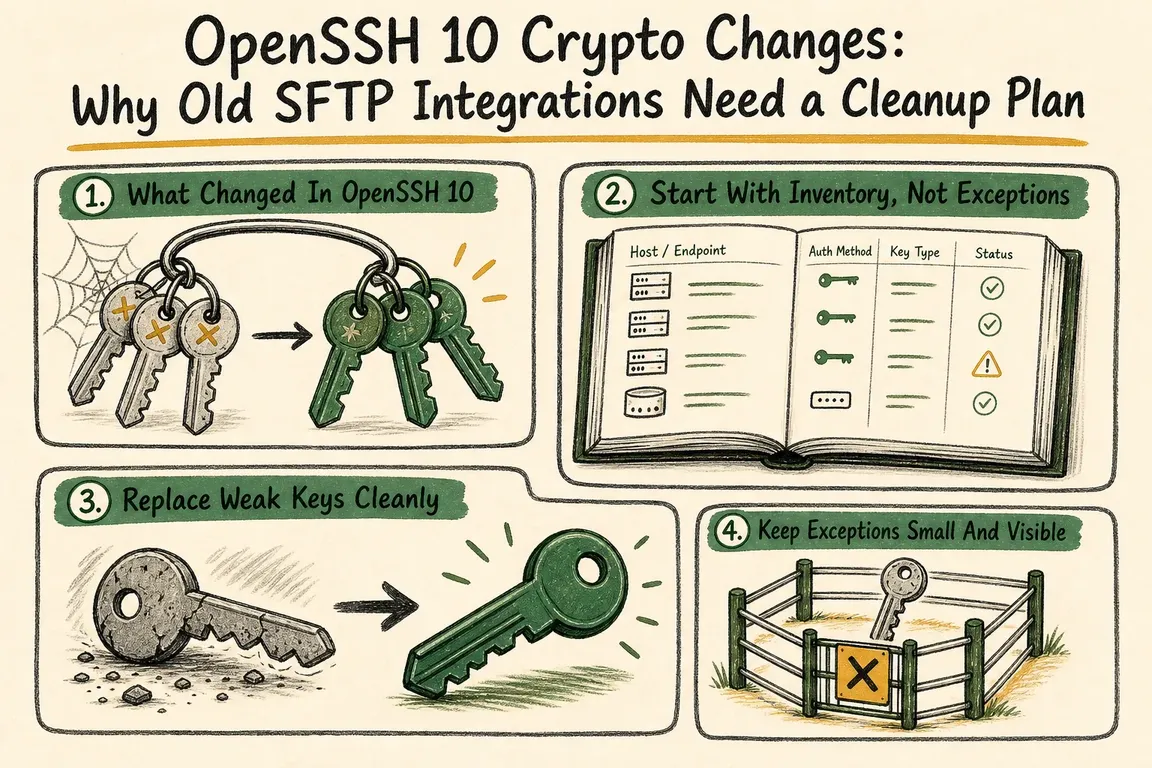
OpenSSH 10 makes several of those hidden dependencies easier to find. The useful response is not to restore every retired algorithm globally. It is to identify the business-critical transfers, determine exactly what each connection negotiates and give every temporary exception an owner and an end date.
What changed in OpenSSH 10?
OpenSSH 10.0 removed DSA signature support, completing a deprecation process that began in 2015. If an integration still authenticates with a DSA key, replace the key rather than trying to preserve it.
The same release removed finite-field Diffie-Hellman methods from the OpenSSH server’s default KexAlgorithms list. The client defaults did not change in the same way, so a client upgrade and a server upgrade can produce different compatibility problems.
OpenSSH 10.1 began warning when a client negotiates key exchange without post-quantum protection. A successful transfer can therefore produce a warning that deserves investigation. OpenSSH recommends upgrading or reconfiguring the server to offer a supported hybrid method such as mlkem768x25519-sha256 or sntrup761x25519-sha512.
OpenSSH 10.3 removed compatibility for implementations that cannot rekey, and 10.4 made post-authentication key exchange stricter. A connection to a brittle appliance may consequently start correctly and fail only after enough time or data triggers rekeying.
As of this update, the current release is OpenSSH 10.5, released on 11 August 2026. Patch to a current package before drawing conclusions from migration tests: 10.4 and 10.5 include security and reliability fixes beyond the headline crypto changes.
| Observed signal | What it usually means | Next safe action |
|---|---|---|
| DSA key is rejected | Authentication depends on retired key material | Issue a replacement key and test the complete job |
| Post-quantum warning | The server offered no supported hybrid key exchange | Check server version and policy before suppressing it |
| No matching key exchange method | Client and server have no mutually enabled KEX | Inspect both configurations; scope any exception to one host |
| Login works, scheduled transfer fails | The job uses another account, key, config or environment | Reproduce the scheduler’s real execution context |
| Large transfer fails part-way through | The remote implementation may mishandle rekeying | Test with a realistic file and escalate to the server owner |
Build an inventory before changing policy
Start with the transfer, not the server list. Record the hostname and port, business process, data owner, technical owner, partner contact, schedule, direction of transfer, authentication key, expected files and acceptable recovery time. An unused endpoint and a payroll feed should not receive the same migration effort.
On the machine that actually runs the job, capture the client version, supported algorithms and effective per-host configuration:
ssh -V
ssh -Q kex
ssh -Q HostKeyAlgorithms
ssh -Q PubkeyAcceptedAlgorithms
ssh -G partner-legacy-sftp
The -Q results show what the installed client supports, not what a connection will necessarily negotiate. The ssh -G output shows the configuration after Host and Match rules have been evaluated.
Next, exercise the actual protocol with verbose diagnostics and non-interactive authentication:
sftp -vvv -oBatchMode=yes partner-legacy-sftpRun that test as the service account and from the same container, runner or scheduled-job environment used in production. Then perform a controlled upload and download with a harmless fixture file. Check the exit status, remote filename, size, permissions and any rename or archive step; a successful handshake does not prove the workflow succeeded.
Replace DSA keys without creating a mystery cutover
Ed25519 is a sensible default when the partner supports it. Some older commercial systems may instead require an RSA key with RSA-SHA2 signatures. Do not confuse an RSA key with the obsolete ssh-rsa SHA-1 signature algorithm: compatibility depends on what signatures both ends support.
ssh-keygen -t ed25519 -f ~/.ssh/vendor_sftp_2026 -C "vendor-sftp-2026"Install the new public key alongside the old one where possible, test it explicitly, switch the scheduled job, monitor at least one normal business cycle and then remove the old authorisation. Confirm any changed server host-key fingerprint with the partner through a trusted channel; deleting a known_hosts entry and accepting whatever appears is not a migration plan.
Pin unattended jobs to the intended identity:
Host partner-legacy-sftp
    HostName sftp.partner.example
    User upload
    IdentityFile ~/.ssh/vendor_sftp_2026
    IdentitiesOnly yes
    BatchMode yes
IdentitiesOnly yes prevents a job from appearing healthy merely because an agent offered another valid key.
Keep unavoidable exceptions narrow
If a partner cannot yet provide post-quantum key exchange, OpenSSH 10.1 and later can silence that specific warning for that specific destination:
Match host partner-legacy-sftp
    WarnWeakCrypto no-pq-kex
This accepts a risk; it does not repair the server. Record the reason, approving owner, partner ticket and review date. Do not place the setting under Host *, and do not distribute it to older clients that do not recognise the option without testing your configuration-management approach.
What a finished cleanup should leave behind
A useful cleanup ends with fewer unknowns: supported keys, verified host identities, current software, host-scoped exceptions, realistic transfer tests and monitoring for failed exits or missing expected files. It should also identify who calls the partner when an external endpoint remains obsolete.
If your SFTP estate spans vendors, client accounts and unattended jobs, Greg can turn the audit and cutover into a contained delivery project. Talk to Greg about planning the cleanup.
Related on GrN.dk
- NGINX 1.30 changed upstream connection reuse: what to check before you upgrade
- Agentic AI: What It Is, How It Works, and When to Use It
- Cloudflare Service Keys Stop in September: Find Every Caller
Need help with this kind of work?
Plan your SSH and SFTP cleanup Get in touch with Greg.