By Greg Nowak. Last updated 2026-10-18.
A supplier’s price file should be a routine upload. It becomes an operational problem when a changed delimiter shifts the columns, a product code loses its leading zeros, or a retry creates duplicate records. Choosing a PHP CSV parser matters, but so does deciding what happens before the importer changes live data.
My starting point is simple: who controls the file, and what would a bad import cost? For business owners, operations leads and agency teams, those answers are more useful than a library’s shortest code example.
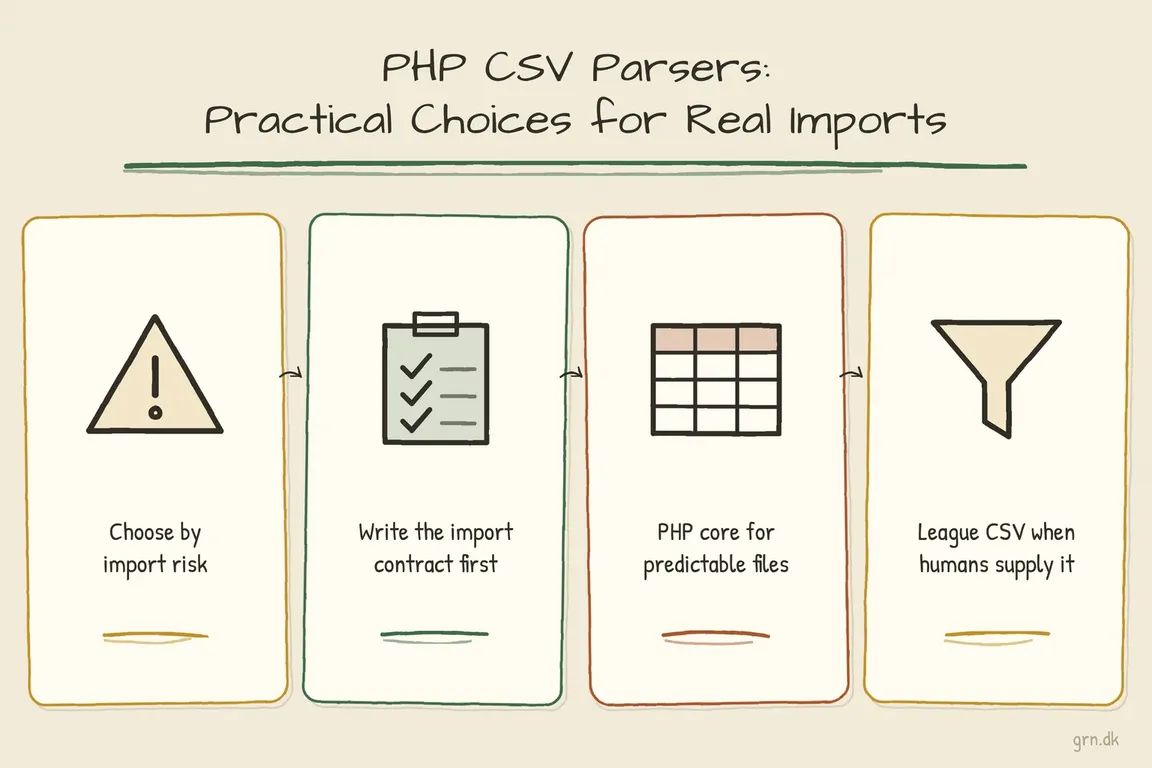
Which PHP CSV parser fits your workflow?
| Your situation | Starting point | What to build around it |
|---|---|---|
| A controlled export with fixed headings | fgetcsv() |
Explicit settings and strict validation |
| A recurring job that suits an iterator | SplFileObject |
Bounded batches and restart handling |
| Supplier files or customer uploads | League CSV | Header checks, encoding handling and preview |
| An existing ParseCsv integration or exploratory intake | ParseCsv | Confirmed settings and runtime compatibility checks |
Agree on the import rules first
Get representative files, including awkward ones, before estimating the implementation. Document the delimiter, encoding, headings, date and decimal formats, file limits and duplicate policy. Decide whether users may reorder columns and whether unexpected columns should block the upload.
Then settle the business questions: does an unknown SKU create a product? Does a blank price leave the existing value unchanged? Should one invalid row block the entire file? Keep identifiers such as SKUs and postcodes as strings so leading zeros survive.
These decisions belong in the acceptance criteria. Otherwise, spreadsheet cleanup and interpretation become recurring support work.
Use core PHP for predictable files
fgetcsv() is a sensible choice when you control the export. It reads records incrementally. The PHP manual recommends an explicit empty escape argument; relying on the default has been deprecated since PHP 8.4.
This example expects an agreed UTF-8 file without a byte-order mark (BOM), with fixed column order. It stops on a structural mismatch:
<?php
$handle = fopen('/path/to/import.csv', 'r');
if ($handle === false) {
    throw new RuntimeException('Cannot open the import file.');
}

try {
    $header = fgetcsv($handle, 0, ',', '"', '');
    if ($header !== ['sku', 'name', 'price']) {
        throw new RuntimeException('Use the supplied CSV template.');
    }

    $recordNumber = 1;
    while (($row = fgetcsv($handle, 0, ',', '"', '')) !== false) {
        ++$recordNumber;
        if ($row === [null]) {
            continue;
        }
        if (count($row) !== count($header)) {
            throw new RuntimeException(
                "Record {$recordNumber}: expected three fields."
            );
        }
        $record = array_combine($header, $row);
        // Validate business values and stage the record here.
    }
} finally {
    fclose($handle);
}
This is a parsing skeleton: business validation and persistence still need implementing. Record numbers can differ from physical line numbers when quoted fields contain line breaks.
For an iterator-based implementation, preserve the same explicit controls using SplFileObject::setCsvControl():
$file = new SplFileObject('/path/to/import.csv', 'r');
$file->setCsvControl(',', '"', '');
$file->setFlags(SplFileObject::READ_CSV);
Handle blank records and validate headings and field counts in the loop. With either approach, avoid accumulating every parsed record in memory; keep database batches bounded too.
Use League CSV for supplier and customer uploads
I would usually evaluate league/csv first when people outside the development team supply files. For a current 9.x installation:
composer require league/csv:^9.0use League\Csv\Reader;
$csv = Reader::from('/path/to/import.csv', 'r');
$csv->setHeaderOffset(0);
foreach ($csv->getRecords() as $offset => $record) {
// Validate mapped values before staging them.
}The Reader documentation explains an important tradeoff: duplicate headings trigger an exception when used, but mapped records are normalized to the header width. Missing fields become null; extra fields are truncated. If extra columns must cause rejection, check raw record widths in a separate pass without header mapping before processing mapped records.
Reader skips an input BOM by default, but BOM removal does not itself convert character encoding. Use the documented encoding conversion facilities for known source encodings. Show users a preview of headings and sample values before committing an unfamiliar supplier file.
Where ParseCsv still makes sense
ParseCsv offers delimiter detection and encoding conversion, which can help with an existing integration or unfamiliar files:
composer require parsecsv/php-parsecsvIts official README explicitly confirms compatibility through PHP 8.3. That does not establish incompatibility with later versions; test your actual runtime and representative files. I would use automatic detection to suggest settings for confirmation, then save those settings for the supplier’s future imports.
Make failure understandable and retries safe
Before launch, agree on these operational details:
- Preview and stage. Validate before applying live changes. Show counts of records to create, update, skip or reject.
- Explain errors precisely. Include the record, field, expected format and commit status. For example: “Record 18, price: expected a decimal such as 12.50. No changes applied.” Limit sensitive values in reports.
- Define retry behaviour. Use stable business keys and an import identifier, and record completed work so rerunning a failed batch does not repeat its changes.
- Leave a useful handover. Document ownership, retention, parser settings and recovery steps. Test duplicate headings, extra columns, quoted line breaks, encoding differences and interrupted jobs.
If imports regularly need manual spreadsheet repair, start by reviewing one troublesome file and its journey into your system. I can help scope the fixes, coordinate implementation and give your team a clearer recovery process.
Related on GrN.dk
- AI automations need a spend dashboard before the first runaway bill
- Before an AI Assistant Issues a Refund, Put Approval in Its Path
- Browser Automation for Operations and Agency Teams: What Should You Automate?
Need help with this kind of work?
Review your CSV import workflow with Greg Get in touch with Greg.










