By Greg Nowak. Updated 25 August 2026.
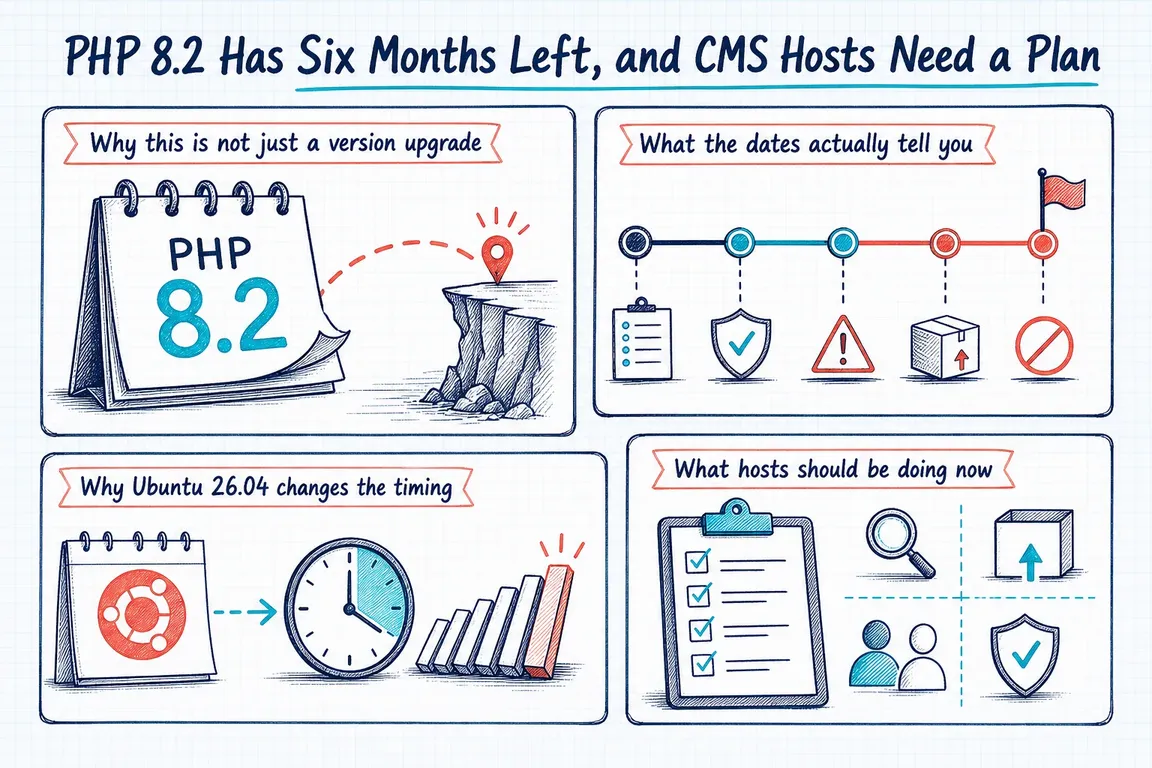
PHP 8.2 reaches end of life on 31 December 2026. That leaves roughly four months—not six—for CMS hosts, agencies, and site owners to move production workloads onto a longer-lived runtime.
The deadline does not mean every PHP 8.2 site will suddenly stop working in January. It means the PHP project will stop publishing security fixes for that branch. Operating-system vendors may backport selected patches under their own support policies, but that is not the same as continued upstream support. If PHP 8.2 remains in production, someone should explicitly understand and accept that dependency.
This is therefore less a version-number exercise than an operations project: identify what is running, choose a sensible destination, test the whole application stack, and retain a credible rollback path.
Choose the target version by workload
For a current WordPress estate, PHP 8.4 is the conservative default target. The WordPress Hosting Team recommends PHP 8.4 or later for production, and current WordPress releases support it. PHP 8.5 offers a longer upstream runway, but older WordPress versions, plugins, themes, and deployment tooling may narrow the practical choice.
Drupal needs a more deliberate decision. Drupal’s compatibility table shows that PHP support varies by Drupal minor release: current Drupal 11 releases support PHP 8.3 and 8.4, while PHP 8.5 support begins only with newer minors. Drupal 10 also has its own December 2026 end-of-life deadline, so moving an old Drupal installation to a new PHP runtime without addressing the CMS upgrade may only exchange one deadline for another.
| Estate | Likely target | Check before committing |
|---|---|---|
| Current WordPress | PHP 8.4; consider 8.5 | WordPress version plus every active plugin, theme, must-use plugin, and integration |
| Drupal 11 | PHP 8.4, or 8.5 on a compatible minor | Exact core minor, Composer dependencies, contributed modules, Drush, and database requirements |
| Drupal 10 | Plan PHP and Drupal upgrades together | Drupal 11 readiness and the separate Drupal 10 end-of-life date |
| Custom or legacy PHP | Highest version proven in staging | Framework support, private packages, extensions, scheduled jobs, and deprecation logs |
Inventory more than the public website
A server can present one PHP version through the web server while cron, Composer, deployment scripts, and administrators use another CLI binary. Containers and separate PHP-FPM pools add more places for configuration to diverge.
Start with a short evidence-gathering pass. Run commands under the same account and inside the same container or execution environment used by the application:
php -v
command -v php
php --ini
php -m | sort
composer check-platform-reqs
systemctl list-units --type=service 'php*-fpm.service'
composer check-platform-reqs checks the real PHP version and installed extensions against the requirements of installed packages. It is useful, but it cannot validate plugin behaviour, custom code, external services, or code paths that a dependency has not declared correctly.
Record the web-facing runtime, CLI runtime, FPM pools, enabled extensions, relevant php.ini values, cron entries, systemd timers, queue workers, deployment hooks, and monitoring checks. For an agency, map each application to an owner and maintenance window as well. A technically ready migration can still stall when nobody knows who may approve it.
Test the application, not just PHP startup
A successful php -v proves almost nothing about a CMS. Build staging from production-like code, configuration, extensions, and representative data. Update the CMS and dependencies to supported patch levels before blaming the new runtime for defects already fixed upstream.
Then exercise the paths that matter to the business: login, editing and publishing, forms, search, media processing, email, scheduled publishing, payment or booking flows, imports, exports, API integrations, cache clearing, backups, and CLI jobs. Review PHP, web-server, CMS, and worker logs for warnings and deprecations as well as fatal errors.
For shared hosting, test representative site groups rather than assuming one clean WordPress installation proves the whole fleet. A brochure site, WooCommerce shop, multilingual site, Drupal application, and older custom integration expose different failure modes.
Make rollback a real procedure
Upgrade lower-risk sites first, observe them, and expand in batches. Before each change, document the previous runtime, package set, FPM configuration, deployment version, database backup or snapshot, cache actions, and the condition that triggers rollback.
“We can switch PHP back” is not enough if a deployment also updates Composer dependencies or changes the database. Decide whether the change is runtime-only or a coordinated application release, and make the restoration steps match that scope. Confirm monitoring and an accountable person are available after the maintenance window.
Should Ubuntu 26.04 be part of the same project?
Ubuntu 26.04 LTS is now available and receives standard security maintenance into 2031, making it a reasonable new baseline. It does not make an immediate operating-system migration mandatory.
Combining OS, PHP, database, and CMS changes may reduce duplicated planning, but it also increases the number of variables during diagnosis. A new host or parallel environment can make the combined move manageable. An in-place production upgrade may be safer when separated into observable stages. Choose based on rollback complexity, not calendar neatness.
Turn the deadline into a managed change
By now, every PHP 8.2 workload should have an owner, target version, staging result, production window, and rollback plan. Anything still on PHP 8.1 or earlier belongs in the exception register immediately.
If your estate spans client sites, CMS versions, hosting accounts, and undocumented jobs, Greg can help turn that uncertainty into an inventory and staged migration plan. The aim is straightforward: make the production change routine, measurable, and recoverable. Talk to Greg about coordinating your PHP upgrade.
Related on GrN.dk
- MariaDB 10.6 EOL: quiet CMS hosting debt needs a real upgrade plan before July 2026
- CMS Upgrades in 2026: Choosing PHP for WordPress and Drupal
- Drupal CMS 2.0 Speeds Marketing Site Rebuilds, but It Is Not Autopilot
Need help with this kind of work?
Plan your PHP migration with Greg Get in touch with Greg.