By Greg Nowak. Updated 30 October 2026.
MariaDB 10.6 reached community end of life on 6 July 2026. If it still powers your WordPress or Drupal site, the deadline has passed. The site may continue taking orders and publishing content, which makes the unfinished upgrade easy to overlook.
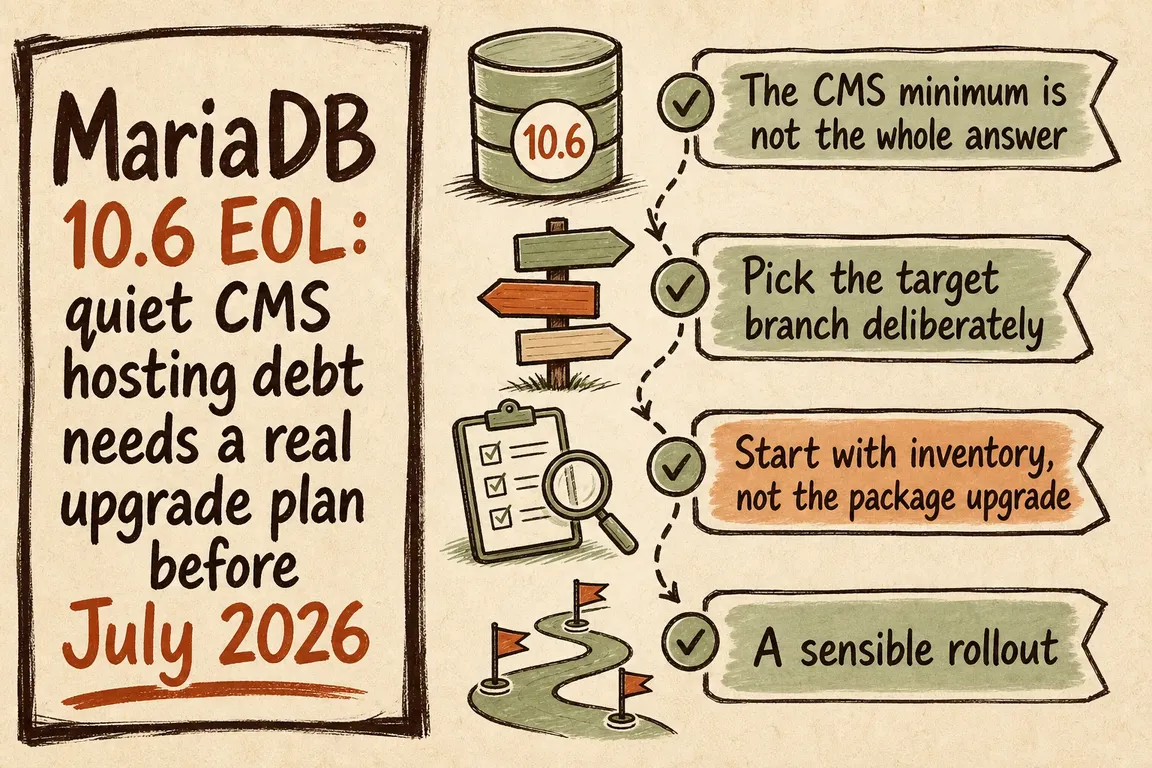
For a business owner, the useful next step is a scoped maintenance project: establish who provides database security updates, choose a supported destination, rehearse the change and agree how recovery will work. For an agency, start by identifying every client sharing the affected server.
First, establish what support you actually have
Community EOL and the end of every commercial support arrangement are different dates. MariaDB lists separate Enterprise and Extended maintenance periods. A host may also provide maintained packages through another supplier. Ask for the exact package, who supplies security fixes and when that coverage ends. A reassuring “we support MariaDB” does not answer those questions.
If nobody can identify that coverage, assign an upgrade owner and a delivery date. Working pages are evidence of availability; they tell you little about future patching.
Check the CMS roadmap before choosing a database
WordPress now recommends MariaDB 10.11 or newer, rather than the 10.6 recommendation quoted in the earlier version of this article. That recommendation still needs checking against your plugins, custom code and hosting platform.
Drupal's documented MariaDB minimums are 10.3.7 for Drupal 10, 10.6 for Drupal 11 and 10.11 for Drupal 12. Drupal also requires InnoDB as the primary storage engine and the PDO database extension. These are compatibility thresholds, not promises that each database branch remains maintained. Include the next CMS upgrade in your decision.
Compare maintenance dates, not just version numbers
Shortlist branches your host maintains and your application can pass testing on. The dates below come from MariaDB's maintenance policy; the selection guidance is a practical starting point, not a blanket compatibility guarantee.
| MariaDB branch | Listed community maintenance end | When to consider it |
|---|---|---|
| 10.11 LTS | 16 February 2028 | A documented upgrade path from 10.6 where the remaining maintenance window is sufficient. |
| 11.4 LTS | 29 May 2029 | A longer maintenance window, subject to host and application checks. |
| 11.8 LTS | 4 June 2028 | When platform support or application needs favour this branch. |
| 12.3 LTS | 12 June 2029 | A newer option requiring compatibility review and a rehearsed upgrade path. |
Use the latest appropriate maintenance release within the chosen branch. If switching to MySQL is also being considered, scope it separately: changing database products adds compatibility questions beyond the MariaDB version upgrade.
Build an inventory the host and agency can both use
Start with these read-only queries in an authenticated database session, or ask the host to return the results:
SELECT VERSION(), @@version_comment;
SHOW VARIABLES LIKE 'character_set_server';
SHOW VARIABLES LIKE 'collation_server';
SHOW VARIABLES LIKE 'sql_mode';
Record the operating system, package source, database size, CMS versions and all sites using the server. Include reporting tools, imports, scheduled jobs and integrations that connect directly. Server defaults alone do not establish the character sets and collations of existing tables, so inspect those where relevant.
For each site, name the person who can approve a maintenance window and the person who can test its business functions. On shared hosting, confirm whether the provider upgrades one account or a whole database service.
Rehearse with a restored copy
A successful backup job is only the beginning. Restore a recent backup into isolated staging, measure the restore time and rehearse the intended production procedure. Prevent staging from sending customer emails, taking real payments or triggering live integrations.
Follow the guide for the exact source, target and platform. For example, MariaDB's 10.6-to-10.11 instructions cover repository changes, replacement packages, configuration review and running mariadb-upgrade after starting the new server. With local socket authentication, the documented command is sudo mariadb-upgrade. A managed host should perform the corresponding provider-controlled steps.
Test login, editing, search, forms, checkout or donations, scheduled tasks and imports. Exercise writes as well as page views. Compare important query timings and inspect application and database logs. Record failures, fixes and the actual elapsed time before booking production.
Decide what rollback means for new orders
MariaDB does not officially support major-version downgrades. Reinstalling 10.6 over an upgraded data directory is not a recovery plan. Prepare and test restoration of the pre-upgrade state on a compatible server.
The business decision is what happens to data written afterwards. Restoring an earlier backup can remove new orders, submissions and editorial changes. Agree when writes will pause, how background jobs will stop, who can trigger rollback and how any later transactions would be reconciled. Keep the rollback window bounded so uncertainty does not grow throughout the day.
Give production cutover a clear finish line
Use the rehearsed sequence, take the final recoverable backup and assign one person to make the proceed-or-restore decision. Define the acceptance checks before work starts. After reopening the site, watch errors, slow queries, queues and failed integrations through a representative operating period.
For an agency portfolio, upgrade a representative lower-risk site first, then group similar sites and handle exceptions separately. Leave each client with a record of the installed version, maintenance end date, backup location and next review owner.
Get the upgrade scoped and coordinated
Greg can help establish the current state, compare target versions, coordinate the host and agency, and turn testing and recovery requirements into an actionable plan. The scope should make responsibilities, dependencies and acceptance checks clear before production work begins.
If MariaDB 10.6 is still underneath your CMS, talk to Greg about planning the upgrade. Your current database version, hosting provider and list of affected sites are enough to start the conversation.
Related on GrN.dk
- PHP 8.2 Is Near End of Life: A Practical Upgrade Plan for CMS Hosts
- CMS Upgrades in 2026: Choosing the Right PHP Version for WordPress and Drupal
- PHP 8.2 Support Ends in December: Audit Your CMS Estate
Need help with this kind of work?
Talk to Greg about your database upgrade Get in touch with Greg.