By Greg Nowak. Last updated 2026-06-24.
Exporting and importing Drupal 7 content types used to be a small site-building chore: install a theme, copy a few structures, move on. In 2026 it needs a little more care. Drupal 7 is now a legacy platform, so the right question is not only “which module can copy this content type?” It is also “how do we avoid breaking a live site, preserve what the business needs, and keep the migration path open?”
This guide is for business owners, operations leads, and agency teams handling an inherited Drupal 7 site. The practical answer is still usually Bundle Copy for a one-off move, or Features for repeatable, version-controlled configuration. The difference is discipline: work on a staging copy, document every dependency, and treat the export as part of a controlled change, not a quick production experiment.
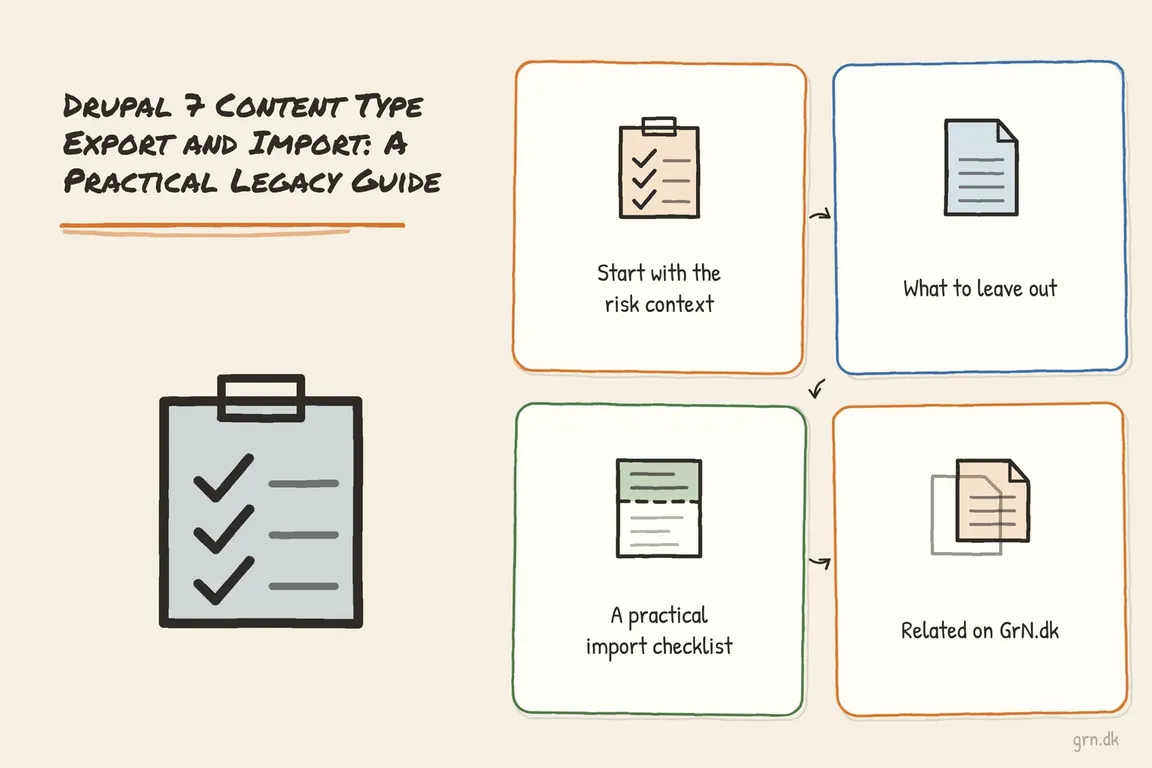
Start with the risk context
Drupal 7 community support ended on January 5, 2025. That does not mean every Drupal 7 site stopped working overnight, but it does change the operating model. Official support, packaging, security handling, and module maintenance are not what they were when many old tutorials were written. Some useful Drupal 7 modules have large install bases and long histories, but their current project pages may also show limited maintenance or no supported stable release.
Before copying content types, take a database backup, export the codebase, and confirm the target site has the same core version, contributed modules, field modules, text formats, image styles, entity reference setup, and theme assumptions. If the source content type depends on Field Collection, Display Suite, Media, Commerce, or custom widgets, a basic export can move the definition but still leave the target site missing behavior.
| Situation | Use | Why |
|---|---|---|
| One or two content types need to move between Drupal 7 sites | Bundle Copy | Fast, UI-based, and built for copying node types, fields, field groups, taxonomy, and related bundle structures. |
| An agency needs repeatable deployment between dev, staging, and production | Features | Creates a feature module that can be committed, reviewed, updated, and reverted programmatically. |
| The export includes site variables as well as fields | Features plus Strongarm | Strongarm handles Drupal variables that are not normal content type fields, such as selected site settings. |
| The project is really a rebuild or platform upgrade | Migration plan first | Use the Drupal 7 structures as discovery input; do not blindly preserve old information architecture. |
Option 1: Bundle Copy for a controlled one-off move
Bundle Copy remains the simplest tool when the job is “copy this content type from one Drupal 7 installation to another.” Its export and import links live in familiar admin areas such as admin/structure/types for node types. The module supports node types, taxonomy, users, Field API fields, and field groups, which covers many classic Drupal 7 theme-installation and site-copy scenarios.
The tradeoff is governance. Bundle Copy is convenient because it is a copy-and-paste workflow, but that also means changes can bypass code review. Use it on staging first. Export from the source, import into the target, clear caches, then inspect every field, widget, display formatter, permissions setting, and form display. Create a test node for each imported content type and check the edit form as well as the rendered page.
Be especially careful with the import permission. The project notes that non-user-1 imports require the PHP module permission use PHP for settings. On a legacy site, that is not a permission to hand around casually. Prefer user 1 on a locked-down staging copy, or use a tightly controlled temporary role and remove it immediately after validation.
Option 2: Features when the change must be repeatable
Features is the better fit when an agency team needs the same structure across environments. Instead of a one-time paste, Features packages site-building components into a module. That gives developers something they can put in Git, deploy, compare, update, and revert. It is more setup than Bundle Copy, but it is easier to audit later.
The old command-line habit is still useful if the site already has Drush and Features working. Start by asking the installation what commands it supports, because older Drupal 7 stacks vary:
drush help --filter=features
drush features
Then export only the components you actually need. A small feature for one content type is usually easier to maintain than a giant feature full of unrelated site settings:
drush features-export client_content_structure node:article field_base:field_subtitle field_instance:node-article-field_subtitle
drush features-update client_content_structure
drush features-revert client_content_structure
Treat those component names as examples, not universal values. Use the Features UI or Drush output from the actual site to identify the exact node, field base, and field instance components. If the content type depends on variables rather than fields, review Strongarm. It can export Drupal variables for use with Features, but its current support status means it should be handled as legacy tooling, not a fresh architectural choice.
What to leave out
Migrate, Importer, and old Drush snippets can be useful in the right context, but they are not the first answer for copying content type definitions. Migrate is excellent when you are moving content records into a planned destination model. It is not a clean substitute for exporting Drupal 7 bundle configuration. If the real project is “move this business workflow off Drupal 7,” build the destination content model deliberately and migrate content into it.
A practical import checklist
Before you import, confirm backups, module parity, field module availability, text formats, image styles, entity references, permissions, Views dependencies, and theme templates. After import, create test content, run update.php if required by enabled modules, clear caches, review logs, and ask the content owner to check the editing workflow. The success condition is not “the import completed.” It is “editors can create and publish the content without surprises.”
If you are maintaining Drupal 7 because the site still earns money or supports operations, it is worth separating emergency maintenance from the long-term plan. A small content type copy can be handled safely. A growing queue of Drupal 7 changes is usually a signal to plan migration, especially now that Drupal 7 to Drupal 11 migration paths are supported during Drupal 11's release cycle.
Greg can help turn an inherited Drupal 7 task into a controlled plan: what to copy, what to rebuild, what to retire, and how to move without putting the live site at unnecessary risk. For a second pair of technical eyes, get in touch before the next Drupal 7 change goes live.
Related on GrN.dk
- Drupal 8 Inline Responsive Images: Practical Setup for Legacy Sites
- Fixing the HTTPRL Core Drupal Network Configuration Error in Drupal 7
- Fixing Website Email Deliverability in 2026: What Business Websites Need to Get Right
Need help with this kind of work?
Get help with a Drupal 7 plan Get in touch with Greg.