By Greg Nowak. Last updated 2026-10-11.
A visitor knows what they need. They just don’t know what you call it. They search for a task, a problem or an occasion, and your site offers nothing useful because the catalogue uses different words.
For a webshop or a business with a lot of service content, that vocabulary gap is worth investigating. Customers should be able to find a suitable offering without first learning how you organise it. The practical question is where to use a simple synonym, where retrieval by meaning would help, and how to keep exact product codes working reliably throughout.
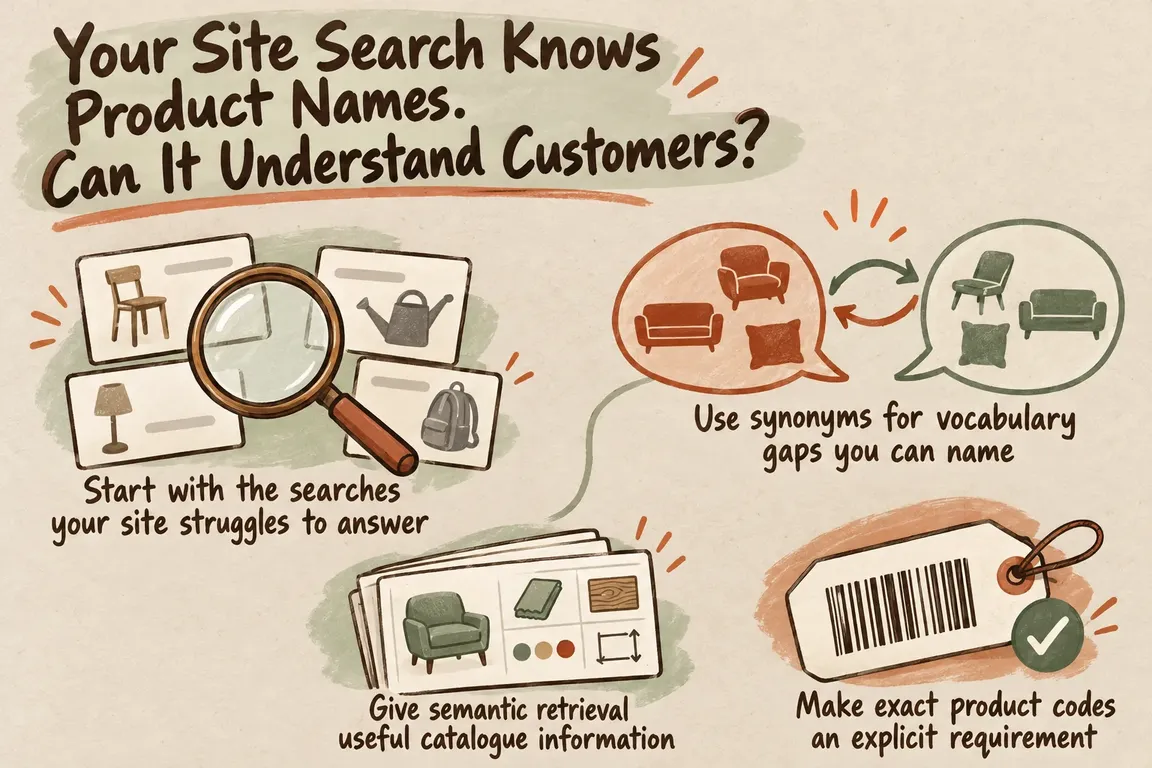
Start with the searches your site struggles to answer
Two recent developments give businesses a reason to revisit search relevance. Algolia introduced Adaptive Intent in June 2026, using behavioural evidence to represent frequent queries. Meilisearch updated its explanation of hybrid retrieval in August 2026. They address different parts of the problem; neither announcement tells you which approach will suit your catalogue.
Your own search logs are a better place to start, where they’re available. Look at searches that return nothing, but also those that return results and attract little engagement. Neither proves what went wrong. Check what the visitor asked for, what appeared, and whether you actually offer something that meets the request.
Then build a small set of queries you can use to judge changes. Include product names and exact identifiers, everyday alternatives, descriptions of intended use, and requests your business cannot fulfil. Have someone who knows the catalogue identify acceptable results without referring to the current ranking. Otherwise, you risk using the existing search to define what good search looks like.
Use synonyms for vocabulary gaps you can name
A known difference in terminology may need only an explicit synonym mapping. For example, a catalogue team might check whether customers search for “sofa” while its records use “couch”. That is an illustrative example, not a recommendation to add those terms to every catalogue. The mapping needs to fit your range and the language your customers use.
Check the scope before connecting two terms. Are they interchangeable across the whole range, or only within one category? Test both directions, too. A customer’s term for a broad product family may be an unsuitable substitute for a particular product type.
Start with a short, defensible list drawn from real queries. Give someone responsibility for maintaining it as the range and terminology change. An extensive list of guessed alternatives creates more work before you know whether it solves the problem.
| What the customer enters | What to investigate | What a successful result looks like |
|---|---|---|
| An exact product code | Explicit identifier matching and priority | The correct item and variant appear first |
| A known alternative product term | A reviewed synonym mapping | Equivalent terms find the intended range |
| A description of a task or need | Semantic retrieval within hybrid search | The results actually address the request |
| A frequent query with several valid meanings | Behavioural signals, where enough evidence exists | The results remain useful across those meanings |
| A request your business cannot fulfil | Relevance filtering and the empty-results response | Weak matches are not presented as suitable options |
Give semantic retrieval useful catalogue information
Semantic retrieval searches by meaning, which makes it relevant when a customer’s wording differs from your indexed content. Meilisearch’s AI-powered search guide explains how to configure an embedder and a document template. The template selects the fields used to create each document’s embedding, and the guide recommends keeping it concise and relevant.
Before configuring a prototype, look at what those fields contain. Does a product record explain what the item does, which category it belongs to and any relevant limitations? On a service page, can a reader tell which problem the service addresses and where its scope ends?
Keep verified information separate from suggested additions. If someone proposes adding an intended use, the catalogue owner should confirm it first. Then test whether the clearer descriptions help with difficult queries. Record field changes as you go, so you can tell whether an improvement came from better catalogue information or different retrieval settings.
Make exact product codes an explicit requirement
A complete product code is a precise request. Set the expectation before adding semantic retrieval: if that code belongs to an available item, the item should appear first.
Test closely related codes as well. Include punctuation, spacing and variant identifiers according to your catalogue’s conventions, and check the distinguishing details in the result. Finding the right product family is insufficient when the customer asked for a particular size or version.
Ask the implementer to explain how exact identifiers will receive priority, then demonstrate it with your own records. Depending on the architecture, that may involve ranking rules or a dedicated identifier lookup before broader retrieval. Better results for everyday language do not compensate for broken code searches; both requirements belong in the pilot’s acceptance criteria.
Hybrid search needs relevance tuning
Once keyword and semantic search both return results, you need a way to combine them. Meilisearch’s engineering explanation argues that a result’s position in one list is insufficient evidence that it is as relevant as the same-position result in another. It describes score calibration and a balance between the two methods. There is no universally correct setting.
Judge each query group separately. An overall improvement can conceal worse results for exact identifiers, so keep those checks distinct from descriptive requests. For each proposed setting, inspect the first results and record why they are acceptable or unsuitable.
The getting-started guide also documents a ranking-score threshold for excluding weak matches. Test it with requests you cannot fulfil and legitimate queries that are difficult to answer. You need to know both whether it removes misleading suggestions and whether it hides useful results. Decide where an empty result is the more honest response.
Behavioural signals need enough evidence
In its Adaptive Intent announcement, Algolia describes representing eligible frequent queries through document vectors weighted by engagement signals, including clicks and conversions. It identifies meaningful engagement, repeated queries and coherent document clusters as favourable conditions. Queries without an eligible representation fall back to standard query vectorisation.
That makes query frequency relevant to your evaluation. Separate common searches from rare ones. If traffic is limited, begin with evidence you can inspect directly: the catalogue information, judgments about acceptable results and known vocabulary gaps. Where behavioural data is available, check whether it supports the interpretations your search needs to serve.
Algolia acknowledges that clicks and conversions are imperfect signals. Keep editorial review in the pilot. Engagement is useful evidence, but it cannot fully define whether a result meets the customer’s request.
In Drupal, include access checks in the integration plan
Drupal Search API provides an extensible framework for searching Drupal entities through search backends. Its project page describes available access-check support while explicitly leaving the implementer responsible for ensuring that indexed content or displayed results are accessible to the user.
Review the existing indexing and results configuration before choosing how to connect a Drupal prototype. The framework alone should not be assumed to provide a complete hybrid-search integration.
Define which content each visitor may discover, then test those rules for the relevant roles. Check result titles and snippets as well as the destination pages: they are part of what the visitor can see.
Commission a pilot with a clear decision at the end
A useful pilot brief names the queries you want to improve, the results you would accept and the behaviours you need to preserve. Ask for a comparison with the current search using the same query set. Record regressions and unresolved cases alongside improvements.
The brief also needs to cover the work after launch. Who maintains catalogue fields and synonyms? How do updates reach the index? What happens when the search service is unavailable? Assign responsibility for reviewing relevance, and request measured response times and an operating-cost estimate for the proposed configuration.
Greg could help work through unsuccessful searches, identify gaps in the catalogue and define acceptance criteria. He could also coordinate the prototype and the appropriate Drupal or API integration work, so the technical work answers the business questions in the brief.
The recommendation should follow the evidence. That might mean keeping the current approach, improving its vocabulary and data, or introducing hybrid retrieval where the tests show it helps customers find the right offering.
Related on GrN.dk
- AI Content on Google: Which Pages Are Worth Keeping?
- Drupal Relaunch: What Happens to Your Content and Old URLs?
- From Supplier PDFs to Product Data: Where AI Needs a Second Check
Need help with this kind of work?
Plan a practical search improvement pilot with Greg Get in touch with Greg.










