Cloudflare AI Gateway Puts LLM Budgets in the Request Path
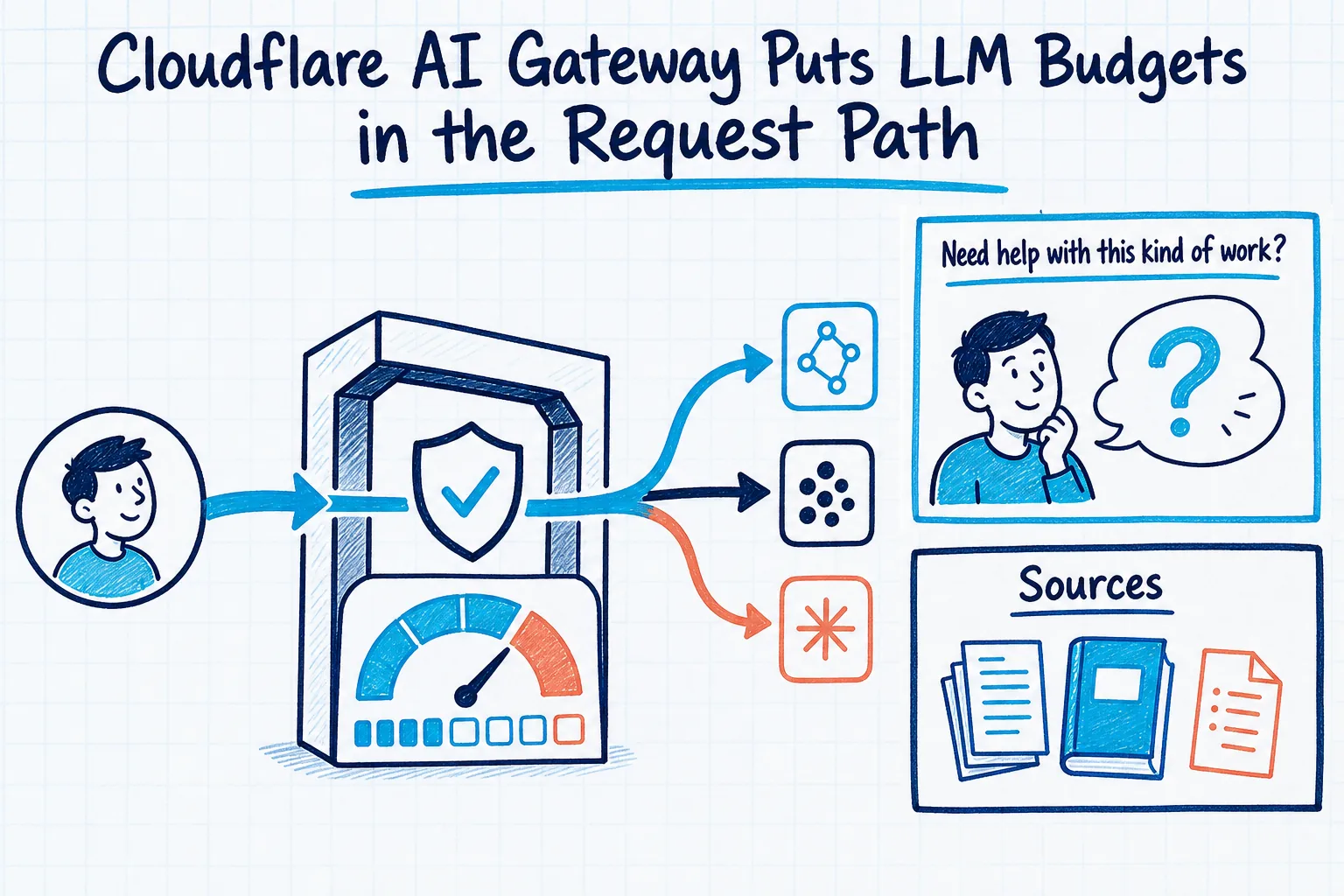
With Cloudflare's AI Gateway changes this spring, cost control has moved much closer to the request itself. The May 21, 2026 REST API update, followed by the spend-limits documentation update on June 5, 2026, means AI teams no longer have to treat budget control as a spreadsheet exercise after the fact. The gateway can sit in front of model traffic, handle logging, caching, rate limiting, and guardrails, and now expose cost controls based on spend rather than raw request count.
The integration point is a big part of why this matters. Cloudflare says AI Gateway now uses the AI REST API on api.cloudflare.com, and that teams can call models from providers such as OpenAI, Anthropic, Google, or Workers AI through one unified API with the same endpoints and authentication regardless of provider. It exposes a universal POST /ai/run endpoint, OpenAI-compatible /ai/v1/chat/completions and /ai/v1/responses endpoints, and an Anthropic-compatible /ai/v1/messages endpoint. If you already have model calls in production, that makes the gateway much easier to insert without reworking every application first.
Once the gateway is in the path, spend limits stop being an abstract finance control and become a live operating rule. Cloudflare documents spend limits as cost-based budgets on an AI Gateway. When cumulative spend reaches a limit within a time window, the gateway returns a 429 response until the window resets. Unlike traditional rate limiting, which counts requests, spend limits track estimated dollar cost per request based on token usage and model pricing. Each rule defines a budget over a rolling or fixed window, and AI Gateway evaluates all applicable rules before sending the request upstream. If any one rule is already over budget, the request is blocked.
For most teams, the harder question is not whether to set a limit. It is how to assign ownership. Cloudflare allows spend limits to be scoped by model, provider, or custom metadata dimensions. Those dimensions can either split budgets by value or filter rules to a specific value. So the control plane can support a shared global budget, a per-user budget, a provider-specific budget, or a model-specific budget. Useful, yes, but only if requests are labeled consistently enough for those rules to reflect the business lines you actually care about.
That is where custom metadata becomes practical rather than cosmetic. Cloudflare allows requests to be tagged with user IDs or other identifiers, and those values appear in logs so teams can search and filter their data. Cloudflare explicitly lists team names and test indicators as examples. Metadata values can be strings, numbers, or booleans, and AI Gateway stores up to five metadata entries per request. Objects are not supported. That is a narrow constraint, but it is enough to establish a compact schema such as user, team, application, workflow, and environment.
Once that metadata exists, spend control becomes much more specific. Cloudflare says spend can be tracked per model, provider, or any custom metadata attribute on the analytics dashboard. The analytics view includes requests, token usage, costs, errors, and cached responses, with filtering by time. That gives operations and finance something more useful than a vague AI line item on an invoice. You can see which workflow is pulling an expensive model into routine use, which team is generating avoidable error cost, or whether cached responses are materially reducing both latency and spend.
There are still limits, and they should be stated plainly. Cloudflare describes spend tracking as a best-effort estimation based on token counts and model pricing, and it recommends checking the provider dashboard for exact billing amounts. It also notes that spend limits are eventually consistent, so bursts of concurrent requests can briefly exceed a limit before enforcement catches up. On top of that, a gateway can have a maximum of 20 spend-limit rules. None of that makes the feature weak. It simply means the control model still needs engineering judgment, prioritization, and sensible rule design.
Key governance is the other operational piece. Cloudflare's BYOK feature lets teams securely store AI provider API keys directly in the Cloudflare dashboard instead of including keys in every request. The keys are stored with Secrets Store, and Cloudflare highlights secure storage, easier rotation, and compatibility with Dynamic Routes restrictions such as rate limits and budget limits. After setup, applications can remove hardcoded keys and provider authorization headers from requests, while still passing cf-aig-authorization to AI Gateway. For teams with AI usage spread across scripts, services, and prototypes, that is a practical way to reduce key sprawl.
BYOK also supports multiple keys per provider. Cloudflare says that makes it possible to separate development and production usage, or to migrate gradually during rotation. Each stored key can have an alias, with default used automatically unless the request specifies another alias through the cf-aig-byok-alias header. Small implementation detail, meaningful operational result: budget control, provider access, and key lifecycle no longer have to be scattered across application code.
Dynamic routing matters because it gives teams options when a budget rule is hit. Cloudflare documents Dynamic Routing as a visual or JSON-based way to create versioned request-routing flows without changing application code. Instead of hard-coding one model path, teams can build flows with conditional nodes, percentage routing for A/B tests and gradual rollouts, model nodes, rate-limit nodes, and budget-limit nodes that switch to fallback when exceeded. Conditions can reference the request body, headers, or metadata, and every change creates a new draft version that can be deployed with instant rollback.
Cloudflare explicitly documents a cheaper-fallback pattern for spend limits. When a primary model hits its budget, the gateway can block requests by default, or a Dynamic Route can automatically send traffic to a fallback model instead. For many teams, that is the difference between a policy that suddenly disrupts a user journey and one that degrades service in a controlled, intentional way. It also means fallback logic, segmentation, and cost policy can be managed centrally instead of being reimplemented inconsistently across products.
A practical rollout usually starts with an audit rather than a rewrite. Inventory the current model calls. Group them by provider, model, application, environment, and owner. Route those calls through AI Gateway's REST API or compatible endpoints. Decide where Unified Billing is sufficient and where BYOK is the better governance choice. Define a small metadata schema that every request must carry. Then create spend-limit rules that reflect real accountability, not just technical convenience: perhaps a shared global ceiling, tighter controls on premium models, and specific limits tied to team or workflow metadata.
From there, use Dynamic Routes where hard blocking is too blunt, and watch the analytics dashboard for requests, tokens, costs, errors, and cache effectiveness. That is the point where LLM cost control starts to behave like a repeatable operating model instead of an anxious monthly check on invoices.
This is where GrN can be useful. Greg can audit existing OpenAI and other model calls, place AI Gateway in front of them, attach ownership metadata, centralize provider keys with BYOK, configure spend limits and dynamic routes, and hand over a practical runbook for operations and finance visibility. The commercial value is not just lower surprise spend. It is a cleaner control layer for AI traffic that is easier to explain, govern, and change.
Need help with this kind of work?
Discuss Your AI Gateway Ops Setup Get in touch with Greg.