
WordPress Cron: When to Replace WP-Cron with Server Cron
By Greg Nowak. Updated 10 August 2026.
WP-Cron is perfectly adequate until the business starts depending on it. A brochure site probably will not suffer if an internal cleanup runs late. An online store, membership platform, publication, or integration-heavy website is different: delayed renewals, imports, scheduled posts, and notifications quickly become operational problems.
The underlying issue is simple. WP-Cron checks for due work when WordPress receives a page request; it is not a continuously running system scheduler. Low traffic can therefore delay jobs, while blocked loopback requests can prevent WordPress from spawning them correctly.
Moving to server cron does not replace the WordPress event queue. Plugins and WordPress core continue scheduling the same hooks. You are only replacing the unreliable wake-up call with one controlled by the server.
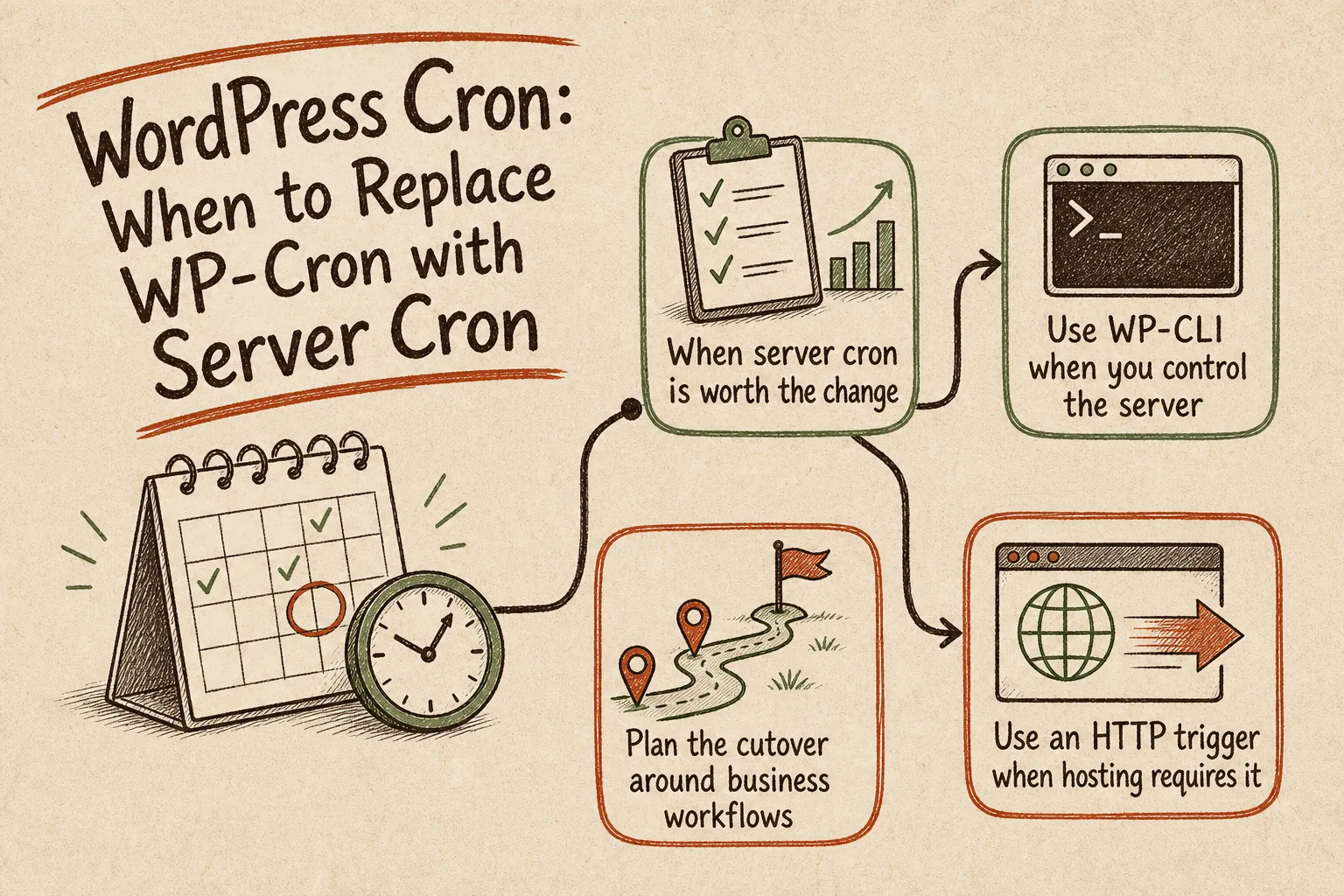
When server cron is worth the change
Base the decision on the cost of delay, not traffic or company size. A quiet membership site may need more dependable scheduling than a busy editorial site where five minutes makes no material difference.
| Site or workflow | Recommended approach | Why |
|---|---|---|
| Brochure site with non-critical housekeeping | Keep default WP-Cron | Best-effort timing is usually sufficient |
| Scheduled publishing, campaign changes, or feeds | Server cron every 5–15 minutes | Delivery no longer depends on visitors arriving |
| Orders, memberships, imports, or integrations | Server cron with monitoring | Delays can affect customers and operations |
| Several business-critical client sites | Standardised server cron and logging | The agency gains a repeatable support process |
| No shell access, but scheduled URL requests are available | HTTP trigger | It provides a clock-based wake-up call without WP-CLI |
Server cron improves predictability, but it does not guarantee second-perfect execution. A five-minute schedule means a newly due event may wait until the next five-minute run. It also cannot repair a broken plugin callback, an overloaded database, or a job that was never registered.
Plan the cutover around business workflows
Before changing the server, list the jobs that matter in business terms: subscription renewals, order follow-ups, stock imports, feed generation, scheduled publishing, or CRM synchronisation. Record how often each should run, how much delay is acceptable, and who needs to know when it fails.
Then follow this sequence:
- Create the replacement scheduled job.
- Run its exact command manually as the same operating-system user.
- Verify permissions, paths, output, and at least one low-risk workflow.
- Only then disable page-load spawning in
wp-config.php.
define( 'DISABLE_WP_CRON', true );Do not add that setting first. The events will remain in WordPress, but nothing will wake the queue if the replacement job is missing or misconfigured.
Use WP-CLI when you control the server
WP-CLI runs due events directly and avoids relying on an HTTP request to the site. Cron environments commonly have a limited PATH, so use absolute paths for both the executable and the WordPress installation:
*/5 * * * * /usr/local/bin/wp cron event run --due-now --path=/var/www/example.comReplace both paths with values verified on the real server. Run the command as the same user configured in cron; testing it as an administrator can hide ownership and permission problems. On WordPress multisite, specify the target site:
*/5 * * * * /usr/local/bin/wp cron event run --due-now --path=/var/www/example.com --url=https://example.comKeep output visible while commissioning the job. Once stable, send errors to logging or alerting that somebody actually reviews. Redirecting everything to /dev/null produces a quiet setup, not necessarily a healthy one.
Use an HTTP trigger when hosting requires it
Some control panels can schedule a URL request but do not offer dependable WP-CLI access. WordPress documents using wget to request wp-cron.php:
*/5 * * * * /usr/bin/wget --delete-after https://example.com/wp-cron.phpTest this from the server rather than assuming a successful browser visit proves anything. Basic authentication, redirects, firewall rules, CDN policies, or security plugins may treat server-originated requests differently. Add quiet flags only after you have confirmed where failures will be recorded.
Verify the new trigger properly
Inspect the queue before and after a scheduled run:
wp cron event list --fields=hook,next_run_gmt,next_run_relative,recurrence
wp cron event run --due-now
The first command shows what WordPress believes is scheduled; the second executes everything currently due. For a realistic test, run the complete cron entry as its configured system user, confirm a successful exit, and check that due events move to their next expected run.
Do not rely on wp cron test after the cutover. That command tests WordPress’s HTTP spawning system and deliberately returns an error when DISABLE_WP_CRON is true. After migration, the useful health checks are the server scheduler’s run history, the WordPress event queue, and completion of a real business workflow.
Leave an operating model, not just a crontab entry
- Document the scheduler, command, system user, interval, site path, and multisite URL.
- Record where output and failures appear and who owns the response.
- Remove the redundant page-load trigger after commissioning.
- Investigate overdue or repeatedly failing hooks separately.
- Keep a rollback note for restoring normal WP-Cron spawning.
This is a small technical change with consequences across hosting, WordPress, plugins, and business operations. If your team needs help auditing important jobs, implementing the trigger, or making the result supportable, talk to Greg about your WordPress operations.
Related on GrN.dk
- Cloudflare Page Rules Debt: How Quiet Configuration Drift Breaks Business Websites
- Debugging WordPress on a Live Site: A Safer Workflow
- Recommended WordPress Plugins for Business Websites: Keep the Stack Lean
Need help with this kind of work?
Talk to Greg about WordPress operations Get in touch with Greg.