
Sending Mail from a Linux Server with Postfix: A Reliable, Relay-First Setup
By Greg Nowak. Updated 10 August 2026.
Installing Postfix takes minutes. Making sure password resets, enquiries, invoices, and server alerts actually arrive is the operational work.
For most business and agency-managed servers, Postfix should be a small outbound component rather than a complete mail platform. It accepts messages from local applications, queues them safely, and hands them to an authenticated SMTP relay. This keeps useful retry and logging behaviour on the server while moving much of the public-delivery burden to a specialist provider.
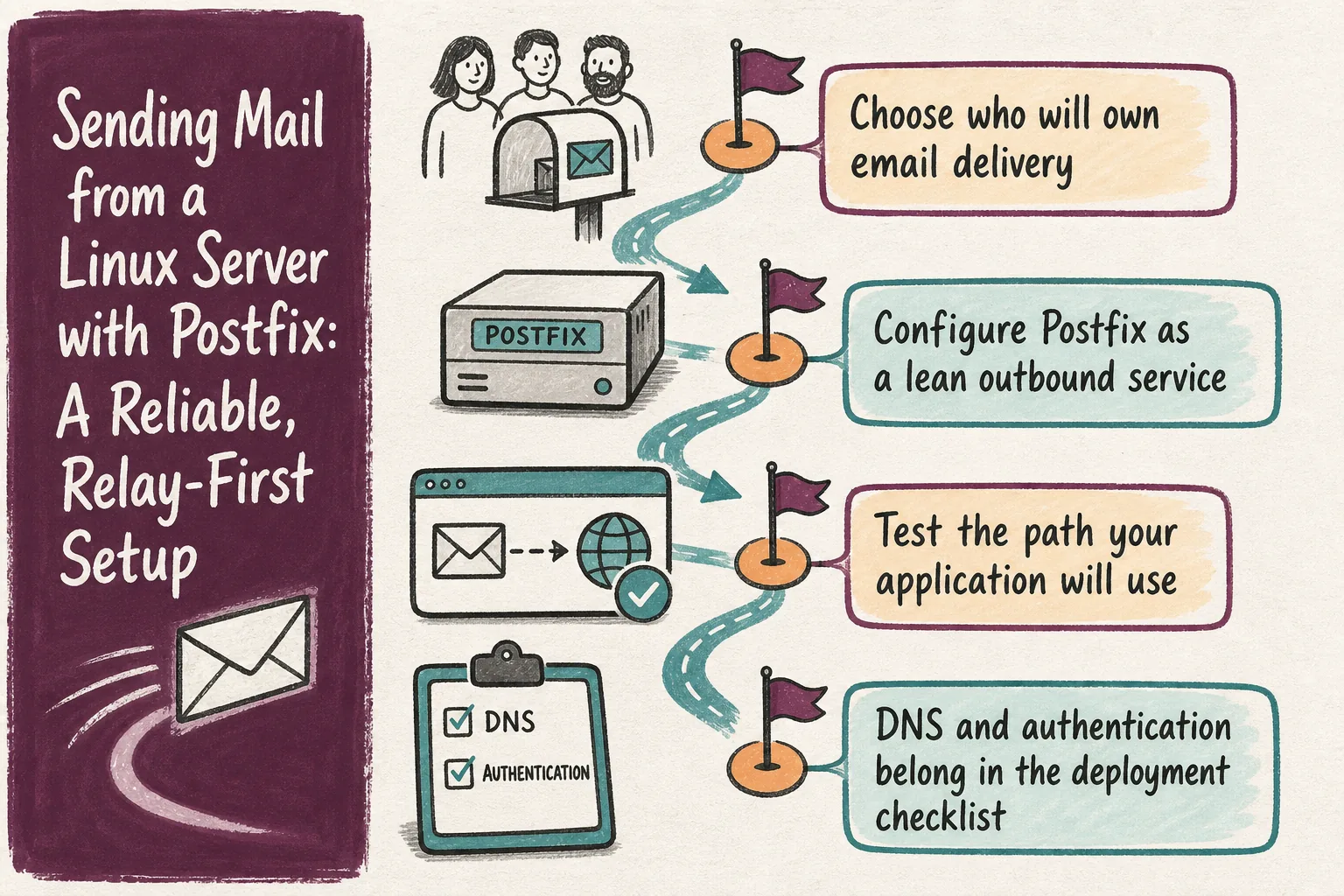
Choose who will own email delivery
The first decision is not which package to install. It is how much mail infrastructure your team wants to operate.
| Approach | Best fit | What your team still owns |
|---|---|---|
| Postfix with SMTP relay | Websites, business applications, alerts, and transactional mail | Credentials, sender domains, DNS, queue monitoring, and bounces |
| Direct delivery | Teams deliberately operating mail infrastructure | Port 25 access, PTR records, IP reputation, abuse response, and receiver-specific failures |
| Provider API | Applications with a maintained provider integration | API credentials, retries, webhook processing, and application-level logging |
Check the hosting network before considering direct delivery. Amazon EC2, for example, blocks outbound port 25 to public IPv4 and IPv6 addresses by default. A relay using the submission port, normally 587, also avoids tying delivery to the reputation of one application server’s IP address.
Configure Postfix as a lean outbound service
On Debian or Ubuntu, install Postfix, GNU Mailutils, and the SASL modules commonly used for authenticated relays:
sudo apt update
sudo apt install postfix mailutils libsasl2-modules
Give the server a real fully qualified hostname, such as app01.example.com. Then adapt /etc/postfix/main.cf:
myhostname = app01.example.com
myorigin = example.com
mydestination =
inet_interfaces = loopback-only
relayhost = [smtp.provider.example]:587

smtp_tls_security_level = encrypt
smtp_sasl_auth_enable = yes
smtp_sasl_security_options = noanonymous
smtp_sasl_tls_security_options = noanonymous
smtp_sasl_password_maps = hash:/etc/postfix/sasl_passwd
An empty mydestination means the machine is not responsible for local mailboxes. loopback-only prevents network clients from submitting mail to this instance. Square brackets around the relay hostname suppress MX lookup and make Postfix use the specified endpoint directly.
Use the endpoint, port, and TLS mode documented by the provider. Port 587 normally uses STARTTLS. If the provider specifies implicit TLS on port 465, add smtp_tls_wrappermode = yes and use that port instead.
Create the credentials file without truncating an existing one:
sudo sh -c 'umask 077; touch /etc/postfix/sasl_passwd'
sudoedit /etc/postfix/sasl_passwd
The lookup key must exactly match relayhost, including brackets and a non-default port:
[smtp.provider.example]:587 USERNAME:PASSWORDBuild the lookup database and validate the configuration:
sudo postmap /etc/postfix/sasl_passwd
sudo chmod 600 /etc/postfix/sasl_passwd /etc/postfix/sasl_passwd.db
sudo postfix check
sudo systemctl restart postfix
Some distributions use a database type other than hash. Check available types with postconf -m and the default with postconf default_database_type. Treat both the source file and generated database as production secrets, including in backups.
Test the path your application will use
First inspect the effective non-default settings:
postconf -n
sudo postfix check
Then send to an external mailbox using the application’s real sender domain:
echo "Test from $(hostname -f)" | mail \
  -s "Postfix delivery test" \
  -a "From: Alerts <[email protected]>" \
  -r [email protected] \
  [email protected]
These options are for GNU Mailutils: -a appends the visible header, while -r sets the return address. Other programs named mail may interpret the same flags differently.
A successful command only proves that the local submission worked. Watch Postfix and inspect its queue:
sudo journalctl -u postfix -f
sudo tail -f /var/log/mail.log
sudo postqueue -p
Use whichever logging route your distribution provides. Deferred queue entries include a reason such as failed authentication, a TLS error, DNS failure, timeout, or recipient rejection. Fix that cause before forcing another queue run.
DNS and authentication belong in the deployment checklist
Current Gmail requirements make sender authentication part of production readiness. All senders to personal Gmail accounts need SPF or DKIM; bulk senders need SPF, DKIM, and DMARC. Google also requires TLS and valid forward and reverse DNS for sending infrastructure.
- Verify the sender domain with the relay provider.
- Publish one SPF record covering every legitimate sending service.
- Enable DKIM for the domain used in the visible
From:address. - Publish DMARC initially with reporting, then tighten the policy after reviewing legitimate traffic.
- Keep the visible sender aligned with the domain authenticated through SPF or DKIM.
A relay helps with transport and reputation, but it cannot repair contradictory DNS records or guarantee inbox placement.
Make failure visible after launch
Monitor queue size and the age of the oldest deferred message. Route the envelope sender to a monitored mailbox or process provider bounce events. Re-test after credential rotation, DNS changes, migrations, or provider changes.
Email supporting customer access, sales, billing, or incident response needs a named owner for the whole path. “Postfix accepted it” is a useful checkpoint, not the definition of successful delivery.
Want a practical setup review?
Greg can review the delivery model, Postfix configuration, relay security, sender authentication, DNS alignment, and production test path. If a small mail requirement is becoming an uncertain infrastructure project, get in touch for a focused review.
Related on GrN.dk
- Sending Mail with Drupal: Reliable Email Setup for Business Sites
- Cockpit, Monit, ISPConfig, or Landscape: Which Fits Your Ubuntu Servers?
- Copilot Has Repo-Level Metrics Now. What Should Teams Measure?
Need help with this kind of work?
Ask Greg to review your mail setup Get in touch with Greg.