By Greg Nowak. Updated 3 November 2026.
If Swedish pages on an inherited Drupal 8 site are labelled as English, changing the site’s default language will not repair them. The language belongs to the stored content too, where it can affect editing, search, URLs, and integrations.
Handle the repair as a small migration: identify the affected content, agree what should change, rehearse the procedure, and test the journeys people depend on. For a business owner or agency lead, the useful deliverable is a repeatable repair with clear acceptance criteria and a tested rollback.
There is also a lifecycle decision. Drupal 8 lost security support on 17 November 2021. A necessary repair should fit into a plan for moving to a supported release.
Are you correcting a label or adding a translation?
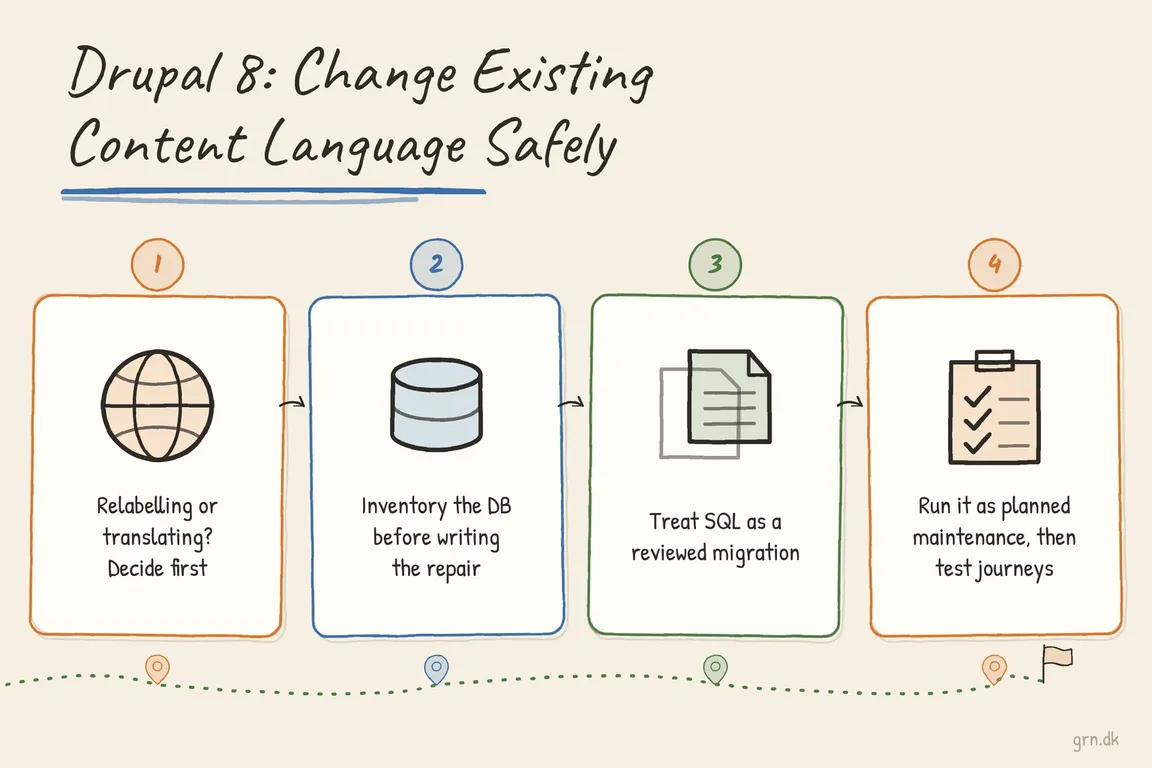
A Swedish article incorrectly stored with langcode = 'en' may need its original language corrected to sv. An article that needs separate English and Swedish versions needs translation. Agree which situation applies before anyone changes records.
Drupal’s Content Translation documentation explains how translation is enabled for content entities and individual fields. Shared fields need particular care: changing an untranslated field affects all translations.
| What you find | Recommended route | Decision before work starts |
|---|---|---|
| Swedish content incorrectly labelled English | Correct the source language for approved records | Which content and revisions are affected? |
| Existing English and Swedish versions | Map and preserve both translations | Which version is the original, and what is actually wrong? |
| Editors need both languages going forward | Configure a translation workflow | Which fields should be shared or translated? |
| A rebuild or upgrade is already planned | Consider correcting language during migration | Does the live site need an interim repair? |
Inventory the affected records and their history
Work from a recent production copy in staging. Record the affected entity IDs, content types, current languages, and expected result. Do not assume every English-labelled record is wrong.
On MySQL or MariaDB, this read-only query helps locate language metadata:
SELECT TABLE_NAME, COLUMN_NAME
FROM INFORMATION_SCHEMA.COLUMNS
WHERE TABLE_SCHEMA = DATABASE()
  AND COLUMN_NAME IN (
    'langcode',
    'default_langcode',
    'content_translation_source'
  )
ORDER BY TABLE_NAME, COLUMN_NAME;
This is an inventory, not an update list. default_langcode is a flag identifying the default translation; content_translation_source records translation provenance. Neither should receive a blanket language-code replacement.
Include nodes, taxonomy terms, custom blocks, menu links, custom entities, and their fields and revisions. Review aliases and redirects separately. Adapt queries for database table prefixes; raw SQL does not automatically add them.
Check for translation collisions before writing
This query identifies nodes with both English and Swedish rows in their current field data:
SELECT en.nid
FROM node_field_data en
INNER JOIN node_field_data sv
  ON sv.nid = en.nid
 AND sv.langcode = 'sv'
WHERE en.langcode = 'en';
A result requires investigation before relabelling. No results only clears this particular check. Check node_field_revision for conflicting rows within each revision, and inspect dedicated field tables and other affected entity types. A Swedish translation may exist in history even when it is absent from the current version.
Drupal 8’s entity implementation rejects changing the original language to one that already has a translation. It also prevents directly changing a non-default translation’s language. Those cases need an explicit migration strategy.
Choose a repair method that fits the site
For a small set of incorrectly labelled originals, first assess a script using Drupal’s entity API. Saving through Drupal runs application save logic, but hooks can also trigger indexing or integrations. Test those effects and decide how historical revisions should be handled.
Direct SQL may suit a carefully mapped repair across historical records. It bypasses entity hooks and cache invalidation, so the script must cover every relevant storage table and the cleanup afterwards.
For nodes, inspect node, node_field_data, node_revision, and node_field_revision, plus applicable node__field_* and node_revision__field_* tables. Inspect taxonomy storage against the installed schema too; legacy Drupal 8 versions differ.
Keep the script in version control, restrict changes to the approved entity IDs, and record expected row counts. Rehearse it against a fresh staging copy. Include explicit checks that abort on unexpected data.
Run production as planned maintenance
Freeze editorial changes and pause imports, cron jobs, queues, and integrations that write affected data. Maintenance mode alone does not stop every writer. Take a fresh backup and confirm restoration works before starting.
Use project-local Drush and the intended site alias or --uri. Legacy installations may require older syntax: check the installed command help. These examples use the documented sql:dump and sql:query forms:
vendor/bin/drush help sql:query

vendor/bin/drush @site sql:dump \
  --result-file=../before-language-change.sql

vendor/bin/drush @site sql:query \
  --file=change-language.sql

vendor/bin/drush @site cache:rebuild
Replace @site with your configured alias. Confirm file paths on the target environment, keep backups outside the public web directory, and run the SQL command only for a reviewed SQL repair. Rebuild external search indexes if they store language metadata. A language repair alone does not require updatedb.
Get editorial sign-off before reopening
- Compare language counts and affected IDs with the approved plan.
- Test editing, publishing, moderation, translations, and historical revisions.
- Check language-specific URLs, aliases, redirects, menus, search, and feeds.
- Verify API consumers and language-filtered integrations.
- Create new content to confirm the configured language defaults prevent recurrence.
Keep writers paused until the checks pass. Agree who can call for rollback and how new writes would be handled after reopening.
If the scope is unclear, bring Greg in to plan the Drupal language repair. A useful starting point is a defined content inventory, an implementation brief your developers can review, and an acceptance checklist your editors can use.
Related on GrN.dk
- Google’s AI Search toggle needs a test plan, not a gut decision
- AI Images Need a Chain of Custody, Not Just a Disclosure Label
- Drupal 7 on MySQL 8: How to Fix the NO_AUTO_CREATE_USER Error
Need help with this kind of work?
Plan a safe Drupal language repair Get in touch with Greg.