By Greg Nowak. Updated 8 October 2026.
Start with unattended OpenAI jobs that have a clear owner, a dependable machine identity, and a tested recovery path. Those are the strongest candidates for replacing long-lived API keys with short-lived access tokens.
For a business owner, the benefit is fewer persistent credentials to distribute and revoke. For operations and agency teams, the practical question is whether authentication will remain reliable when certificates rotate, deployments change, or someone leaves. Removing a key should leave you with clearer ownership and manageable maintenance.
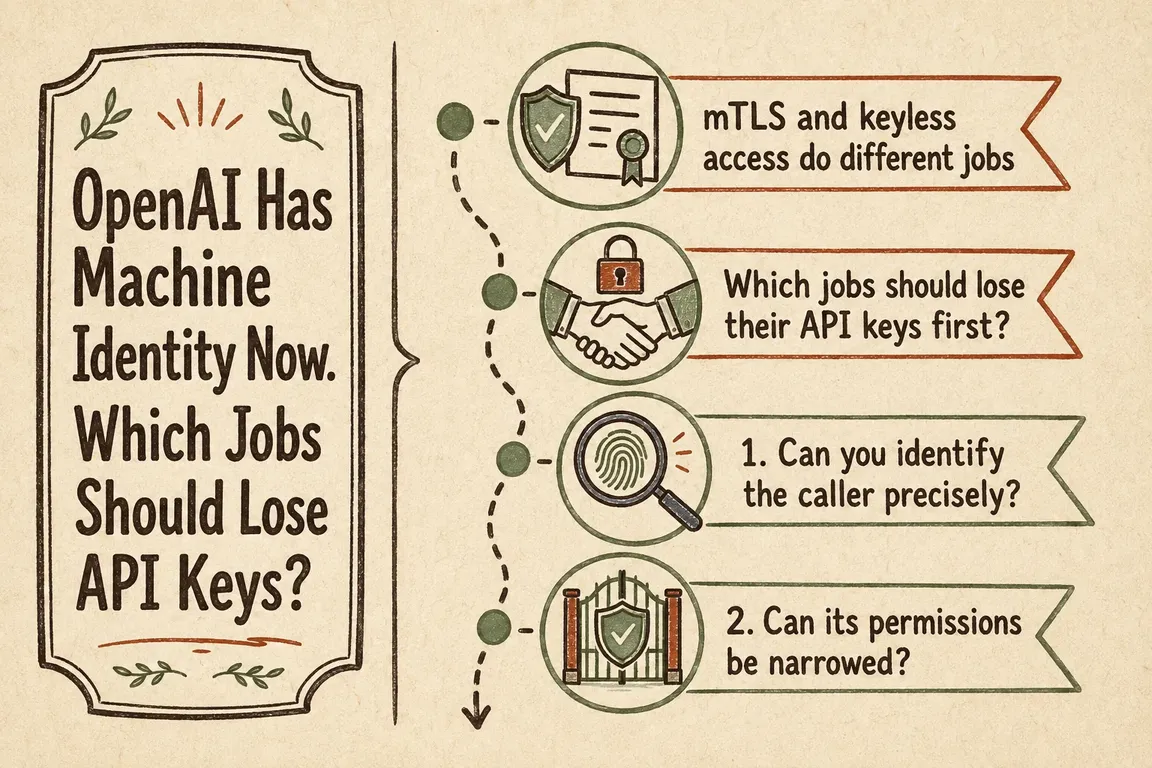
mTLS and API-key replacement are different decisions
OpenAI’s mutual TLS guide describes mTLS as an extra certificate check. Requests need an accepted client certificate alongside their bearer credential. Adding mTLS to an API-key-based job leaves that API key in place.
Workload identity federation exchanges an existing machine identity for a short-lived OpenAI token. X.509 federation uses a verified client certificate; API calls then need both the token and an accepted certificate. OIDC federation uses identity tokens from supported environments instead.
My recommendation is to use the identity your infrastructure already manages well. A team with reliable certificate automation may prefer X.509. A workflow already receiving supported OIDC tokens should evaluate that route before adding certificate infrastructure.
Which jobs should move first?
| Workload situation | Suggested direction | What to establish first |
|---|---|---|
| Server automation with managed client certificates | X.509 federation | Automatic certificate renewal, protected private keys, and a dedicated workload identity. |
| CI or cloud job with a supported identity-token issuer | OIDC federation | An exact identity mapping and reliable token retrieval. |
| Job keeping a bearer credential but needing certificate verification | mTLS with its existing credential | Every affected caller supports client certificates and the required API host. |
| Several unrelated jobs sharing one key | Separate identities first | Named owners and distinct permission requirements for each job. |
| Connector exposing only an API-key field | Retain a restricted key while checking vendor support | Supported authentication options, secure storage, rotation, and a review owner. |
A scheduled reporting job can make a good pilot: it is repeatable, easy to observe, and often recoverable by rerunning it. A customer-facing workflow deserves the same review, but usually needs stronger availability testing. Keep client businesses and production environments separately accountable when planning agency access.
For GitHub Actions federation, the job needs id-token: write permission and must request the audience configured in OpenAI. That permission allows identity-token issuance; it does not grant repository write access. Match the intended repository, environment, or branch identity so an unrelated workflow cannot obtain the same access.
What an X.509 migration actually involves
In the Platform console, certificate trust is configured under Organization settings > Security > Mutual TLS. Identity providers are under Security > Workload Identity Provider. Create or select the project service account before configuring its mapping.
The X.509 implementation guide requires a non-empty openai.subject derived from a stable certificate attribute. Map an exact subject to the intended service account. Restrict who can issue certificates with that identity and who can change the mapping.
The runtime needs its certificate chain, private key, provider ID, and service account ID. Present the leaf certificate followed by required intermediates; OpenAI does not retrieve missing intermediates for you. Exchange the certificate at POST https://mtls.auth.openai.com/oauth/token, then call https://mtls.api.openai.com/v1 with the returned bearer token and an accepted client certificate. Supported SDK configurations automate token renewal; check the guide’s version requirements before upgrading.
According to the token exchange reference, tokens last at most one hour and cannot outlive the certificate. There is no refresh token. Manual implementations must repeat the exchange before the returned expires_at, allowing for clock differences and network delays.
Set explicit mapping permissions. Leaving them blank adds no federation-specific scope restriction: access follows the service account’s project and organization roles. Shorter credential lifetimes do not automatically narrow permissions.
Roll out without surprising the rest of the business
- Inventory callers. Record each deployment, OpenAI project, credential, owner, permissions, and failure contact. Include infrequent jobs that may stay silent during a short pilot.
- Prepare a small pilot. Uploading certificate trust does not enforce mTLS; activation changes request behaviour. Activate in a non-critical project first and test every expected caller before expanding the scope.
- Test the lifecycle. Check renewal, expired certificates, missing intermediates, rejected mappings, and temporary exchange failures. Confirm alerts reach someone who can act. Define how failed business work will be resumed without duplicate processing.
- Write the recovery procedure. Document the settings to restore, who can change them, and how to pause affected jobs. Test it while the pilot is still small.
- Rotate with overlap. Activate the new trust anchor before deactivating the old one. Move and test callers, then retire old trust. Revoke previous API keys after checking all scheduled and occasional consumers.
Keep the remaining credential risks visible
OpenAI’s documented limitations matter here: workload identity tokens cannot call Admin API endpoints, so administrative automation still needs an admin API key. X.509 bearer tokens are also not cryptographically bound to their certificates; protect returned tokens as secrets.
OpenAI does not check certificate revocation lists or OCSP in this flow. Plan incident response around its trust, provider, and mapping controls, and account for already-issued tokens. Protect private keys and keep credentials out of logs.
If you want help deciding where to start, get in touch about an OpenAI authentication review. I can help turn a caller inventory into a migration backlog, agree the pilot and acceptance checks with your developers, and make the operational handover clear.
Related on GrN.dk
- AI automations need a spend dashboard before the first runaway bill
- OpenAI Computer Use: Browser Agents Need Credentials, Not Demos
- Background AI Tasks Need Queues, Not Longer API Calls
Need help with this kind of work?
Discuss your OpenAI authentication review with Greg Get in touch with Greg.










