By Greg Nowak. Updated 22 October 2026.
A useful AI feature can still create an awkward working day. Someone waits for a report that could have arrived later. A long analysis disappears behind a timeout. Overnight classification competes with requests from customers who need an answer now.
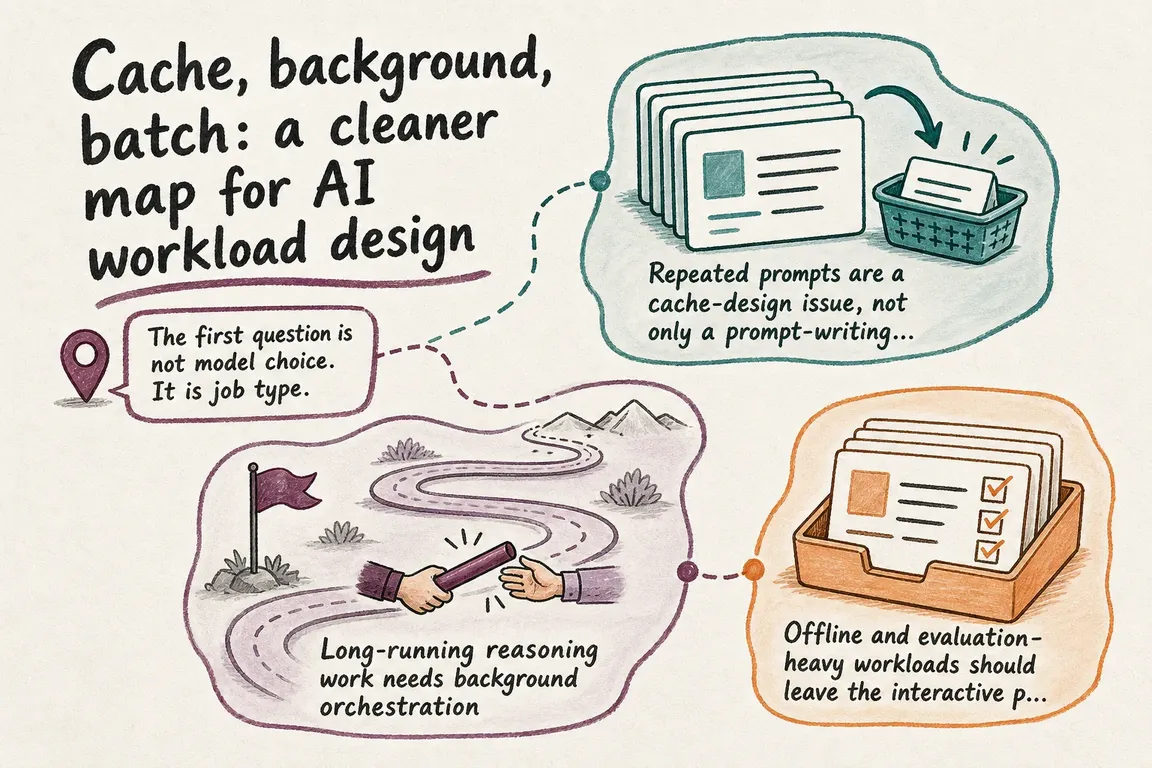
Before changing models, decide when each result is actually needed. Use synchronous requests for immediate interactions, background mode for longer tasks, and Batch for work that can wait. Prompt caching can reduce repeated processing within these routes.
Choose the route from the business deadline
Write down the deadline, who receives the result, and what happens if it arrives late. “As fast as possible” is rarely a useful requirement. A draft needed during a client call and a catalogue enrichment due tomorrow deserve different delivery plans.
| When is the result needed? | Route | Typical work | What to build around it |
|---|---|---|---|
| During the current interaction | Synchronous request | Support assistance, live extraction, short drafts | Response deadline and fallback |
| The user can leave and return | Background mode | Research, detailed analysis, complex reasoning | Durable job record and result delivery |
| A 24-hour processing window is acceptable | Batch API | Bulk classification, evaluations, embeddings | Validation, reconciliation and selective retries |
An agency might use all three: draft copy during an editing session, prepare a detailed audit in the background, and classify an approved content archive through Batch. The route follows the task, rather than applying one setting across the whole product.
Keep interactive work within a waiting budget
For synchronous work, agree how long a person should wait before the interface offers another action. Keep context relevant, limit unnecessary output, and define a useful fallback: retry later, save the request, or continue manually.
Measure the slower requests as well as the average. A good demonstration tells you little about what happens when several colleagues submit work together. Include those conditions in acceptance testing.
Cache stable context, then check the bill
Put reusable instructions, tool definitions and examples before changing customer data or questions. For GPT-5.6 and later, the minimum cacheable prefix is 1,024 visible input tokens. Where a changing suffix follows shared content, mark the stable boundary with prompt_cache_breakpoint: {"mode":"explicit"}. Setting prompt_cache_options.mode to "explicit" restricts caching to your selected breakpoints; without any, it creates no cache writes. The official prompt caching guide explains supported placements.
Check the chosen model’s current pricing. On GPT-5.6 and later, 30-minute cache writes cost 1.25 times ordinary input; 12-hour writes in Responses cost 2.5 times. Read rates vary by model. Those are total write rates, not extra fees added to ordinary input.
Track cached_tokens, cache_write_tokens, latency and total cost. Repeated writes with little reuse can increase spending. Avoid padding prompts merely to qualify. Use a stable prompt_cache_key for customer accounting on newer models and routing on older ones.
Give background jobs an owner and a delivery path
For supported Responses API models, set "background": true, save the returned response ID, and retrieve the response to check progress. OpenAI’s background mode documentation covers polling and cancellation.
The business workflow needs more than that parameter. Keep an internal job record with the customer, purpose, response ID, submission time, deadline and delivery destination. Show users that their request was accepted and where the result will appear. Add polling backoff or webhook handling, cancellation and an actionable failure message.
Make delivery safe to repeat: processing the same completion twice should not send two reports or apply the same update twice. Assign someone to investigate jobs that remain unfinished beyond their expected window.
Batch the backlog with room for recovery
The Batch API offers a 50% discount against synchronous APIs and separate rate limits, with a 24-hour completion window. Use it where that delay fits the business deadline, allowing additional time for validation and recovery.
Prepare a JSONL file with a unique custom_id for each request and one model per input file. Results may arrive in a different order, so match them using that ID. Start with a representative sample before submitting the backlog.
Reconcile submitted, successful, failed and expired records. A batch can expire with some requests completed; recover those outputs and retry only eligible unfinished or failed items. Keep the batch and file IDs in your job record. Set a spending limit for retries so a broken input does not become a recurring expense.
Record what stays stored
Check OpenAI’s data controls for the actual features used. Abuse-monitoring logs, stored responses, cache state and uploaded files have different lifecycles. Background requests from Zero Data Retention projects use store=false, but still temporarily write response data to disk for roughly ten minutes to support polling.
Batch is listed as ineligible for Zero Data Retention. Document retention and cleanup before uploading sensitive records. Assign responsibility for deleting associated files, using supported expires_after settings where appropriate, and for removing local copies when their purpose ends.
Start with one workflow you can hand over
Inventory the current AI calls, classify their deadlines, and choose one workflow to improve. Agree its quality check, cost measure, failure handling and operational owner before increasing volume. Include a short handover explaining how to find a job, recover a failure and confirm delivery.
If your team needs help making those decisions, Greg can help map the workloads, clarify responsibilities and turn the design into a delivery plan your developers and operations team can use. Talk to Greg about your AI workflow.
Related on GrN.dk
- AI automations need a spend dashboard before the first runaway bill
- Background AI Tasks Need Queues, Not Longer API Calls
- Prompt Cache Write Costs: Check What Your Workflow Actually Reuses
Need help with this kind of work?
Talk to Greg about your AI workflow Get in touch with Greg.










