By Greg Nowak. Updated 12 October 2026.
An old settings panel beneath the WordPress editor may control something your business depends on: a campaign destination, product information, SEO settings, or an approval flag. When planning a WordPress 7.0 upgrade, the useful question is whether those controls still save the right data and support the people using them.
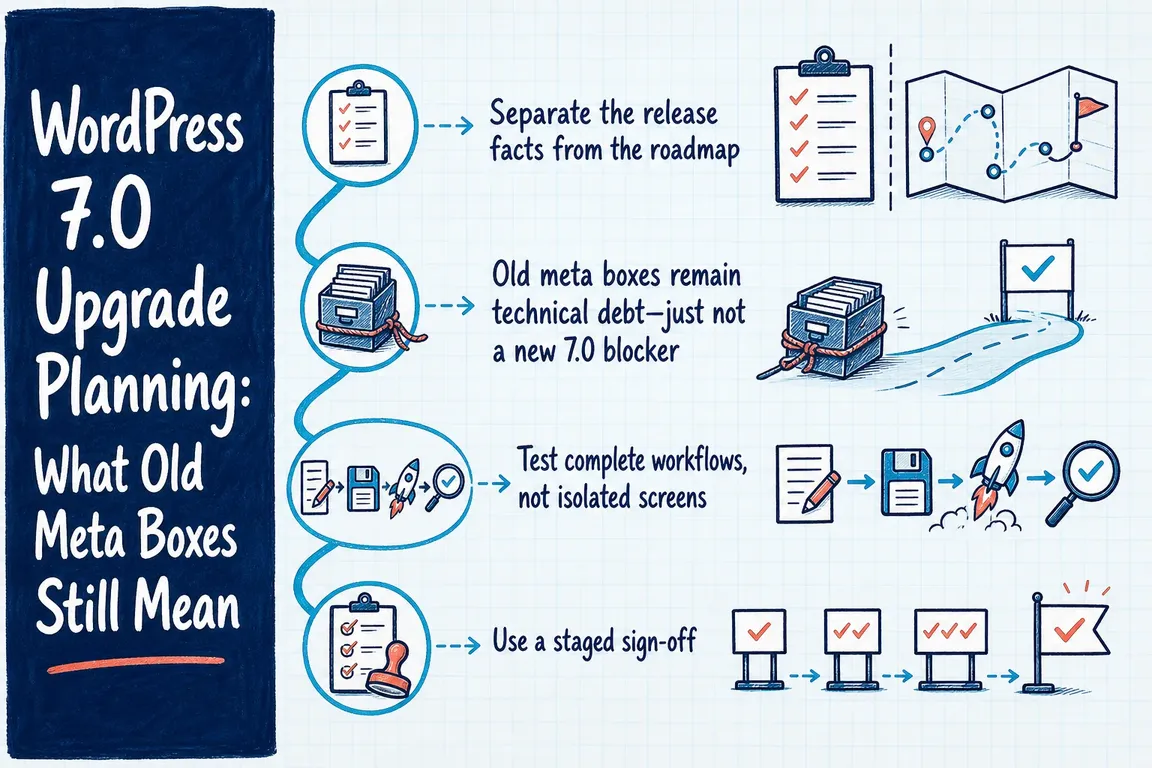
You can often keep a working meta box through the upgrade. Where changes are needed, give them a clear purpose and acceptance test. That keeps the budget focused on reliable publishing and business continuity.
Start with what WordPress 7.0 actually changed
Real-time collaboration was removed from WordPress 7.0 before release. Replacing classic meta boxes will therefore not unlock simultaneous editing in core 7.0. If shared editing appeared in an earlier proposal or estimate, revise that assumption before approving the work.
There is an editor change worth testing. WordPress now checks the Block API versions of blocks actually inserted into a post when deciding whether to use an iframe for the editing canvas. The official editor guidance explains the fallback for older blocks and confirms that universal iframe enforcement is not part of 7.0. The separate Gutenberg plugin can behave differently, so record whether your site uses it.
Also check hosting before testing extensions. WordPress 7.0 requires PHP 7.4 or later, but that minimum is an obsolete hosting target. The current WordPress recommendations are PHP 8.3 or later, MariaDB 10.11 or later or MySQL 8.0 or later, and HTTPS. Agree a supported platform with your host and test your plugins against it.
Which meta boxes should you keep, modernise, or retire?
Inventory the fields used by each important content type. Record who uses them, which plugin or custom code owns them, and where their values appear. Include integrations and exports: a field can look unused in the editor while still feeding another system.
| Decision | When it makes sense | Evidence to collect |
|---|---|---|
| Keep | The interface is maintained and supports a useful task. | Correct saving, permissions, reload behaviour, and output on staging. |
| Modernise | The interface causes friction or needs better API or revision support. | A defined replacement, compatible data model, and tests for existing consumers. |
| Retire | The business no longer uses the feature. | Confirmation that templates, integrations, reports, and staff no longer depend on it. |
For an agency team, this inventory also clarifies scope. Separate compatibility fixes needed for launch from improvements that can follow later. Each item should have an owner and a concrete expected result.
Modernise the data deliberately
A classic interface built with add_meta_box() and registered post metadata can coexist. Registering metadata can support REST API access and revision history without immediately replacing the interface.
For a public, plain-text subtitle, this is a starting example for a custom plugin:
add_action( 'init', function () {
    register_post_meta( 'post', 'example_subtitle', array(
        'type'              => 'string',
        'single'            => true,
        'show_in_rest'      => true,
        'sanitize_callback' => 'sanitize_text_field',
        'revisions_enabled' => true,
    ) );
} );
The metadata registration reference documents the relevant options. The post type needs custom-fields support for REST access and revisions support for revision-enabled metadata. This registration does not build an editing control or migrate values stored under another key.
Check permissions, validation, existing save handlers, and restoration behaviour. Treat REST exposure as a data-access decision; internal approval notes or sensitive information need different handling from a public subtitle. Preserve existing keys where practical to avoid breaking templates and integrations.
Test the work people actually do
Restore a recent production backup into protected staging. Match the intended PHP version and extension versions, while isolating outgoing email, payments, and webhooks from live services.
Ask an editor or operations colleague to complete representative tasks using their normal role. For a campaign page, that might mean changing a custom field, saving a draft, previewing it, scheduling publication, and checking the published result. Then reopen the page and confirm the field retained its value. Test revision restoration separately where metadata revisions are enabled.
Include both older content and newly created content. Their block combinations may differ, affecting the editor canvas. Watch for missing styles, broken controls, browser-console errors, and PHP warnings. A successful administrator test says little about whether an editor can finish the same task.
If you use WP-CLI, capture the installed extensions and available updates from the WordPress installation directory:
wp core version
wp plugin list
wp theme list
wp plugin list --update=available
wp theme list --update=available
wp core verify-checksums
The checksum command compares core files with the official distribution. Investigate unexpected differences, but remember that a passing result does not establish plugin compatibility or provide a complete security assessment.
Make recovery part of the launch decision
Before release, agree who approves the technical checks, who confirms staff workflows, and who can call a rollback. Rehearse recovery from a backup containing the database and relevant files. Replacing core files alone may not reverse database changes made by WordPress or plugins.
For a shop or membership site, decide how orders, registrations, and content added after the backup would be preserved. A restore that discards new business activity is a poor recovery plan. Coordinate any pause in writes with the people responsible for those operations.
Where feasible, separate the PHP change, core upgrade, and meta-box modernisation into observable steps. After launch, repeat the priority workflow checks and monitor logs, forms, scheduled publishing, and transaction handling through an agreed observation period.
Get a clear upgrade scope
If your site has accumulated custom fields and several teams rely on them, Greg can help review the dependencies, define acceptance tests, and coordinate the release. Talk to Greg about your WordPress upgrade with your current versions, critical workflows, and any fixed launch date.
Related on GrN.dk
- WordPress 7.1’s iframe Editor: What to Test in Your Custom Blocks
- Nginx 1.30 Changed Upstream Connections: What to Test Before You Upgrade
- MariaDB 10.6 EOL: quiet CMS hosting debt needs a real upgrade plan before July 2026
Need help with this kind of work?
Talk to Greg about your WordPress upgrade Get in touch with Greg.