By Greg Nowak. Last updated 2026-09-25.
Let’s Encrypt’s certificate profiles are easy to treat as PKI detail. For a business owner, operations lead, or agency, they are better understood as a test of whether certificate renewal is genuinely automated.
As of 25 September 2026, the default classic profile still produces 90-day certificates. However, tlsserver now produces 45-day certificates, shortlived lasts just 160 hours, and tlsclient is no longer available. More importantly, the default certificate lifetime is scheduled to shorten in 2027 and again in 2028. A process that depends on a long recovery window is therefore living on borrowed time.
What changed—and what happens next
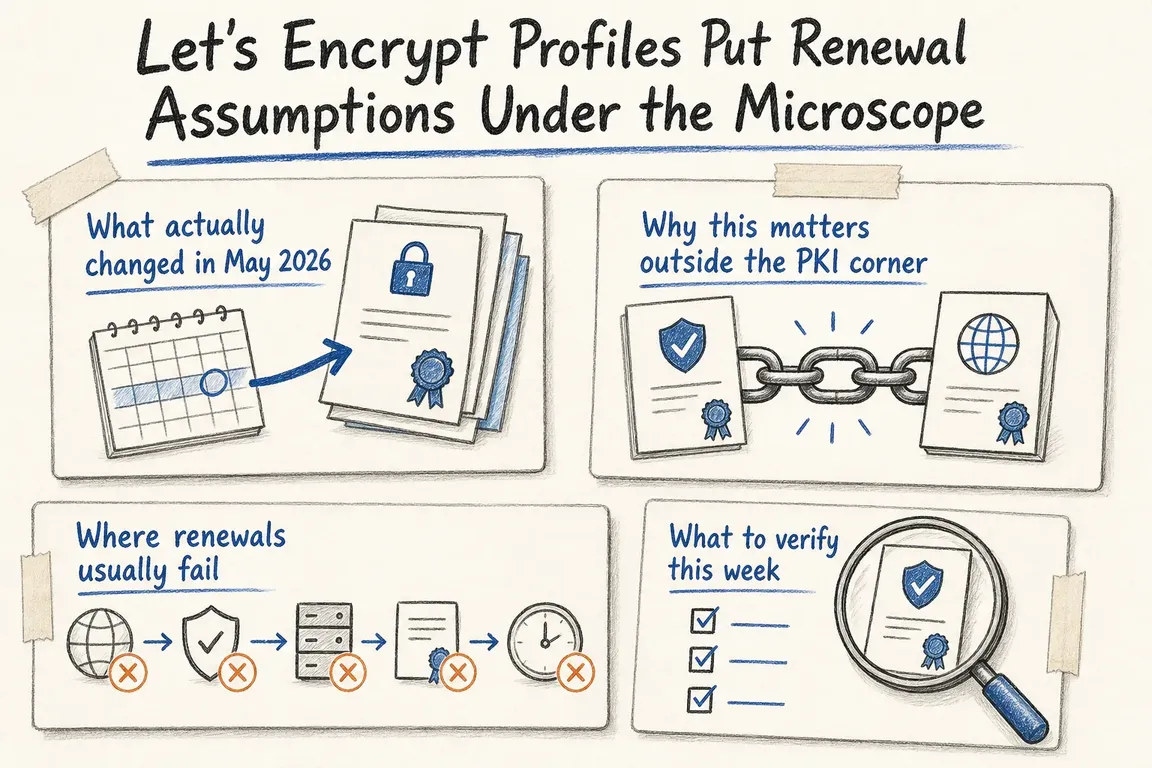
The May 2026 rollout made the opt-in tlsserver profile shorter-lived and moved certificate issuance onto Let’s Encrypt’s Generation Y intermediates. The intermediate change was briefly delayed while corrected cross-signed certificates were prepared, then completed later that month.
The change did not suddenly shorten every Let’s Encrypt certificate. But the direction is clear: the default classic profile is scheduled to move from 90 days to 64 days on 10 February 2027, then to 45 days on 16 February 2028. Teams should use the remaining time to remove manual steps, not simply update an expiry calendar.
| Profile | Validity | Sensible use | Operational implication |
|---|---|---|---|
classic |
90 days today | Most ordinary websites and services | Default, but scheduled to shorten from 2027. |
tlsserver |
45 days | Teams confident in end-to-end automation | Less time to notice and repair a failed renewal. |
shortlived |
160 hours | Highly automated or specialist deployments | Failures require rapid detection and response. |
tlsclient |
Unavailable | No new use | Existing client-auth designs need another issuer or approach. |
A successful renewal is not the same as a safe deployment
There are several separate stages: the scheduler must run, the ACME client must validate control, the certificate must be issued, the files must reach the right host, and the service or load balancer must load them. Monitoring only the certificate files on disk can miss the most commercially important failure: customers are still receiving an old certificate from the public endpoint.
This distinction matters in agency estates. A certificate might be managed by Certbot on one VPS, by a hosting panel elsewhere, and by a CDN or load balancer for a third client. Record ownership as well as configuration: who receives an alert, who can change DNS, and who is expected to respond outside office hours?
Choose the challenge that fits the real network
HTTP-01 is usually the simplest choice when the hostname is publicly reachable. It works only through port 80, cannot issue wildcard certificates, and may be checked repeatedly from different locations. With several web servers, every possible responder must make the challenge file available. Redirects, CDN rules, stale webroots, and inconsistent cluster nodes are common weak points.
DNS-01 supports wildcard certificates and works when origins are not publicly exposed. It should normally be automated through a DNS provider’s API. Use narrowly scoped credentials where the provider permits it; placing credentials with broad DNS control on a public web server increases the impact of a compromise. Delegating the _acme-challenge name to a separate validation zone can help isolate that access.
Run an end-to-end Certbot review
On a Certbot-managed host, start by identifying what Certbot actually owns:
certbot certificates
Then confirm that renewal is scheduled. Depending on the installation, inspect systemd timers with systemctl list-timers and check system or application crontabs for certbot renew. Do not assume that installing Certbot created the expected schedule on every machine.
Test the stored renewal configuration against Let’s Encrypt’s staging service:
certbot renew --dry-run --run-deploy-hooks
The second flag tests applicable deployment hooks after a successful dry run. There is an important limitation: Certbot runs those hooks with the current active certificate, not the temporary staging certificate. This proves that the hook can execute; it does not prove that a newly issued certificate has reached every production endpoint.
After a real renewal, inspect what an external client receives. Replace the example hostname in this command:
echo | openssl s_client -connect example.com:443 -servername example.com 2>/dev/null | openssl x509 -noout -subject -issuer -dates
Compare the result with the certificate Certbot reports. Repeat the check for important hostnames, alternate load-balancer routes, and any service that terminates TLS away from the origin. Add expiry monitoring against those public endpoints and, where appropriate, monitor Certificate Transparency for unexpected issuance.
Be deliberate when selecting a profile
Current Certbot versions distinguish between --preferred-profile and --required-profile. A preferred profile falls back to the certificate authority’s default if the requested profile is no longer advertised. A required profile fails instead. The fallback is usually safer for business continuity; the strict option belongs in environments where receiving a different profile would breach an explicit technical policy.
A profile setting cannot repair a broken webroot, manual DNS update, expired API token, or missing service reload. The useful outcome of this change is therefore not a more elaborate certificate policy. It is a short, documented path from scheduled renewal to a verified certificate on the public service.
Turn certificate renewal into owned operations
If certificates span several hosts, client accounts, panels, or historical fixes, a focused review can map ownership, remove manual dependencies, test renewal safely, and establish useful alerts. Greg can help coordinate that work across technical and business stakeholders without turning it into a larger infrastructure project than necessary. Talk to Greg about reviewing your certificate operations.
Related on GrN.dk
- Shorter TLS Certificates Expose the Renewals You Haven’t Automated
- Shorter TLS Certificates: Will Your Renewal Setup Keep Up?
- GitHub Copilot Has Repo-Level Metrics. What Should Teams Measure?
Need help with this kind of work?
Discuss your certificate renewal setup Get in touch with Greg.