By Greg Nowak. Last updated 2026-09-03.
Cloudflare Tunnel solves a useful infrastructure problem: it lets a service connect to Cloudflare without giving its origin a publicly routable IP address. The cloudflared connector initiates outbound-only connections, so teams can close inbound firewall access and make it harder to bypass Cloudflare at the origin.
That technical convenience can create an operational blind spot. A developer adds a staging hostname, an agency publishes a client application, or someone installs a connector during an urgent launch. The service keeps working, so nobody records who owns it, where it runs, or what should happen when its host fails.
Cloudflare’s 2026 updates make that situation easier to uncover. The tooling now provides a much clearer view of tunnels, routes, replicas and live logs. For business owners and operations leads, however, visibility is only valuable when it leads to ownership and decisions.
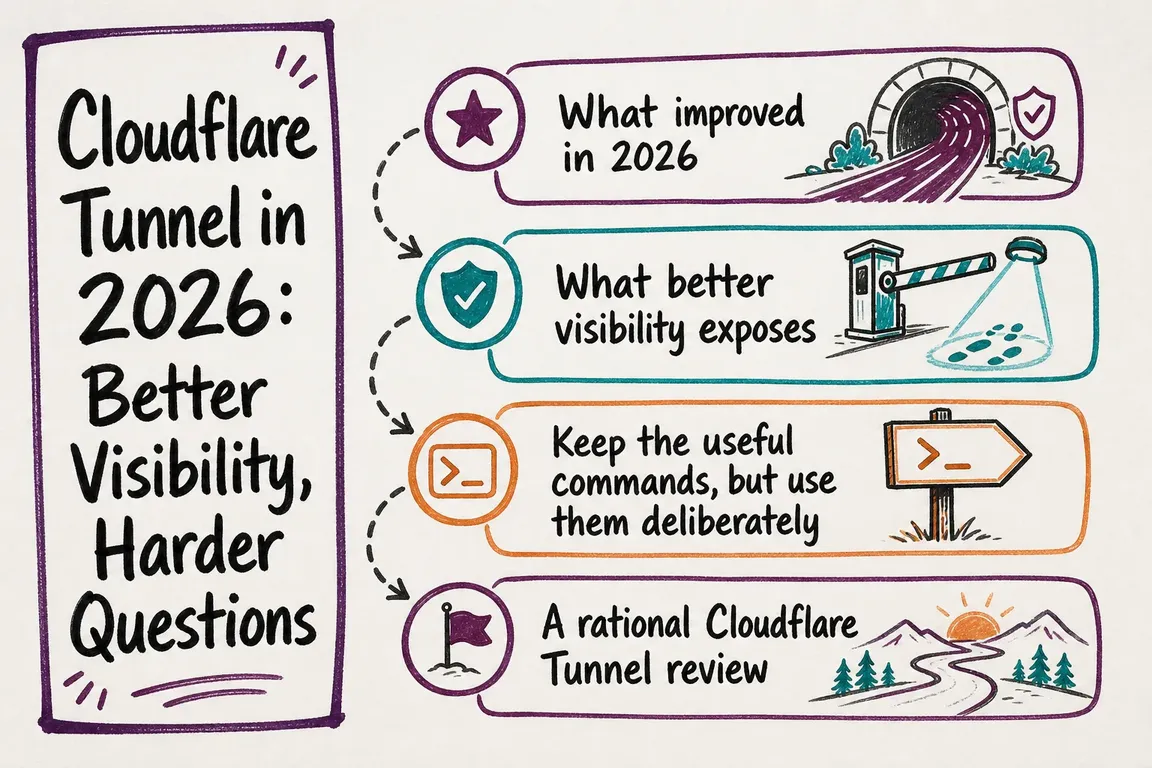
What changed in 2026
Cloudflare moved Tunnel management into the main dashboard at Networking > Tunnels in February 2026. Teams can now inspect tunnel health, active replicas and a routing map covering public applications, private hostnames, private CIDRs and Workers VPC services. The Cloudflare One dashboard remains useful when the work centres on Zero Trust policies or private-user access.
Wrangler gained tunnel management commands in March. The current command set can create, list, inspect, run and delete named tunnels, as well as start a temporary Quick Tunnel. Wrangler also manages the required cloudflared binary. This is useful for repeatable setup and handover, but Cloudflare still labels every wrangler tunnel command experimental. Pin the project’s Wrangler version before relying on these commands in automation.
Live logging also improved. In the dashboard, logs from connected replicas can be streamed together and grouped by hostname. That is considerably more useful during an incident than checking machines individually and trying to align their output afterwards.
Better visibility is not the same as resilience
A healthy tunnel is not automatically a highly available application. Each cloudflared instance creates several connections to Cloudflare, protecting against an individual connection or Cloudflare data-centre failure. It does not protect you when the machine running your only connector stops.
For important services, run replicas of the same tunnel on separate hosts. If one connector host fails, another can continue serving the tunnel’s routes. Replicas are not a traffic-steering system, though: they do not provide round-robin or policy-based distribution, and Cloudflare does not guarantee which replica will receive a request. If you need health-based failover between origins, geographic steering or deliberate traffic distribution, assess Cloudflare Load Balancing and separate tunnels instead.
There is another distinction worth making: hiding an origin does not decide who may use the application. A published hostname can still be publicly reachable. Where access should be restricted, the design also needs suitable Cloudflare Access policies or application-level authorization.
A practical Tunnel review
| Question | Evidence to collect | Decision to make |
|---|---|---|
| What depends on this tunnel? | Routes, DNS records, environment and origin service | Keep, consolidate or retire it |
| Who owns it? | Named business and technical owners | Assign approval and incident responsibility |
| Can it survive a host failure? | Connector count and physical placement | Add replicas on separate hosts where justified |
| Is traffic steering required? | Origin locations, health checks and recovery needs | Use replicas or evaluate Load Balancing |
| Can an incident be reconstructed? | Live-log access, persistent logs and retention | Define logging, access and escalation rules |
Start with customer-facing and revenue-supporting services. Record the tunnel UUID and name, every route, the connector hosts, the service behind each route, the authentication model, and a named owner. Then compare what the dashboard shows with DNS, deployment configuration and the team’s runbooks. An undocumented but active route deserves investigation; an apparently unused tunnel should not be deleted until its dependencies have been checked.
Commands worth putting in the runbook
For a quick account inventory, use npx wrangler tunnel list. Inspect an individual tunnel with npx wrangler tunnel info <TUNNEL>. These commands are useful during reviews, but their experimental status means scripts should use a pinned Wrangler version and be tested before upgrades.
For remote troubleshooting, authenticate the local machine with cloudflared tunnel login, then stream a tunnel with cloudflared tail <UUID>. Structured output is available through cloudflared tail --output=json <UUID> | jq .. When you need one connector specifically, use cloudflared tail --connector-id <CONNECTOR_ID> <UUID>. Filters including --event, --level and --sampling can reduce noise and load.
Remote streams are for diagnosis, not audit retention. They require Tunnel edit permission, only work while the tunnel is active and able to receive requests, and end after one hour. Cloudflare may also drop streamed records on high-throughput tunnels to protect service stability.
For routine server-side retention, the current recommendation is cloudflared tunnel --loglevel info --log-directory <PATH> run <UUID>, adapted to your service configuration. --log-directory rotates at 1 MB and retains up to five backups, but it does not remove files by age. Use --logfile for short investigations or when another logging system handles rotation and retention.
Turn the dashboard into an operating model
The useful outcome is a small, maintained operating record: service owner, technical owner, routes, connector locations, access rules, recovery design, logging destination and escalation path. Review it after launches, migrations and agency handovers—not only after an outage.
If your tunnel estate works but depends too heavily on memory, Greg can help inventory it, clarify ownership and turn the setup into a supportable handover. Talk through a practical Cloudflare Tunnel review.
Related on GrN.dk
- ChatGPT Visibility Without Opening Every Door: robots.txt Is Only the Start
- JavaScript-Heavy Service Pages Still Lose Leads: What to Audit in 2026
- A stray Set-Cookie can waste your CDN: audit the cache at the edge
Need help with this kind of work?
Talk to Greg about a Tunnel review Get in touch with Greg.